
Описание
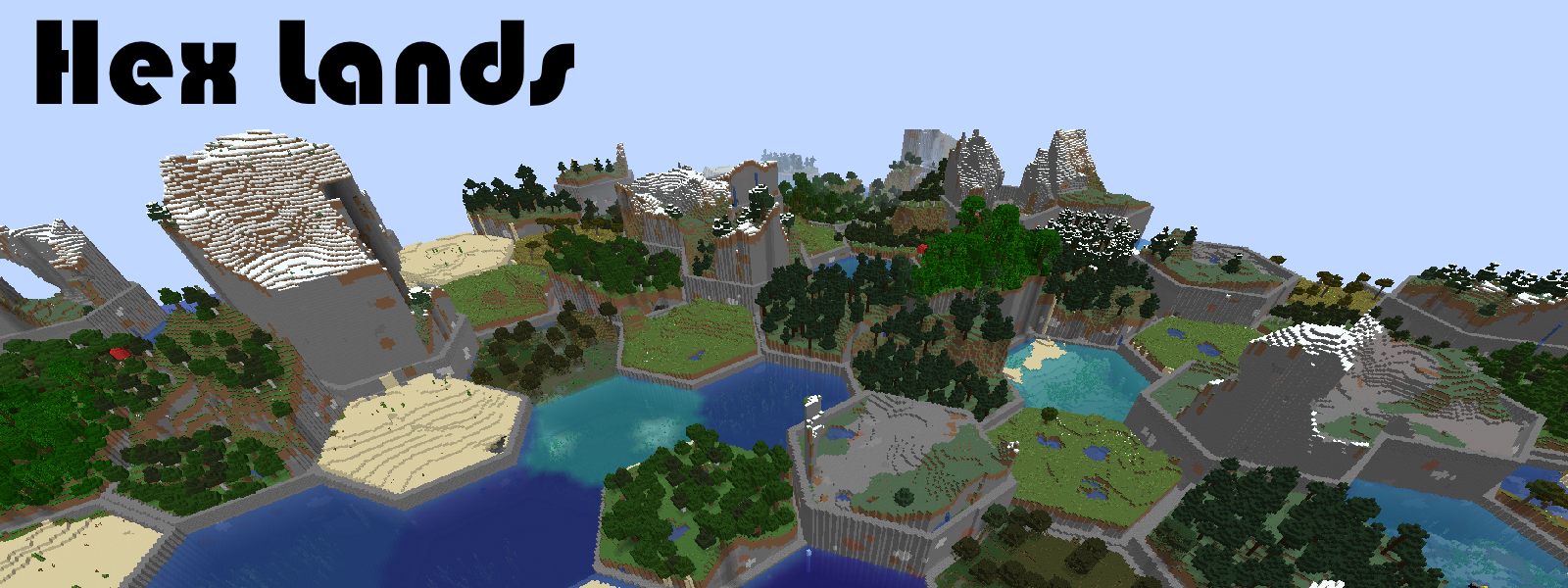
This mod is an updated and rewritten version of the original [Hex Lands](https://www.curseforge.com/minecraft/mc-mods/hex-lands) mod by superfluke, et. al. It has been rewritten completely for new Minecraft versions.
### Features
- Adds two world type presets: "HexLands", and "HexLands (Overworld)". The former which enables hexagonal terrain generation in both the overworld and the nether, the latter which only enables it in the overworld.
- Each hex contains a single biome. Hexes of different types are bordered by walls.
- Automatic compatibility with mods that add biomes to the overworld or other world generation.
- Many options for world customization via data packs.
### Configuration (Data Packs - 1.19.x - 1.20.x)
**Note:** Due to Mojang's changes to world generation, configuration will be different depending on which Minecraft version you are using! See the [1.18.x](https://github.com/alcatrazEscapee/hexlands/blob/1.18.x/README.md#configuration-data-packs), [1.17.x](https://github.com/alcatrazEscapee/hexlands/blob/1.17.x/README.md#configuration-data-packs), or [1.16.x](https://github.com/alcatrazEscapee/hexlands/blob/1.16.x/README.md#configuration-data-packs) versions of this documentation instead.
Worlds are now specified by [World Presets](https://minecraft.fandom.com/wiki/World_preset) due to a change from Mojang. HexLands can be customized by adding a new world preset. The default HexLands world presets can be found here, for [HexLands](https://github.com/alcatrazEscapee/hexlands/tree/1.19.x/Common/src/main/resources/data/hexlands/worldgen/world_preset/hexlands.json), and [HexLands (Overworld Only)](https://github.com/alcatrazEscapee/hexlands/tree/1.19.x/Common/src/main/resources/data/hexlands/worldgen/world_preset/hexlands_overworld_only.json). They both make use of the `hexlands:hexlands` chunk generator.
In order to use a HexLands world for a specific dimension, you must change the `generator` field. It must be an object with the following properties:
- `type` is a string identifying what generator to use. It should be `hexlands:hexlands`.
- `settings` is a [Noise Settings](https://minecraft.fandom.com/wiki/Custom_world_generation#Noise_settings) used by the dimension.
- `biome_source` is the biome source, as in vanilla. It can be a known preset, such as `"minecraft:overworld"`, or `"minecraft:nether"`, or it can be a JSON object following the vanilla biome source format.
- `hex_settings` is an object with parameters defining how the hexagonal grid works. It can either be a known preset, which must be one of `"hexlands:overworld"`, `"hexlands:nether"`, or `"hexlands:the_end"`, or it can be an object with the following fields:
- `biome_scale` (Default: 8) is the scale at which biomes are sampled to create hexes. Higher values create more random biome layouts.
- `hex_size` (Default: 40) is the size of an individual hex.
- `hex_border_threshold` (Default: 0.92) is a number between `0` and `1` representing how much of a hex should be covered by the border. Larger values will lead to thinner borders.
- `top_border` and `bottom_border` are both border settings which define how the top and bottom borders of the world are built. The borders between hexes consist of a bottom border, air, and a top border. If not present, this section of the border will consist entirely of air. If present, it must have the following fields:
- `min_height`: The minimum height of the border.
- `max_height`: The maximum height of the border.
- `state`: A block state to generate as the border state. As in vanilla formats, this must be an object with a `Name` and `Properties` field. The `Properties` must be an object containing **all** possible block state properties in key-value pairs, and the `Name` field must be the name of the block.
**Example**
Below is an example object which can be used in the `generator` field of a world preset.
```json5
// Below is an example object which can be used in the `generator` field of a world preset.
{
"type": "hexlands:hexlands",
"settings": "minecraft:overworld",
"biome_source": {
"type": "minecraft:multi_noise",
"preset": "minecraft:overworld"
},
"hex_settings": "hexlands:overworld"
}
```