Описание
## Showcase
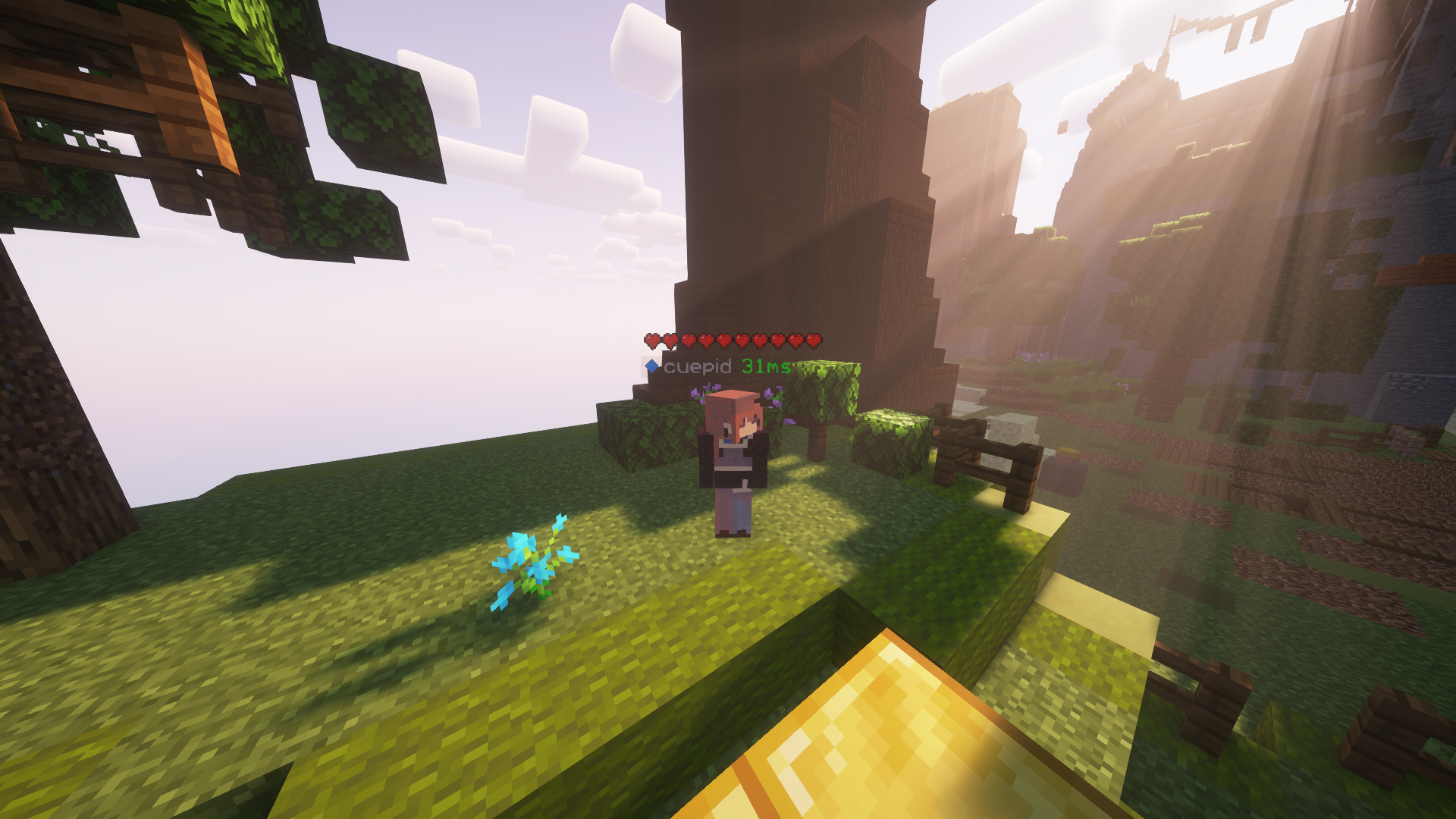
This is how the health indicators look, but you can visit [the gallery](https://modrinth.com/project/health/gallery) to see some more cool features
## Description
This texture pack shows the health of any player, but it uses health percentage rather than the actual health. This means that if someone has a base health of 200 hearts and only has 100 hearts remaining, it will show as 5 hearts. Usually while playing the base game then this will most likely always show the actual amount of health.
## How to Use
1. Download and install the texture pack as normal
2. Install [Fabric](https://fabricmc.net/use/installer/) if you don't have it
3. Ensure you have [EMF](https://modrinth.com/mod/entity-model-features) and [ETF](https://modrinth.com/mod/entitytexturefeatures) in your mods folder
4. Launch your game and apply the texture pack
## Support
**Join [My Discord](https://discord.gg/gymTft2GbV)**
- Report bugs
- Create suggestions
- Vote on future packs
- Interact with the community
- Ask for help with texture packs
- This is the place to ask if you can use this pack in your own pack
**Check out [The Repository](https://github.com/AlphaLeoli/Texture-Packs)**
- Report bugs
- Create suggestions
- Contribute by creating a pull request
https://www.alphaleo.li/resourcepacks