
Описание
# ✨ Harmonize
> **"A mod that unifies and enhances all Minecraft interfaces, making them consistent, polished, and pleasant to use."**
Harmonize transforms your Minecraft GUI experience with a sleek, unified visual design. Every container interface—from crafting tables to enchanting stations—now features a consistent layout that perfectly aligns with your hotbar. No more jarring visual jumps between different workstations!
---
## 🎯 What does this mod do?
Ever noticed that Minecraft's menus feel… inconsistent? Different spacing, misaligned elements, and behaviors that vary from one menu to another. **Harmonize** fixes all of that.
**Simple. Clean. Harmonized.**
---
## ✨ Key Features
| Icon | Feature Description |
| :--: | :------------------------------------------------------------------------------------------------------------------------------------ |
| ✨ | **Standardized GUIs:** Premium container interfaces with pixel-perfect alignment. |
| 🎯 | **Unified Positioning:** Consistent hotbar and inventory slot placement across ALL workstations. |
| 🎨 | **Refined HUD:** Custom hotbar sprites and XP bars with a modern, sleek aesthetic. |
| 🖐️ | **Universal Offhand & Trash:** Offhand slot and convenient item trash bin accessible directly from every single container menu. |
| 🎭 | **Polished Interactions:** Consistent hover feedback, tooltips, and button hitboxes. |
---
## 🖐️ Core Elements & QoL Features
Experience the core quality-of-life additions, designed to streamline your gameplay and inventory actions:
| Feature & Spacing Details | Comparison |
| :----------------------------------------------------------------------------------------------------------------------------------------------- | :---------------------------------------------------------------------------------------------------------------------------------------------------: |
| **Hotbar & Trash Slot:** Adds the universal offhand slot and the creative/survival trash slot directly to your active inventory interface. |  |
| **XP & Exhaustion Bar:** Custom-styled experience bar that integrates cleanly with the new visual layout. | 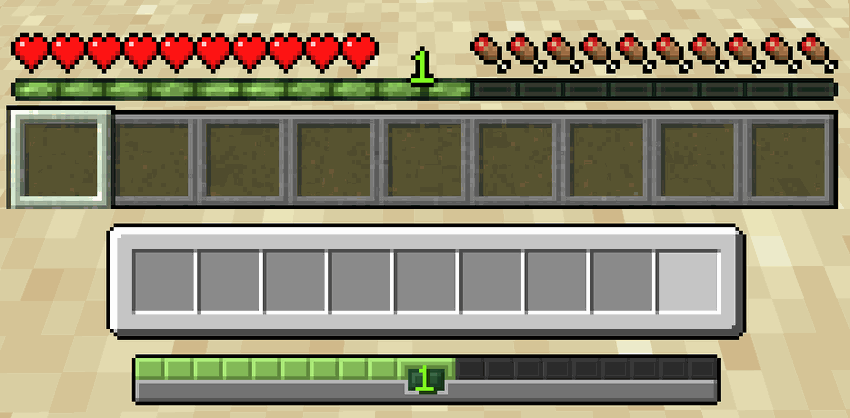 |
| **Search & Locator Bar:** Aligns and matches the styling of text boxes and search bars across all GUI menus. |  |
| **Chat Input Bar:** Sleek, centered chat input bar matching the visual identity of the hotbar. |  |
---
## 🎒 Player Inventory Overhaul
Harmonize unifies the survival inventory, recipe books, and creative mode into a seamless, single-screen experience. No more switching screens to navigate your creative blocks or recipes:
| Survival Inventory | Creative Inventory |
| :-----------------------------------------------------------------------------------------------------------------------------------------------: | :-----------------------------------------------------------------------------------------------------------------------------------------------: |
| 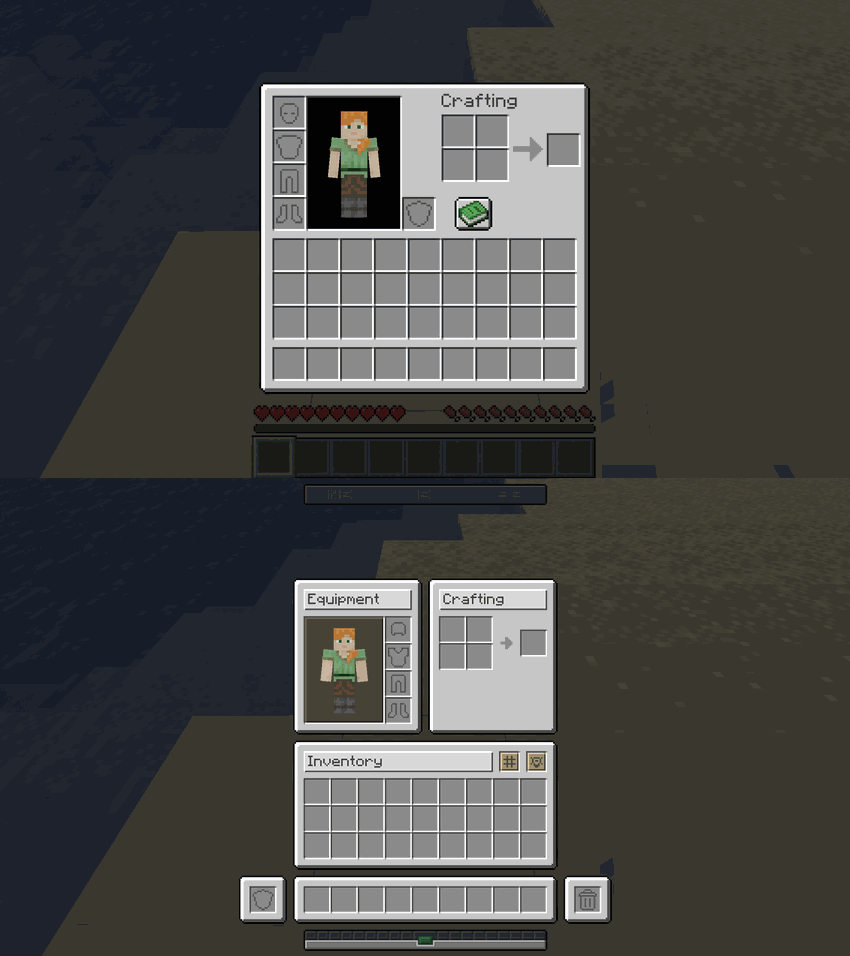 | 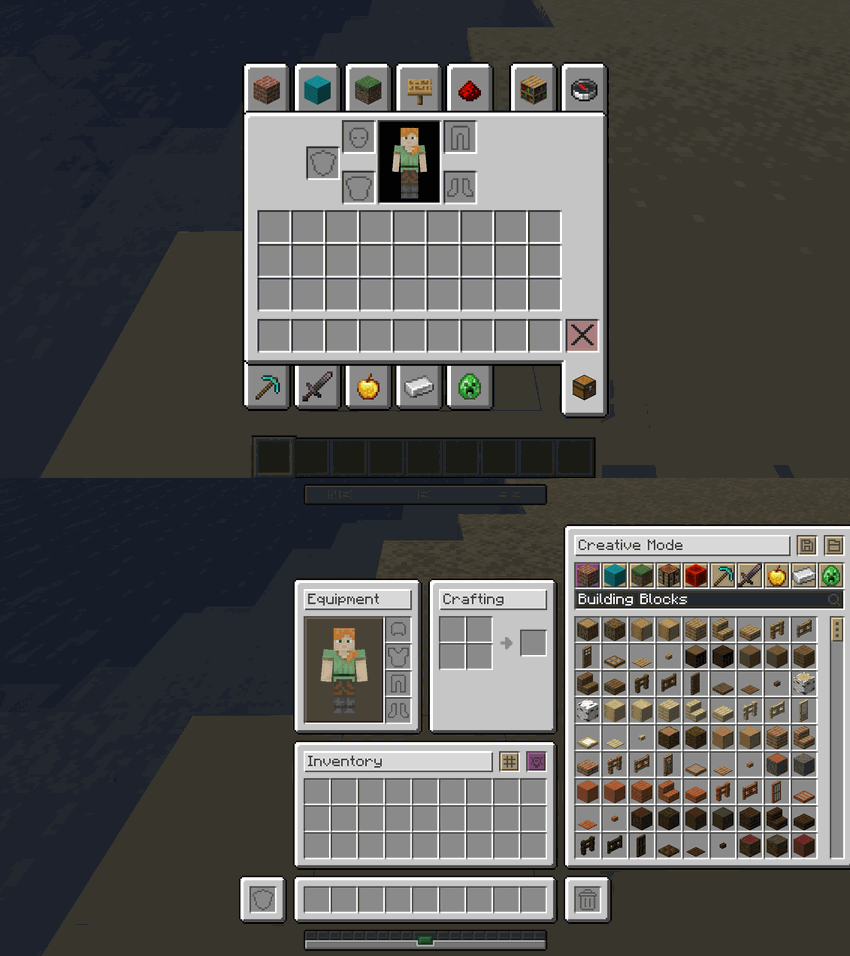 |
### 🔄 Interactive Mod Interface States
Watch how the survival inventory, recipe books, and creative tabs adapt dynamically on the fly within the same window:
---
## 📦 Container & Workstation Overhauls
Below are the visual transitions showing exactly how every single container in the game has been updated to fit the new design:
### 📦 Storage Containers
| Container | Comparison |
| :-------------------- | :--------------------------------------------------------------------------------------------------------------------------------------------------: |
| **Chest** | 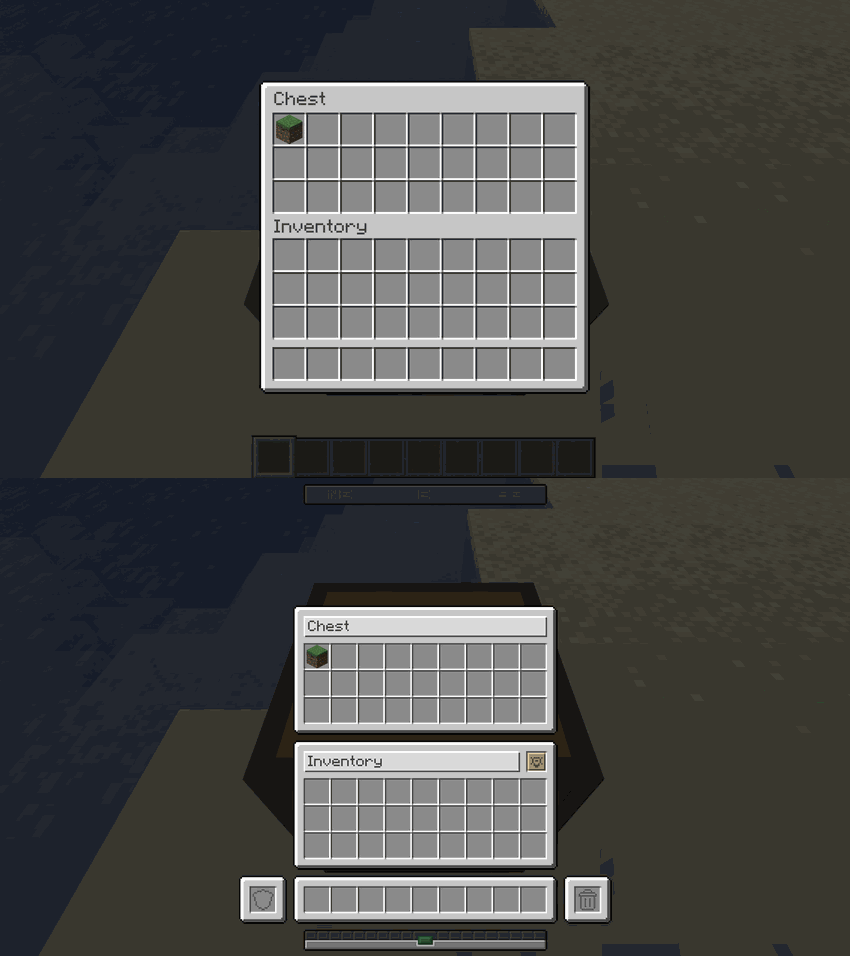 |
| **Barrel** | 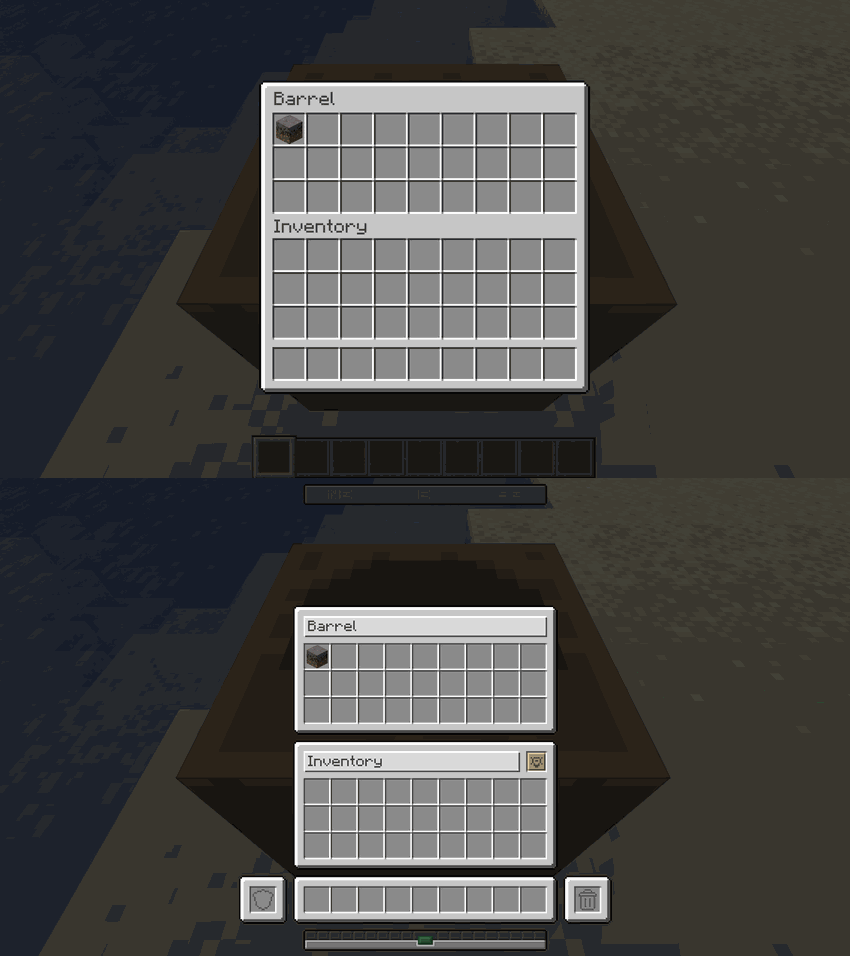 |
| **Ender Chest** | 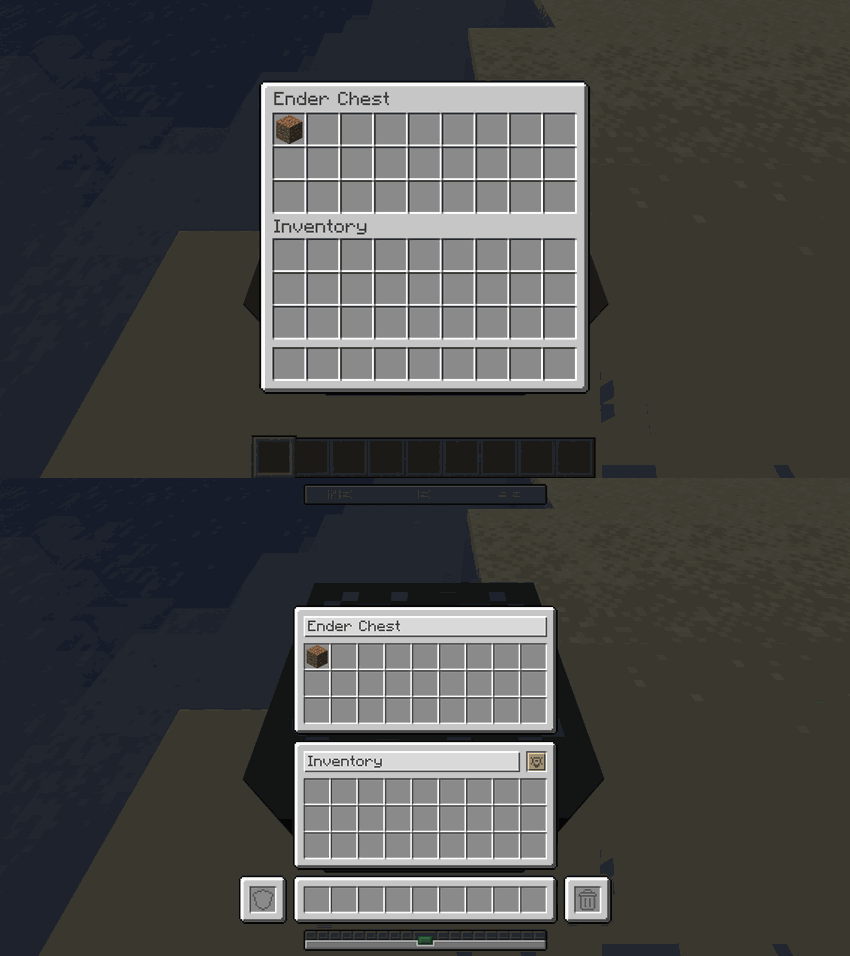 |
| **Shulker Box** | 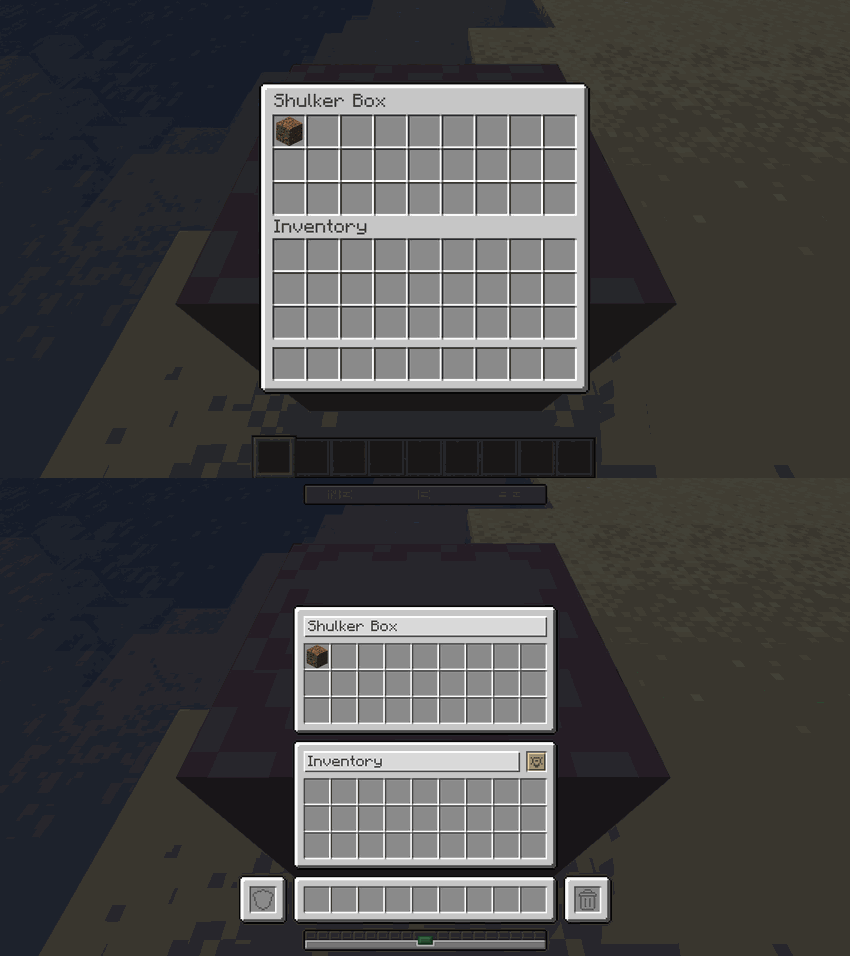 |
| **Dispenser** | 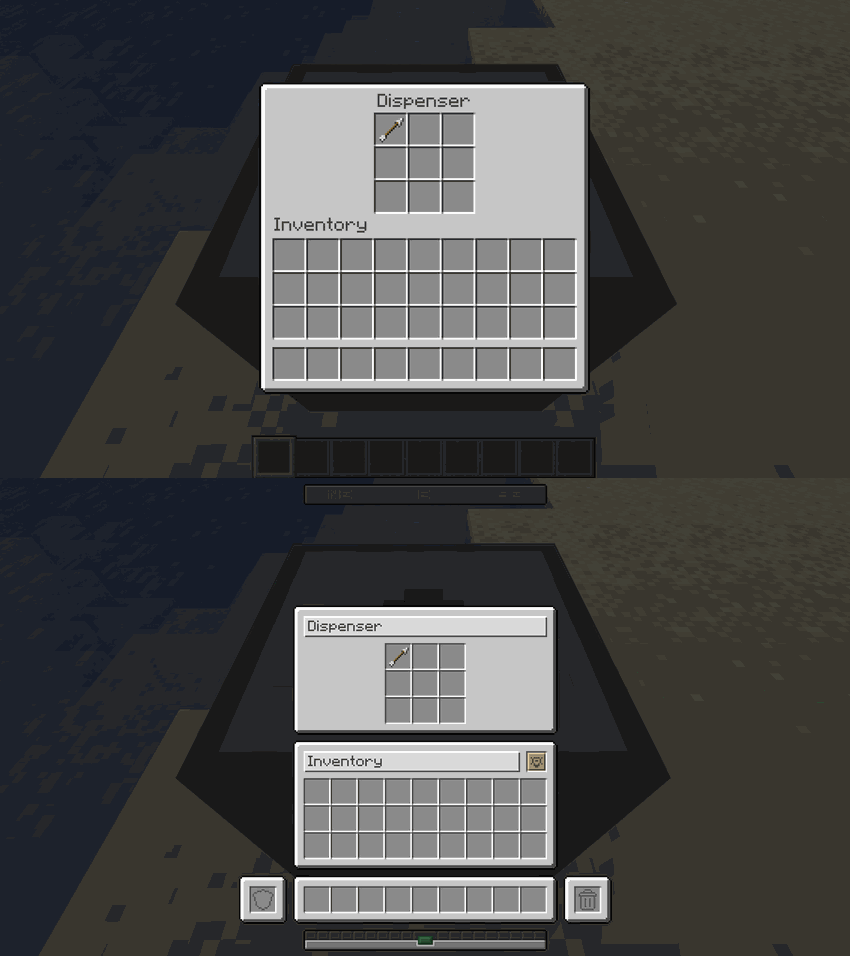 |
| **Dropper** | 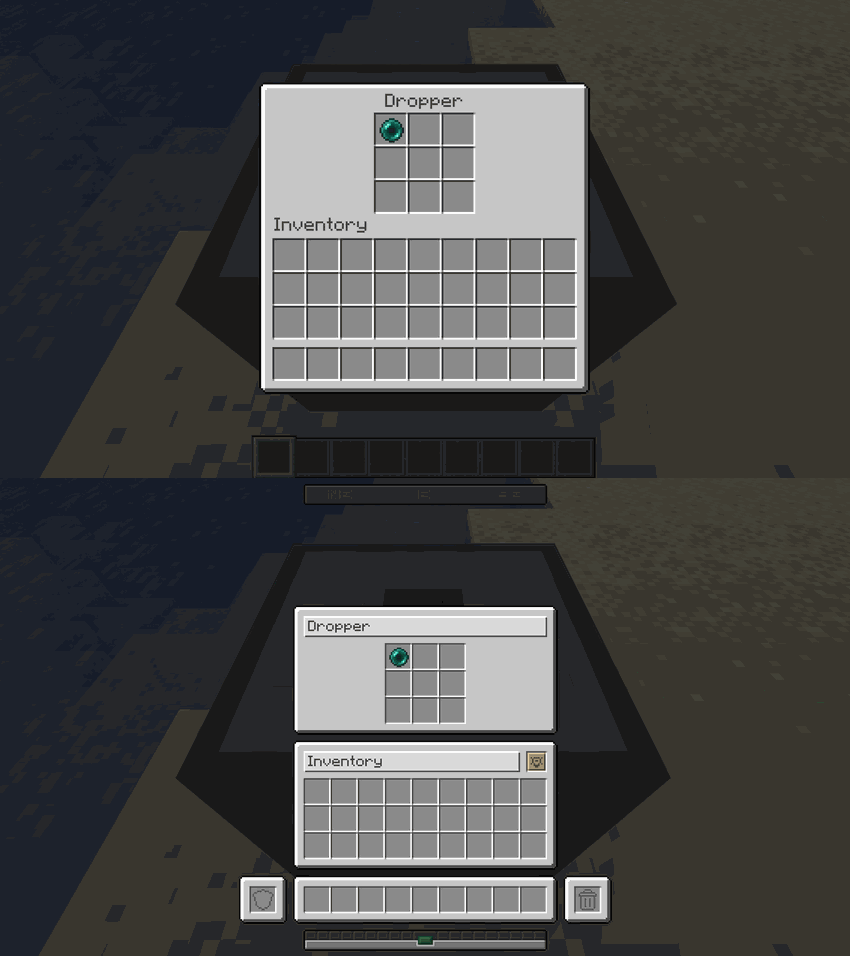 |
| **Hopper** | 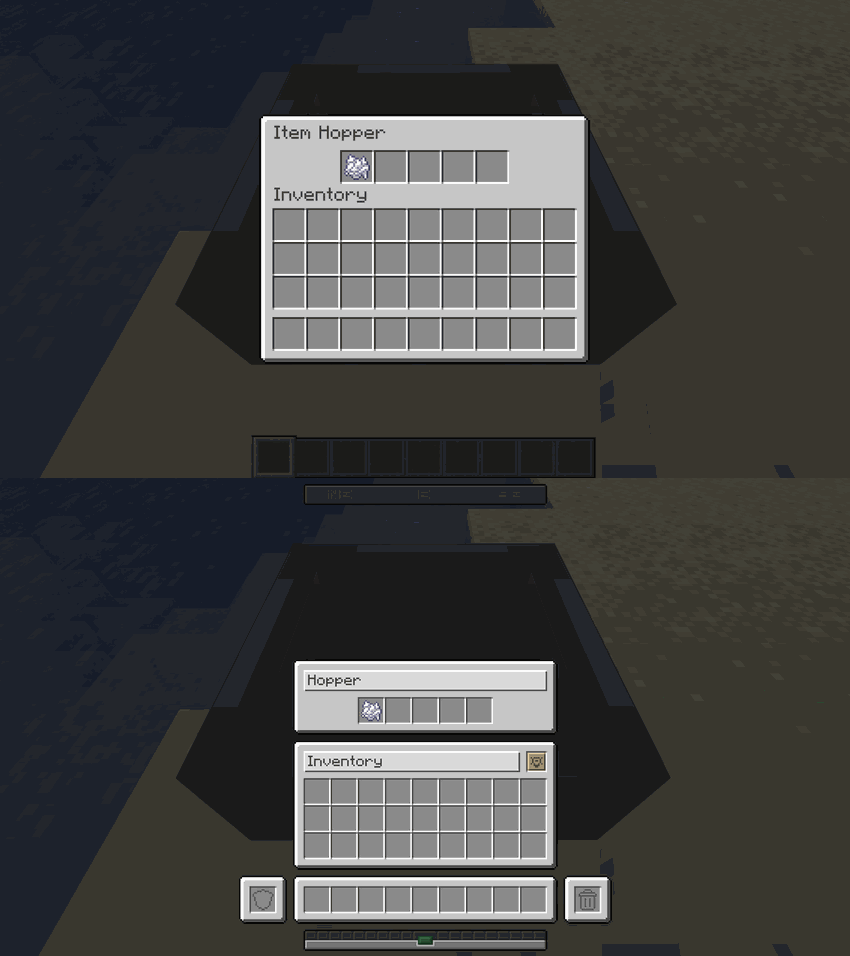 |
### 🛠️ Crafting & Decorative Workstations
| Workstation | Comparison |
| :-------------------------- | :--------------------------------------------------------------------------------------------------------------------------------------------------------: |
| **Crafting Table** | 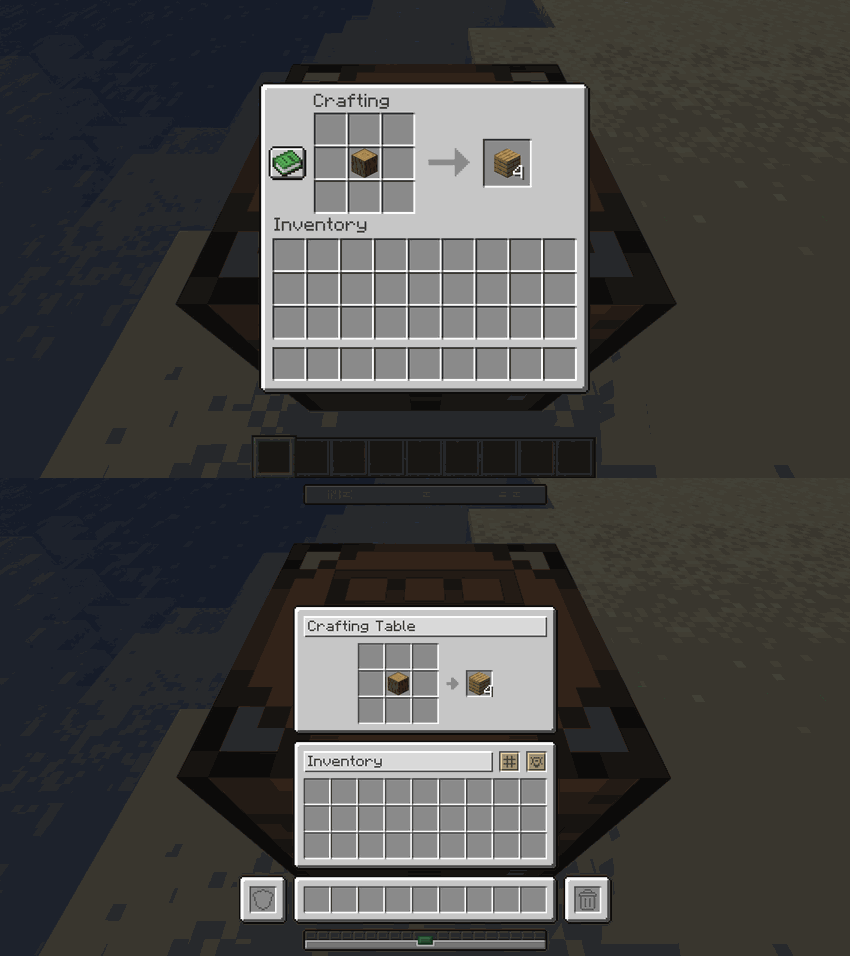 |
| **Crafter** | 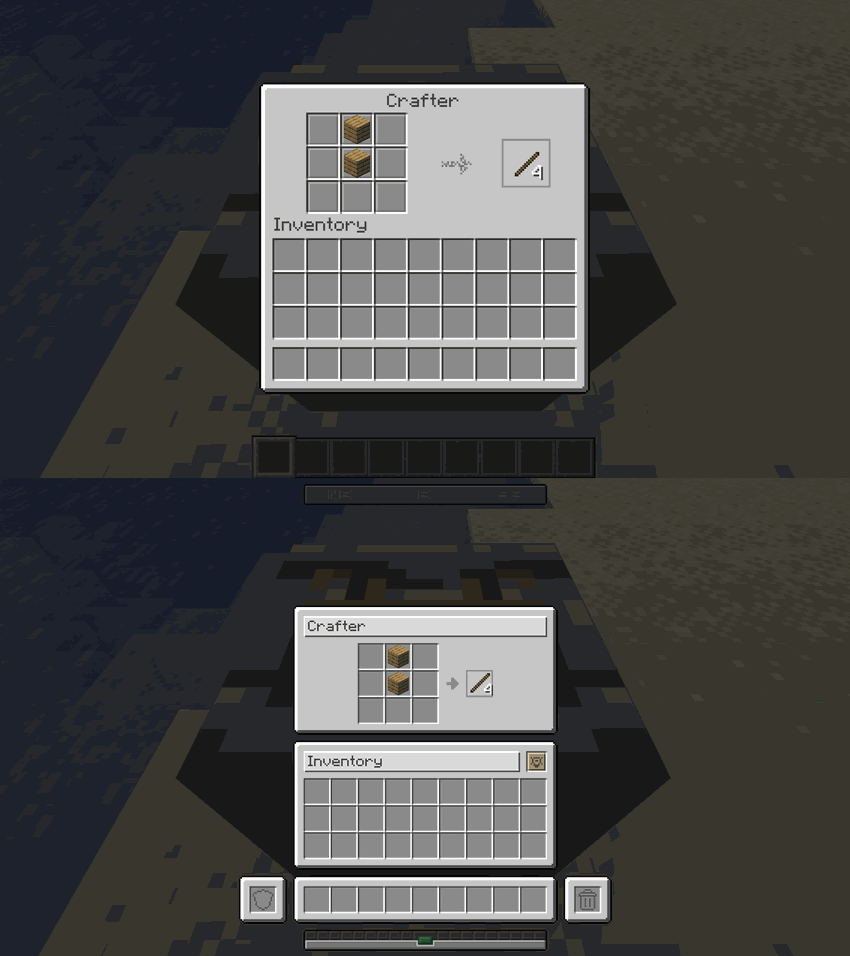 |
| **Stonecutter** | 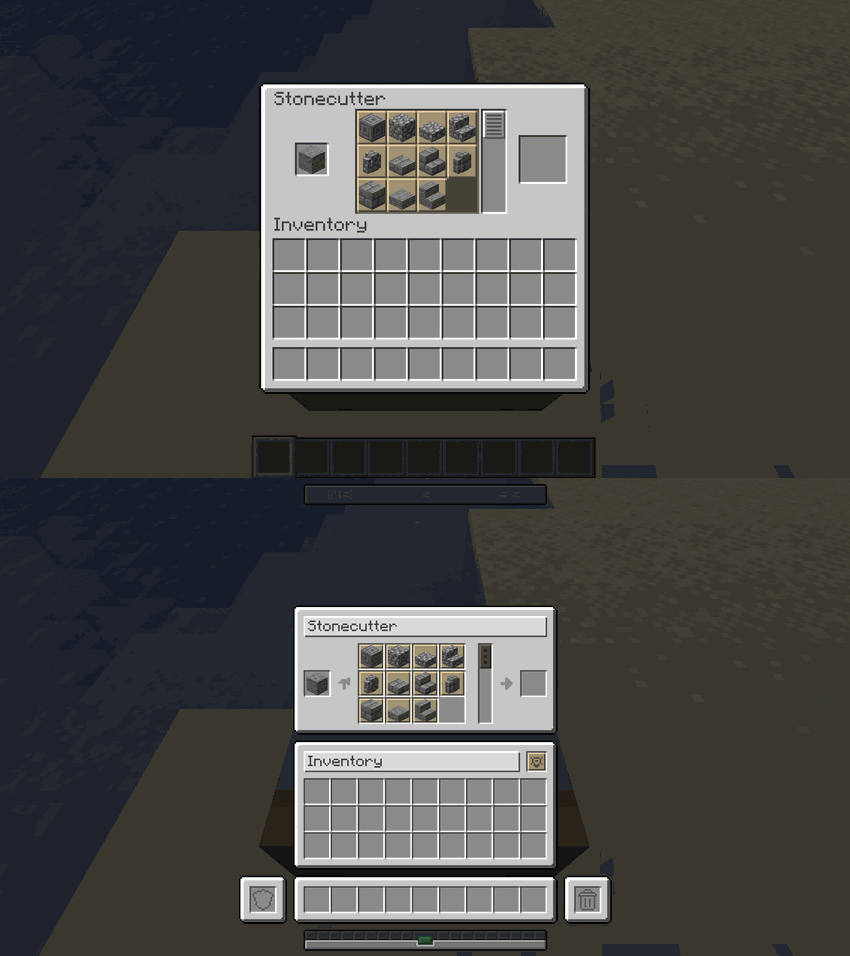 |
| **Loom** | 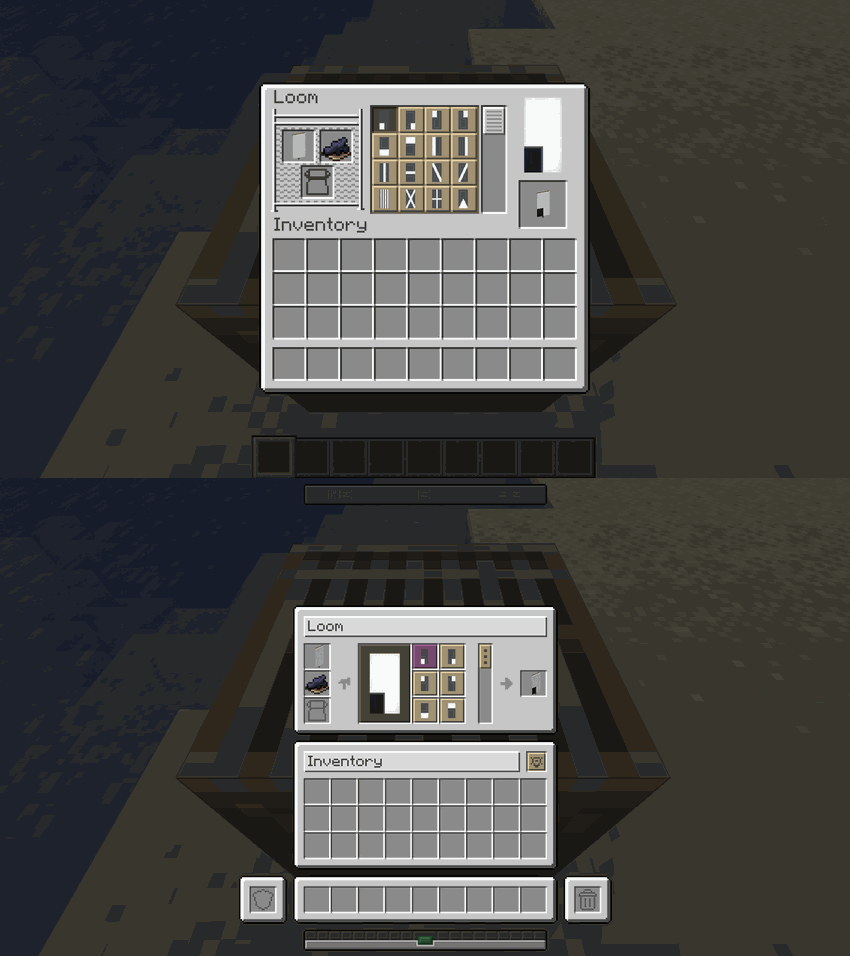 |
| **Cartography Table** | 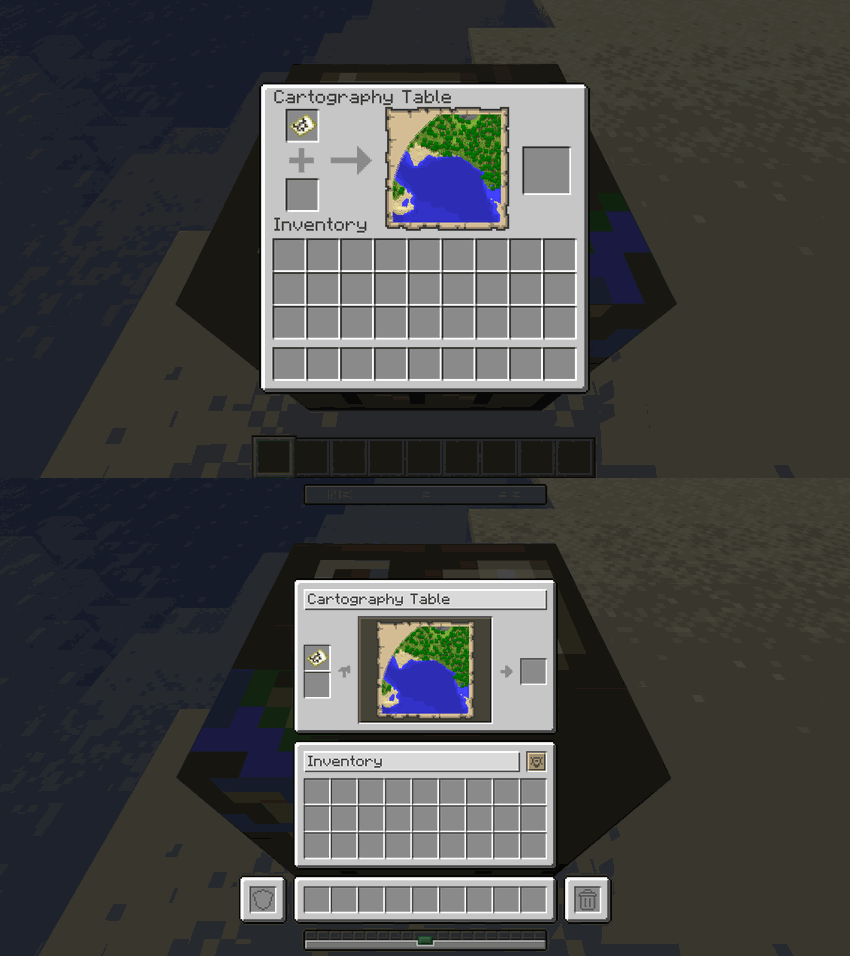 |
### ⚔️ Equipment Upgrade Screens
| Screen | Comparison |
| :------------------------- | :-------------------------------------------------------------------------------------------------------------------------------------------------------: |
| **Anvil** | 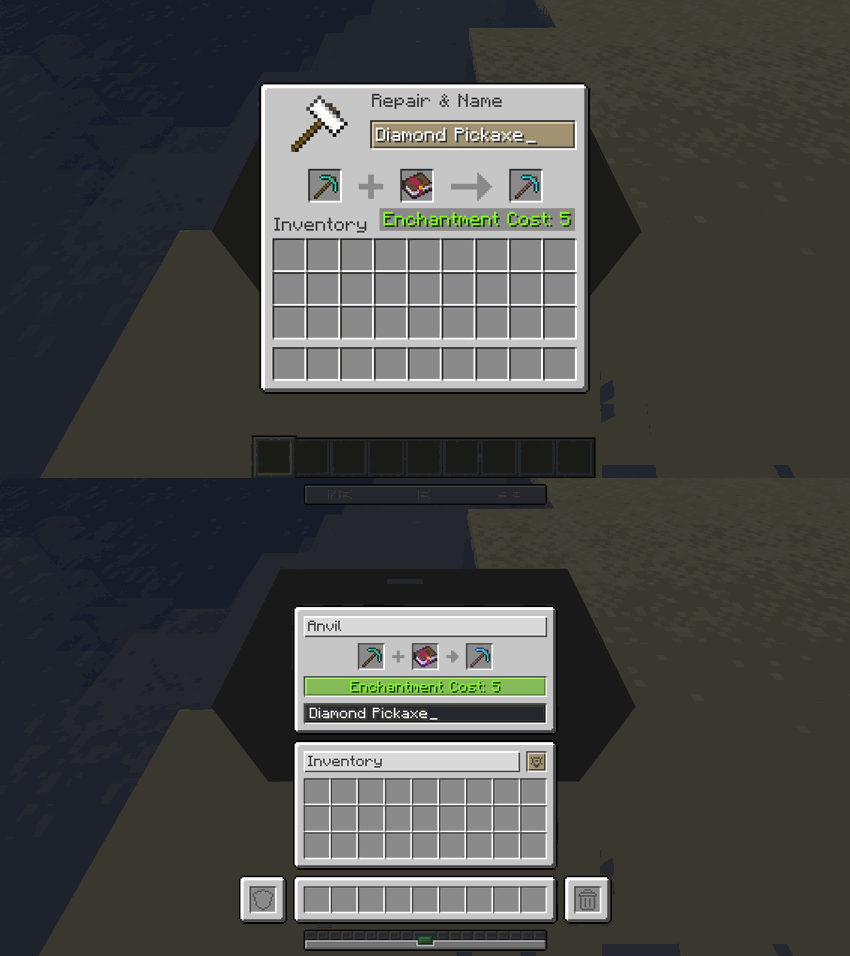 |
| **Smithing Table** | 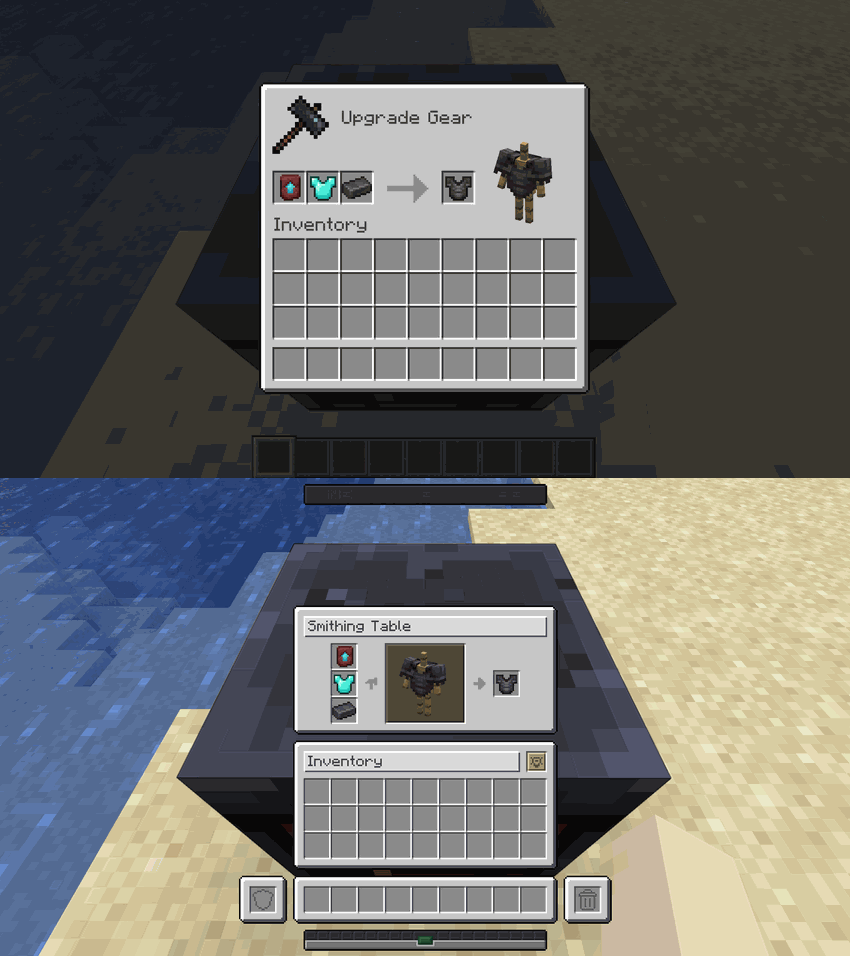 |
| **Grindstone** | 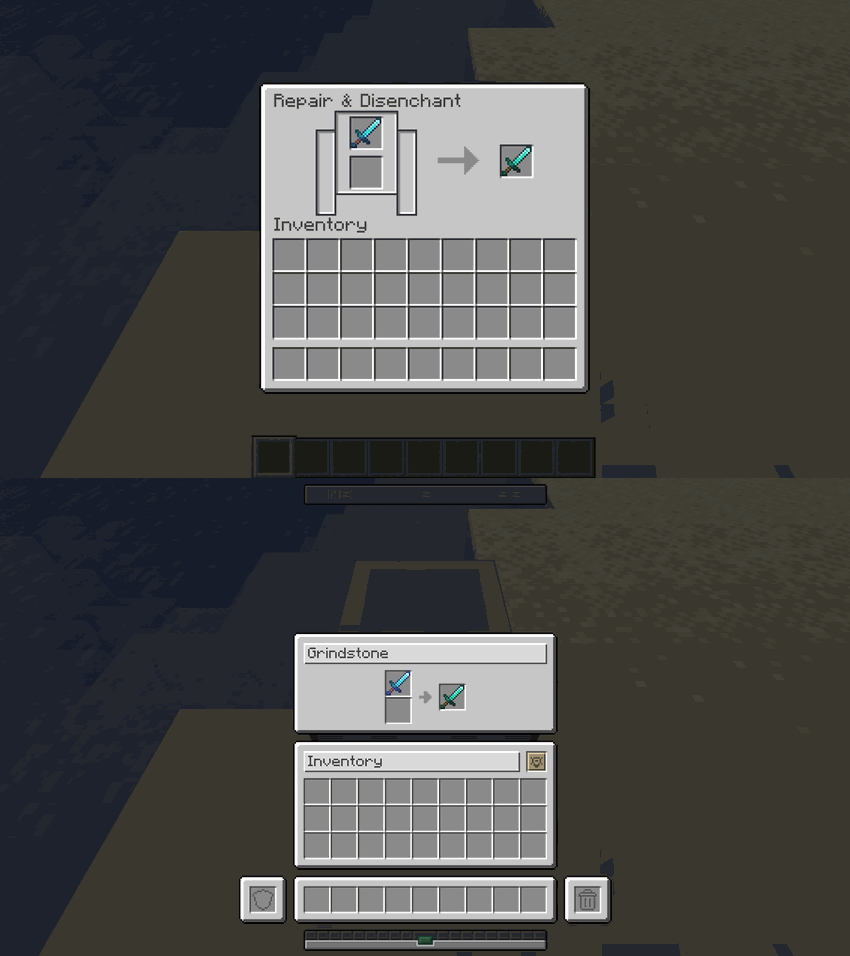 |
| **Enchanting Table** | 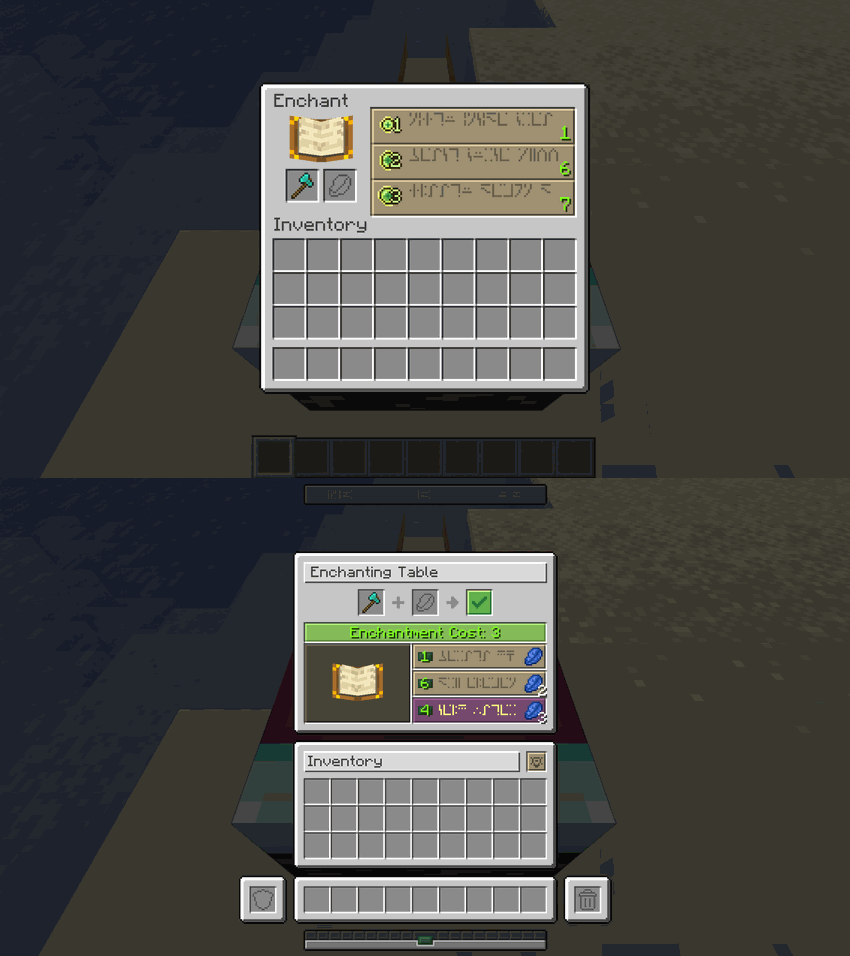 |
| **Beacon** | 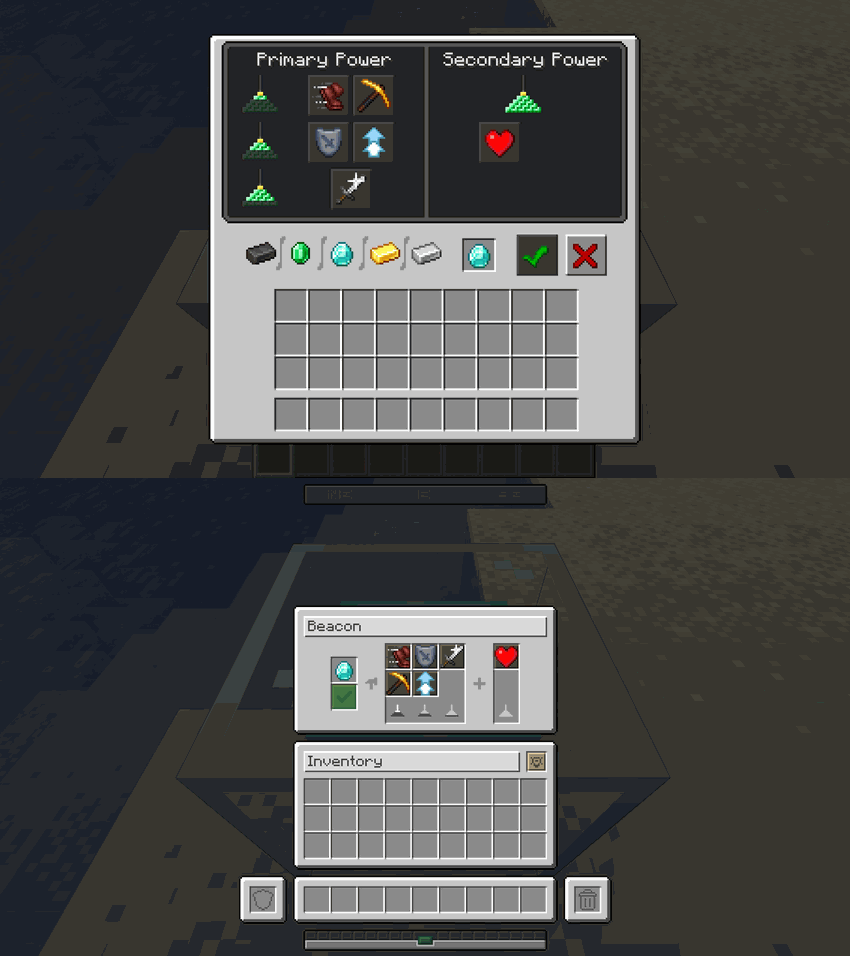 |
| **Brewing Stand** | 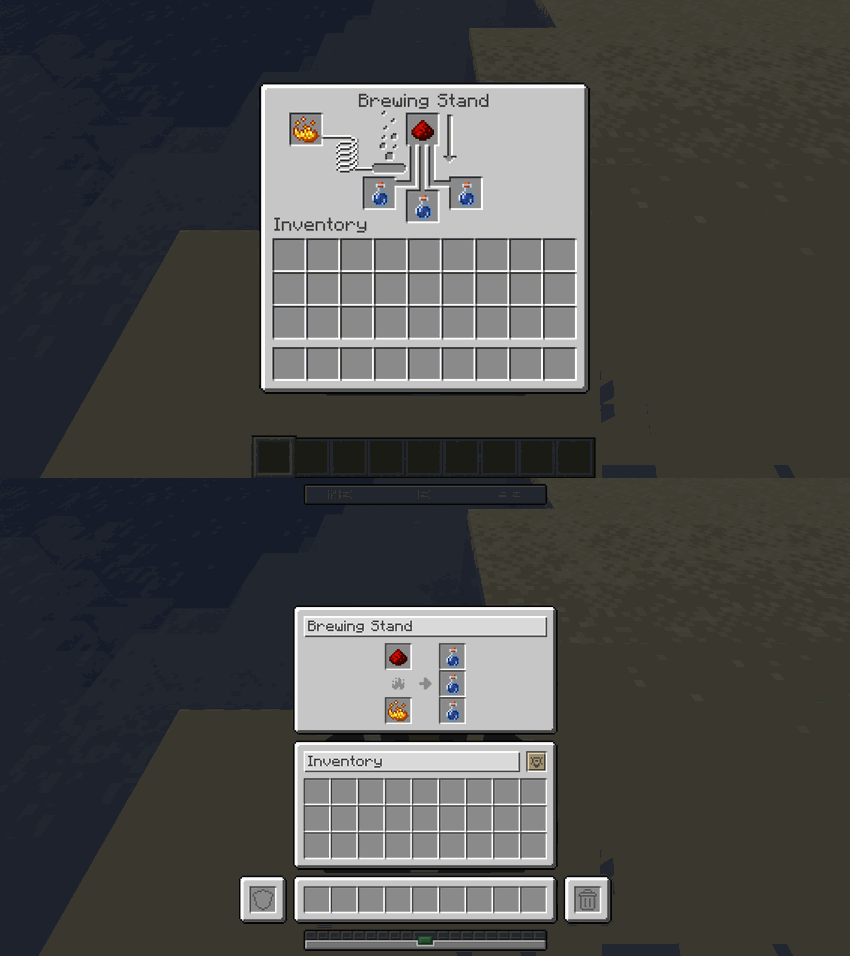 |
### Smelting, Trading & HUD
| Screen | Comparison |
| :------------------------- | :-------------------------------------------------------------------------------------------------------------------------------------------------------: |
| **Furnace** | 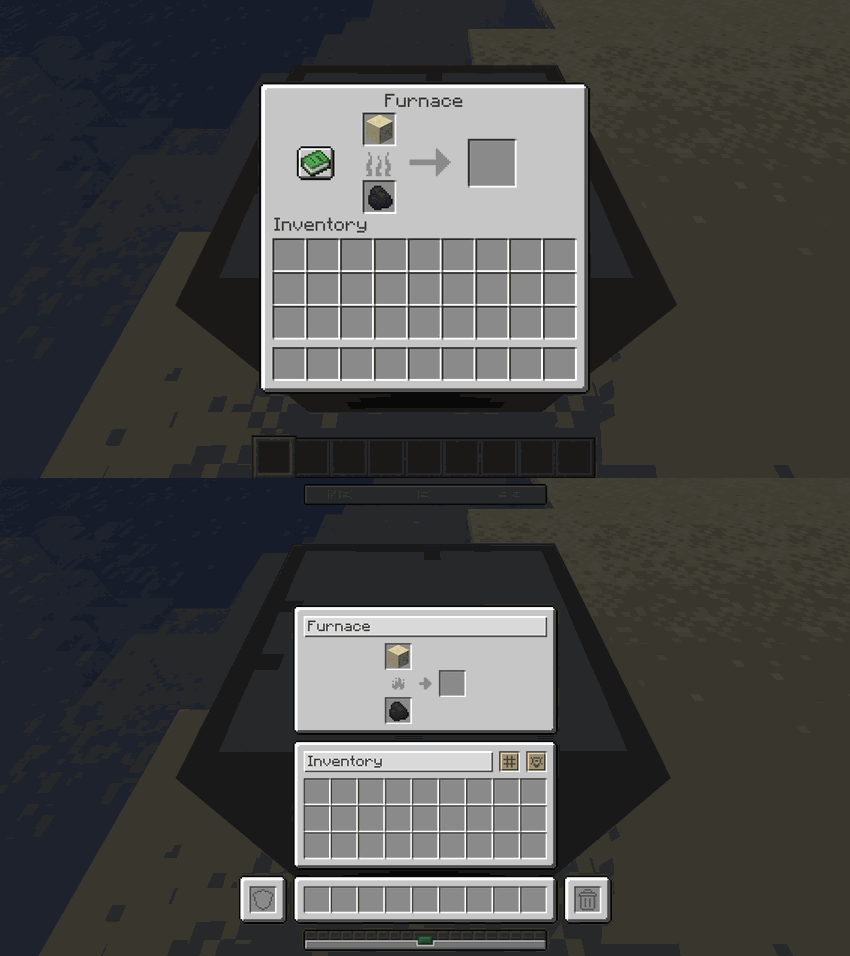 |
| **Blast Furnace** | 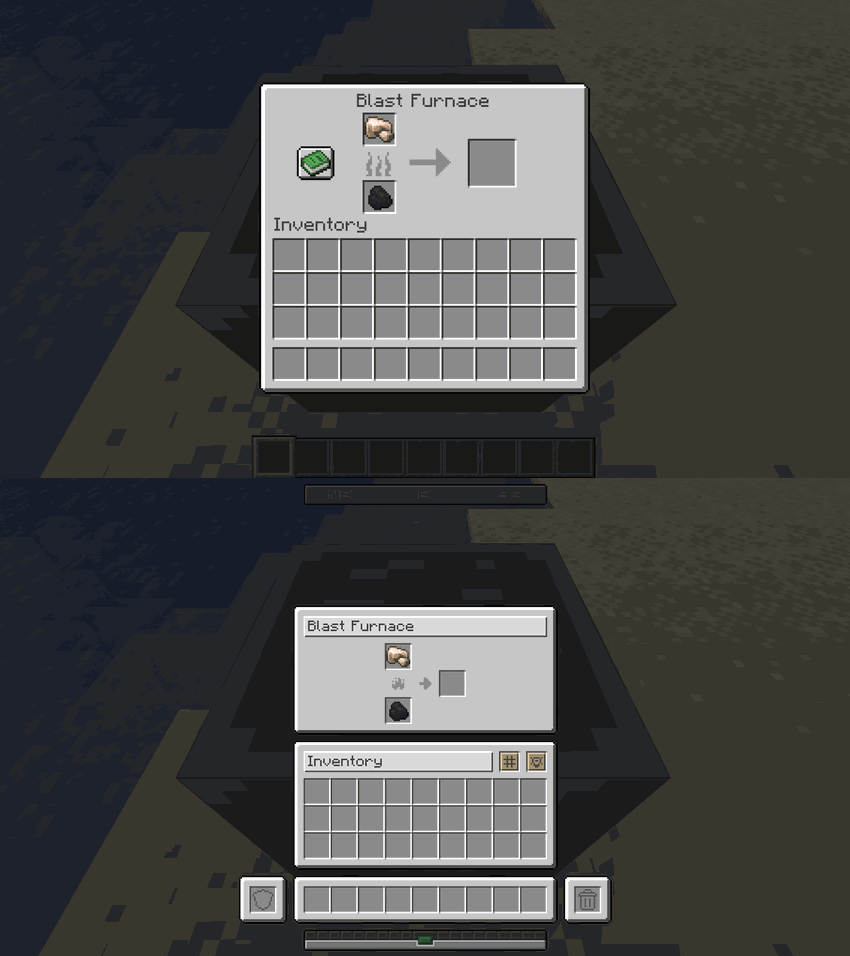 |
| **Smoker** | 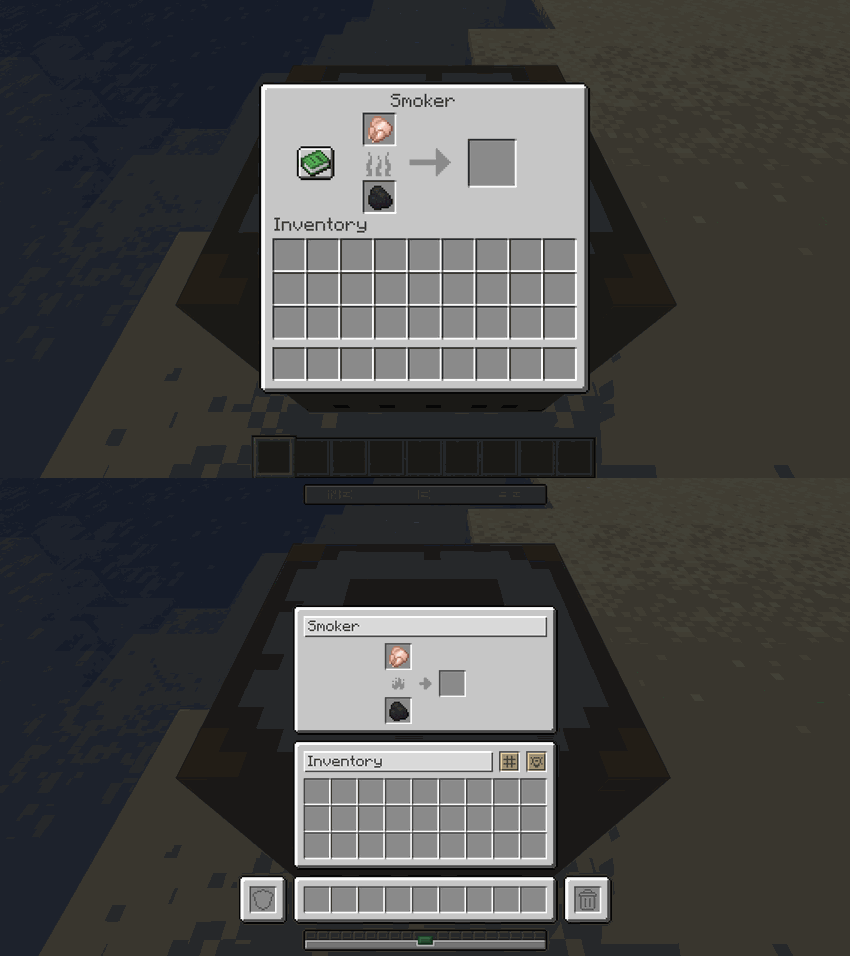 |
| **Villager Trading** | 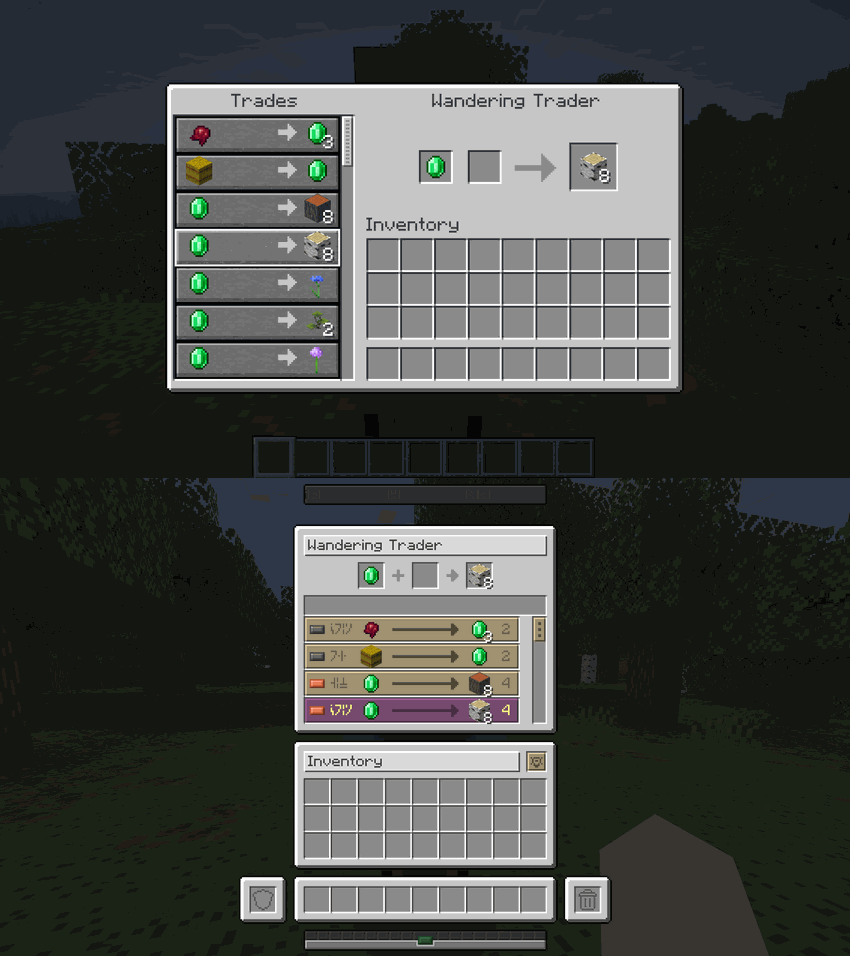 |
| **Survival HUD** | 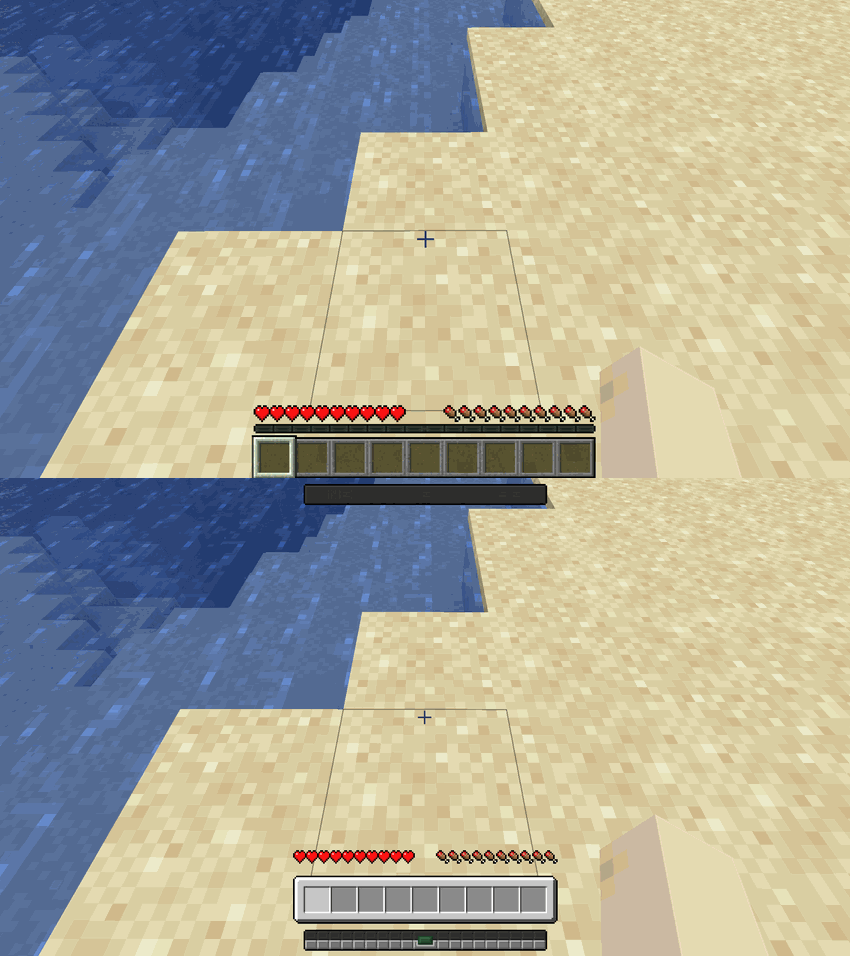 |
| **Creative HUD** | 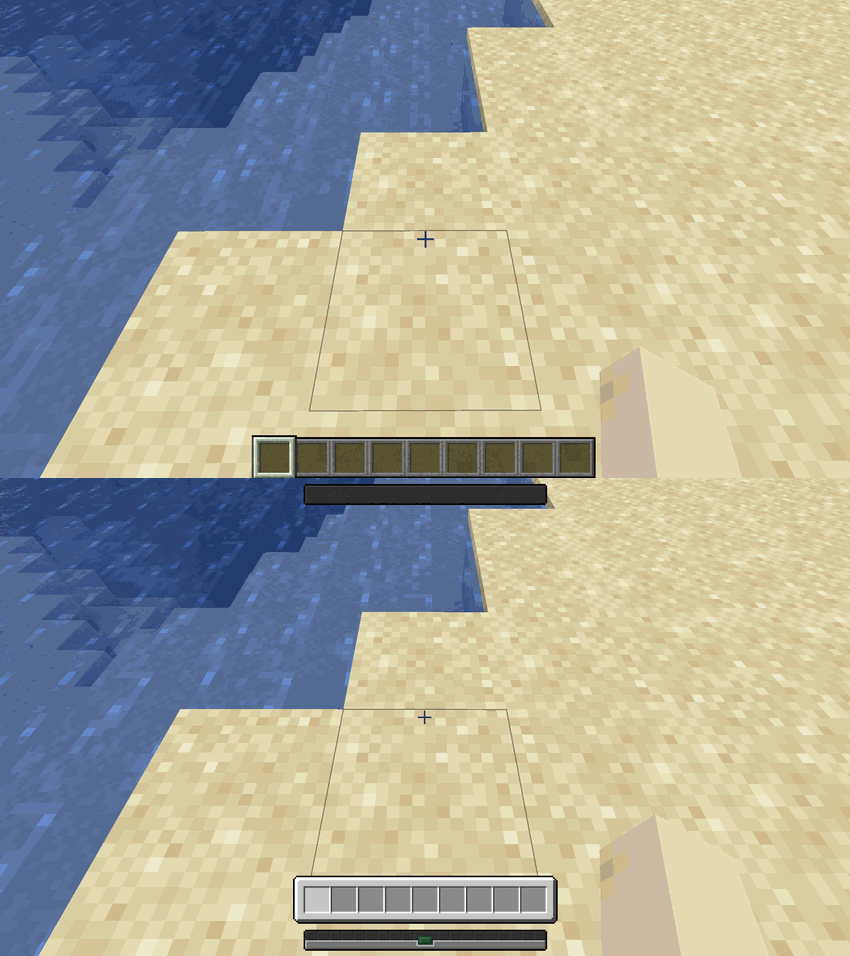 |
---
## 🐴 Mounts & Rideable Entities
Harmonize unifies horse-style screens and mounts. Whether you are mounted or inspecting the entity from the ground, the GUI shifts into a clean, structured inventory tailored specifically for that rideable entity:
| Mount | Comparison |
| :-------------------- | :--------------------------------------------------------------------------------------------------------------------------------------------------------: |
| **Donkey** | 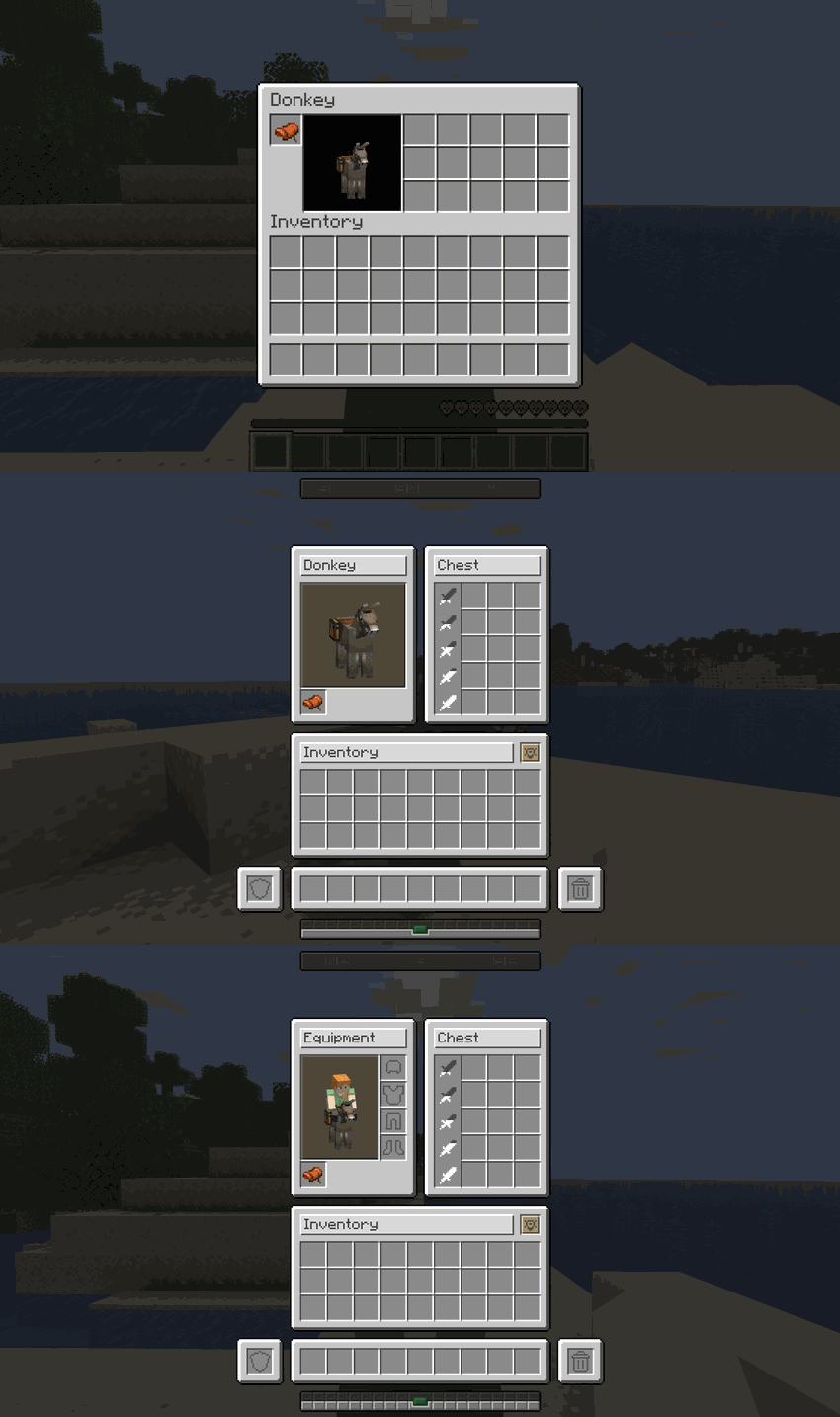 |
| **Camel** | 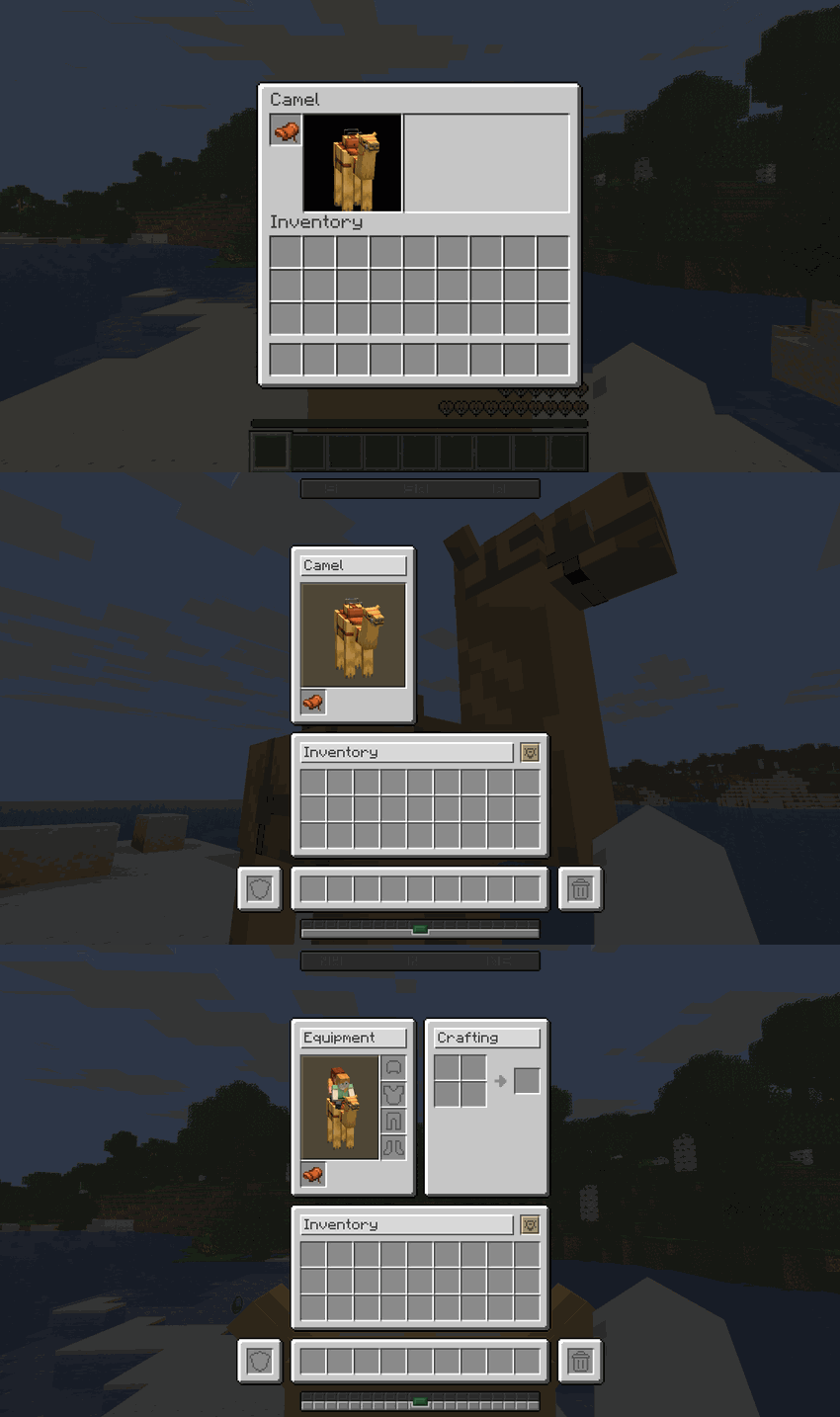 |
| **Happy Ghast** | 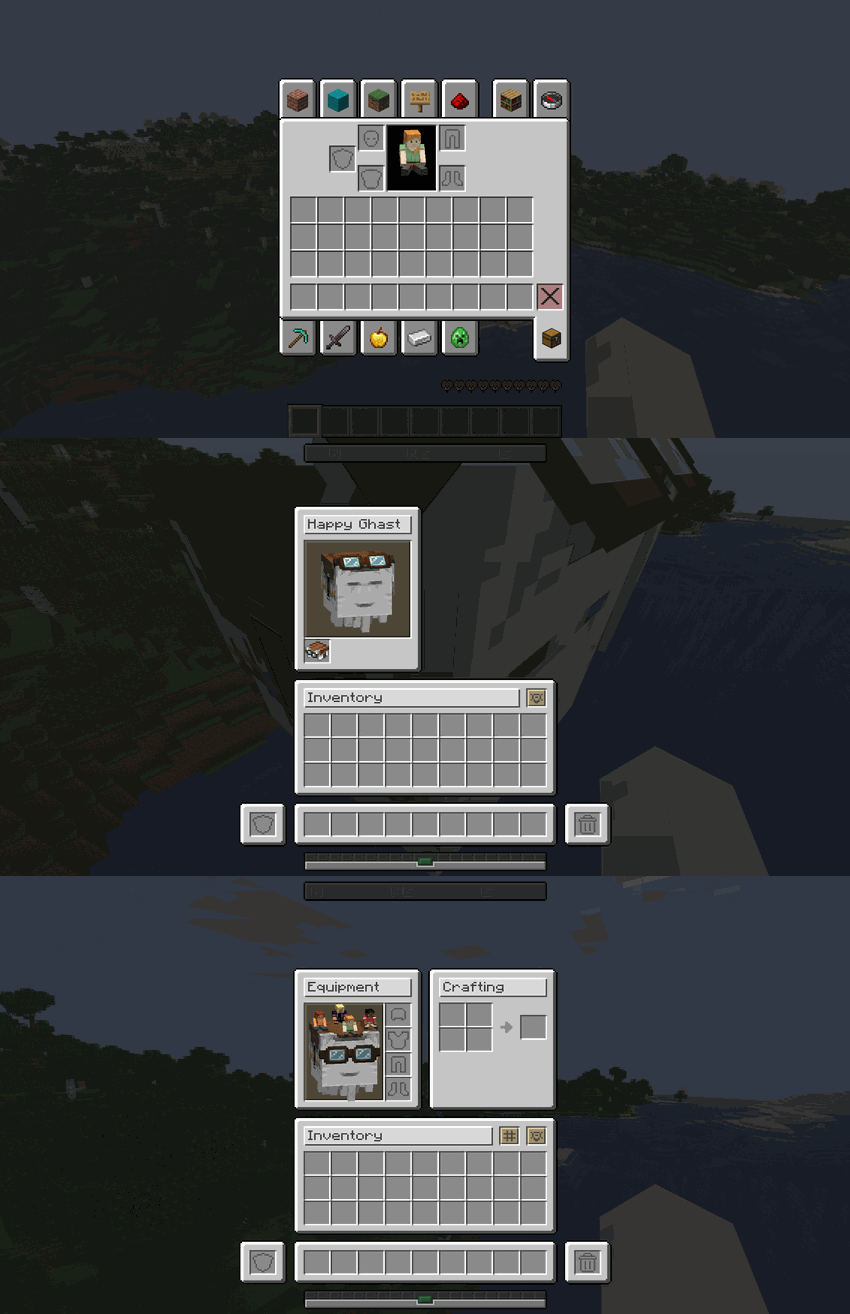 |
| **Nautilus** | 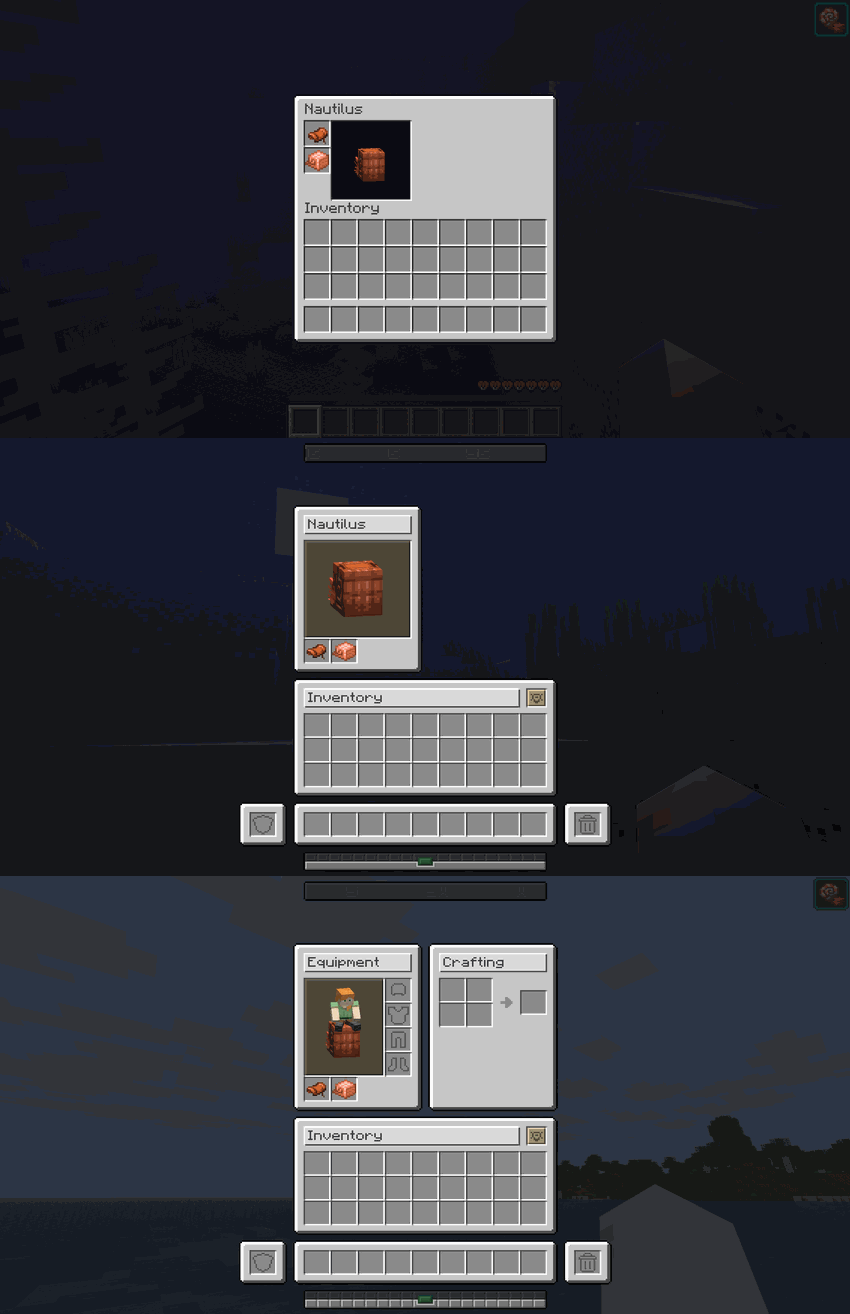 |
| **Pig** | 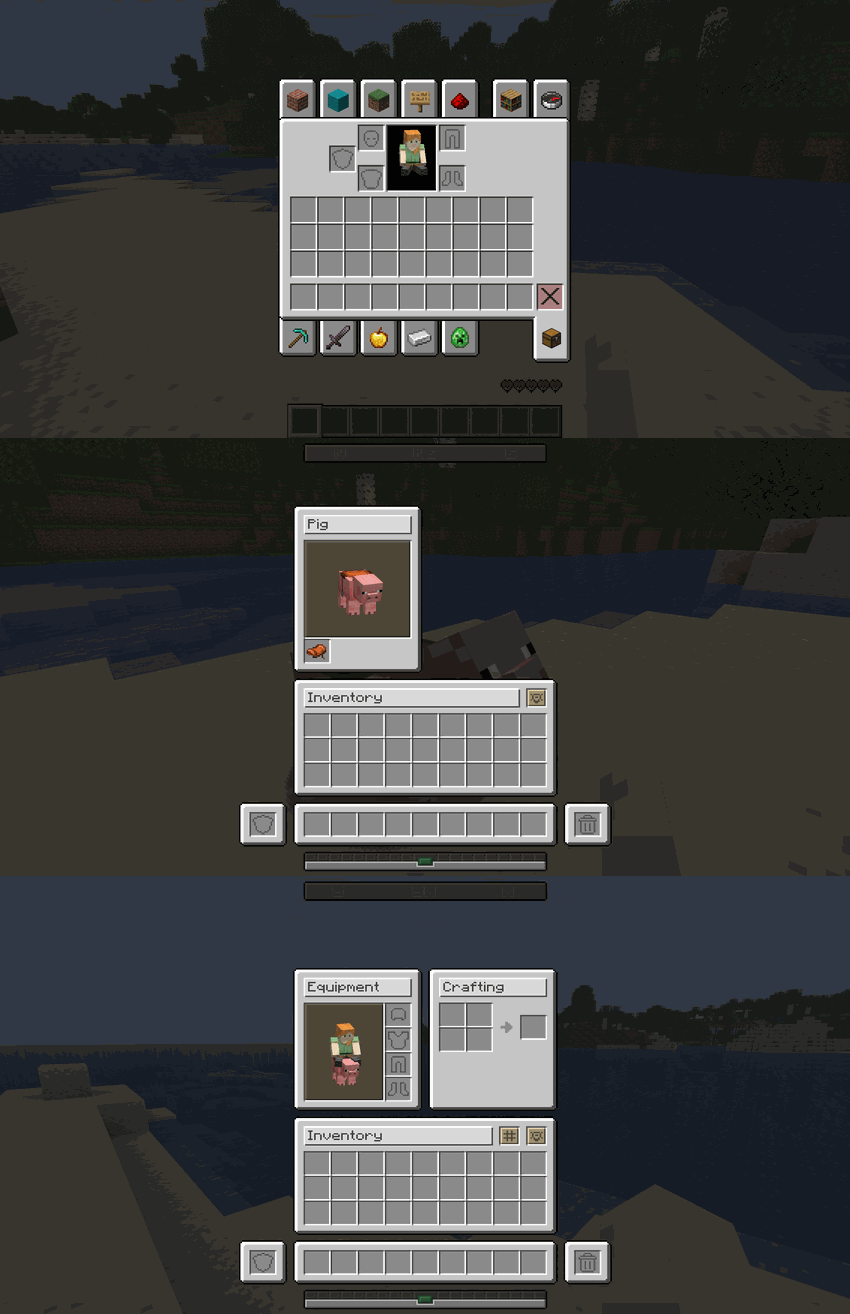 |
---
## 🤝 Native Mod Integrations
Harmonize is built to play nicely with others. It features out-of-the-box, native support for the following mods:
| Mod Name | Integration Details |
| :--------------------------------------------- | :------------------------------------------------------------------------------------------------------------------------------------------------------------------------------------------------------------------------------------------------------------------- |
| **[Bannerstone – Lodestone Waypoints]** | Bannerstone markers and waypoints are fully supported and seamlessly displayed on Harmonize's custom**Locator Bar** HUD element. |
| **[Bridle – Unified Riding]** | Full interface and mechanical compatibility. Harmonize completely overrides Bridle's custom mount inventories, integrating them flawlessly into our unified grid system with full support for player armor slots and dynamic shift-click functionality while riding. |
---
## 🎮 Technical Requirements
| :-------------------- | :------------------- |
| **Minecraft Version** | `26.2` |
| **Mod Loader** | `Fabric` |
| **Dependencies** | Requires `Fabric API` |
---
## 📥 Installation
1. Download and install [Fabric Loader](https://fabricmc.net/).
2. Download and install [Fabric API](https://modrinth.com/mod/fabric-api).
3. Download the latest release of **Harmonize**.
4. Place the downloaded `.jar` file into your Minecraft `mods` folder.
5. Launch the game and enjoy!
---
## ❓ Frequently Asked Questions
**Q: Does Harmonize affect client performance or FPS?**
> **A:** No! It strictly modifies interface layout coordinates and texture rendering, introducing zero performance overhead.
**Q: Is it compatible with other GUI or inventory mods?**
> **A:** Yes, in most cases. Minor visual overlaps may occur if another mod aggressively overrides core vanilla container screens.
**Q: Does it work on multiplayer servers?**
> **A:** Yes! While it is primarily a client-side visual enhancement, installing it on the server ensures full container synchronization.
---
> _"Consistency is the foundation of trust, in relationships and in interface design."_
---
**Developer:** Shamy]® Creative Studio
**License:** LicenseRef-All-Rights-Reserved
**Version:** 0.4.7
### 🌟 **The Harmonize Team**