
Описание
# **🧊 Glass Hotbar Connected**
### **This resource pack changes the hotbar background to glass.**
[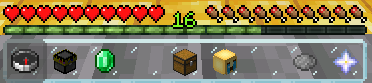](https://modrinth.com/resourcepack/glass-hotbar-connected)
**It is a great resource pack for those who like simple and compact design.**
## 🎨 Other Variations
_**You can access these variations by clicking on the photos or on my profile.**_
### Default
[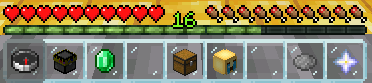](https://modrinth.com/resourcepack/glass-hotbar)
### Clean
[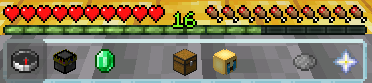](https://modrinth.com/resourcepack/glass-hotbar-clean)
## 📦 Installation
1. Download the resource pack .zip file.
2. Place it in your Minecraft resourcepacks folder.
3. Launch Minecraft and go to Options > Resource Packs.
4. Select the pack from the left list and click the arrow to move it to the right (enabled) list.
5. Click "Done" to apply the pack.
## 🌐 ITITAN Hosting
[](https://ititanhosting.com/game/minecraft)
## 💬 Feedback and Request
**_If you have a request or feedback, please write them in to my discord 3geetr._**