Описание
**Debugger's Delight**
Gadget is a collection of tools to debug and inspect certain game elements from in-game - think Chrome's developer tools, or Firefoxes' Firebug.
Gadget's inspection tools work both in single player and on a remote server - if it also has Gadget installed.
## Entity Inspector
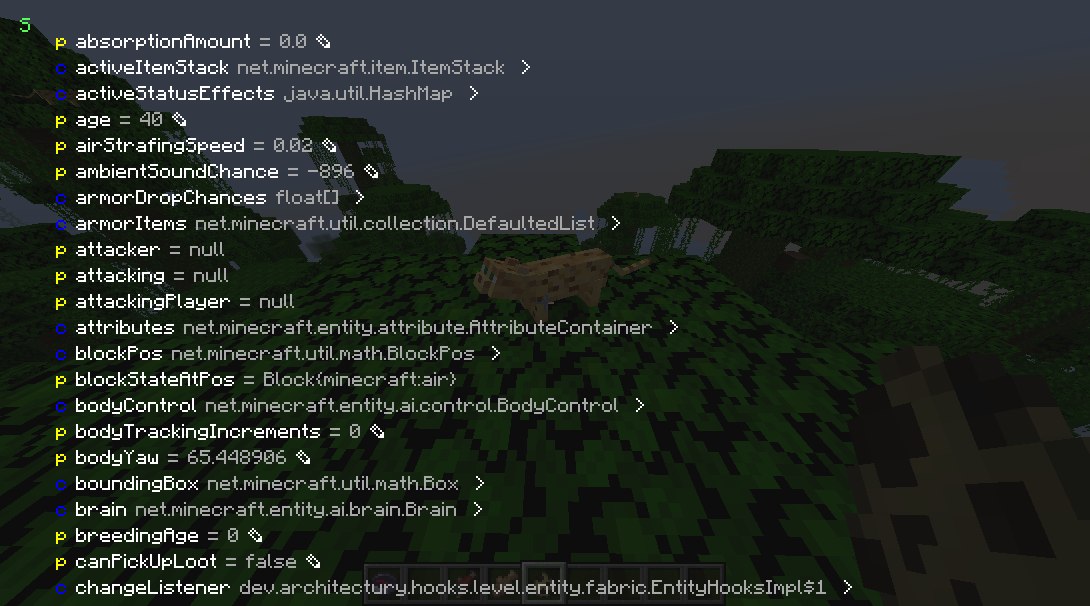
Press the `Inspect (default: I)` key when targeting a entity or block entity to view and edit its internal Java fields. You can inspect both the client and server Java object.
## NBT Inspector
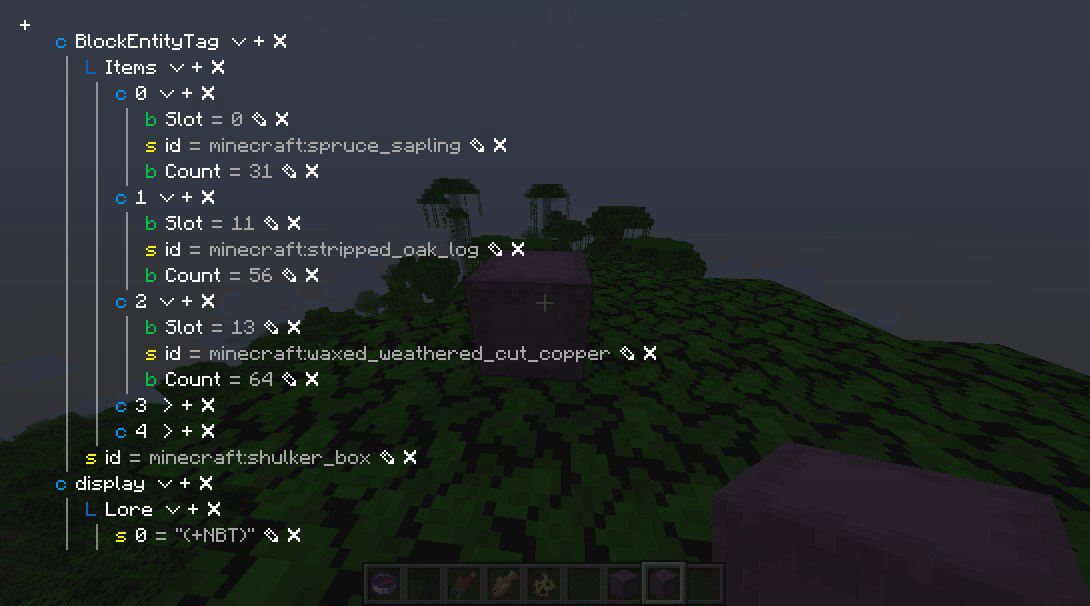
Press the `Inspect (default: I)` key when hovering over an item stack with NBT to view and edit its NBT.
## Packet Dumper
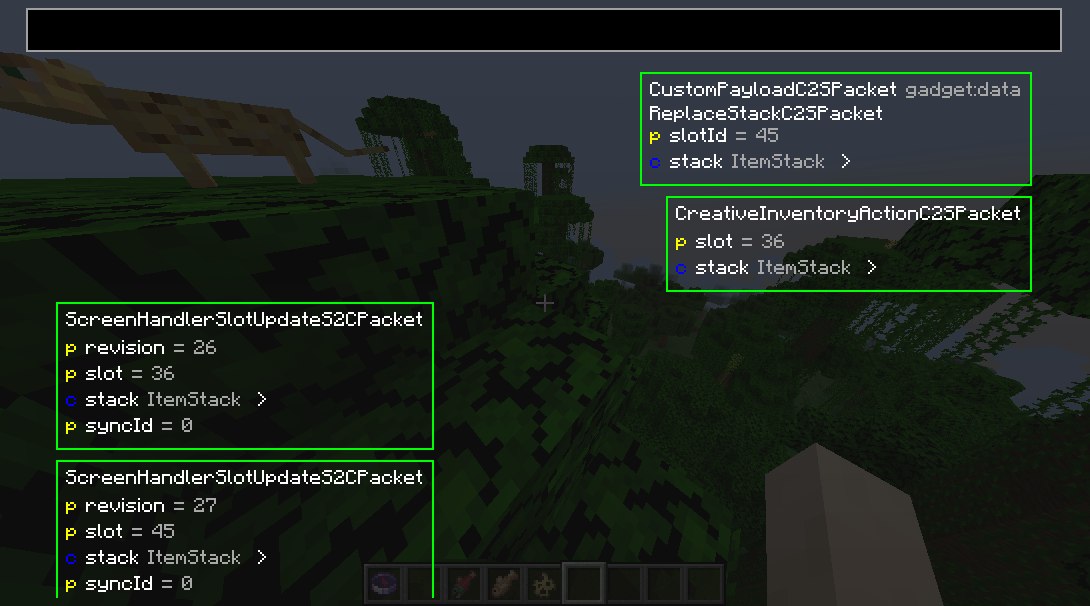
Press the `Dump Packets (default: K)` key to toggle dumping network traffic on. You can also join with the packet dumper engaged by right-clicking the server or world and selecting `Join and start dumping packets`.
Press `Dump Packets` again to stop recording and save the dump.
You can review it from the Gadget's menu.
## Server owners and operators
Gadget supports the Fabric Permissions API.
If not present, it defaults to requiring OP status.
Gadget uses the following permissions:
`gadget.inspect` - entity inspector usage permission
`gadget.replaceStack` - NBT viewer write permission
## Class Inspector
*(the class inspector is broken in the latest version :P)*
Look through all classes touched by mixin (or all classes, if you hold shift) by looking in the class inspector.
**N.B.**: This will automatically download Quiltflower from the QuiltMC maven the first time you press `Inspect Exported Classes`.