
Описание
# FogTools
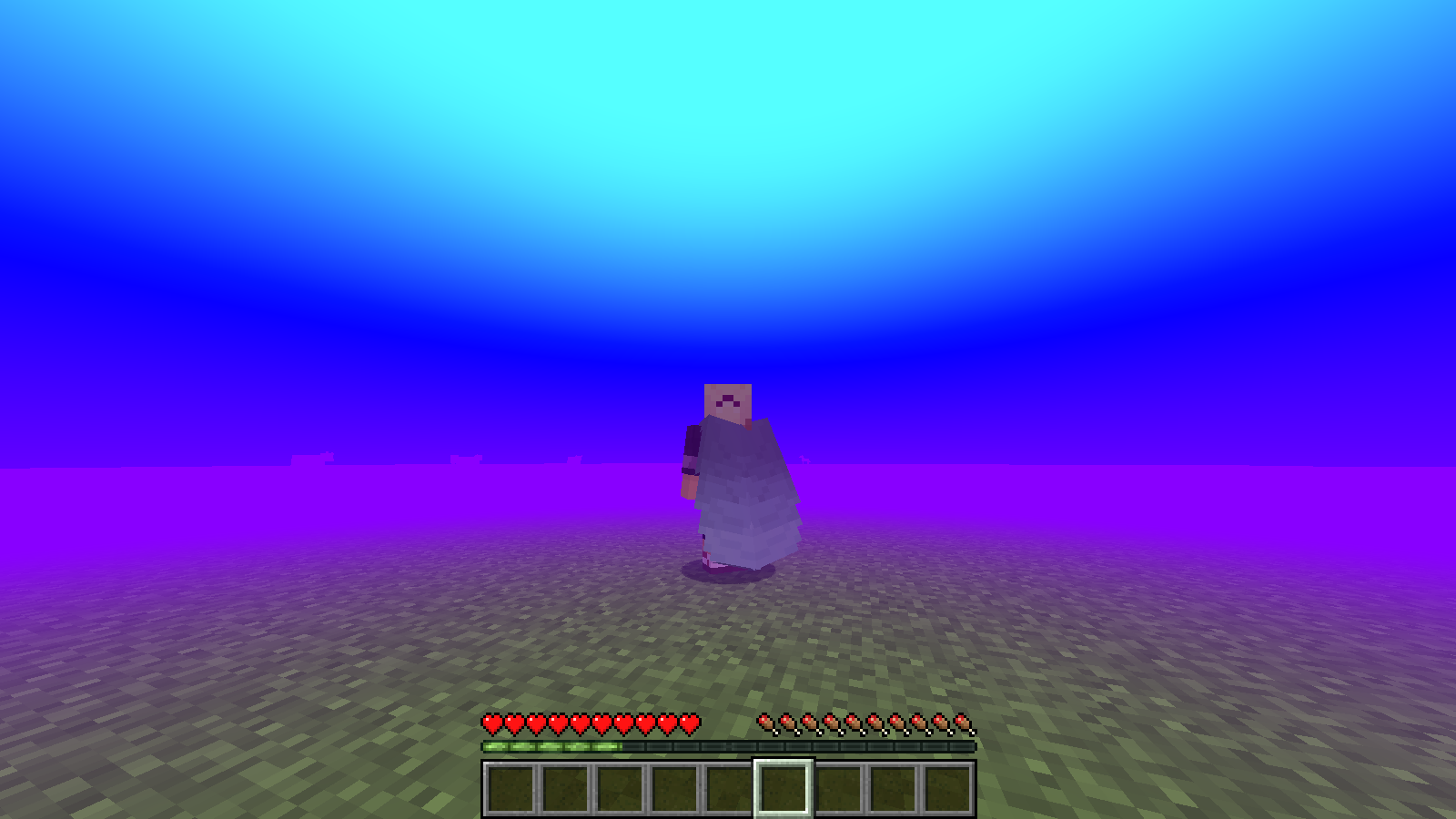
**FogTools** lets you create custom fog and skies with colors, gradients, animated colors and auroras. You can use commands or a visual editor that updates live.
The mod is **100% client-side**: install it on your client and it works in singleplayer and on any server. To send fogs to other players (`@a`, specific players, server-wide biome fogs and auroras), use the [FogTools Plugin](https://modrinth.com/plugin/fogtools-plugin) on your Paper server.
---
## What's new in 1.5.1
- **Biome auroras**: give any biome its own aurora. It appears when you enter the biome and fades out when you leave.
- A biome can now have **a fog, an aurora or both**
- **Forge support**: 1.20.1, 1.20.4
- **NeoForge support**: 1.20.1, 1.20.4, 1.21.1, 1.21.4, 1.21.5, 1.21.8, 1.21.11, 26.2
- **Better editor performance**: fixed the FPS drop while the editor is open (1.21.8, 1.21.11 and 26.2)
## What's new in 1.5
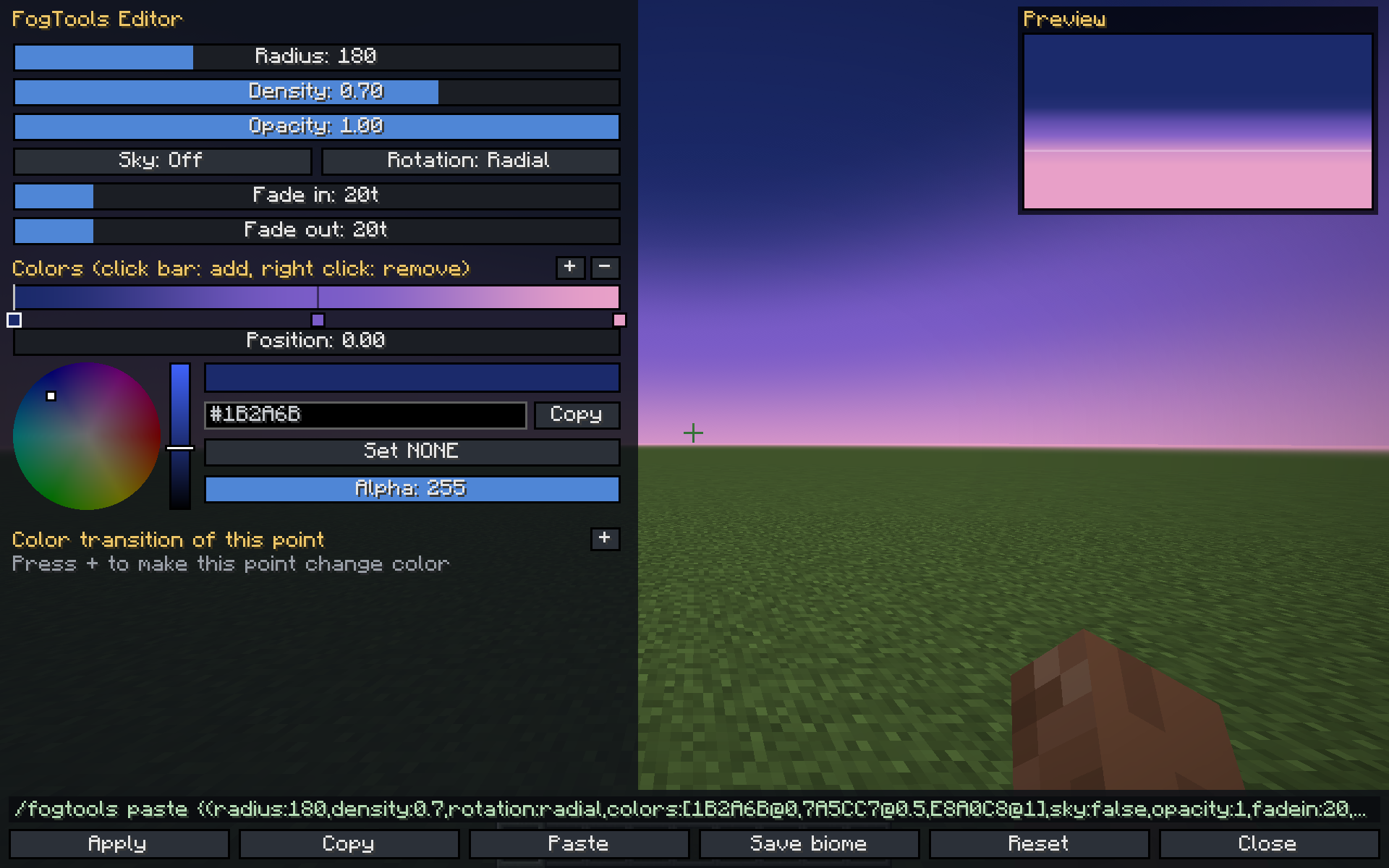
- **Visual editor (GUI)** with a color wheel, a live preview and a keybind (**G** by default)
- **Gradients with any number of colors**, each placed where you want on the color bar
- **Custom rotation**: tilt the gradient to any angle (for example 45 degrees for a diagonal sky)
- **Animated colors**: any color point can loop through several colors, each with its own timing
- **Translucent color `NONE`**: leaves gaps in the fog so the original sky shows through
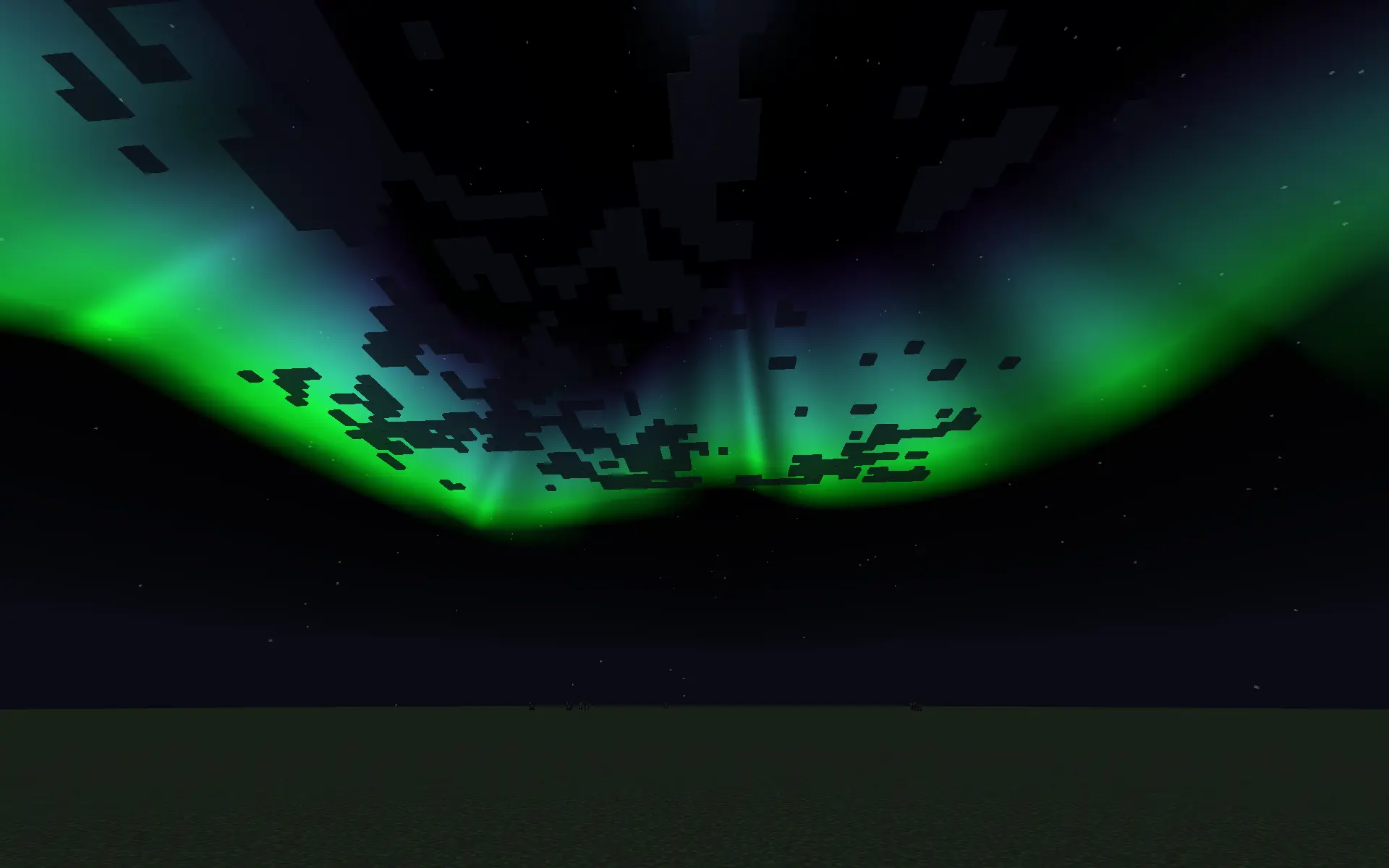
- **Auroras**: animated curtains in the sky, with custom colors, height, intensity and speed
- **Smooth transitions** between fogs, biome fogs and auroras, even when a fade is interrupted
- **Copy and paste** fogs as text with `/fogtools copy` and `/fogtools paste` (works from the clipboard)
- **Fixed client biome fog commands**
- **Smoother color rendering**: less banding and no pixelated gradients
- Chat messages only show in **creative mode** (errors are always shown)
- New version: **26.2**
---
## Supported versions
| Loader | Versions |
|---|---|
| Fabric | `1.20.1` - `1.20.4` - `1.21.1` - `1.21.4` - `1.21.5` - `1.21.8` - `1.21.11` - `26.2` |
| Forge | `1.20.1` - `1.20.4` |
| NeoForge | `1.20.1` - `1.20.4` - `1.21.1` - `1.21.4` - `1.21.5` - `1.21.8` - `1.21.11` - `26.2` |
---
## Visual editor
Press **G** (can be changed in *Controls > FogTools*) or run `/fogtools editor`.
- Change **radius, density, opacity, sky, rotation, fade in and fade out** with sliders
- **Color bar**: left click to add a color, drag to move it, right click to remove it
- **Color wheel** with brightness, alpha, a HEX field and a `NONE` (translucent) option
- **Copy the HEX** of the selected color with Ctrl+C or right click
- **Animated colors**: select a color point and press `+` to add colors it will loop through, each with its own time in ticks
- **Live preview**: the world behind the editor shows your fog in real time
- The editor builds the `/fogtools paste` command for you. Click it to copy it.
- Buttons: **Apply, Copy, Paste, Save to biome, Reset, Close**. Closing without applying brings back your previous fog.
- Arrow keys adjust the last slider you used (hold Shift for x10)
---
## Commands
All commands are client-side. Fade times are in ticks (20 ticks = 1 second).
### Fog
| Command | Description |
|---|---|
| `/fogtools set ` | Single-color fog |
| `/fogtools gradient set ` | 3-color gradient fog |
| `/fogtools paste [fog]` | Applies a fog from text. Without text, it reads your clipboard. |
| `/fogtools copy` | Copies the current fog to your clipboard |
| `/fogtools clear` | Removes your custom fog with a smooth fade |
| `/fogtools editor` | Opens the visual editor |
### Auroras
| Command | Description |
|---|---|
| `/fogtools aurora set [height] [intensity] [speed] [fadeIn] [fadeOut]` | Creates an aurora. Everything after the colors is optional. |
| `/fogtools aurora paste [aurora]` | Applies an aurora from text or from the clipboard |
| `/fogtools aurora copy` | Copies the current aurora |
| `/fogtools aurora clear` | Removes the aurora |
- `colors`: joined with `+` and no spaces, for example `GREEN+AQUA+PURPLE` (up to 8 colors)
- `height`: 0 to 80 (how high in the sky the aurora starts)
- `intensity`: 0 to 1
- `speed`: 0 to 10
Auroras are easiest to see at night.
### Biome fogs and auroras
| Command | Description |
|---|---|
| `/fogtools biome set ` | Single-color fog for a biome |
| `/fogtools biome gradient ` | Gradient fog for a biome |
| `/fogtools biome paste [fog]` | Pasted fog for a biome |
| `/fogtools biome clear ` | Removes a biome's fog |
| `/fogtools biome aurora set [height] [intensity] [speed] [fadeIn] [fadeOut]` | Aurora for a biome |
| `/fogtools biome aurora paste [aurora]` | Pasted aurora for a biome |
| `/fogtools biome aurora clear ` | Removes a biome's aurora |
| `/fogtools biome list` | Lists every biome with a fog or an aurora |
| `/fogtools biome current` | Shows the biome you are standing in |
Biome fogs and auroras are saved in `config/fogtools-biome-fogs.json` and fade in and out as you walk between biomes. A biome can have a fog, an aurora or both.
**Priority:**
- Fog: editor preview > custom fog (commands or server) > biome fog. Running `/fogtools clear` goes back to the biome fog if there is one.
- Aurora: custom aurora (commands or server) > biome aurora. Running `/fogtools aurora clear` goes back to the biome aurora if there is one.
---
## Arguments
| Argument | Values |
|---|---|
| `radius` | How far the fog starts |
| `density` | 0 to 1 |
| `color` | A color name (`RED`, `GOLD`, `AQUA`...), a HEX like `FF5500`, a HEX with alpha like `80FF5500`, or `NONE` |
| `sky` | `true` to also color the sky, `false` for the fog only |
| `opacity` | 0 to 1 |
| `rotation` | `radial`, `lineal` or `custom` (for example `custom45`) |
**Rotation:**
- `radial`: the gradient goes from top to bottom
- `lineal`: the gradient goes from left to right
- `custom`: tilts the gradient. `0` is the same as radial, `45` is diagonal, `90` is side to side and `180` is upside down.
---
## Paste format
Fogs can be shared as a single line of text. The editor and `/fogtools copy` create it for you.
{(radius:200,density:0.8,rotation:custom[45],colors:[RED@0,PURPLE:40>CYAN:40@0.5,NONE@1],sky:false,opacity:1,fadein:40,fadeout:40)}
- `colors`: a list of `COLOR@position`, with the position from `0` to `1`. Without positions, the colors are spread evenly: `[RED,WHITE,BLUE]`.
- **Animated color:** `PURPLE:40>CYAN:40@0.5` loops from purple to cyan and back, 40 ticks per step.
- Minecraft chat only allows 256 characters. For long fogs, copy the text and run `/fogtools paste` **without arguments** to paste it from your clipboard.
---
## Examples
/fogtools set 100 1 GOLD true 0.6 40 40
/fogtools gradient set lineal 100 1 AQUA RED PURPLE true 0.5 50 50
/fogtools gradient set radial 100 1 GOLD ORANGE BLACK false 1 50 50
/fogtools gradient set custom45 150 0.8 PINK NONE BLUE true 1 40 40
/fogtools aurora set GREEN+AQUA+PURPLE
/fogtools aurora set PINK+PURPLE+BLUE 30 0.8 2 60 60
/fogtools biome aurora set minecraft:snowy_plains GREEN+AQUA+PURPLE
/fogtools paste {(radius:200,density:0.8,rotation:radial,colors:[RED@0,NONE@0.5,BLUE@1],sky:false,opacity:1,fadein:40,fadeout:40)}
---
## Server plugin
[**FogTools Plugin**](https://modrinth.com/plugin/fogtools-plugin) for **Paper 1.20.1 - 26.2**:
- Send fogs, gradients, pasted fogs and auroras to `@a` or to specific players
- Server-side **biome fogs and biome auroras**, including **custom and datapack biomes** (just type the exact biome id)
- Players need the FogTools mod installed to see the fogs and auroras
---
## Compatibility
- Compatible with **Sodium** and most other mods
- **Not compatible with shaders** (BSL, Complementary, etc.)