
Описание
Isn't it such a hassle to use external sites just to create custom superflat presets?
Have you ever wanted to create custom presets right inside of Minecraft?
# FlatEdit+ (the superior superflat customization system)
FlatEdit+ is a client-side quality-of-life Minecraft mod that overhauls the Superflat World Creation System, giving players much greater control, clarity, and power when designing custom flat worlds.
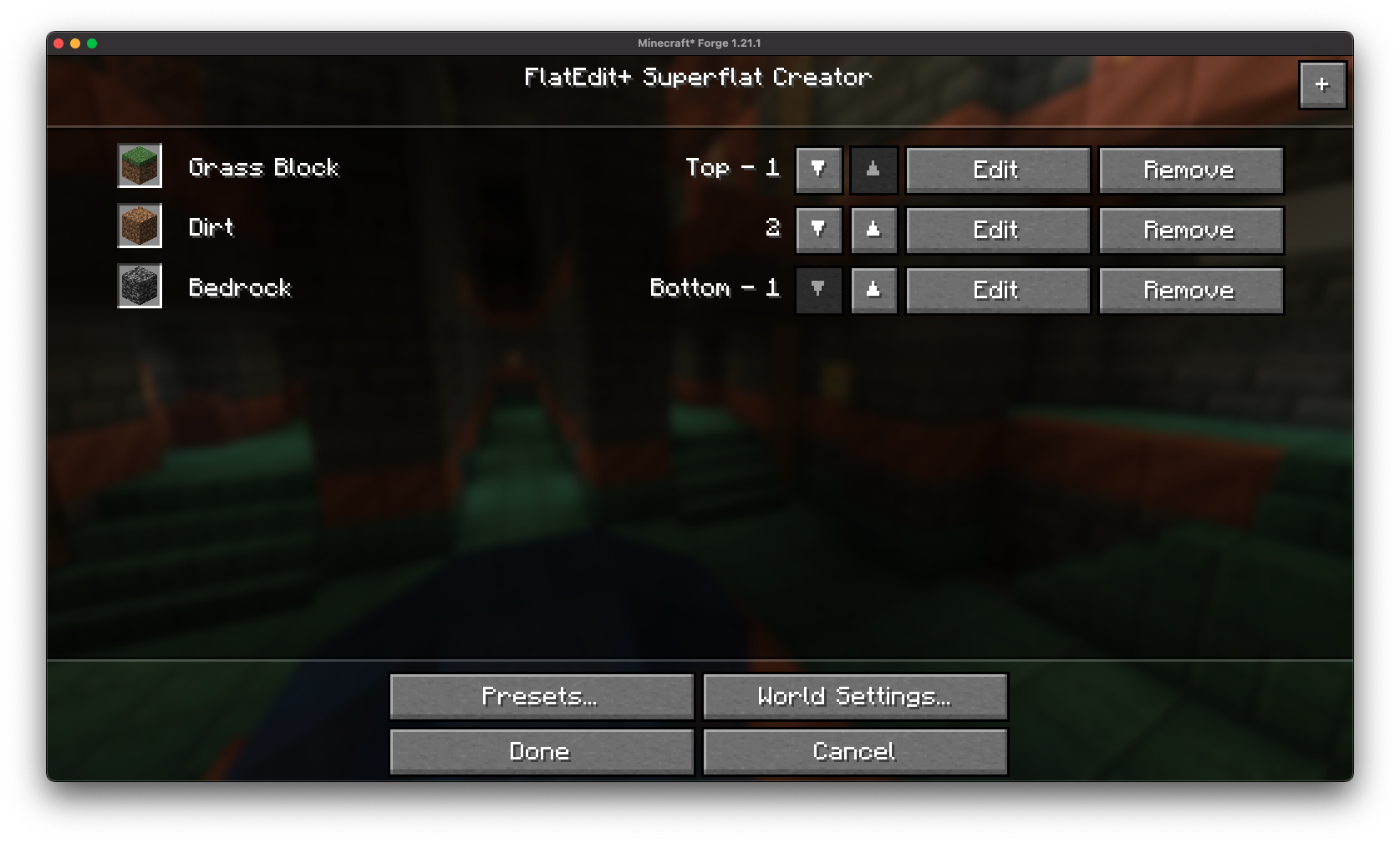
Instead of clunky layer editing and limited preset functionality, FlatEdit+ introduces a streamlined, intuitive interface designed for both casual builders and hardcore flatworld crafters.
# ✨ Features
**Redesigned Superflat GUI:**

A complete revamp of the vanilla Superflat customization screen, with a modern and user-friendly layout.
**Vanilla-like Accessibility:**
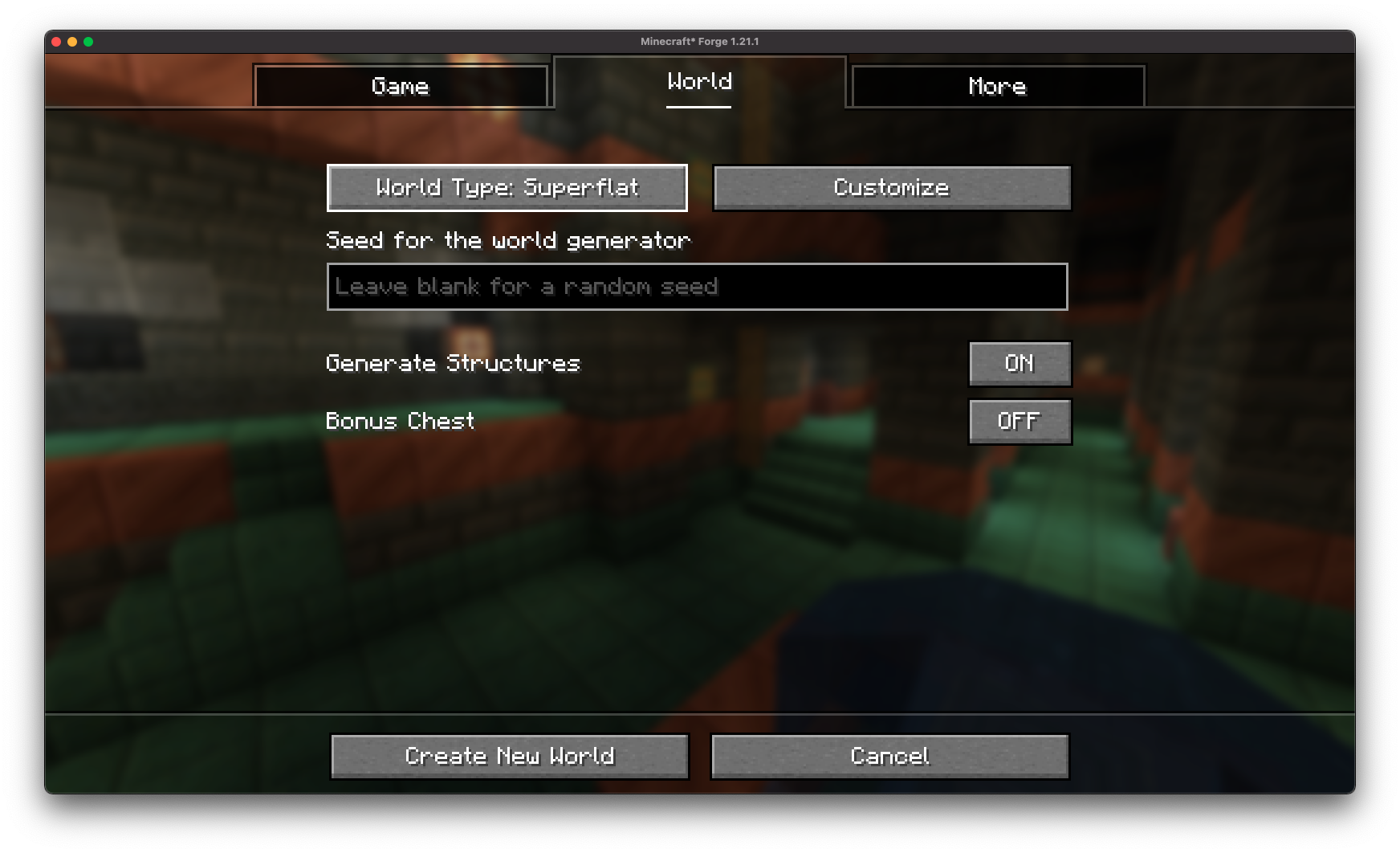
The re-imagined superflat customization screen is accessible through the vanilla world creation screen!
**Easy Configuration**
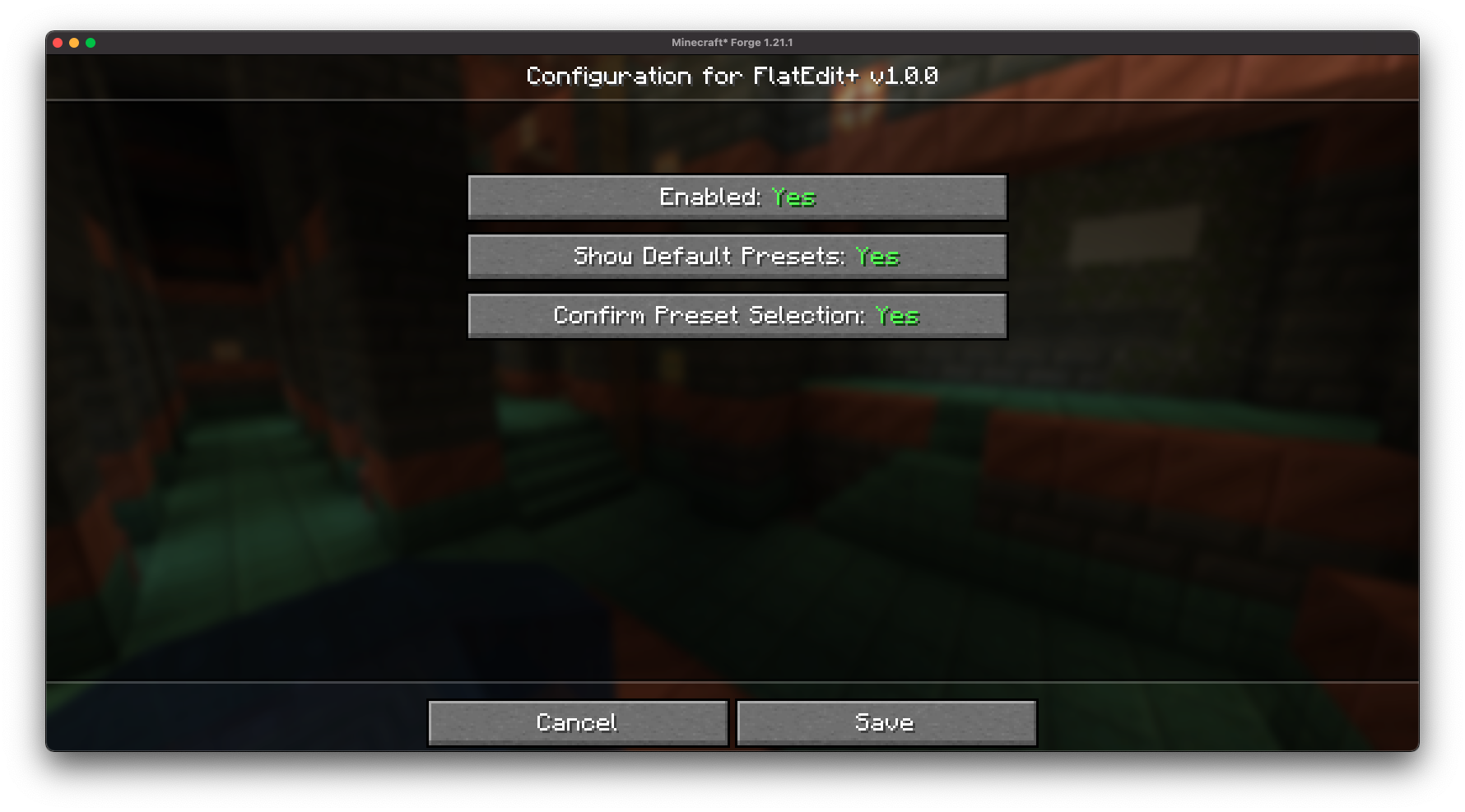
FlatEdit+ provides an easy-to-access configuration screen, allowing you to customize the superflat customization screen to your liking!
**Layer Management Made Easy:**

Quickly add, remove, reorder, and edit layers with real-time previews and improved controls.
**Material Search and Filters:**
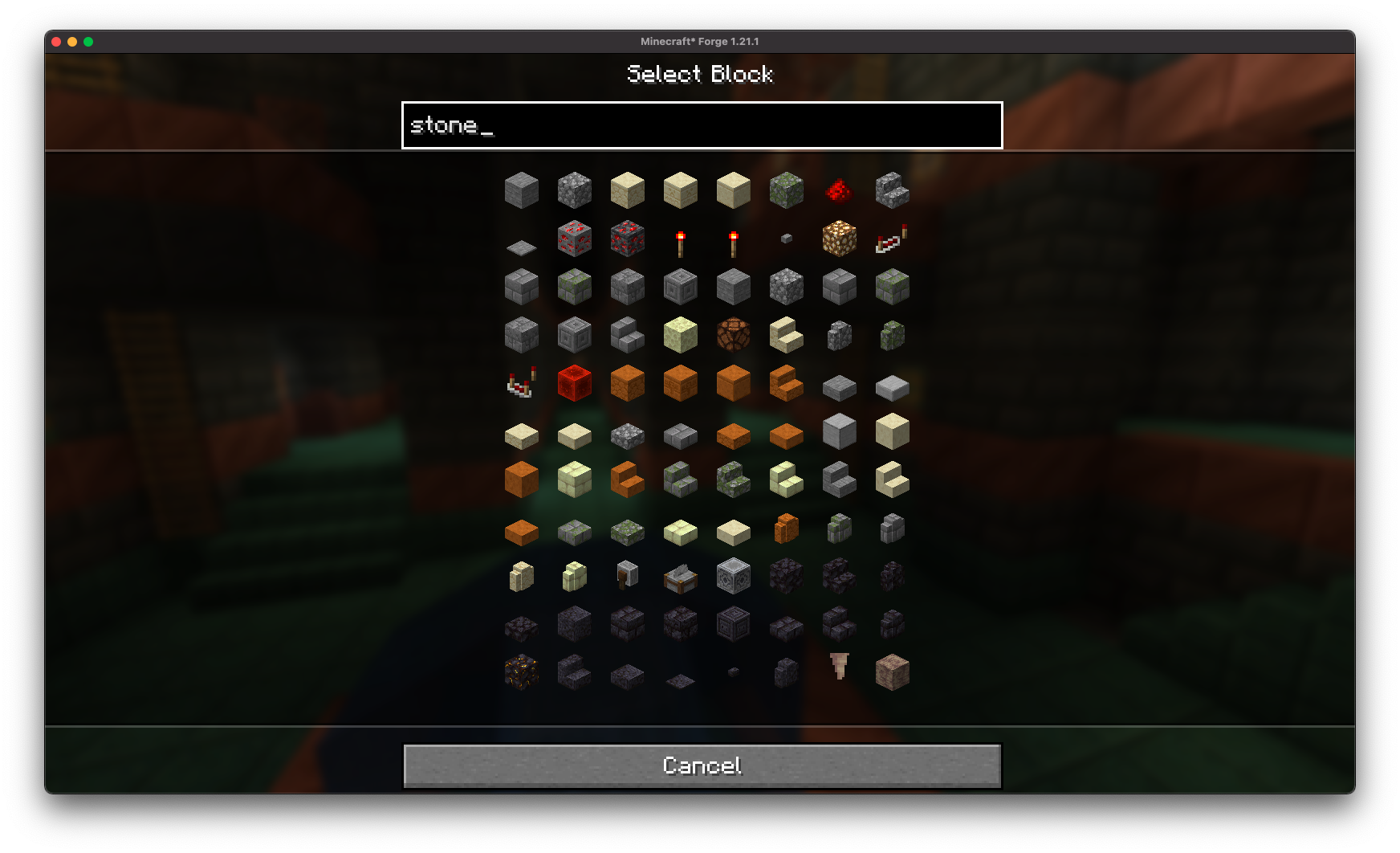
Find the exact blocks you want with searchable material lists.
**Full World Customization**
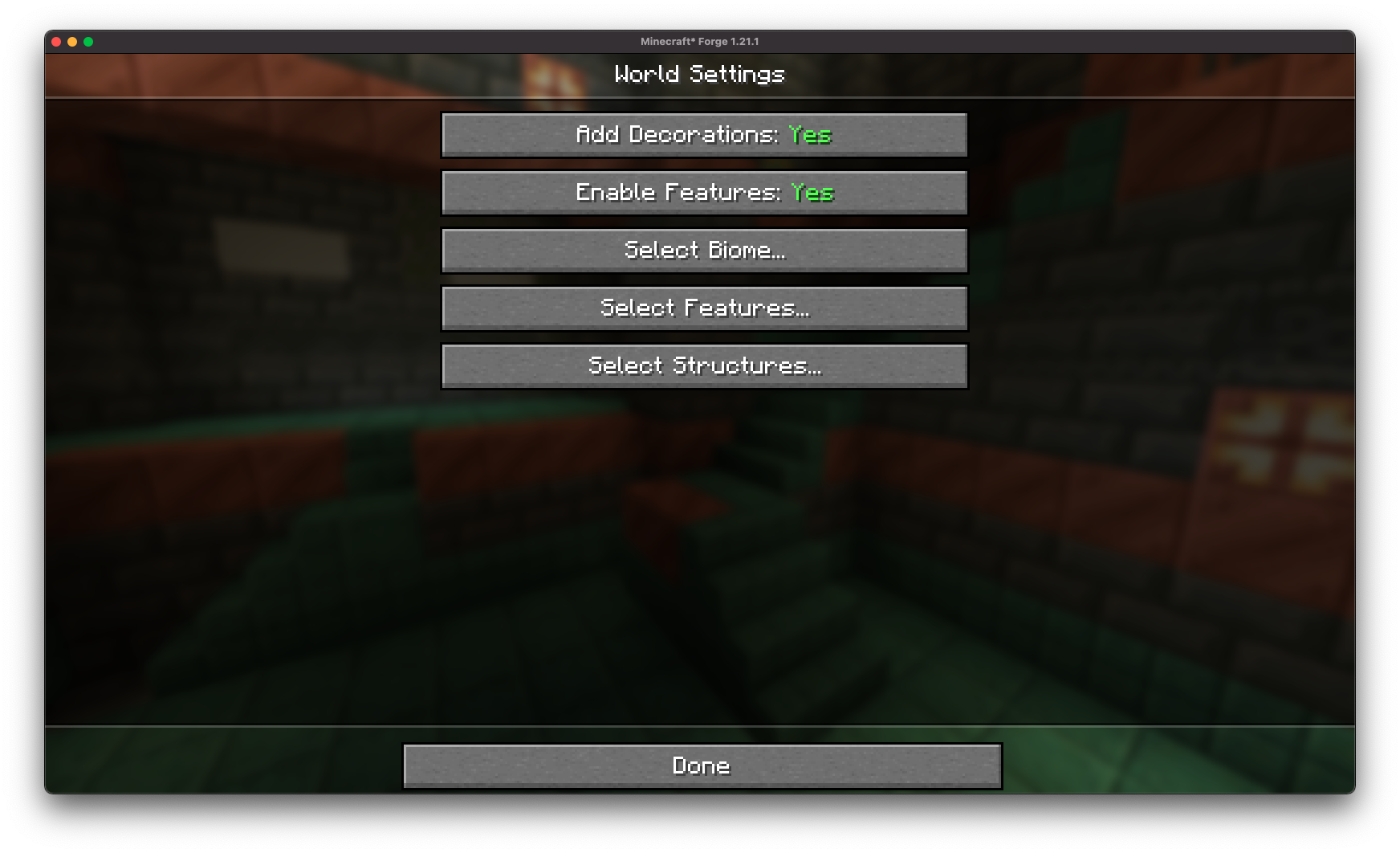
Gain access to full customization over all superflat world settings.
**Structure Generation Toggles:**
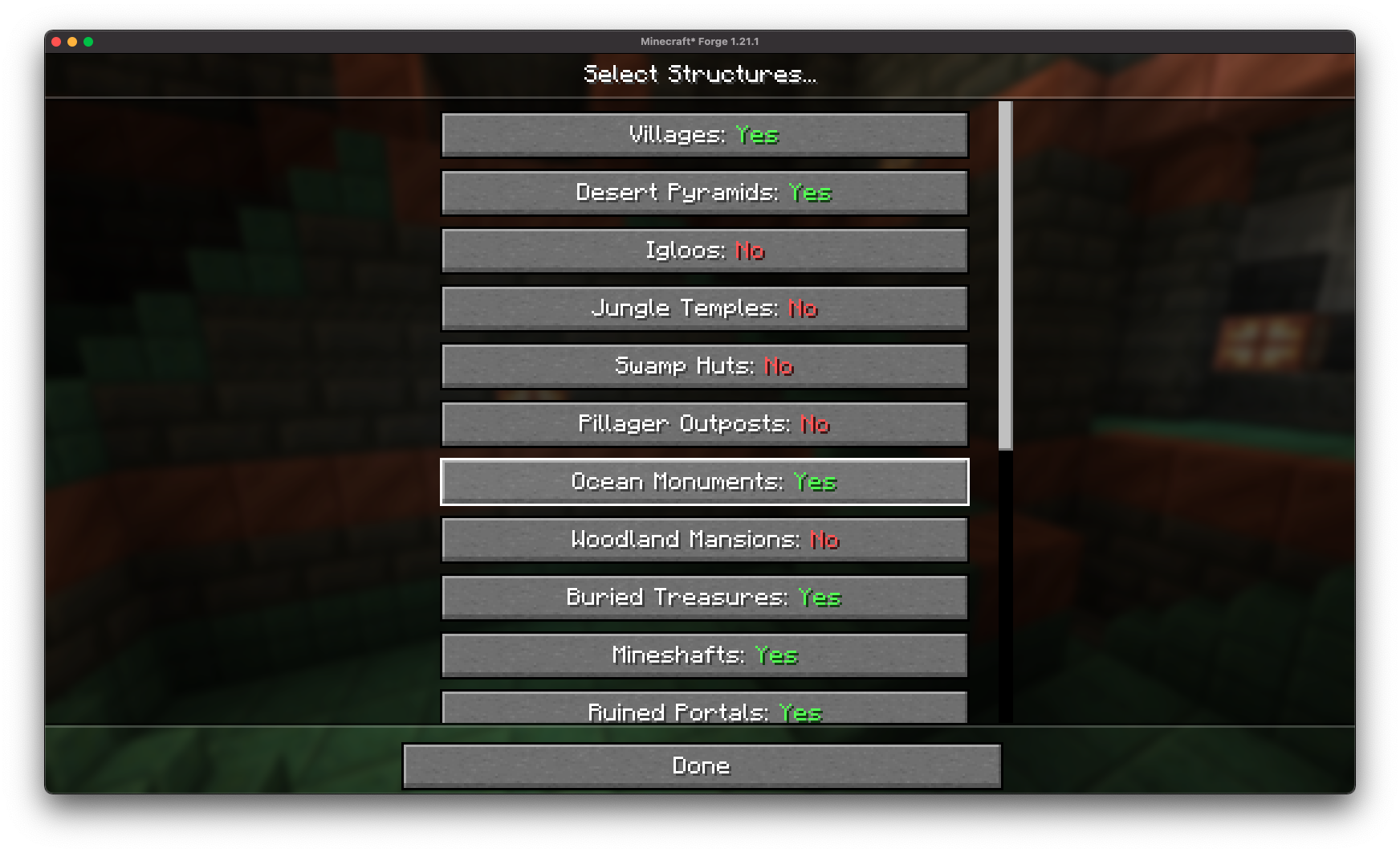
Fine-tune world structures (villages, mineshafts, strongholds, etc.) directly from the creation screen without needing presets.
**Decoration Toggles**
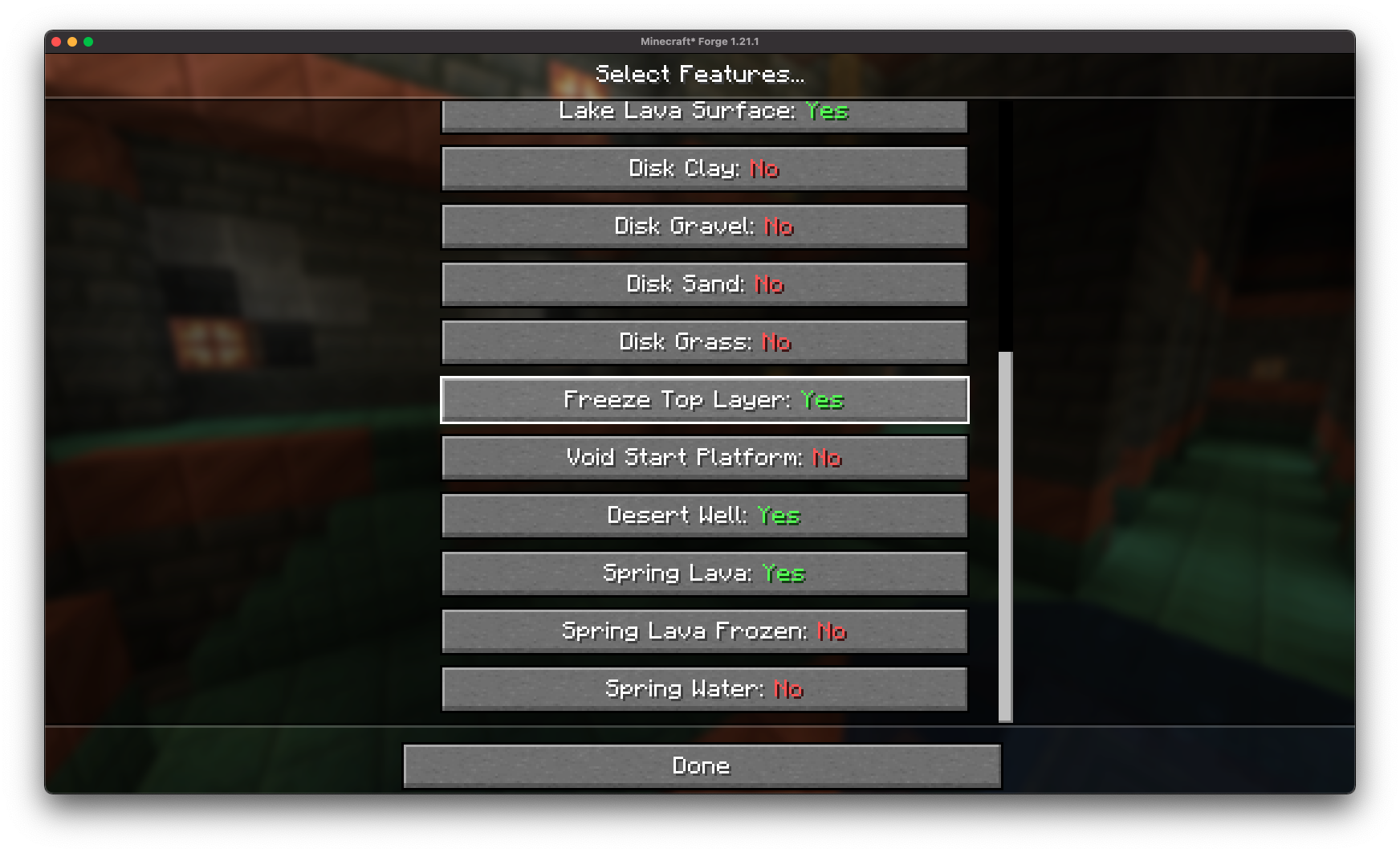
Easily disable or enable specific features (lava lakes, frozen top layer, desert wells) directly from Minecraft.
**Preset Saving and Loading:**
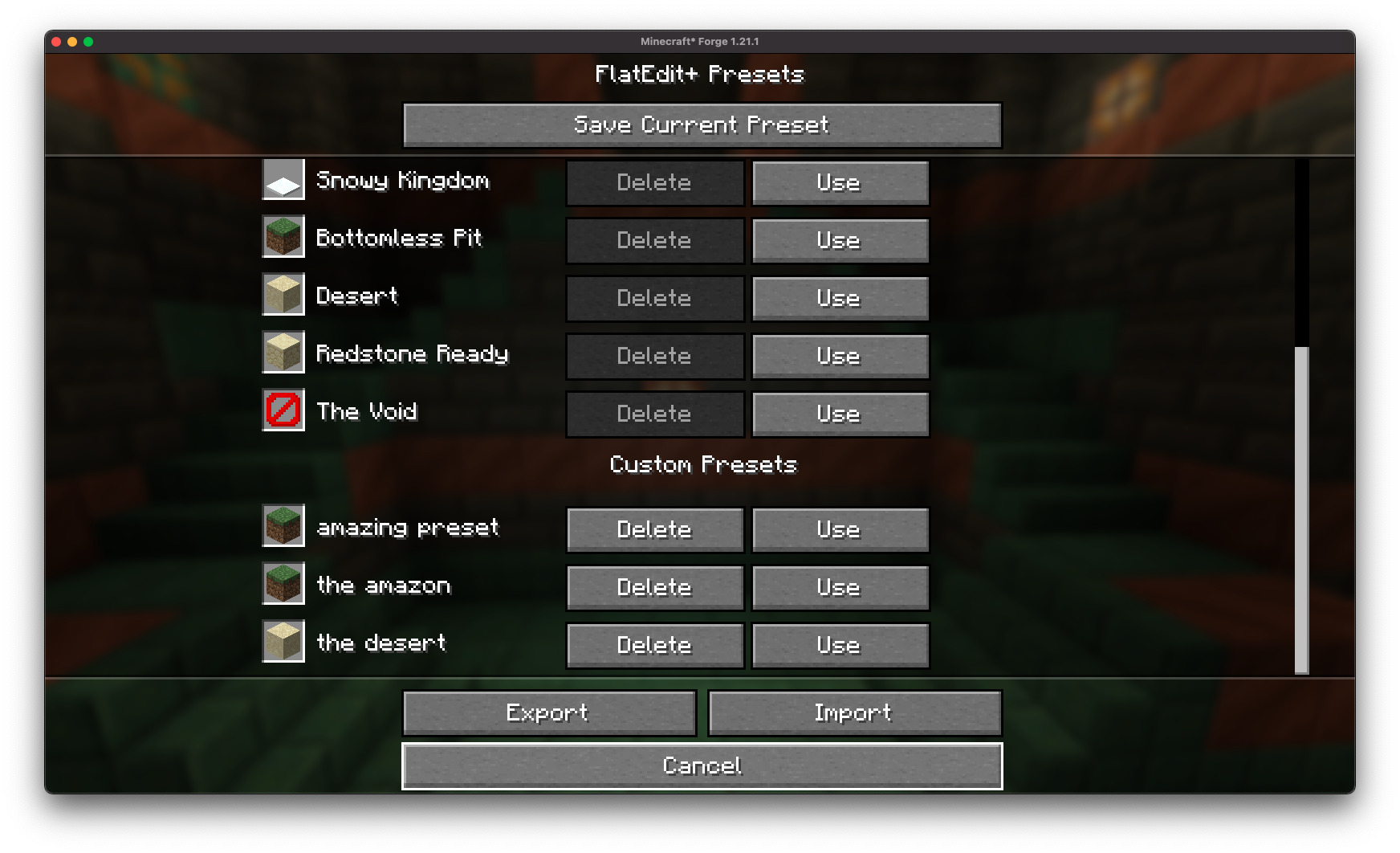
Save your custom superflat configurations to easily reuse later!
**Preset Exporting and Sharing**
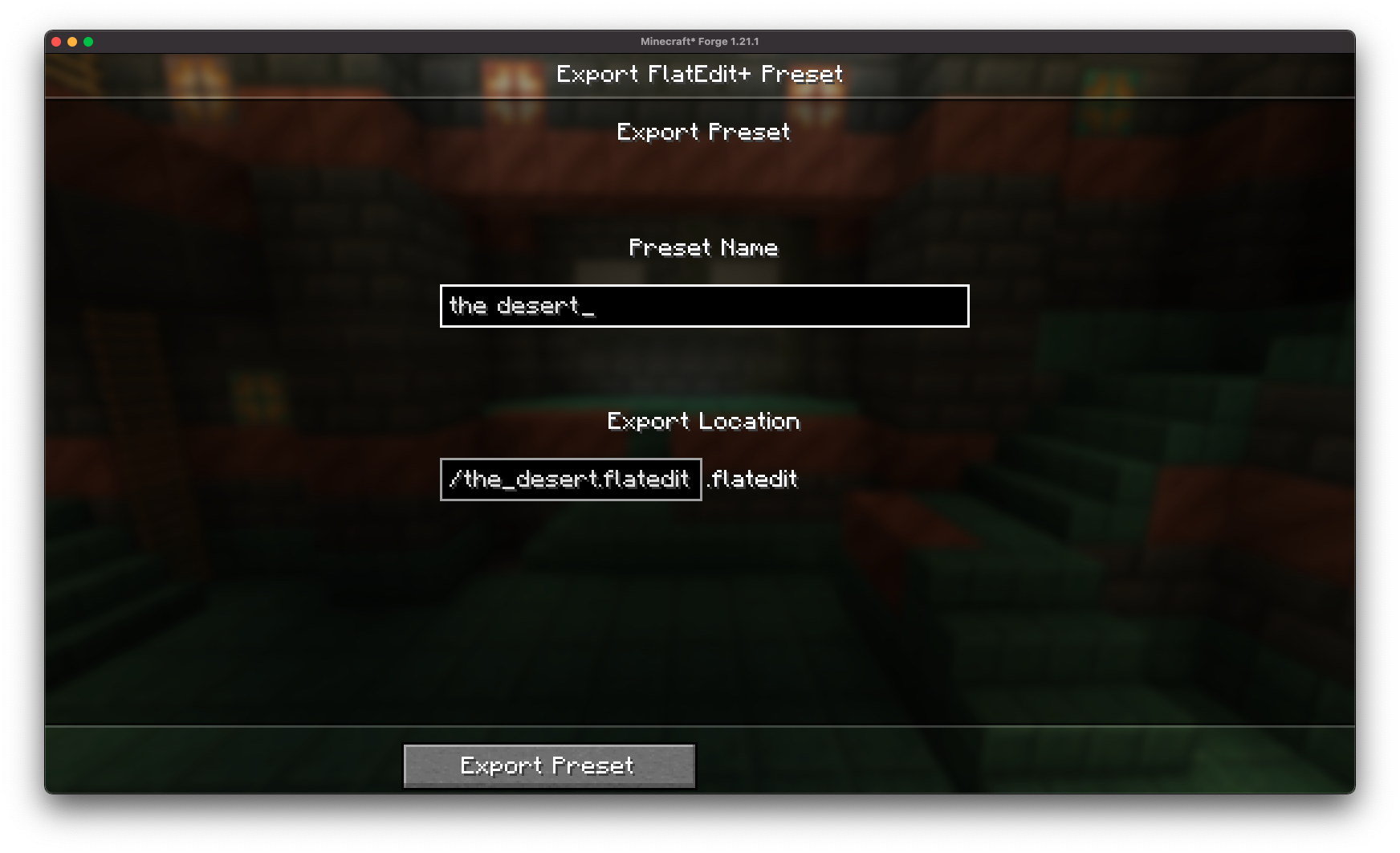
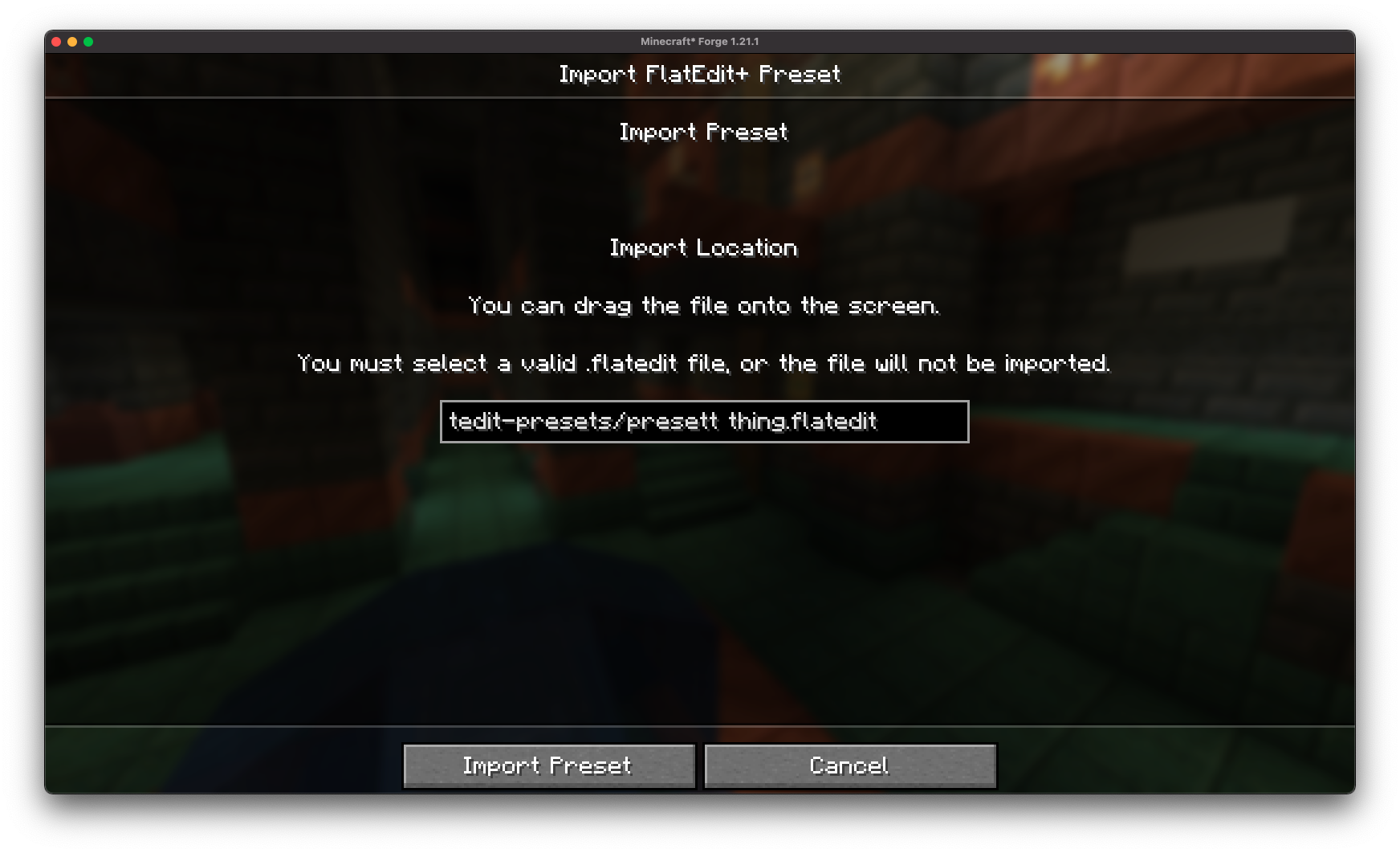
With the .flatedit format, you can easily export your superflat presets to files and share with friends!
**Full Vanilla Compatibility:**
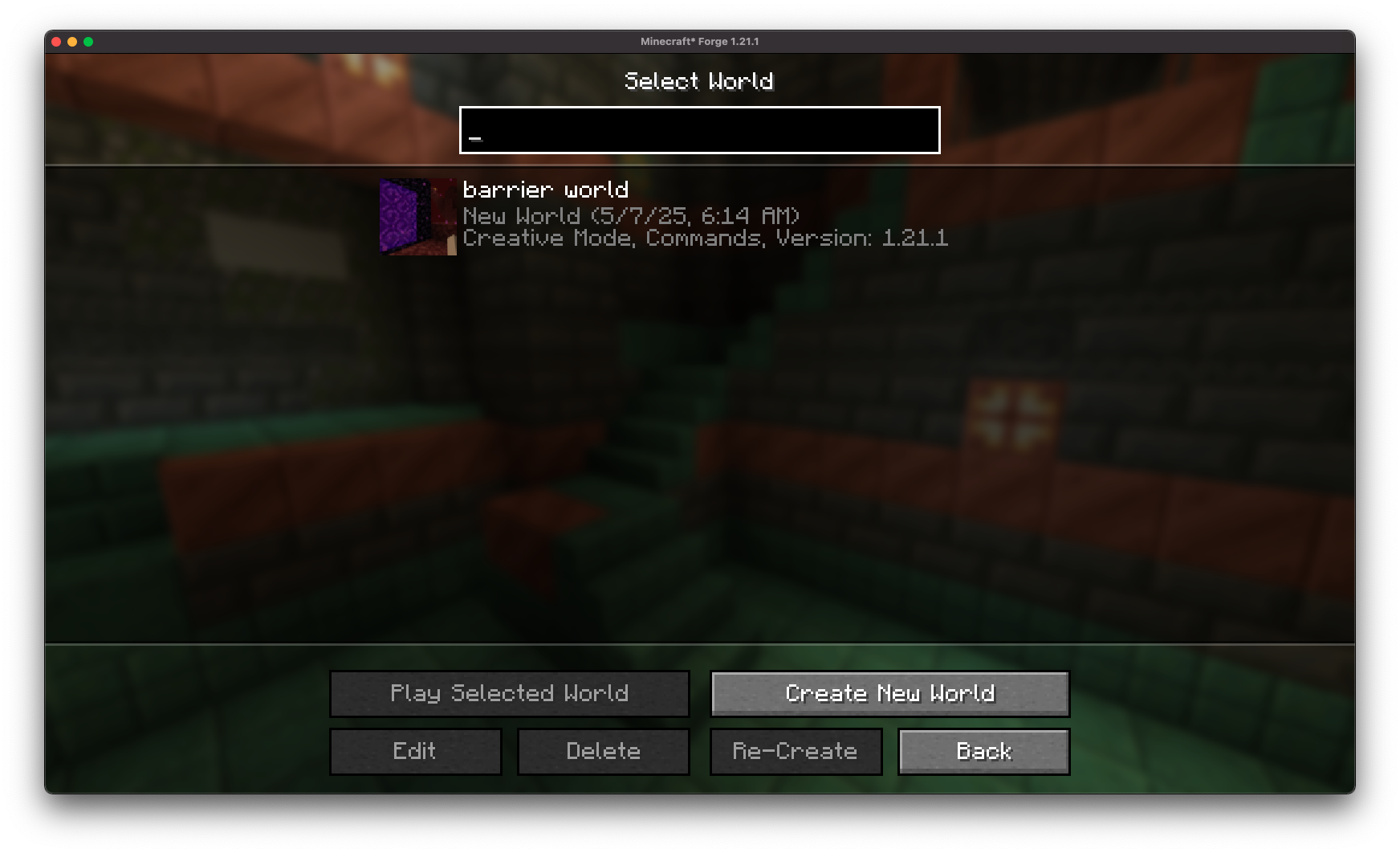
Worlds created with FlatEdit+ are fully compatible with vanilla Minecraft (no mod required once the world is generated).
## Installation/Dependencies
#### This mod requires [BoxLib](https://modrinth.com/mod/boxlib) a Client-side library mod developed by me.
1. **Install Minecraft Forge/Fabric/Neoforge:** Download and install the appropriate modloader for your Minecraft version.
2. **Download the mod:** Download the latest release of Debug Keybind for your specific modloader and Minecraft version
3. **Download BoxLib:** Download the latest release of [BoxLib](https://modrinth.com/mod/boxlib) for your specific modloader and Minecaft version
4. **Place the mod jars:** Drop the downloaded jar files into your Minecraft mods folder. The location of this folder varies depending on your operating system.
### Fabric Dependencies
[](https://www.curseforge.com/minecraft/mc-mods/fabric-api)
### Forge/NeoForge Dependencies
This mod requires [BoxLib](https://modrinth.com/mod/boxlib) a Client-side library mod developed by me.
## Contributing
We encourage contributions! Don't hesitate to open issues or pull requests through the [GitHub Repository](https://github.com/Boxadactle/FlatEditPlus). Your input helps the mod improve and evolve.
### Translations
We welcome translations! If you're interested in translating this mod, please locate the [localization files](https://github.com/Boxadactle/FlatEditPlus/tree/latest/common/src/main/resources/assets/flatedit/lang) and submit a pull request. Your contributions help make the mod accessible to more users worldwide.
### Support
If you encounter any issues, please [open an issue](https://github.com/Boxadactle/FlatEditPlus/issues/new/choose) on the GitHub repository.
## Building
If you'd like to build this mod on your own machine, follow these steps.
* Download the source code from [GitHub](https://github.com/Boxadactle/FlatEditPlus/tree/main) (Code -> Download zip)
* Extract the zip file onto your local machine, and open the folder.
* Open a terminal prompt in said folder
* Run the command "gradlew build"
* The fabric build will be in "fabric/build/libs"
* The forge build will be in "forge/build/libs"
* The neoforge build will be in "neoforge/build/libs"