
Описание
# Overview
Find Me is a mod for storing, summoning, and managing creatures and vehicles.
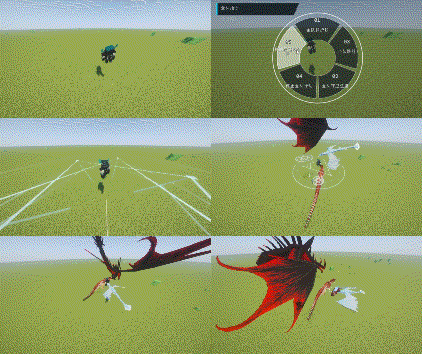
- You can register supported mounts and companions from vanilla Minecraft or other mods with Find Me, then quickly summon, switch, or recall them using radial wheels.
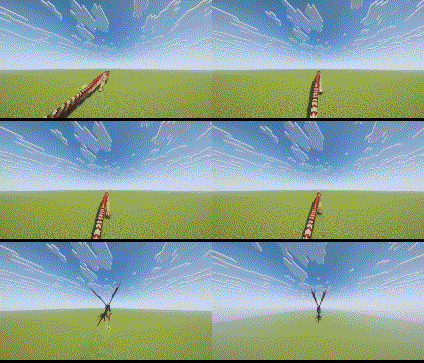
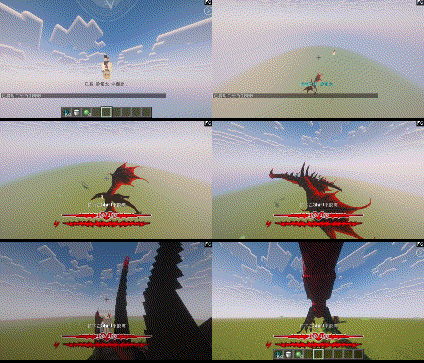
- Land, flying, and aquatic creatures use different approach animations when summoned;
- When switching mounts, the previous mount leaves while the new one actively approaches;
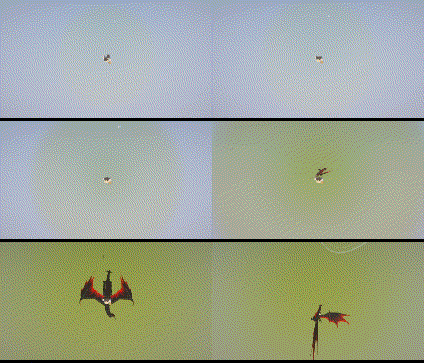
- When falling from a great height, players can also call a mount for an aerial rescue.
# Main Features
- Issue follow, wait, guard, protect, and attack commands to individual creatures or entire teams;
- Use the Manager to organize teams, storage, and radial wheel slots;
- Assign companions to Nests and set them to rest, wander, or guard;
- Registered creatures are protected from fatal damage by entering a critical state. Stored creatures recover health over time, while critically injured creatures can recuperate inside a Nest;
- Whenever a player wakes up, there is a chance that one eligible dead creature will be revived;
- Bind supported vehicles using the Vehicle Binder. Aeronautics vehicles require a Locator Seat to determine which seat will be used when summoned;
- Optional friendly-fire protection and companion block protection prevent accidental attacks and damage to your home.
# Controls
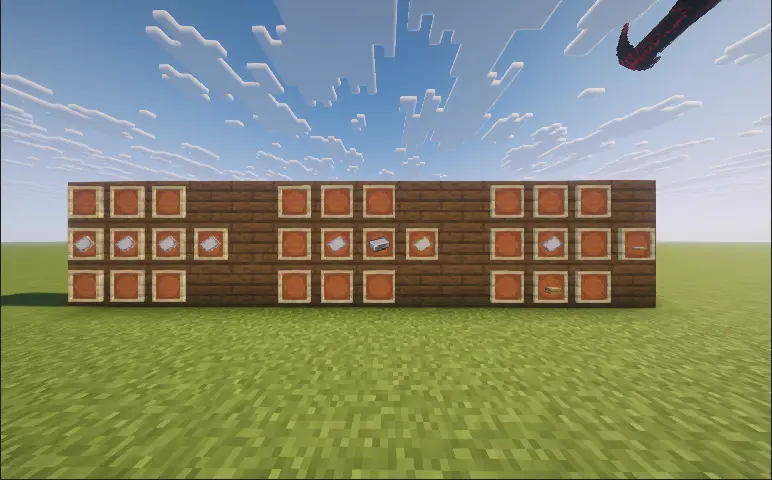
- Right-click an eligible creature with a “Name Paper” to register it with Find Me;
- Right-click a supported vehicle with a “Vehicle Binder” to register it with Find Me;
- Right-click a Nest, then click or drag creatures from the list on the right to assign them to it.
- R: Press to summon or switch the active mount. Hold to open the mount wheel. It can also trigger a rescue while falling;
- V: Press to summon or switch the active companion. Hold to open the companion wheel;
- G: Open the Find Me Manager;
- While the wheel is open, point at a creature and right-click to open its individual command wheel;
- Middle-click while the wheel is open to access commands for the entire team.
# Command System
- Follow Me: The creature follows the player. Flying creatures will follow from the air;
- Wait Here: The creature remains at its current position and stops following the player;
- Move Forward: The creature continuously moves forward. Press the corresponding summon key again to teleport to its current location, after which the creature will be stored;
- Move to Crosshair: The creature moves to the location targeted by the player’s crosshair;
- Guard Here: The creature guards the designated area and attacks nearby hostile targets;
- Protect Me: The creature follows and protects the player, attacking anything that threatens them;
- Attack Target: Orders the creature to attack the target currently selected by the player;
- Land: Orders a flying creature to find a suitable landing location;
- Ride Home: Summons a mount assigned to a Nest and has it carry the player back to that Nest;
- Teleport: Opens the Waystones destination list. After selecting a destination, the player and their current mount will teleport together. Requires Waystones;
- Stop Action: Immediately cancels the creature’s current command;
- Team Follow: All available creatures in the current team follow the player;
- Team Guard: All available creatures in the current team guard the designated area;
- Team Protect: All available creatures in the current team protect the player;
- Team Attack: All available creatures in the current team attack the designated target;
- Store Team: Stores all currently deployed creatures in the current team.
# Manager and Nests
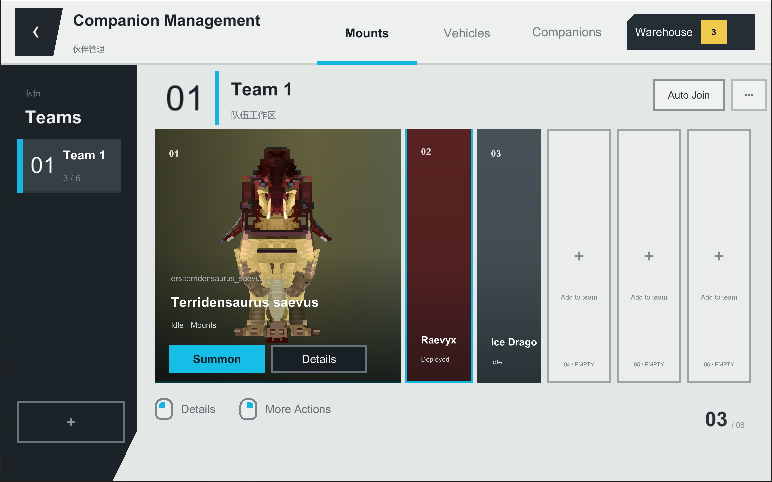
- The Manager allows you to create and organize teams, search for creatures, move storage members, assign radial wheel slots, and inspect models, health, locations, current states, and recovery records.
- Each Nest has its own capacity, wandering range, and maximum activity boundary. Companions assigned to a Nest can rest, wander, or work together to defend the surrounding area.
- If a creature enters a critical state while assigned to a Nest, it will automatically recuperate and reappear once its health has been fully restored.
# Player Settings
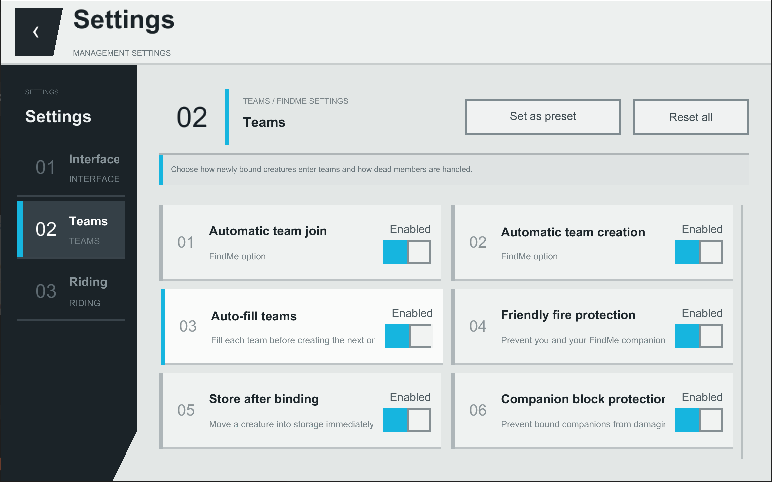
- Players can configure summon animations, creature sounds, wheel styles, interface animations, opacity, fonts, text size, the companion status HUD, riding camera behavior, automatic team assignment, deployment limits, friendly-fire protection, and companion block protection.
- Servers can configure summon cooldowns, deployment limits, rescue heights, default Nest capacity and activity ranges, backups, and sleep revival probability and cooldown.
# Commands
- /findme manage: Opens the Manager;
- /findme hud edit: Edits the position of the companion status HUD;
- /findme hud reset: Resets the HUD layout;
- /findme reload: Reloads creature compatibility presets. Administrator permission required;
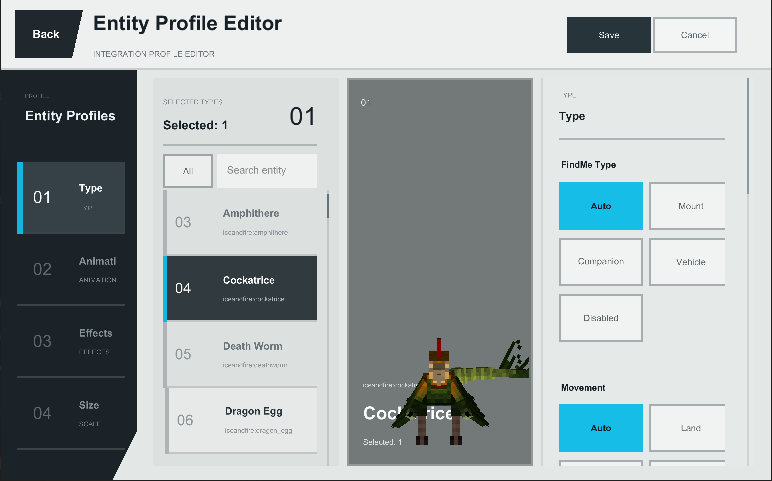
- /findme editor: Opens the visual compatibility editor, where creature categories, movement types, binding requirements, and other compatibility data can be configured;
- /findme tame: Force-tames the creature under the crosshair or a specified creature. Administrator permission required.
-
# Mod Compatibility
- Find Me uses general-purpose entity logic to support many vanilla and modded creatures, with dedicated compatibility handling for Ice and Fire, Saint’s Dragons, and selected other mods.
- Ownership, animation, flight, and riding implementations differ greatly between mods. Modpack creators can use the built-in editor and entity presets to configure compatibility for individual creatures.
- Important Notes
- ApricityUI 1.2.0 or later must be installed on the client.
- For multiplayer, Find Me must be installed on both the server and every client.
- Before updating the mod, exit the world normally and keep a backup of your save.
- Frequently Asked Questions
- Why does a tamed creature not appear in the radial wheel?
- Find Me does not automatically register tamed creatures. Craft a “Name Paper” using 3 pieces of paper, then right-click the creature while holding it.
- How do I summon a registered creature?
- Hold R to open the mount wheel or hold V to open the companion wheel. Move the mouse to select a creature, then left-click.
- How do I issue commands to one creature or an entire team?
- Open the companion wheel, point at a creature, and right-click to open its individual command wheel. Middle-click within the companion wheel to open the command wheel for the current team.
- Why can’t I summon every companion in a team at once?
- Only registered companions that meet the deployment requirements will respond. By default, a player can deploy up to 2 companions at once. This can be adjusted under G → Settings.
- Why does right-clicking always mount a creature instead of feeding it or opening its original interface?
- The current version normally prioritizes the creature’s original right-click interaction. You can also check “Prioritize Native Mount Interaction” in the player settings. If the problem persists, please report the creature’s entity ID and attach your latest.log.
- How do I register a vehicle?
- Name Paper is used for creatures. Craft a “Vehicle Binder” using 1 Name Paper and 1 Iron Ingot, then right-click the vehicle. Some vehicles may require dedicated compatibility support. When reporting an issue, include the vehicle mod and entity ID.
- Can creatures that cannot normally be tamed still be registered?
- Modpack creators and administrators can use /findme editor, configure the relevant entity category, and set its binding requirement to “Ignore.”
- What should I do if a creature dies, turns red, or the server shuts down unexpectedly?
- Press G to open the Manager, then inspect the Backup page and restore a verified backup. It is recommended to back up the world before doing so.
- Is there a Fabric version?
- There is currently no official Fabric version. A port is planned after the Forge version is more complete.
- What should I do if the game reports a missing dependency or crashes during startup?
- The current version requires ApricityUI 1.2.0 or later. When reporting startup issues, include your Find Me version, ApricityUI version, and latest.log.
# Feedback and Suggestions
If you encounter a problem or would like to request compatibility for a creature, please submit an issue here:
[https://github.com/Ku00115/find-me-1.3/issues](https://github.com/Ku00115/find-me-1.3/issues)
# Author’s Note
- Find Me aims to ensure that mounts and companions from every mod are no longer forgotten somewhere in the world, but instead become genuine members of the player’s journey.
- Creature implementations vary greatly between mods. Thank you to everyone who helps test the mod and provides detailed reports, logs, and suggestions.