Описание
# 🌲 EverGreen 64x
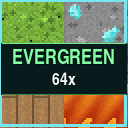
**EverGreen 64x** transforms Minecraft into a cleaner, brighter, and more detailed world while preserving the familiar style and colors of vanilla Minecraft.
## ✨ Main Features
* **True 64× resolution** for sharper and more detailed textures
* More than **1,300 block textures**
* More than **800 item textures**
* Over **2,600 graphical assets**
* Colorful, clean, and recognizable vanilla-inspired art style
* Original vanilla textures for living mobs
* Redesigned blocks, items, particles, interfaces, and non-creature entities
* No shaders or mods required for the main pack
* Approximately **11 MB**, making it much lighter than most 256× or 512× packs
## 🧱 Detailed Block Overhaul
EverGreen improves nearly every part of the Minecraft world while keeping each block easy to recognize.
The pack includes upgraded textures for:
* Natural terrain and stone families
* Ores and mineral blocks
* Every major wood family
* Leaves, plants, flowers, crops, vines, and roots
* Nether and End blocks
* Copper and its oxidation stages
* Deepslate blocks
* Amethyst and geode blocks
* Sculk blocks
* Redstone components
* Doors, trapdoors, fences, and building materials
* Furnaces, crafting stations, and utility blocks
* Water, lava, fire, portals, and other animated blocks
Colors are richer and surfaces contain more depth, shading, and variation without making Minecraft feel like a completely different game.
## ⚔️ Upgraded Items
Hundreds of item icons have been recreated at higher resolution, including:
* Tools and weapons
* Armor
* Food and ingredients
* Minerals and resources
* Potions and utility items
* Dyes
* Buckets and transportation items
* Spawn eggs
* Compass animation frames
* Clock animation frames
Items remain recognizable at a glance while receiving the cleaner EverGreen shading and color treatment.
## 🌊 Animated Textures
EverGreen contains **47 animated block textures** that add movement without filling the pack with unnecessary animations.
Animated textures include:
* Water
* Lava
* Fire and soul fire
* Campfires and soul campfires
* Lanterns
* Magma
* Nether portals
* Sea lanterns
* Prismarine
* Command blocks
* Sculk blocks
* Respawn anchors
* Active furnaces and smokers
* Stonecutter saws
The animations are designed to feel smooth and natural while remaining close to Minecraft’s original behavior.
## 🪟 Connected Textures
When used with **OptiFine** or a compatible connected-texture mod such as **Continuity**, EverGreen adds enhanced connected textures for:
* Clear glass
* Glass panes
* All 16 stained-glass colors
* Ice and packed ice
* Bookshelves
Connected glass removes distracting interior borders and creates larger, cleaner windows while preserving an outer frame.
These features are optional. The resource pack still works normally without a connected-texture mod.
## 💡 Emissive Textures
EverGreen includes **29 optional emissive glow maps** for compatible setups.
Supported glowing details include:
* Torches and soul torches
* Glowstone
* Sea lanterns
* Froglights
* Magma
* Redstone ores and lamps
* Diamond ore
* Amethyst
* Sculk
* Portals
* Furnaces and smokers
* Jack o’lanterns
* Crying obsidian
Without emissive-texture support, these blocks simply use their standard EverGreen textures.
## 🔄 Random Terrain Variations
Common terrain blocks include multiple visual variations and rotations to reduce obvious repeating patterns across large areas.
Variants are included for:
* Stone
* Cobblestone
* Cobbled deepslate
* Dirt
* Sand
* Gravel
* Netherrack
* End stone
* Granite
* Diorite
* Andesite
This makes caves, mountains, beaches, and large builds feel more natural.
## ❤️ GUI, HUD, and Particles
EverGreen also updates many interface and visual-effect elements:
* Inventory
* Crafting table
* Furnaces and smokers
* Brewing stand
* Enchanting table
* Anvil
* Chests and containers
* Hopper
* Dispenser and dropper
* Shulker box
* Hearts, hunger, armor, and air icons
* Experience and jump bars
* Hotbar and selection box
* Crosshair
* Menu buttons
* Particle effects
## 📦 Installation
1. Download the EverGreen 64x ZIP file.
2. **Do not unzip it.**
3. Open Minecraft Java Edition.
4. Go to **Options → Resource Packs**.
5. Select **Open Pack Folder**.
6. Move the downloaded ZIP into that folder.
7. Return to Minecraft and enable **EverGreen 64x**.
If Minecraft reports that the pack was made for another version, confirm that you are using one of the versions listed on the Modrinth download page.
## 🔧 Optional Enhancements
The main pack does not require any mods.
For connected and emissive texture features, use a compatible setup such as:
* OptiFine
* Continuity or another compatible connected-texture mod
EverGreen 64x is an independent community resource pack and is not affiliated with Mojang Studios or Microsoft.