Описание

A Minecraft mod that displays your zones' names on-screen.

## How to use
Craft a Copper Wrench with two ingots placed diagonally on the crafting table
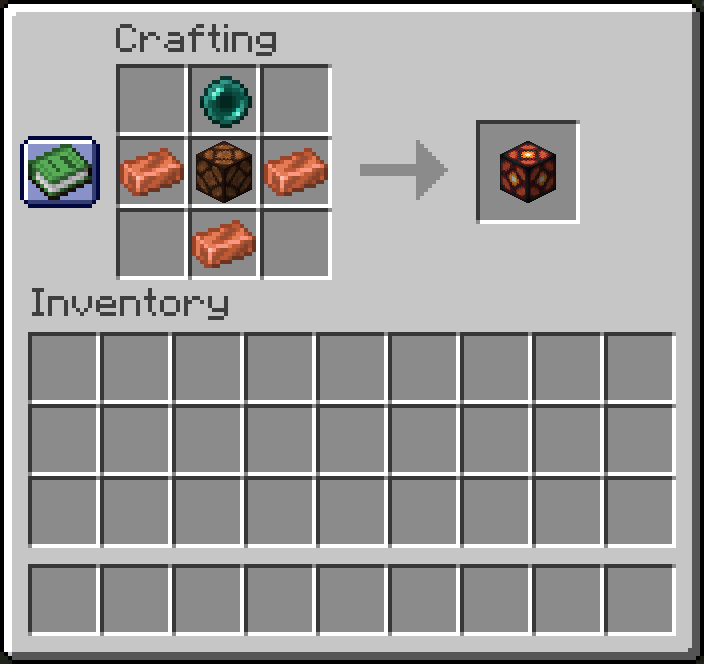
Craft a Region Broadcaster, place it on ground, and then :
- Rename a name tag in an anvil to the zone name you want to be shown on-screen
- Right click with the tag on the block to apply the zone name
- Right click with the wrench anywhere to cycle between modes (default, radius and time)
- Right click with the wrench (in radius mode) to change the radius of the zone (the distance is calculated horizontally, that is, the Y axis (height) is not taken into account : this is useful for towers for example)
- Right click with the wrench (in display time mode) to change the title's display time.
And then, you are set !
## Recipe