
Описание
# Enchantment Descriptions
A simple but powerful resource pack that adds **detailed enchantment descriptions** to tooltips in Minecraft Java Edition. No more guessing what each enchantment does—this pack shows you all relevant information directly in-game.
---
### 🎨 Screenshots
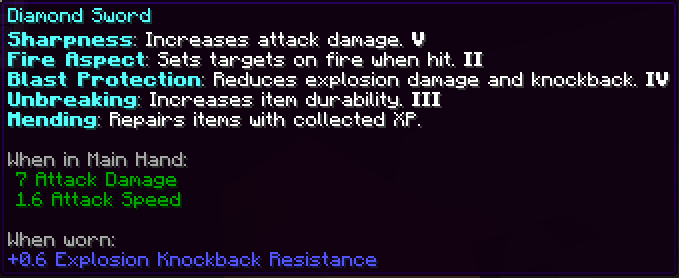
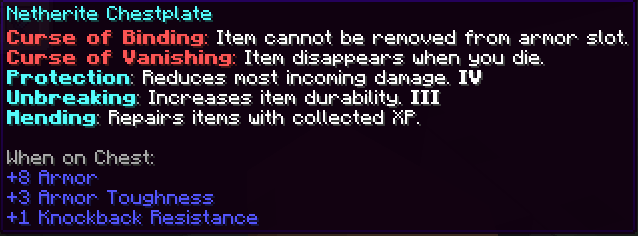
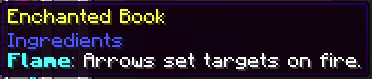


## Installation (Resource Pack - .zip)
1. Download the `.zip` file.
2. Place it in your `resourcepacks` folder.
3. Launch Minecraft → Options → Resource Packs → Enable the pack.
4.
## Installation (Mod Version - .jar)
To install the `.jar` version of Enchantment Descriptions:
1. Make sure you have **Minecraft Forge** or **Fabric** installed.
2. Download the latest `.jar` file from the Files section.
3. Place the `.jar` file into your `mods/` folder, located in:
- Windows: `%appdata%\.minecraft\mods`
- macOS: `~/Library/Application Support/minecraft/mods`
- Linux: `~/.minecraft/mods`
4. Launch Minecraft using the appropriate mod loader.
5. Enjoy detailed enchantment tooltips in-game!
---
> This is a **client-side visual aid only** — it does not affect gameplay or servers.
---
> Report if you find any mistranslation or bug