
Описание
# ecos shader for [Canvas](https://modrinth.com/mod/canvas) and [can-pipe](https://modrinth.com/mod/can-pipe)
Lightweight graphics enhancements for your laptop.
## Features
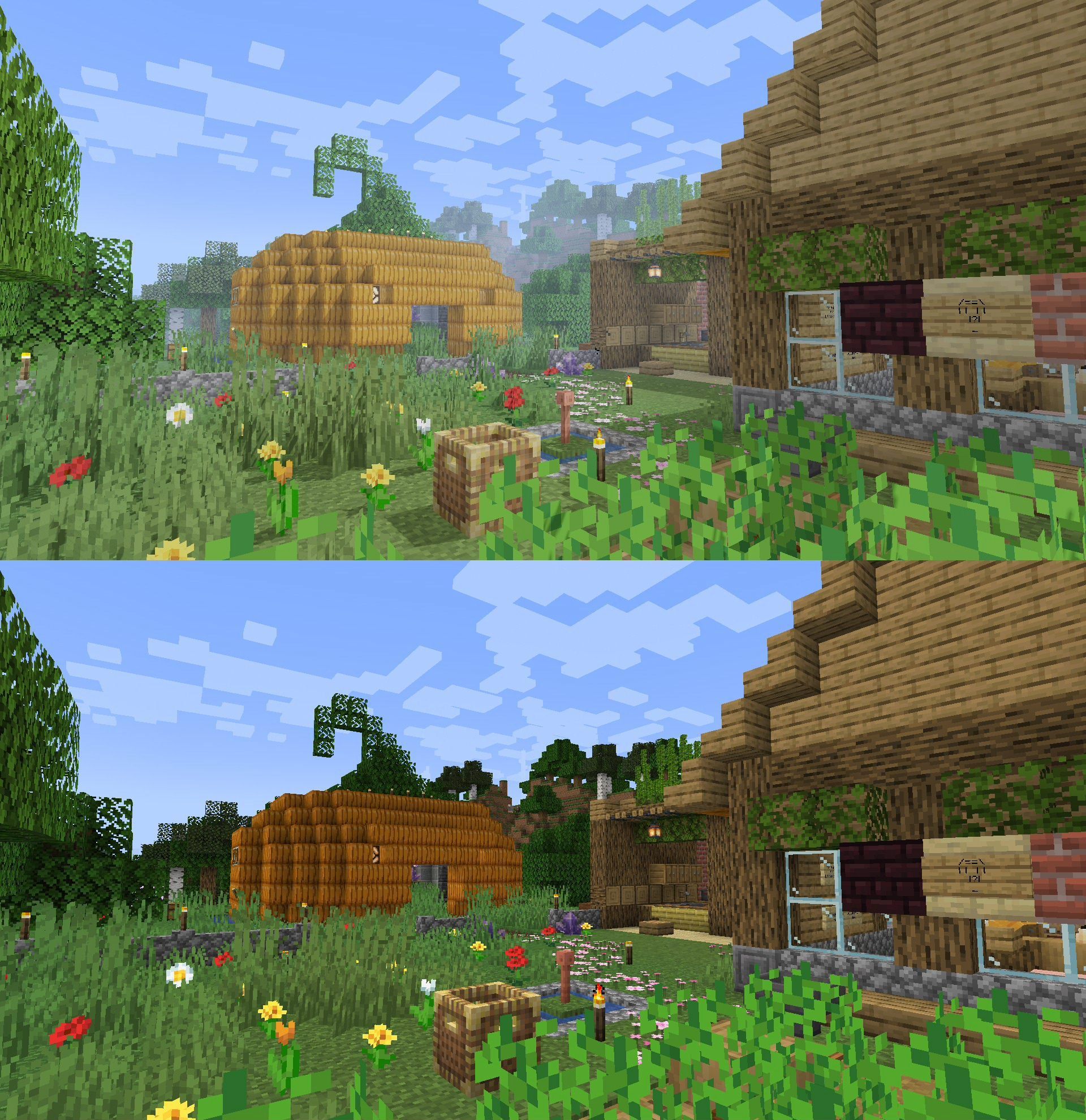
[See the gallery](https://modrinth.com/shader/ecos/gallery) for some comparisons.
- **Shadows** (optional, laptop friendliness varies)
- Fog, bloom & tone mapping
- Fancy water, metals & glass
- Optional toon outline & misc effects
- Vanilla-like (for the most part, might change later)
- Anti-aliasing
### Planned Features
- Water shading
- Colored lights
### Anti-vanilla feature
- Ignore vanilla lightmap (ecos uses its own lighting system)
## How to use this?
1. Install a compatible mod such as [Canvas](https://modrinth.com/mod/canvas) (up to 1.20.2) or [can-pipe](https://modrinth.com/mod/can-pipe) (26.1 and beyond.)
2. Put **ecos-vx.x.zip** inside your **Resource Packs** folder and activate it like a regular resource pack.
3. Open **Video Settings** and configure the pipeline to **ecos shaders**. If you're on Canvas, you might need to open the Canvas submenu.
## Background
Recently I got a laptop, and when I run Lumi Lights on it it started to overheat. So I made this shader as a replacement. It's not the exact same but it got the basic ideas that I wanted from a shader while keeping performance impact at minimum.
## Credits
- ecos by **[spiralhalo](https://mastodon.art/@spiralhalo)** (me)
- Project icon & mascot by **[Lazcht](https://www.instagram.com/lazcht/)**
- ecos' bloom feature is based on **Grondag**'s work