Описание

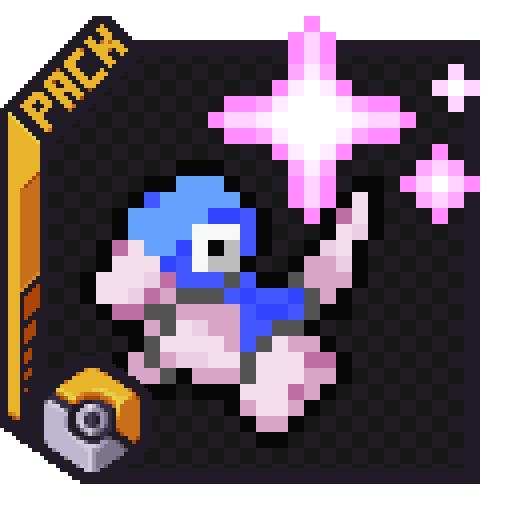
Cobblemon icons from MBCMechachu for Xaero's Minimap!
## Showcase

- Includes Unmarked Shiny Version.

- [Full Unique Forms List](https://wiki.cobblemon.com/index.php/Pokémon/Unique_Forms).
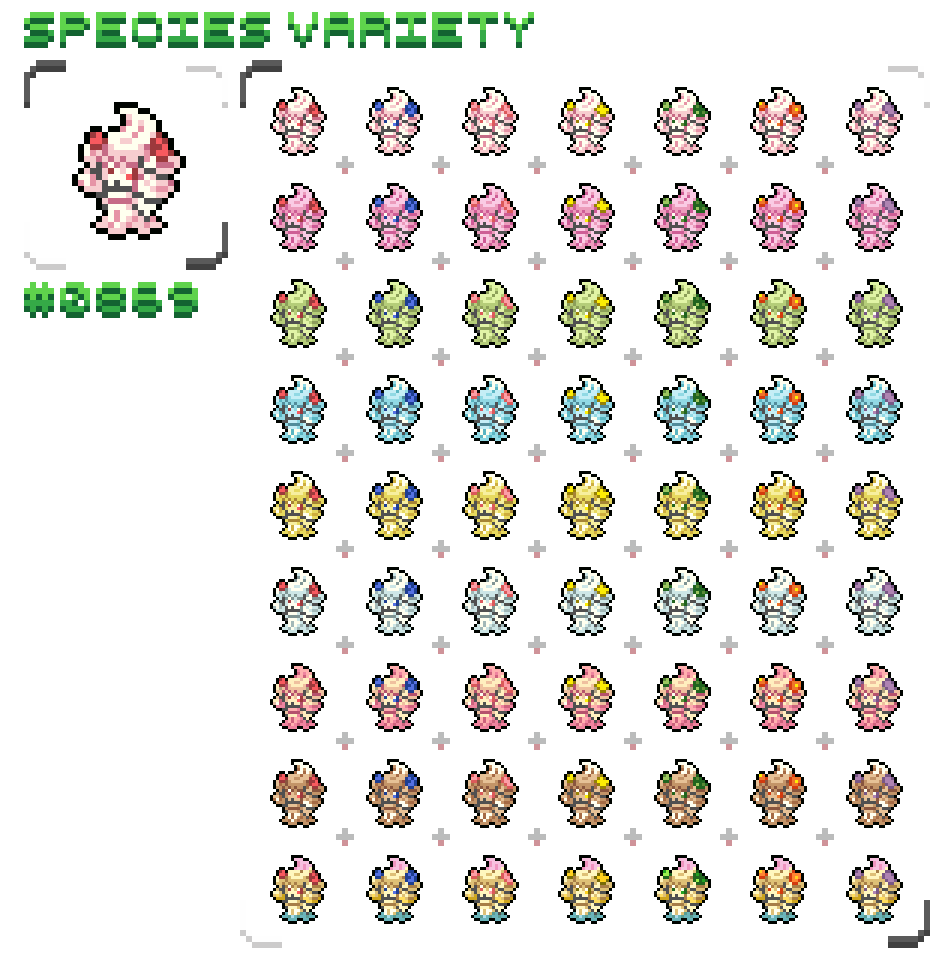
- Supports All Cobblemon Form Variations.
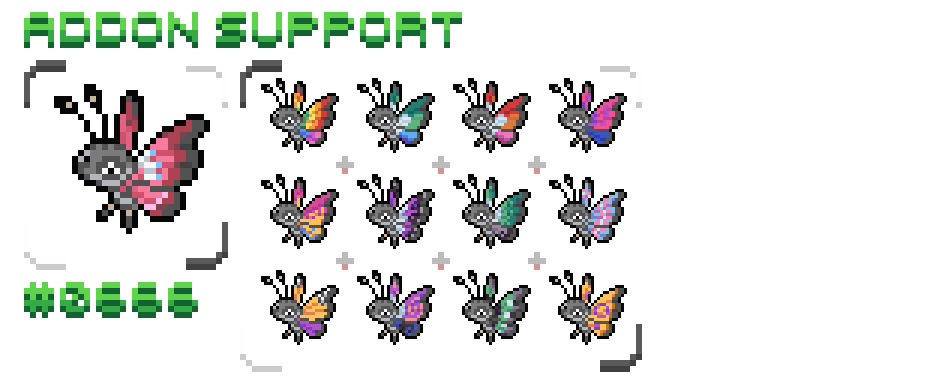
- Supported Addon List.
Spoiler
**Official**
- [Combee MC Remodel](https://modrinth.com/resourcepack/combee-mc-remodel)
- [Vivillon Pride Patterns](https://modrinth.com/datapack/vivillon-pride-patterns)
**Fakemon**
- [Alatia's Fakemon](https://modrinth.com/datapack/cobblemon-alatias-fakemon-pack)
**Pokémon Expansion**
- [AllTheMons](https://modrinth.com/datapack/allthemons)
- [AllTheMons x Mega Showdown](https://modrinth.com/datapack/allthemons-x-mega-showdown-legacy)
- [AllTheMons x Mega Showdown Radiants](https://modrinth.com/datapack/cobblemon-radiants)
- [Alphabet Soup](https://modrinth.com/datapack/alphabetsoup)
- [Ascension Megamons](https://modrinth.com/mod/ascension-megamons)
- [Baby Legends](https://modrinth.com/datapack/baby-legends-cobblemon)
- [CloudMons](https://modrinth.com/datapack/cloudmons)
- [CobbleCats](https://modrinth.com/datapack/cobble-cats)
- [Cobbled Variants](https://modrinth.com/datapack/cobbled-variants)
- [Cobblemon Cafe](https://modrinth.com/datapack/cobble-caf-forms)
- [Cobblemon: Exploration Day](https://modrinth.com/datapack/cobblemon-exploration-day)
- [Cobblemon: MC Swords for Honedge Line](https://modrinth.com/datapack/cobblemon-mc-swords-for-honedge-line)
- [Cobblemon: Mega Showdown](https://modrinth.com/mod/cobblemon-mega-showdown)
- [Colorable Forretress Shulker Boxes](https://modrinth.com/datapack/colorable-forretress-shulker-boxes)
- [Eternal Floette](https://modrinth.com/datapack/cobblemon-eternal-floette)
- [Flower Expansion](https://modrinth.com/datapack/flower-expansion-cobblemon)
- [GenoMons](https://modrinth.com/datapack/genomons)
- [Gholdengo Shiny Fix](https://modrinth.com/resourcepack/gholdengo-shiny-fix)
- [HiddenMons](https://modrinth.com/datapack/hiddenmons-cobblemon)
- [Hydro's Reanimodel Pack](https://modrinth.com/datapack/hydro-reanimodel-pack)
- [Kale's Collection](https://modrinth.com/datapack/kales-cobblemon-collection)
- [LackingMons](https://modrinth.com/datapack/lackingmons)
- [MissingMons](https://modrinth.com/datapack/missingmons-cobblemon)
- [MoreMons](https://modrinth.com/resourcepack/moremons)
- [MundialMons ReaniPack](https://modrinth.com/datapack/mundialmons)
- [MysticMons](https://modrinth.com/datapack/mysticmons)
- [Navas' ZAmega](https://modrinth.com/datapack/navas-zamega)
- [NotSoCobblemon Allone's Additions](https://modrinth.com/datapack/notsocobblemon-allones-additions)
- [OdysseyMons](https://modrinth.com/resourcepack/odysseymons)
- [Pigeon's PokePack](https://modrinth.com/datapack/pigeons-poke-pack)
- [Pokemans Pack](https://modrinth.com/datapack/cobblemon-pokemans)
- [Rotom Appliances](https://modrinth.com/datapack/rotom-appliances)
- [SaltMons](https://modrinth.com/datapack/saltmons)
- [The Jewel Pokemon](https://modrinth.com/datapack/the-jewel-pokmon-cobblemon)
- [Torterras O' Plenty](https://modrinth.com/datapack/torterras-o-plenty)
- [WaviMons](https://modrinth.com/datapack/wavimons-(cobblemon))

- Big Icon Version Coming Soon.
## Guide
**Keep Entity Icons Visible**
1. Enter your world and press "Y" to open the "Minimap Settings".
2. Select "Entity Radar Settings".
3. Change "Display Icons" to "Always".
4. Adjust "Entity Icon Scale" to a size that‘s convenient for you.
**Display Only Pokémon Icons**
1. Enter .minecraft/config/xaero/minimap folder and open "default_radar_categories_client.json".
2. Replace `"hardInclude": "anything"` with `"hardInclude": "nothing"`
3. Replace `"includeList": []` with `"includeList": ["cobblemon:pokemon"]`
**Using With Other Packs**
- [Combee MC Remodel](https://modrinth.com/resourcepack/combee-mc-remodel) should be placed above this pack.
- All other packs should be placed under this pack.
## Credit
- Pokémon sprites are from [MBCMechachu](https://www.deviantart.com/mbcmechachu). His page has extensive credits for each contributed artists.