
Описание
# Displays current durability of Tools and Armor!
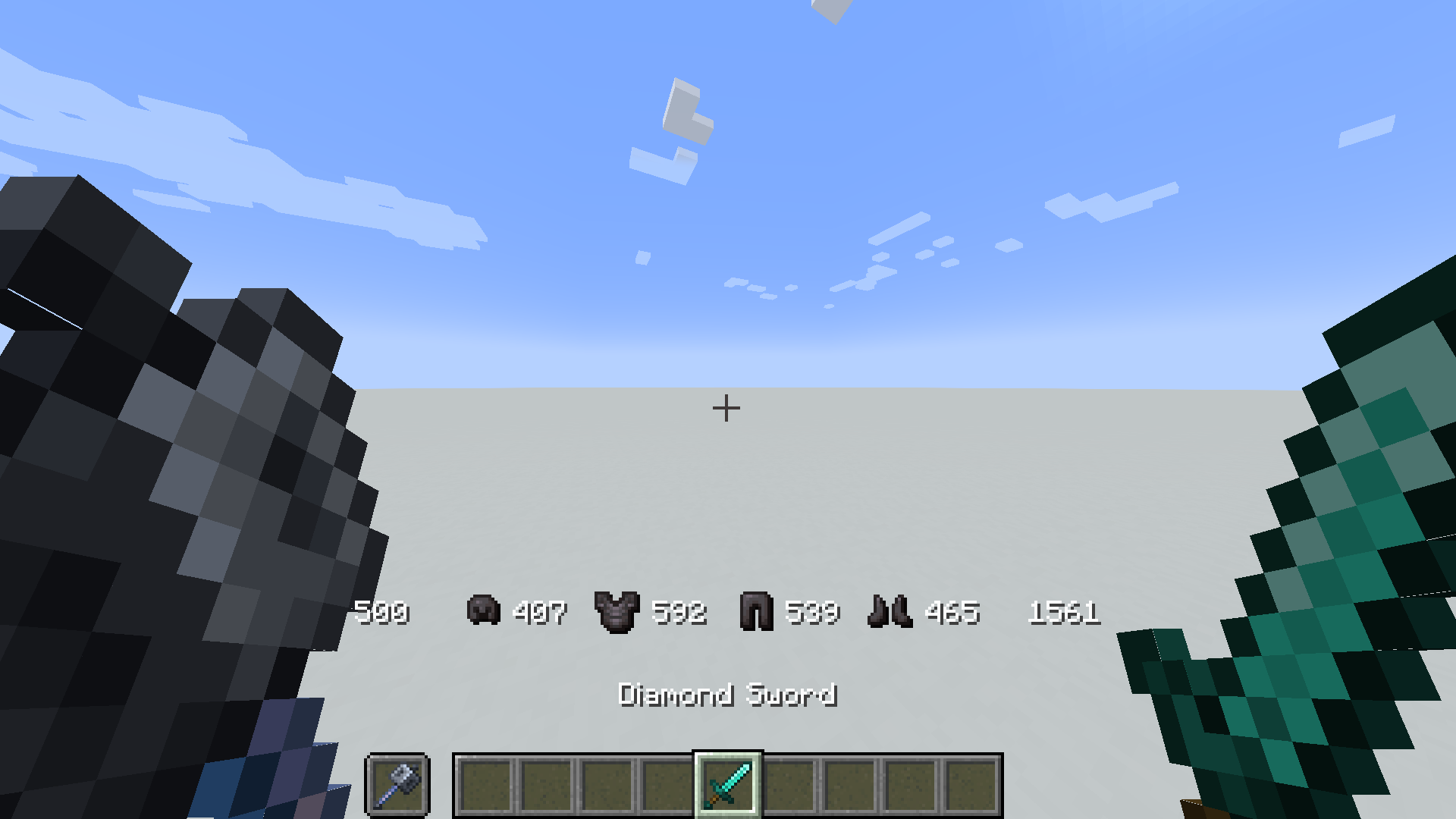
## How to Install
### Insall in Pre-existing world
1. Download the datapack
2. Put the zip file in the `/datapack` folder of your world-save `%appdata%/.minecraft/saves`
3. Full path should be something like `C:\Users\[USERNAME]\AppData\Roaming\.minecraft\saves\[WORLDNAME]\datapacks`
3. run `/reload` in game
### Insall in a New world
1. Download the datapack
2. Start creating a new world
3. Click the **More** Tab
4. Click the **Datapacks** Button
5. Click **Open Pack Folder**, put the downloaded zip file in the explorer window
6. run `/reload` in game
#### Enable Icons (optional)
1. Install the actual datapack
2. Download the resource pack
2. Install and enable the resource pack
2. run the command `/trigger DurabilityHud.resourcepack`
3. Enjoy
### Included Commands
- Enable icons (requires resourcepack) `/trigger DurabilityHud.resourcepack`
- Toggle Durability Hud per player `/trigger DurabilityHud.toggle`
- Show/Hide armor durability `/trigger DurabilityHud.armor`

## For Developers (how to get items to work with this pack)
**As long as a item has the component max_damage it should display correctly.**
But as of 1.21.3 plain items from minecraft (and plain modded ones) dont come with the max_damage component by default. Therefore we hardcode these values, but as long as max_damage exists you should be fine.
If adding max_damage is not a option then it is possible to modify/override the `get.max.[Slot].default.mcfunction` to return custom max damage values for custom item types. Or add custom items to the existing `durability.max.[maxdurability].json` tag files under `tags/item/...`.
items that are unable to get max damage will display negative values.