
Описание
We've all seen the vibrant cinematic visuals of the Minecraft trailers created by Element Animations and Brikk Studio. In comparison, the base game's visuals might seem a little... underwhelming.
This modpack solves that.
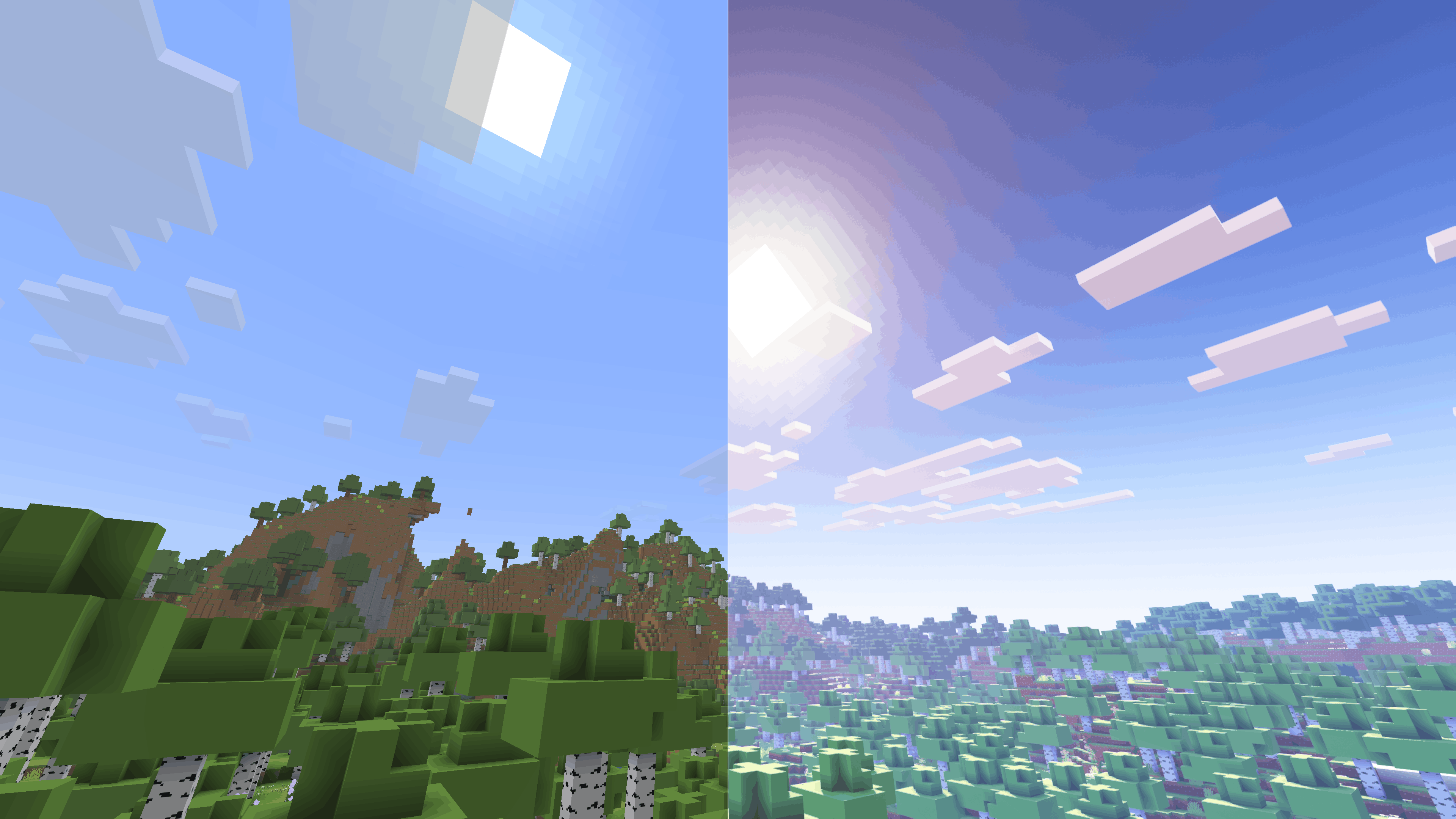
Based on the Fabulously Optimized modpack (check them out [here](https://modrinth.com/modpack/fabulously-optimized)), this winning combination of resource packs, shaders, and mods near-perfectly recreates the aesthetics of the Minecraft cinematic trailers. Here are a few examples:
Thanks to RobotPants's [Bare Bones](https://modrinth.com/resourcepack/bare-bones) resource pack, all blocks and entities now have the minimalist, few-colored style of the official trailers and promotional art.
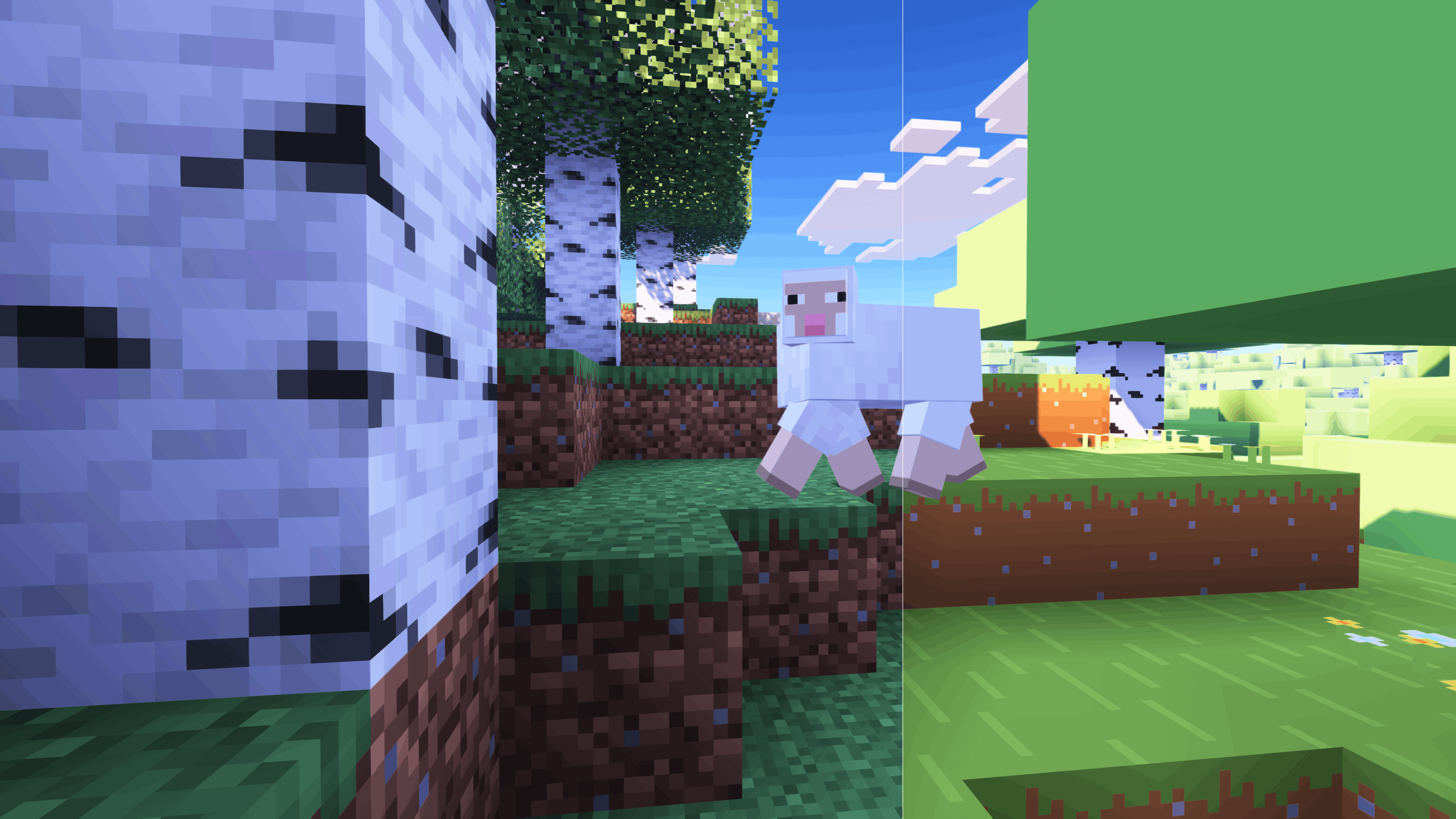
[FreshLX](https://modrinth.com/user/FreshLX)'s Fresh Animations family of resource packs enhances the movements of mobs, objects, and players.
CaptTatsu's [BSL Shaders](https://modrinth.com/shader/bsl-shaders) brings realistic lighting and color to the game.
It is heartbreaking that this description is too short to fit all the mods and resource packs I have included, all of which, no matter how small, make an important contribution to this modpack's experience. Instead, check out the modlist, which you can access under the Versions tab.
-------------------------------
# Control Mapping Chart (100% Layout)
This lists the finalized keybinds for the **D's Trailer Style** modpack. From verson 1.0.9 and onwards
## 1. Core Gameplay
| Action | Key |
| --- | --- |
| Movement | `W` `A` `S` `D` |
| Jump | `Space` |
| Sneak | `Left Shift` |
| Sprint | `Left Control` |
| **Crawl** | `C` |
| **Zoom (Zoomify)** | `Z` |
| Inventory | `E` |
| Pick Item | `Middle Mouse` |
| Drop Item | `Q` |
| Hand Swap | `F` |
| Chat / Command | `T` / `/` |
| Advancements | `L` |
| Social Menu | `P` |
| Player List | `Tab` |
## 2. Visuals & Shaders
| Action | Key |
| --- | --- |
| Toggle Shaders | `O` |
| Reload Shaders | `R` |
| Shader Menu | `Y` |
| Toggle Perspective | `F5` |
| Toggle GUI | `F1` |
| Screenshot | `F2` |
| Fullscreen | `F11` |
| First Person Toggle | `F6` |
| View Model GUI | `V` |
## 3. Modded Utilities
| Action | Key |
| --- | --- |
| **Jade WAILA** | `Numpad 0-5` (Profiles 6-9) |
| **BetterTab Config** | `N` |
| **FancyToasts Config** | `K` |
| **Mod Menu** | `M` |
| Zoom Secondary | `Numpad -` |
| Secondary Footsteps Toggle | `U` |
| Footsteps Settings | `F10` |
| Entity Culling Toggle | `F12` |
## 4. Minecraft F3 Debug Sub-Keys
The following keys correctly trigger their F3 shortcuts
- **F3+A**: Reload Chunks
- **F3+B**: Show Hitboxes
- **F3+D**: Clear Chat
- **F3+G**: Show Chunk Borders
- **F3+H**: Show Advanced Tooltips
- **F3+P**: Toggle Focus Pause
- **F3+T**: Reload Resource Packs
- **F3+L**: profiling
- **F3+C**: Copy Location
- **F3+V**: Dump Version
## 5. Intentional Unmapped Keys
The following have been unmapped in the game to remove overlaps:
- **Save/Load Toolbar Activators** (X and C)
- **FBP (Fancy Block Particles)**: All mod settings/toggles are in pause menu
- **Dynamic FPS**: All toggles
- **ModMenu**: Open Menu (Access through pause/main menu)
- **LambDynamicLights**: Toggle
- **OptiGUI**: Inspect
- **BedrockIfy Settings** (Access through options)
- **FPS Reducer**: GUI
- **Spark**: All (Use Commands)