
Описание
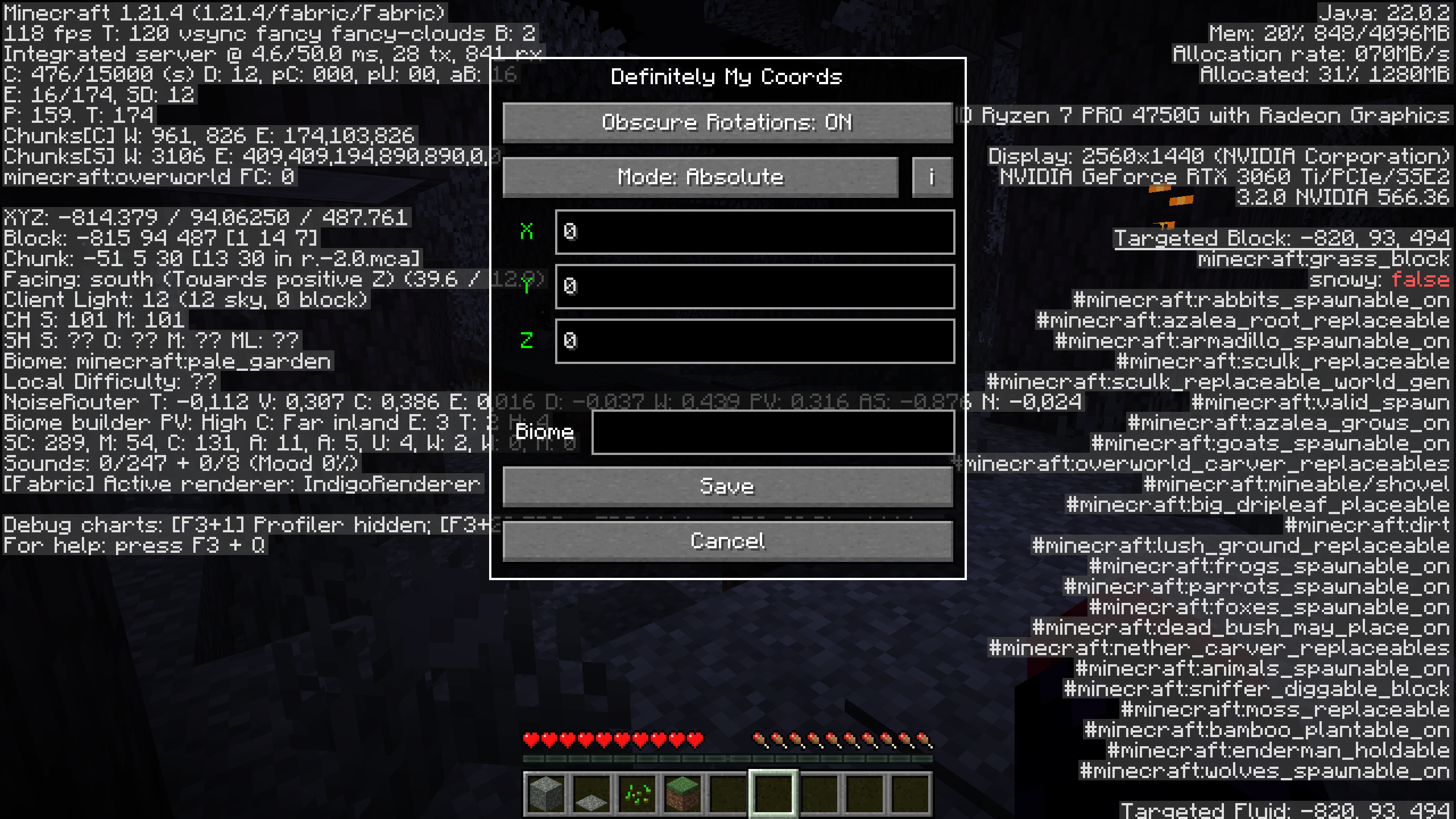
DefinitelyMyCoords helps you hide your coordinates on the F3 screen with 4 different modes.
# Why do I want this mod?
If you're a streamer or share your screen with somebody,
this mod could save you from leaking your coordinates.
While still being able to use F3 to measure distances,
check the direction you are facing, etc.
## Usage
To open the mods settings, press the `F6` key or your configured key.
You can configure the settings key in the keybindings menu.
## Compatibility
A non-exhaustive list of compatible mods.
*These mods are neither made by me nor affiliated with me.*
- [BetterF3](https://modrinth.com/mod/betterf3) *([requested by @Omena0](https://github.com/agent-LuluDodo/DefinitelyMyCoords/issues/1))*
- [Xaero's World Map](https://modrinth.com/mod/xaeros-world-map)
- [Xaero's Minimap](https://modrinth.com/mod/xaeros-minimap) *([requested by @kittenvr](https://github.com/agent-LuluDodo/DefinitelyMyCoords/issues/3))*
- [Xaero's Minimap (Fair-Play)](https://modrinth.com/mod/xaeros-minimap-fair)
- [Sodium Extra](https://modrinth.com/mod/sodium-extra)
- [Litematica](https://modrinth.com/mod/litematica) *([requested by @NanoBunTV](https://github.com/agent-LuluDodo/DefinitelyMyCoords/issues/12))*
You want me to add compatibility for another mod? [Create an issue](https://github.com/agent-LuluDodo/DefinitelyMyCoords/issues/new?template=compatibility_request.yml)
## Modes
### Vanilla
[suggested by @JackyXYZGaming](https://github.com/agent-LuluDodo/DefinitelyMyCoords/issues/9)
Doesn't modify your position at all.
### Relative
**TLDR**: Changes your coords
The coordinates you enter are relative to your current positions. That means if you are standing at **100 60 -30** and enter **-10 5 20** your current coordinates will be **-10 5 20** and **0 0 0** will have turned into **-110 -55 50**.
### Absolute
**TLDR**: Changes **0 0 0**
The coordinates you enter are relative to **0 0 0**. In this case, if you are standing at **100 60 -30** and enter **-10 5 20** your current coordinates will turn into **90 65 -10** and **0 0 0** will be **-10 5 20**.
### Custom
This mode sets your coordinates upon opening F3 to **0 0 0**.
## Biome Spoofing
[suggested by @kittenvr](https://github.com/agent-LuluDodo/DefinitelyMyCoords/issues/5)
### On
To enable biome spoofing, enter a valid [biome id](https://minecraft.wiki/w/Biome#Biome_IDs) into the text widget.
### Off
To disable biome spoofing, simply leave the text empty.
## Block Rotations
### Obscure Rotations
If enabled, offset block rotations, flower positions, etc. by the same amount as blocks.
*Note: This feature doesn't play well with `Mode: Custom`*