← Назад к ресурсам

Day Count - a day counter HUD (Forge/NeoForge/Fabric)

This mod adds a day counter with customizable location, size and color to the screen.

Modrinth utility

Описание

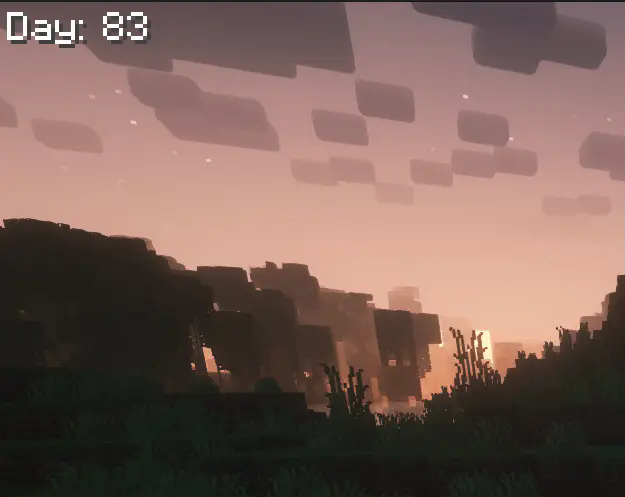
[![CurseForge Downloads](https://img.shields.io/curseforge/dt/1233297?logo=curseforge&logoColor=black&label=&labelColor=orange&color=242424)](https://www.curseforge.com/minecraft/mc-mods/daycount) [![Modrinth Downloads](https://img.shields.io/modrinth/dt/daycount?style=flat&logo=modrinth&logoColor=black&label=&labelColor=18ED49&color=242424)](https://modrinth.com/mod/daycount) [![Supported Versions](https://cf.way2muchnoise.eu/versions/1233297(4F21AC).svg)](https://www.curseforge.com/minecraft/mc-mods/daycount) [![Discord](https://img.shields.io/discord/1388544059114786907?style=flat&logo=discord&logoColor=white&label=&labelColor=blue)](https://discord.gg/rSVp3nCpPx) [![Static Badge](https://img.shields.io/badge/Ko--fi-75D5E3?logo=ko-fi)](https://ko-fi.com/D1D71EVQVC) ## Day Count (Forge / NeoForge / Fabric) A lightweight HUD that displays the number of days passed in your Minecraft world. Useful for "100 Days" challenges or tracking long-term survival progress. ### Features: - **Positioning:** Adjust X and Y coordinates to place the counter anywhere. - **Appearance:** Customizable text color and scale. - **Custom Text:** The "Day: " prefix can be replaced with any string. - **Background box:** Add a background box to the day counter ### Configuration: Settings are located in your ```/config``` folder: - **Forge / NeoForge:** ```daycount-client.toml``` - **Fabric:** ```daycount.json5``` ![Replace this with a description](https://cdn.modrinth.com/data/cached_images/a2c542c0e5542f8c0450b9f3874079a5c42b112a_0.webp) Background box (with transparency) version 1.5.0 and newer: ![Replace this with a description](https://cdn.modrinth.com/data/cached_images/7dd9202a08e1dba88741956a6d32b2615fe46f9b_0.webp)