Описание
# CustomSkyboxes
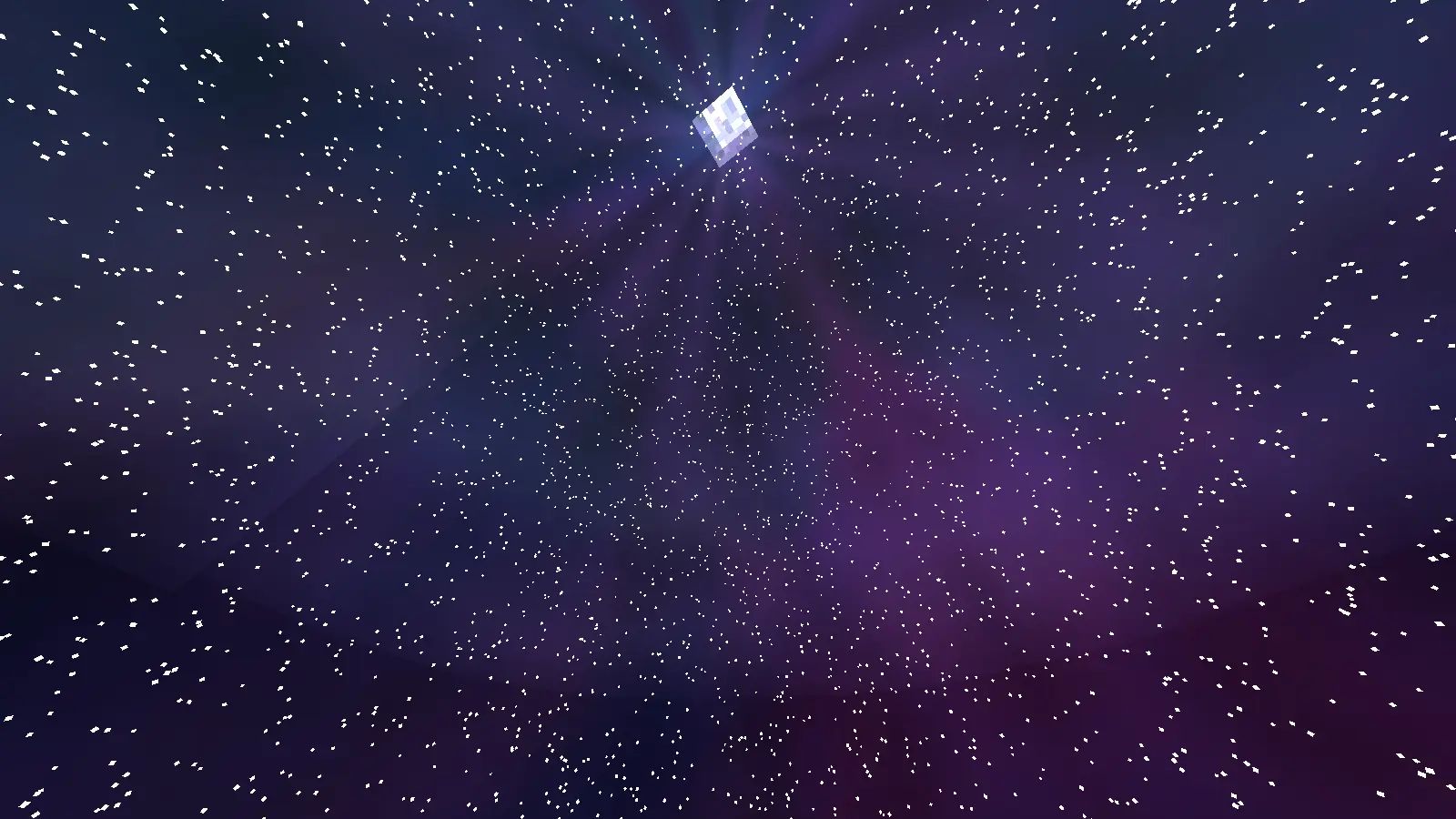
Fully customize the Minecraft sky in real time using textures or animated GIFs from a resource pack.
Replace the sky, sun, moon, stars, clouds, rain and snow individually, globally or per biome, in the Overworld, the Nether and the End — with entrance and exit animations, looping effects and stackable suns and moons.
**Client-side mod.** No server installation needed.
---
## Supported Versions
| Loader | Minecraft |
| --- | --- |
| **Fabric** | 1.20.1 · 1.20.4 · 1.21.1 · 1.21.4 · 1.21.5 · 1.21.8 · 1.21.11 · 26.2 |
| **NeoForge** | 1.20.1 · 1.20.4 · 1.21.1 · 1.21.4 · 1.21.5 · 1.21.8 · 1.21.11 · 26.2 |
| **Forge** | 1.20.1 · 1.20.4 |
Fabric versions require [Fabric API](https://modrinth.com/mod/fabric-api).
---
## Commands
```txt
/customskyboxes set [name=value ...]
/customskyboxes clear [layer=N]
/customskyboxes reload
/customskyboxes animate [time] [name=value ...]
/customskyboxes animate stop [preset]
/customskyboxes biome set [name=value ...]
/customskyboxes biome animate [time] [name=value ...]
/customskyboxes biome list
/customskyboxes biome clear
```
``: `sky · day_sky · night_sky · stars · sun · moon · clouds · rain · snow`
Every argument is written as `name=value`, all of them are optional and the order does not matter.
Tab completion offers the names each type accepts and their values, and stops offering one once you have used it.
```txt
/customskyboxes set sun vanilla scale=2.5 posX=EAST layer=2 anim_in=zoom_in anim_in_time=60
```
| Argument | Types | What it does |
| --- | --- | --- |
| `opacity` | all | 0 to 1 |
| `fadein` / `fadeout` | all | fade time in ticks (0 = instant) |
| `speed` | textures | GIF playback speed; on `rain` and `snow` it is 0 to 1, where 0 stops the fall |
| `scale` | `sun`, `moon`, `stars` | size multiplier |
| `rotation` | domes, `sun`, `moon` | turns the dome image, or rolls the sun and moon |
| `layer` | `sun`, `moon` | 1 to 8: extra suns or moons, each with its own arguments |
| `posX` / `posY` | `sun`, `moon` | moves its path so it rises there and peaks at that height |
| `direction` / `tilt` | `rain`, `snow` | which way the weather leans, and how much |
| `amount` / `daycycle` | `stars` | how many stars, and whether they only show at night |
| `skycolor` | `clouds` | tints the clouds with the time of day |
| `anim_in` / `anim_out` | domes, `sun`, `moon`, `stars` | entrance and exit animation |
| `anim_in_time` / `anim_out_time` | same | how long that animation lasts, in ticks |
| `animation_preset` / `animation_time` | `sun`, `moon` | looping animation and its loop length |
`vanilla` as the texture keeps the vanilla one and only applies the arguments, which is handy for giving rain a direction or the sun a second layer without replacing anything.
Your skyboxes are saved automatically and restored when you restart the game.
---
## Entrance and Exit Animations
Every one exists as `_in` and `_out`.
* **Movement**: `fade` `zoom` `spin` `drop` `ripple` `curtain` `smoke`
* **Wipes**: `top_merge` `bottom_merge` `left_wipe` `right_wipe` `diagonal` `diagonal_reverse` `blinds` `iris` `iris_close` `spiral` `vortex`
* **Noise, the sky is eaten instead of faded**: `dissolve` `consume_top` `consume_bottom` `shatter`
* **Stars only**: `random_scale` `star_fall` `twinkle`
* **Sun and moon**: the plain ones — `fade` `zoom` `spin`
Every animation mixes gradient noise into its edge, so the front breaks up into the sky instead of showing a drawn line, and the noise wraps around the horizon so nothing appears at the seam. Anything that travels slows down as it arrives.
```txt
/customskyboxes set sky galaxy.png anim_in=consume_top_in anim_in_time=80
/customskyboxes set sky galaxy.png anim_out=vortex_out anim_out_time=60
```
---
## Live Effects
`/customskyboxes animate` fires an effect without changing what is set.
| Target | Presets |
| --- | --- |
| `sky`, `day_sky`, `night_sky` | `pulse` `shockwave` `black_hole` `glitch` `aurora` `flash` `ripple` `vortex` `rotation` `nova` `static` `heartbeat` |
| `sun`, `moon` | `circle` `shake` `glitch` `scale` `float` `spin` `pulse` `swing` `orbit` `bounce` `wobble` `flicker` |
* `color`, `strength` and `size` shape the effect; `scale` (0 to 100) is what the sun or moon grows to with the `scale` preset.
* `loop=true` keeps it playing until you stop it. `vortex` and `rotation` keep turning the same way instead of rewinding.
* Several effects run at once and are mixed together, and firing one that is already playing hands over smoothly instead of restarting it.
* `animate stop` ends all of them, `animate stop ` only that one.
* `biome animate` scopes an effect to one biome: it plays while you stand in it and goes quiet when you leave.
```txt
/customskyboxes animate sky pulse 60 color=CYAN size=3 strength=2
/customskyboxes animate sky rotation 200 loop=true
/customskyboxes animate sun scale 60 scale=8 loop=true
/customskyboxes biome animate minecraft:desert sky heartbeat 40 color=RED loop=true
/customskyboxes animate stop vortex
```
---
## Sky Domes
* `sky` is always visible, `day_sky` fades in during the day and `night_sky` at night.
* Works in the **Nether** and the **End**, including during the **Ender Dragon fight**.
* Textures are mapped as a 360° panorama (**2:1 images look best**): the top of the image is the zenith and the middle is the horizon.
* The left and right edges blend smoothly where they meet. Use `rotation` to move that spot, for example behind mountains.
* The sun and the moon are drawn above the dome and the stars, so nothing covers them.
---
## Resource Pack Folder Structure
```txt
assets/customskyboxes
customskyboxes/
├── sun
├── moon
├── night_sky
├── day_sky
├── sky
├── clouds
├── rain
└── snow
```
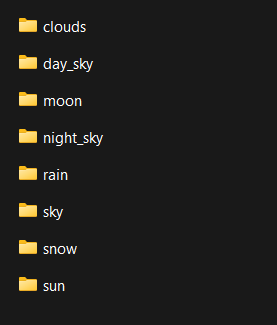
Supports `.png` and animated `.gif` files, in folders or in `.zip` packs. After adding textures, run `/customskyboxes reload` or press F3+T.
---
## Multiplayer
Use the **CustomSkyboxesPlugin** (Paper/Spigot 1.20.1+) to control the skies of `@a` or any player from the server:
```txt
/customskyboxesplugin set [name=value ...]
/customskyboxesplugin clear
/customskyboxesplugin animate [time] [name=value ...]
/customskyboxesplugin biome set [name=value ...]
/customskyboxesplugin biome animate [time] [name=value ...]
/customskyboxesplugin biome clear
/customskyboxesplugin reload
```
Everything tab completes, so there is nothing to memorise. Players need the mod installed and the textures in their resource pack.
There is also the [Client Execution Mod](https://modrinth.com/mod/client-execution) if you prefer running the client command directly.
---
## For Developers
`org.cotii.customskyboxes.api.CustomSkyboxesAPI` drives the mod from code, with the same `name=value` arguments the command takes:
```java
CustomSkyboxesAPI.set(SkyboxType.SKY, Identifier.of("mymod", "sky/aurora.png"), "fadein=40 rotation=90");
CustomSkyboxesAPI.setVanilla(SkyboxType.SUN, "layer=2 posX=EAST posY=HIGH scale=0.6");
CustomSkyboxesAPI.animateDome(SkyboxType.SKY, "pulse", 60, 0x00FFFF, 1f, 3f);
CustomSkyboxesAPI.clear(SkyboxType.SUN);
```
---
# Why Use CustomSkyboxes?
CustomSkyboxes is perfect for Minecraft map makers, server developers, and content creators who want to create immersive environments and cinematic effects.
With real-time sky customization, you can:
* Create dynamic weather and atmosphere
* Add animated skies using GIFs
* Build unique biomes and dimensions
* Improve storytelling and immersion
* Make maps feel more alive and professional
* Instantly change visuals during gameplay
Whether you're making an adventure map, horror experience, RPG server, or cinematic project, CustomSkyboxes gives you full creative control over the Minecraft sky.
---
## What's New in 1.0.3
* **New syntax**: every argument is now an optional `name=value` in any order, with full tab completion
* **New**: entrance and exit animations (`anim_in` / `anim_out`) — wipes, noise reveals that eat the sky, and more
* **New**: `/customskyboxes animate` with 12 sky effects and 12 sun and moon presets, stackable, loopable and per biome
* **New**: up to 8 suns and moons at once with `layer`, placed with `posX` and `posY`
* **New**: `direction` and `tilt` to make rain and snow lean, and `speed` from 0 to 1 to slow or stop the fall
* **New**: developer API
* **Fixed**: the sky being cut off by the void
* **Fixed**: clouds vanishing instantly when changing biome, and biome overrides ignoring their exit animation
* **Fixed**: animations not drawing on 1.21.11 and 26.2
* **Fixed**: textures inside `.zip` resource packs not loading
* **Improved**: the seam where the two edges of the image meet is now equally smooth on every version
* **Improved**: much lighter — effects and animations run two to three times faster than before