
Описание
# English
## Menu
With the command ```/trigger ctm_menu``` you can open the menu
### Join
All teams are listed. Just click on the team you want to join
### Leave
Uh yeah you leave the team
### AFK
You join in the AFK team. When you change your rotation, you either join your team you was before or just the AFK team.
## Menu for admins
### Add
Click on a color for suggesting you the command in the chat.
Fill the other 3 arguments.
```
/function ctm:manage/add/add_team {id:"", name:"", color:"color", trigger:""}
```
### Remove
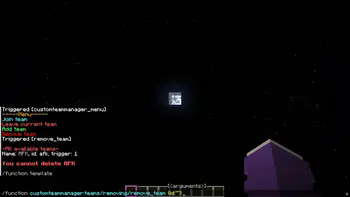
Select one team, you will get suggested a command for deleting it
### Edit
You can edit following arguments:
- name (and the color)
- suffix (and the color)
- player color
- trigger
You cannot edit the id. For that you have to delete and recreate it.
Version 1.0.0
## Menu
The command opens the menu.
You can execute it by clicking on the respective text.
```
/trigger customteammanager_menu
```
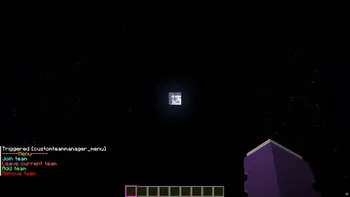
## Join
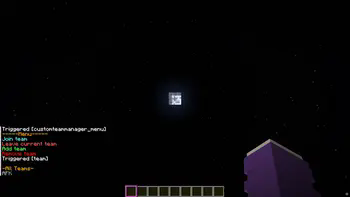
The teams that have been created are listed, and you can join the respective team by clicking on it again.
## Leave
You can only leave your current team by clicking on “Leave current team.”
## Add team
Only admins can create a team.
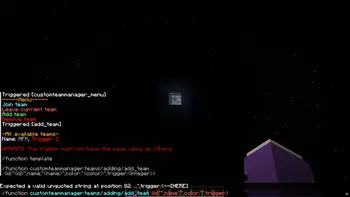
You can click on the template and the /function will be suggested, where you only need to insert the information in the curly brackets.
**It is important not to use the same trigger value, as this could lead to confusion in the “code”.**
A suffix is created for this purpose -> [] This is displayed after the name.
## Remove team
Click on the template and then enter the ID of the team you want to delete.
In the future
I still plan to add a feature that allows users to edit teams so that they don't have to delete them just because they made a mistake.
I also plan to add a feature that allows users to edit the suffix.