
Описание
# Cobblemon Challenge
Cobblemon Challenge is an extremely simple plugin for Cobblemon that makes challenging your friends and rivals to flat-level Pokemon battles
easier! Use the /challenge command to send a battle request to a nearby trainer, which they will be able to either accept or deny. This is a server-side plugin that only needs to be installed on the Server.
## Easy Flat-Level PVP:
Tired of levelling all your pokemon to level 100 for competitive battling? Wait no longer. With one simple command, you can challenge others to a PVP match where all your pokemon are set to a specific level. This change is non-permanent is will not persist outside the battle. Any held items consumed in a challenge will also have no actual effect on a pokemon's held item:
```/challenge level ``` - Challenges specified player to a lvl X battle where X can be 1-100.
Example:
```
/challenge TurtleHoarder level 100
```
- challenges TurtleHoarder to a level 100 battle
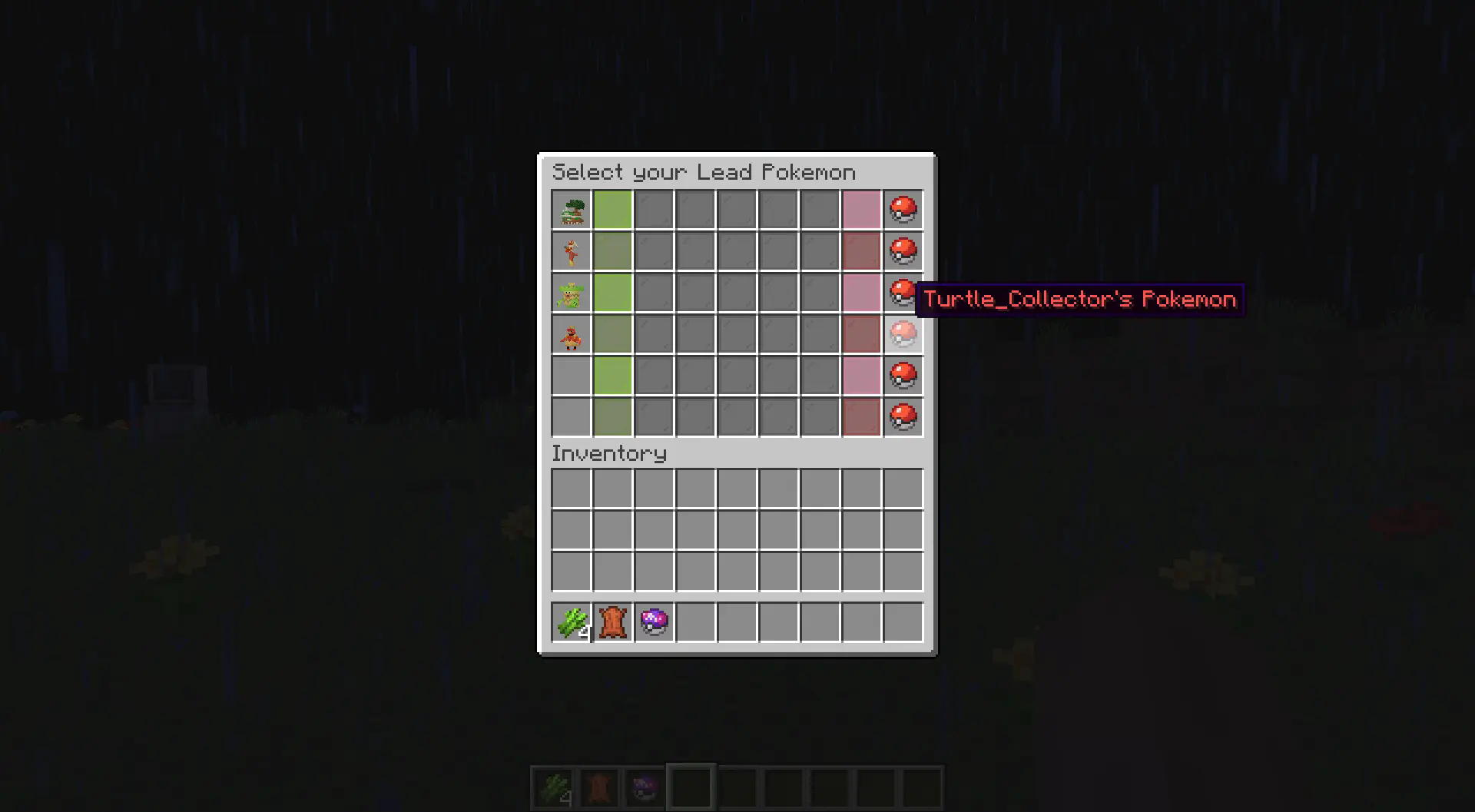
## Lead Pokemon & Team Preview GUI:
**Select your lead pokemon to send out first and preview both your team and the enemy team [If enabled].**

(As of 2.0) Challenge to 3v3, 1v1, etc.:
You can challenge other players to limited pokemon battles where you select the pokemon from your party to battle. You can use commands similar to below:
```
/challenge3v3 level
```
```
/challenge1v1 level
```

Double battles are also supported via the /challengedouble command:
```/challengedouble level ```
```/challengedouble4v4 level ``` - For a 4v4 double battle:
## Hide your Pokemon if you desire:
Don't want your rival to know your team? Just use the nopreview option to keep your team hidden!
Example:
```/challenge TurtleHoarder level 100 nopreview``` - Will hide your team from the other challenger until the battle begins.
## Cobblemon Compatibility Versions:
Please use the following versions for your Cobblemon Server. Using incompatible versions will likely cause your game to crash during battles! Older versions are available on Curseforge
Cobblemon 1.6.0 -> Challenge 1.2.0 / Challenge 2.0.0+
Cobblemon 1.5.0 -> Challenge 1.1.8
Cobblemon 1.4.1 -> Challenge 1.1.7
## Commands:
```/challenge ``` - Challenges specified player to a lvl 50 pokemon battle. They may accept or deny this challenge.
```/challenge level ``` - Challenges specified player to a lvl X battle where X can be 1-100.
Example: ```/challenge TurtleHoarder level 100``` - challenges TurtleHoarder to a level 100 battle
### Configurations:
These server settings can be changed by altering the values in the config file located in the config folder of your server:
_challengeDistanceRestriction_ - The value that determines if challenges are restricted by distance. Set to **false** if you would
want no restrictions on distance. This value is set to **true** by default.
_maxChallengeDistance_ - If challengeDistanceRestriction is set to **true**, then this value defines the max distance
that a challenge can be sent. This is set to 50 blocks by default.
_defaultChallengeLevel_ - The value that determines the level of a challenge if there is not level specified by the challenger.
This is set to 50 by default for lvl 50 battles.
_challengeExpirationTime_ - The value that determines how long a challenge should be pending before it expires. This is
set to 60000 milliseconds / 1 minute by default.
_challengeCooldownTime_ - The value that determines how long a player must wait before sending a consecutive request. This value is
set to 5000 milliseconds / 5 seconds by default, though players will need to wait until their existing challenge expires before sending another one.