
Описание
If you want to publish a project containing my work, please mention my username "Vunyx" somewhere. Also, a link to my project would be much appreciated.
# Description
This resource pack gives a **clean look** and a **connected border** to all types of wool blocks and glass blocks for all your **redstone** needs.
You can use it in combination with my other packs like [Clean Redstone - main components](https://modrinth.com/resourcepack/clean-redstone-main-components).
The affected blocks are:
- wool
- carpet
- glass
- stained glass
- tinted glass
- glass panes
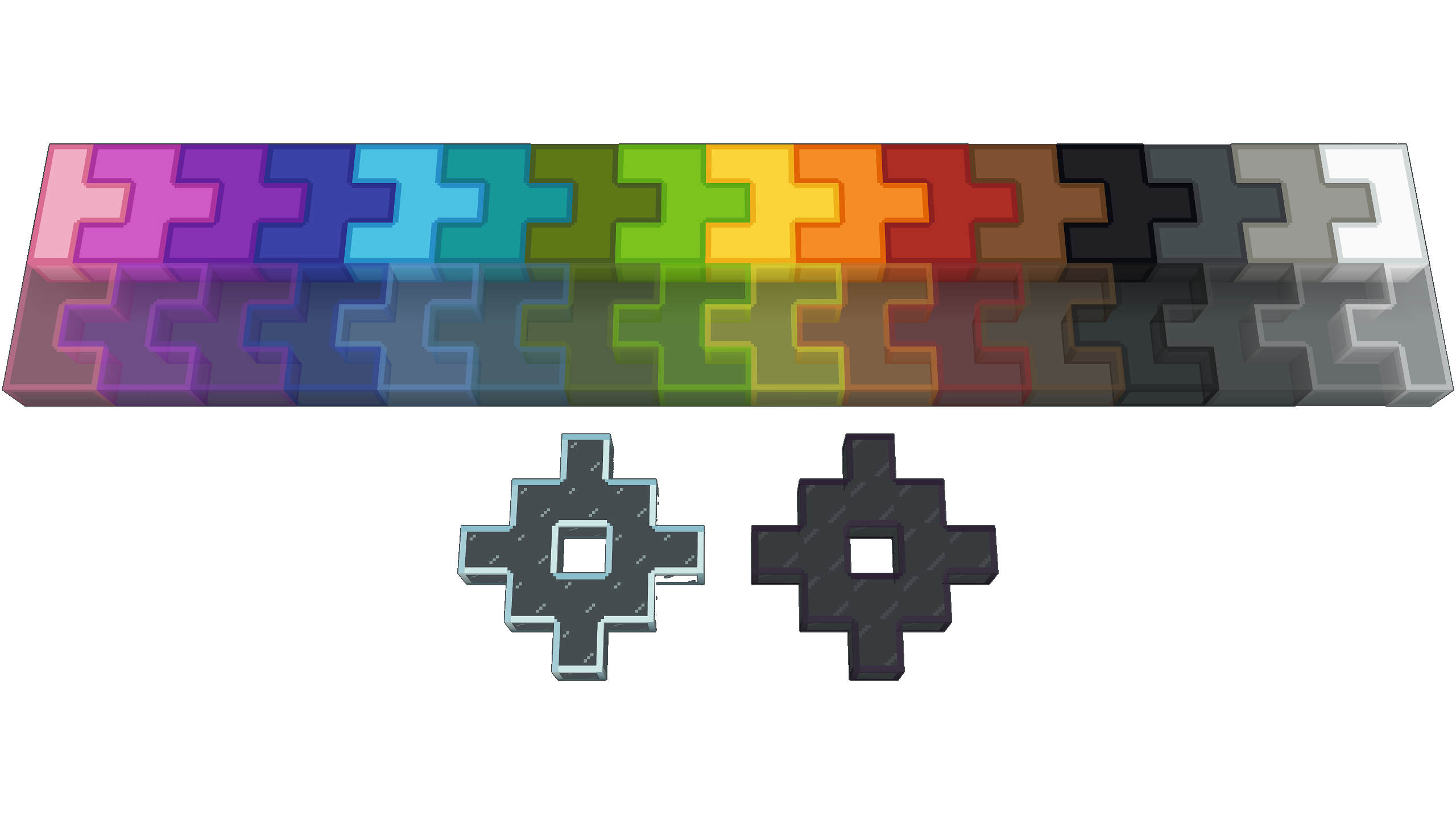
### ⚠️ The connected texture require [Continuity](https://modrinth.com/mod/continuity) or [Optifine](https://optifine.net/downloads) ⚠️
However if you don't want the textures to connect, you don't need these mods. The texture pack will work fine without them.
# How to install
After downloading the resource pack, go to **options -> resource packs** and click the **Open Pack Folder** button, or open `%appdata%\.minecraft\resourcepacks` directly. Put the resource pack in this folder. It should then show up under **Available**. Click the arrow to switch it to the **Selected** tab and click **Done**. That's it, the pack should now be installed properly.