
Описание
> Note from the developer, lidwinae: This mod is only officially available on **Modrinth, CurseForge, and my personal GitHub account (@lidwinae)**. If you find this mod on any website other than those mentioned above, it is not mine and not an official source. Please be careful with those websites, as they may be scams or distribute modified or unsafe files.
> ## Fabric and NeoForge 26.3 Are Available.
There is issue I found on the Tinted Glass that also already patched on 26.3. There is found vertical lines on the corner of the Tinted Glass. The issue shown in table below:
| Tinted Glass Before 26.3 Patch | Tinted Glass After 26.3 Patch |
|:---:|:---:|
| Transparent vertical lines on the inner corner of Tinted Glass (you will need to zoom in to see this properly) | Removed the transparent vertical lines on the inner corner of Tinted Glass
| 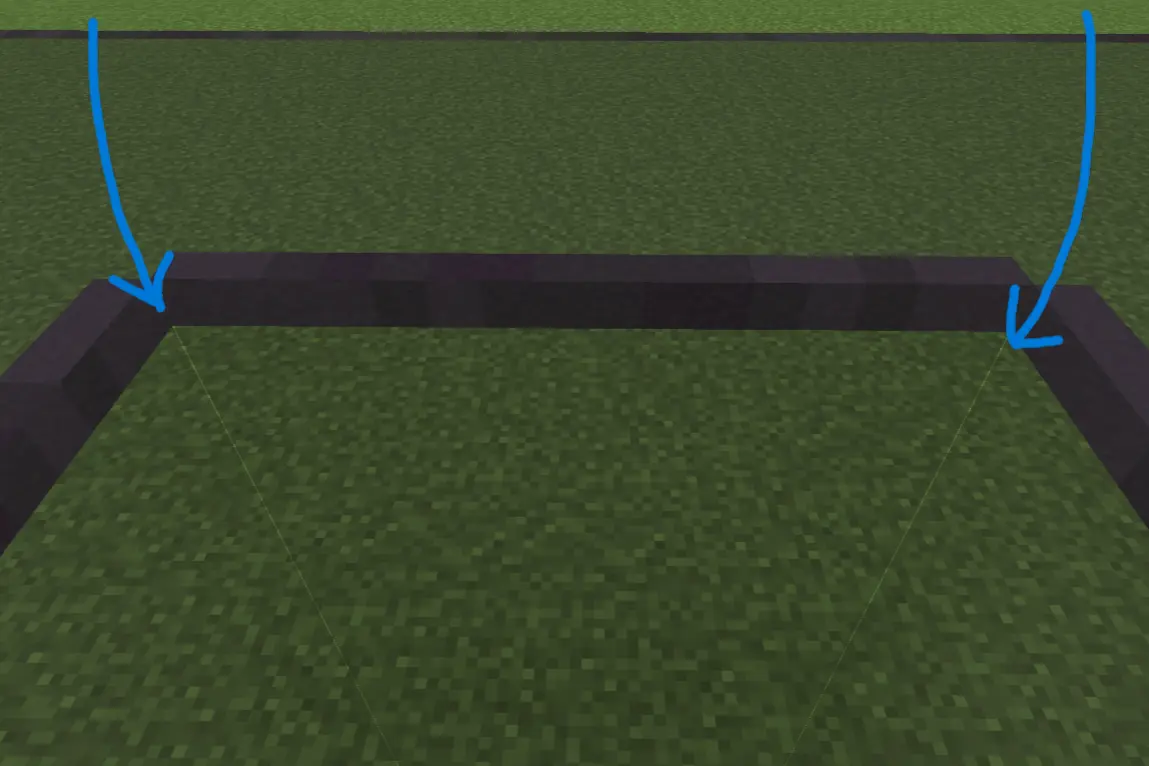 | 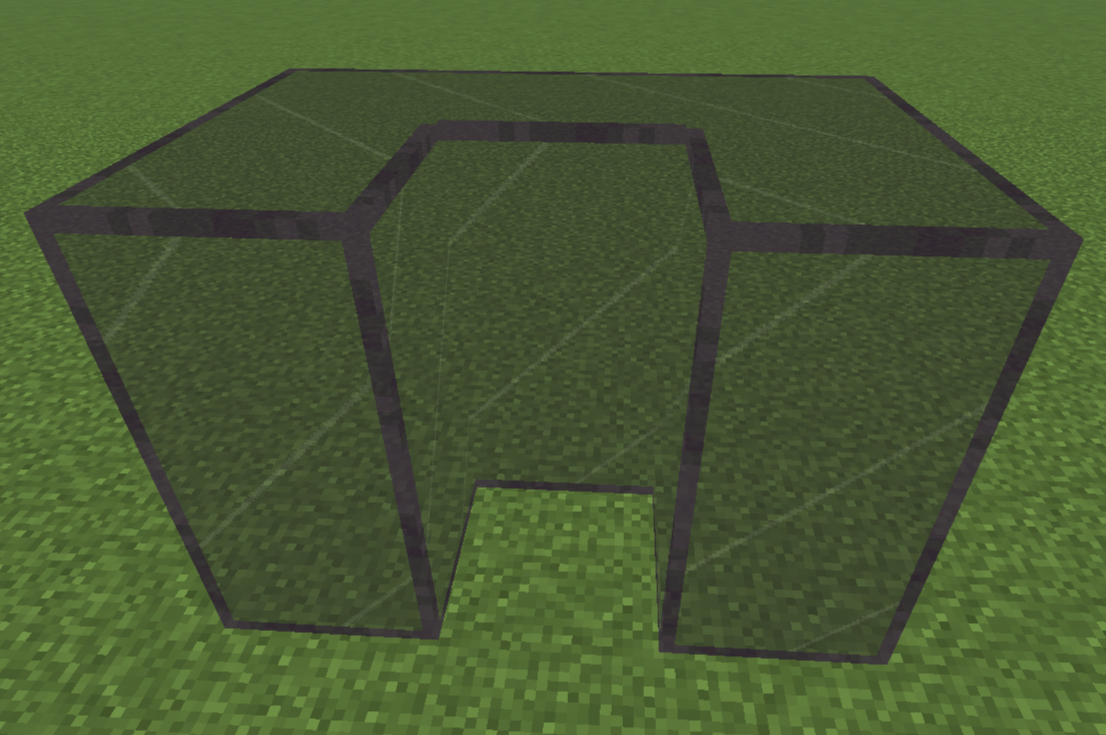 |
> **Showcase video is planned to be in 2027 because I have thesis to do.** It will be placed at the top of this page after upload. You can also follow my [YouTube channel](https://www.youtube.com/@lidwinae).
# Clean & Clear Glass (C&CG)
Clean & Clear Glass is a client-side visual mod that makes vanilla glass blocks and glass panes look cleaner, clearer, and visually connected.
The mod keeps the original vanilla blocks and items while changing how they are rendered on the client.
---
## Version & Loader Support
| Minecraft Version | Fabric | NeoForge | Forge |
|:---:|:---:|:---:|:---:|
| **26.1+** | Available | Available | N/A |
| **1.21.11** | Available | Available | N/A |
| **1.21.1** | Available | Available | N/A |
| **1.20.1** | Available | N/A | N/A |
| **1.16.5** | Available | N/A | N/A |
| **1.12.2** | N/A | N/A | Planned |
| **1.8.9** | N/A | N/A | Planned |
These are standalone mod editions, not resource-pack editions.
---
## Features
- Connected rendering for glass blocks and glass panes
- Clear and Subtle styles for Regular Glass
- Subtle, Visible, and Clear styles for Tinted Glass on supported Minecraft versions
- Support for every stained glass color
- Clean outer borders with hidden connected internal borders
- Standalone and entirely client-side
---
## Regular Glass Styles
Regular glass blocks and panes appearance follow the selected style.
| Clear Regular Glass (Default) | Subtle Regular Glass |
|:---:|:---:|
| Keeps the glass center clear for the cleanest and most open appearance. | Adds a subtle 2 pixels center detail while keeping the same clean outer border. |
| 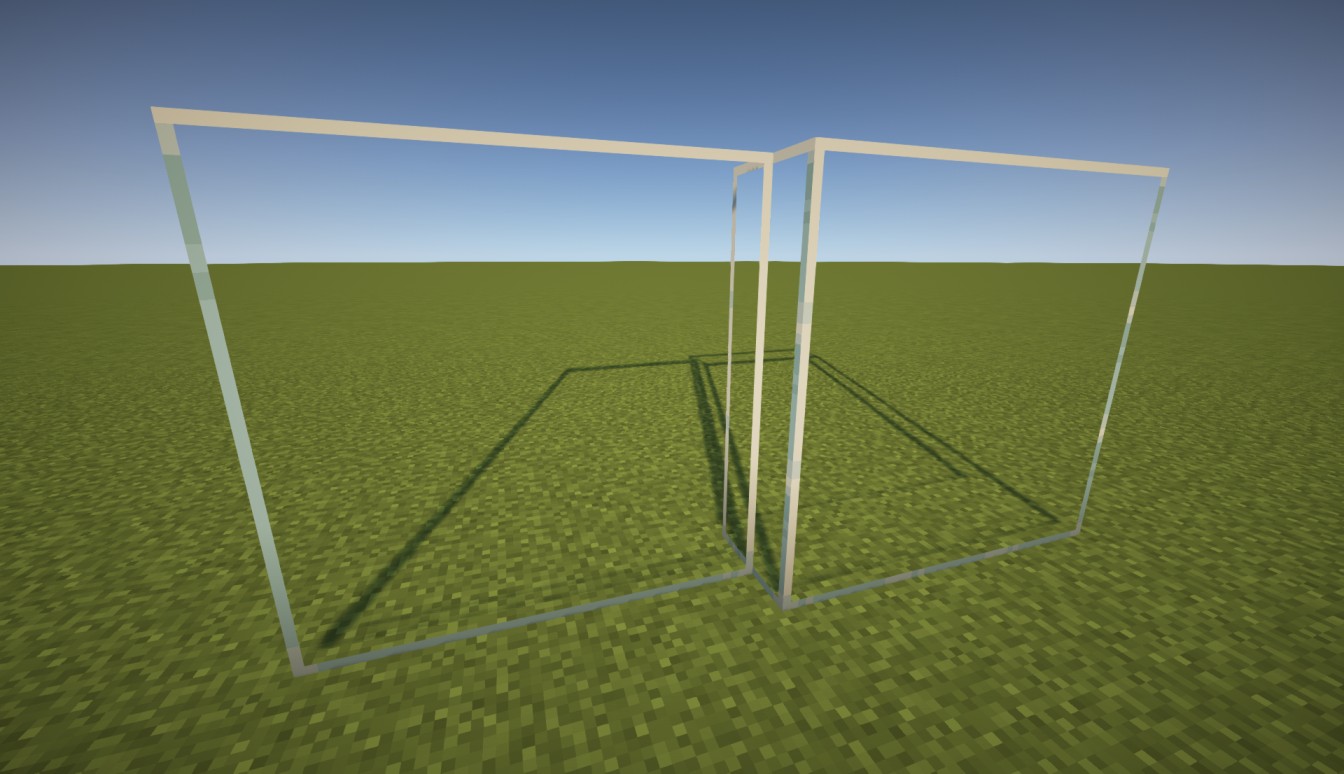 | 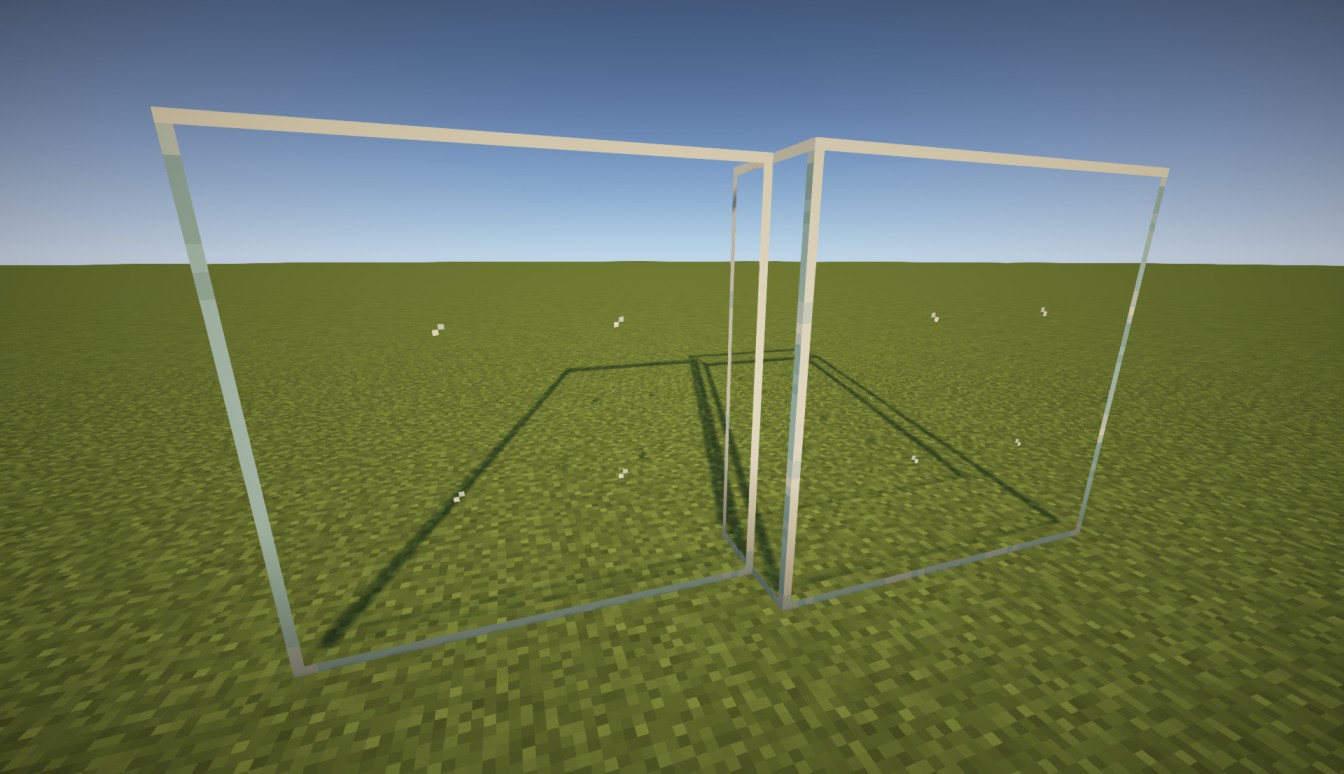 |
---
## Tinted Glass Styles
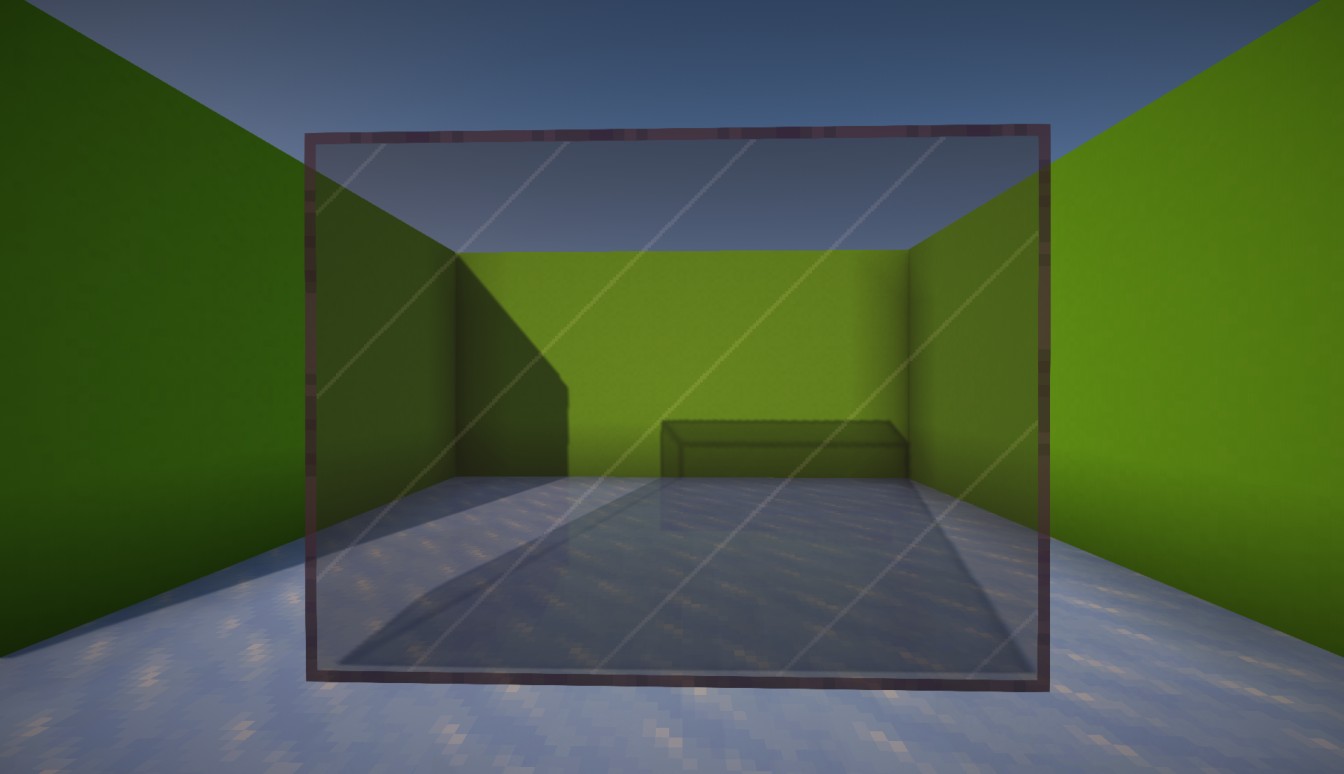
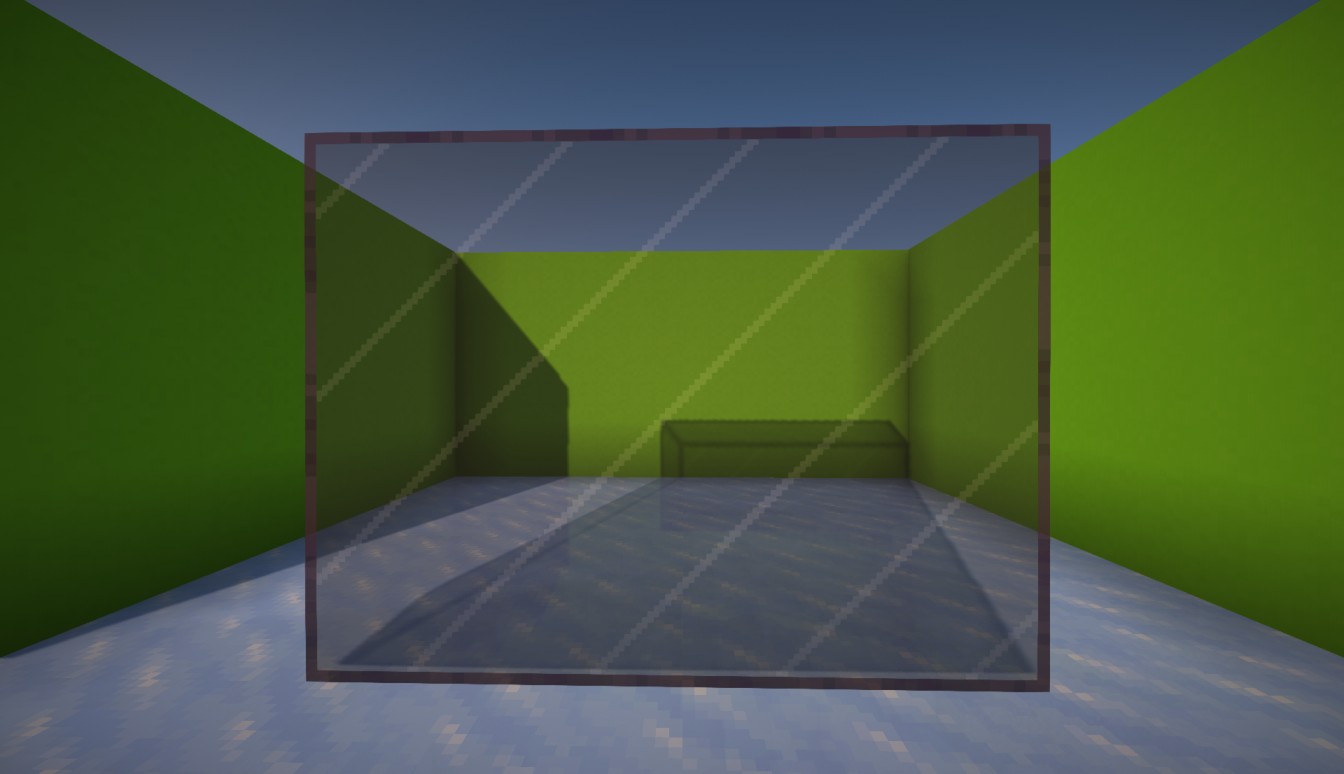
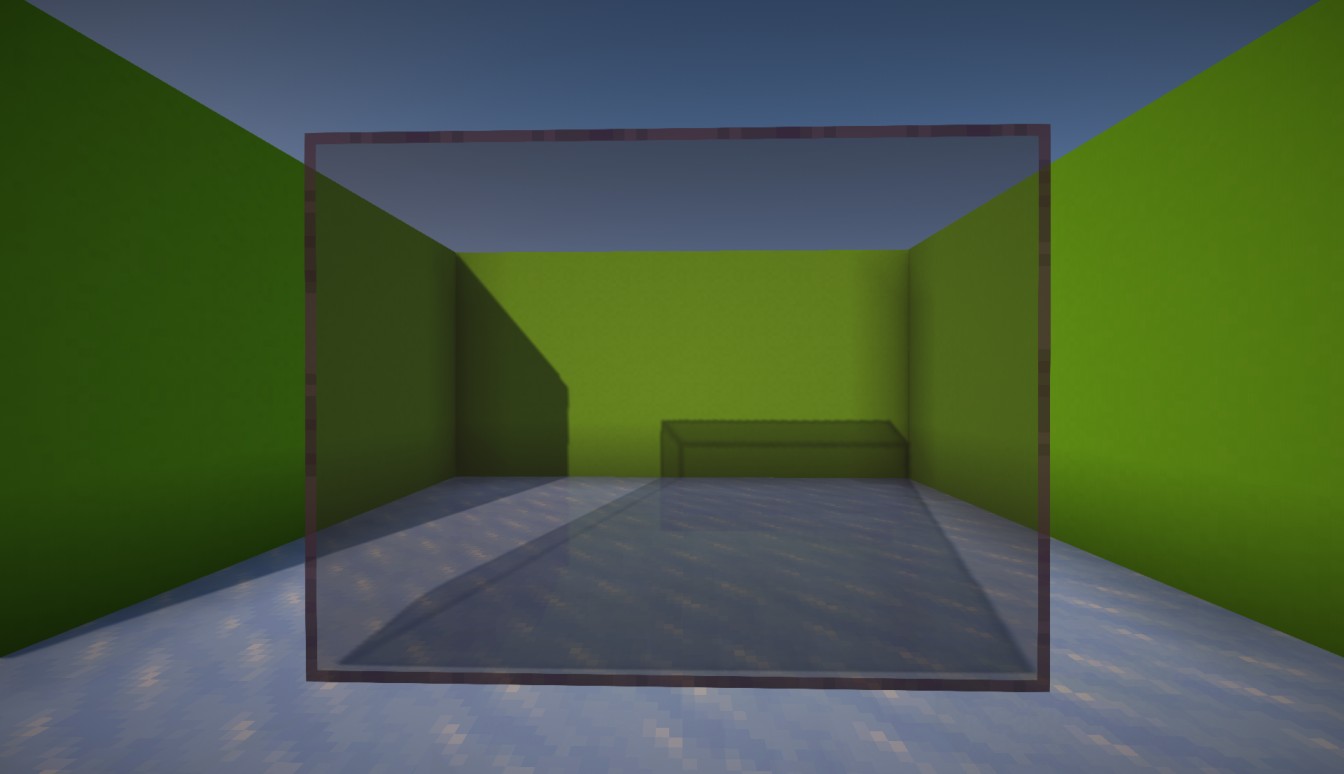
Tinted glass provides three visual styles on Minecraft versions that include tinted glass. Its block and item appearance follow the selected style.
| Subtle Tinted Glass (Default) | Visible Tinted Glass | Clear Tinted Glass |
|:---:|:---:|:---:|
| Uses subtle white marks to keep the tinted glass recognizable without making the surface too busy. | Uses stronger visible white marks so tinted glass is easier to recognize. | Removes the white marks for the cleanest view, but may look closer to black stained glass. |
|  |  |  |
---
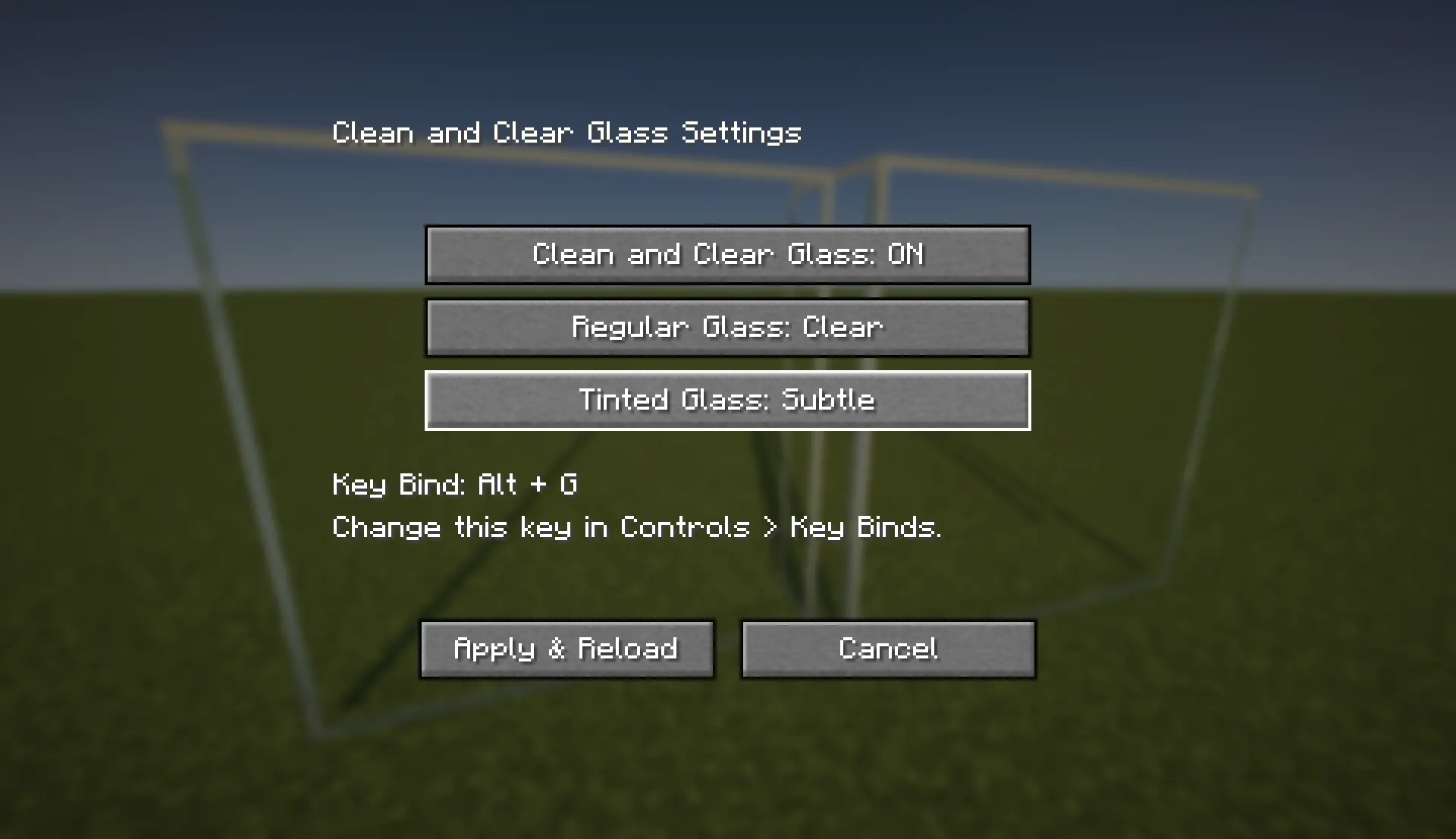
## Settings
Open the Clean & Clear Glass settings screen with:
```text
Alt + G
```
The key can be changed from:
```text
Options > Controls > Key Binds
```
Fabric users can also open the settings through Mod Menu when it is installed.
Available settings include:
- Turn Clean & Clear Glass rendering ON or OFF
- Select Clear or Subtle for Regular Glass
- Select Subtle, Visible, or Clear for Tinted Glass on supported versions
Clear is the default Regular Glass style. Subtle is the default Tinted Glass style.
---
## Compatibility
Clean & Clear Glass implements its connected rendering directly. It does not depend on a separate connected-texture mod.
- **Fabric API:** Required only for Fabric releases
- **Mod Menu:** Optional on Fabric
- **Sodium:** Optional and supported
- **Iris:** Optional and supported
- **Indium:** Not required
- **Continuity or CTM:** Not required
- **OptiFine:** Not required
### Legacy Sodium Support
The Fabric editions for Minecraft 1.16.5 and 1.20.1 include dedicated compatibility rendering for their older Sodium versions:
- **Minecraft 1.16.5:** Designed for Sodium 0.2.0
- **Minecraft 1.20.1:** Designed for Sodium 0.5.13
This allows connected glass to work with Fabric API and Sodium without requiring Indium, Continuity, or another CTM implementation.
Other Sodium versions on these legacy Minecraft releases are not guaranteed to be compatible. Shader-pack behavior may also vary by Minecraft version, Sodium version, and shader pack.
---
## Installation
Fabric
NeoForge
Install Fabric Loader for your Minecraft version.
Download and install Fabric API.
Download the matching Clean & Clear Glass Fabric file.
Place Clean & Clear Glass and Fabric API inside your mods folder.
Launch Minecraft using the Fabric profile.
Install NeoForge for your exact Minecraft version.
Download the matching Clean & Clear Glass NeoForge file.
Place Clean & Clear Glass inside your mods folder.
Launch Minecraft using the NeoForge profile.
Files are loader-specific: do not install a Fabric file into NeoForge or a NeoForge file into Fabric. Clean & Clear Glass only needs to be installed on the client.
---
## Resource Pack Alternatives
If you prefer vanilla Minecraft without Fabric, NeoForge, OptiFine, or another mod, try my **[Glass Without Border](https://www.curseforge.com/minecraft/texture-packs/glass-without-border)** resource pack. It works as a standard vanilla resource pack and removes visible borders from glass.
For older or unsupported Minecraft versions, the **[original Clean & Clear Glass resource pack](https://www.curseforge.com/minecraft/texture-packs/clean-and-clear-glass)** is also available. Its connected-glass features require OptiFine.
For the supported versions listed above, use the standalone mod from this page instead.