
Описание
Ceramics is a mod designed to increase Minecraft's gameplay using clay. Originally inspired by the clay bucket from Iguana Tinker Tweaks, this mod simply added a clay bucket, but now it adds quite a few other features made from clay to both improve the early game and be used in long term builds.
In the mods current form, it adds features in three categories.
### Tools
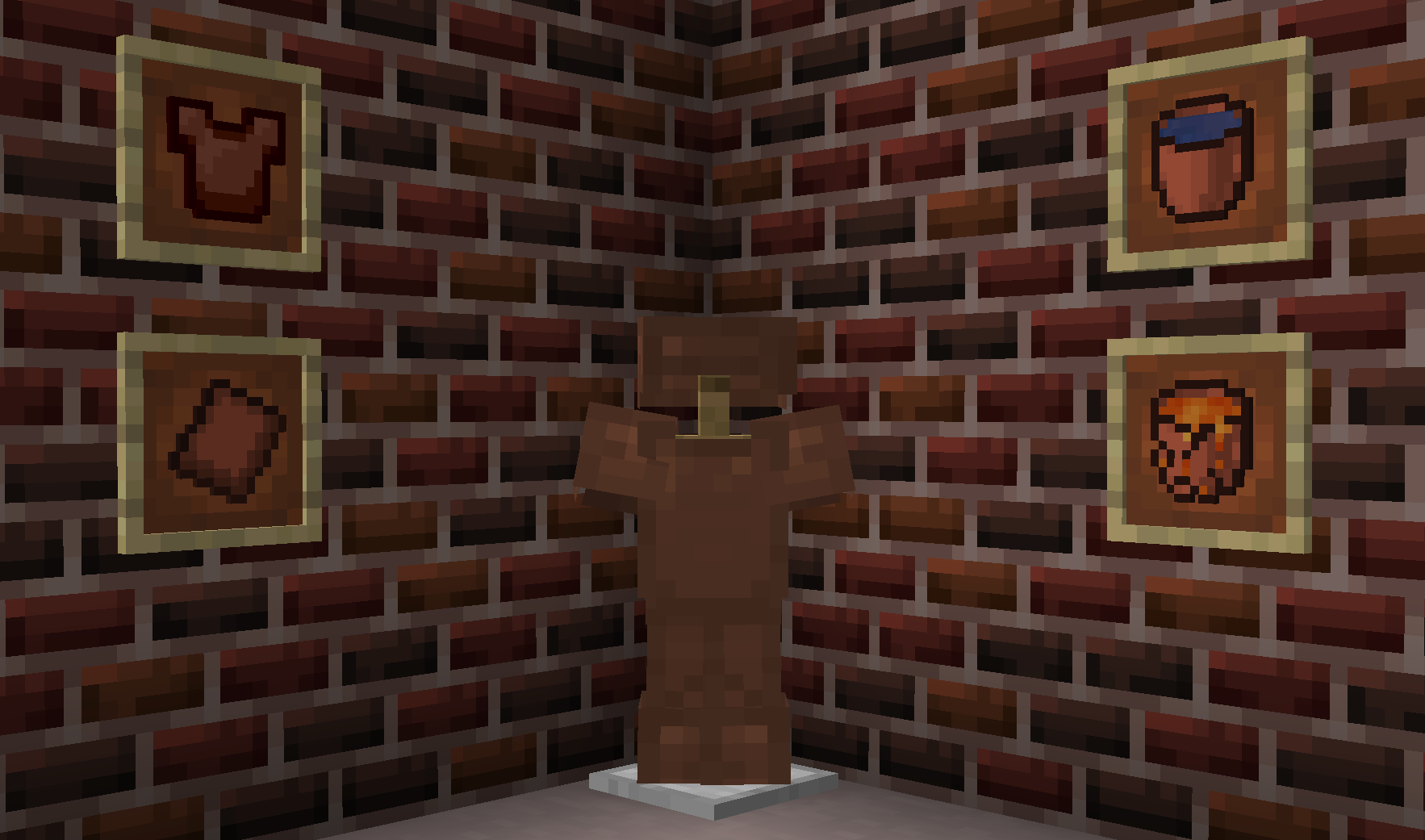
Ceramics adds various tools designed to extend options for tools using clay. Available tools include:
**Terracotta buckets**: Early game bucket alternative.
* Can transport cold liquids with ease, but cracks when filling with hot fluid.
* Cracked buckets break on emptying, making it effectively single use for hot fluids.
* Cool fluids can be transported freely.
* Unlike other clay bucket mods, these are fully dynamic and will automatically add variants for all available fluids (such as Tinker Construct or Forestry).
**Terracotta plate armor**: Alternative to leather armor early game.
* Leather is often hard to obtain before iron, so clay provides a more affordable alternative.
* Apparently clay plate armor was once a thing, so kinda historically accurate.
### Fluids
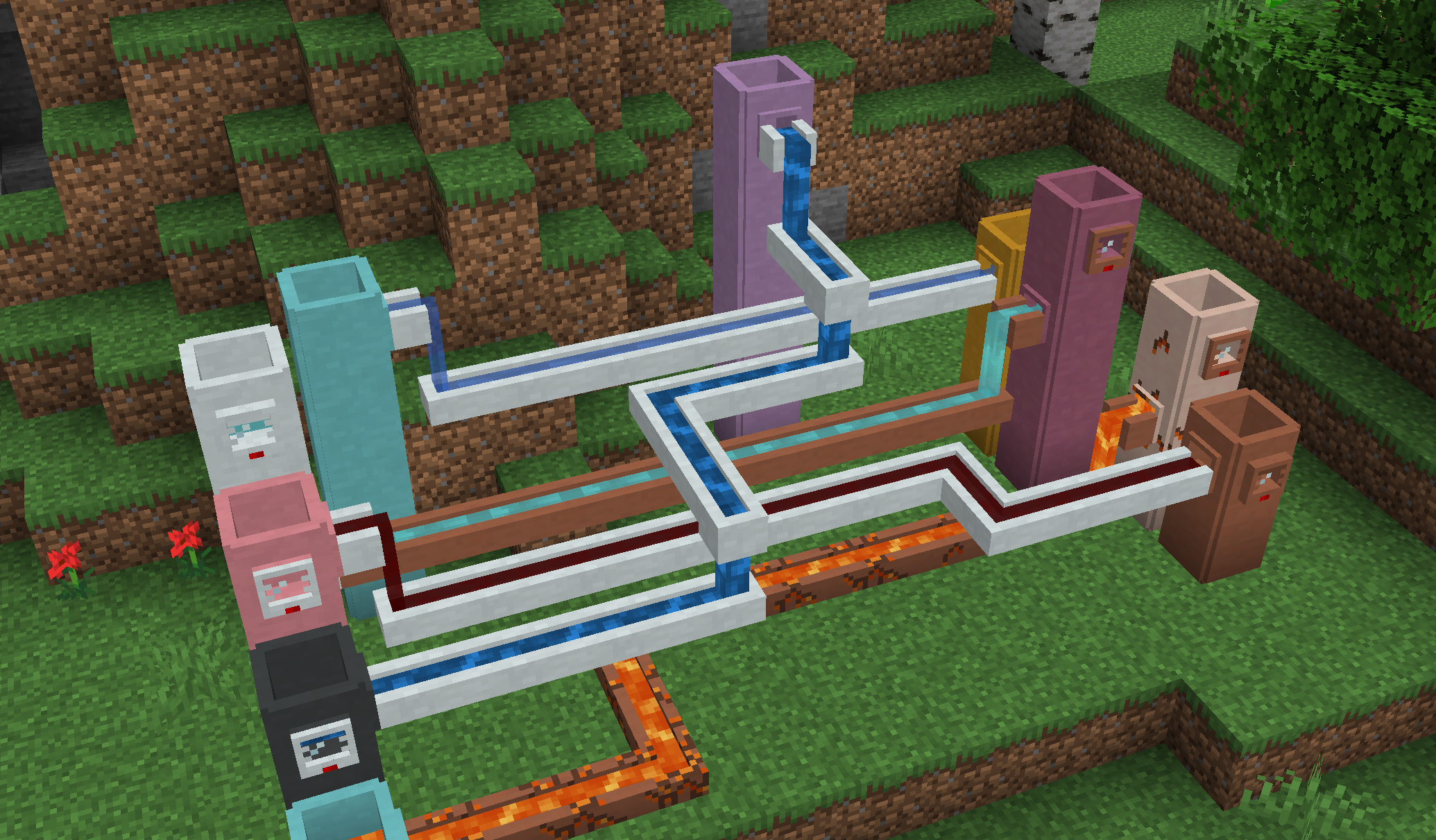
Ceramics adds several different fluid related blocks to store and transport fluids in world.
**Cisterns**: An extendable liquid storage block.
* In comes in all 17 clay colors which have a capacity of 4 per barrel, plus an additional 16 porcelain colors which have a capacity of 6 buckets per barrel.
* The capacity can be further extended by stacking the cistern vertically, which add the base value for each extension placed on top.
* Will visually connect to faucets, channels, and gauges.
**Gauges**: Read fluid level.
* Place on the side of any fluid tank, including cisterns and those from other mods.
* Right click to display the name of the contained fluid and the amount.
**Faucets**: Allow simple fluid extraction.
* Can connect to the side or bottom of a block and pour into one below the faucet.
* Can be activated by right click or redstone, and will slowly pour until the tank below is full or it runs out of fluid.
* Primary way to fill channels.
**Channels**: Allow simple fluid transport.
* Cannot extract fluids, require a faucet to fill. Will push fluids into nearby tanks or blocks.
* Each side has a direction, which will be set on placement and can be configured afterwards by right click.
* Can additionally pour downward, which can be enabled by hand or redstone.
All fluid blocks come in two variants:
* Terracotta: Will crack over time if filled with hot fluids, but can transport and store cool fluids freely. Cracked terracotta can be repaired using raw clay.
* Porcelain: Heat resistant, allowing transporting hot fluids without damage to the block. Require the addition of porcelain.
### Decoration
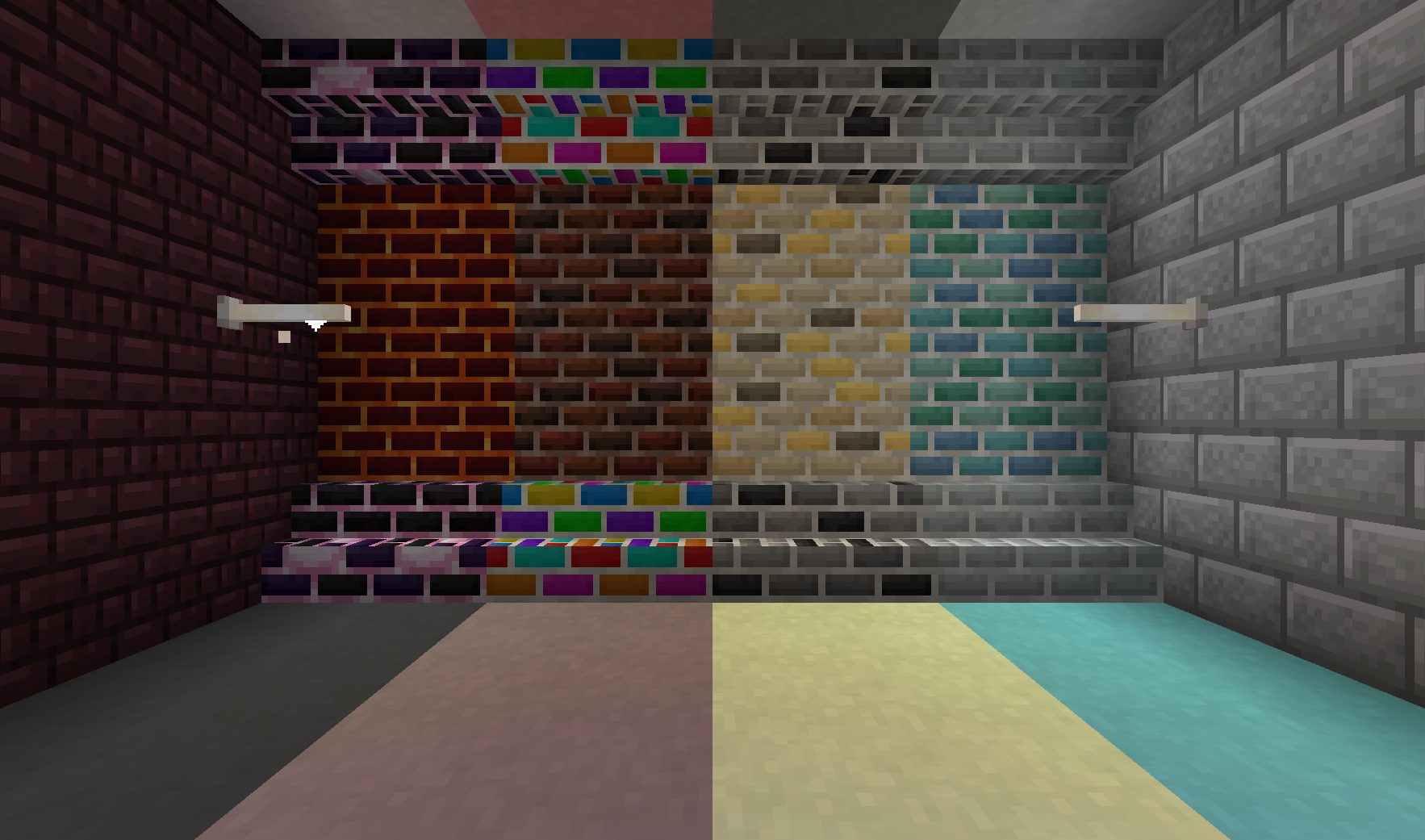
Apart from functional blocks, Ceramics adds a range of decorative blocks to spruce up any base.
**Porcelain**: Decorative block that is similar to stained terracotta or concrete, but in pastel colors.
**Porcelain Bricks**: White variant of bricks. Can be made into slabs, stairs, and walls
**Fancy Bricks**: Six additional styles of bricks with a slightly more random pattern. Each type comes in slabs, stairs, and walls.
* *Dark Bricks*: Dark red bricks with a factory tones
* *Monochrome Bricks*: gray bricks with the occasional black accent
* *Golden Bricks*: Bright yellow bricks designed to show riches
* *Marine Bricks*: Oceanic bricks to decorate a prismarine build.
* *Lava Bricks*: Magmatic bricks to improve a Nether base
* *Dragon Bricks*: Endish bricks to provide a dark pop
[**Rainbow Bricks and Clay**](https://slimeknights.github.io/assets/images/updates/general/growth/rainbow-clay.gif): feature a colorful, but gradual rainbow animation.
* Clay comes in 8 variants based on where the animation starts.
* Bricks can be made into stairs, slabs, and walls.
### More Information
For information, check out the gallery tab. You can also come discuss Ceramics on the [SlimeKnights Discord](https://discord.gg/njGrvuh).
Feel free to use this mod in a mod pack, provided you give a link back to this page
If you want to support me on Patreon, use the link in the sidebar.