Описание
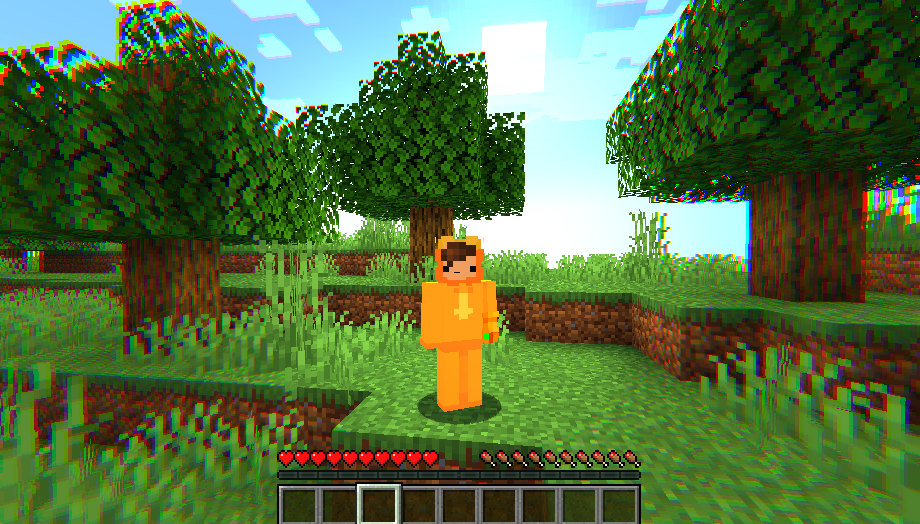
This resource pack does not replace Minecraft’s original textures and does not require OptiFine or an external shader loader. Instead, it uses **Minecraft’s built-in vanilla shader system** to apply a unified post-processing effect across the entire screen.
The shader combines several visual enhancements:
* increased saturation and contrast for vivid cartoon-like colors;
* a soft glow around bright areas;
* subtle chromatic aberration near the edges of the screen;
* cooler shadows and warmer highlights;
* a gentle vignette that draws attention toward the center.
The result is a colorful and stylized version of Minecraft that still preserves the recognizable vanilla look. It is especially suitable for screenshots, gameplay videos, survival worlds, and players who want a more expressive visual style without installing a heavy external shader pack.
### How to enable it
1. Place the archive inside the `.minecraft/resourcepacks` folder.
2. Enable it under **Options → Resource Packs**.
3. Open the video settings and set **Graphics** to **Fabulous!** so Minecraft’s vanilla post-processing system and all visual effects can be displayed.