Описание
# BTETerraRenderer
 [](https://discord.gg/4gjrwWH2gS) [](https://www.curseforge.com/minecraft/mc-mods/bteterrarenderer) [](https://www.curseforge.com/minecraft/mc-mods/bteterrarenderer/files)
A map hologram rendering tool for the BuildTheEarth project.
Use this mod to easily map accurate road details and building tops.
Logo by [vicrobex](https://github.com/vicrobex)
## Supported maps
* Global
* [OpenStreetMap](http://openstreetmap.org/)
* [Bing maps](https://www.bing.com/maps/)
* [Yandex.Maps](https://yandex.com/maps/)
* (And many others)
You can add other map services by adding/editing configuration files.
Visit the [wiki page](https://github.com/tf2mandeokyi/BTETerraRenderer/wiki) for more information.
## How to use
1. [Download](https://github.com/tf2mandeokyi/BTETerraRenderer/releases) the latest version of the mod
2. Put the mod in the `mods` folder
1. Open Minecraft Launcher and go to the `Installations` tab
2. Find the installation profile, hover your mouse on it, and click the folder icon
3. The `mods` folder is there
3. Run Minecraft
## Controls
| Key | Description |
|-------------------|-----------------------------------------------|
| `` ` ``(Backtick) | Opens render settings UI |
| `R` | Toggles map rendering |
| `Y` | Moves map up along the Y-axis by 0.5 blocks |
| `I` | Moves map down along the Y-axis by 0.5 blocks |
## Screenshots

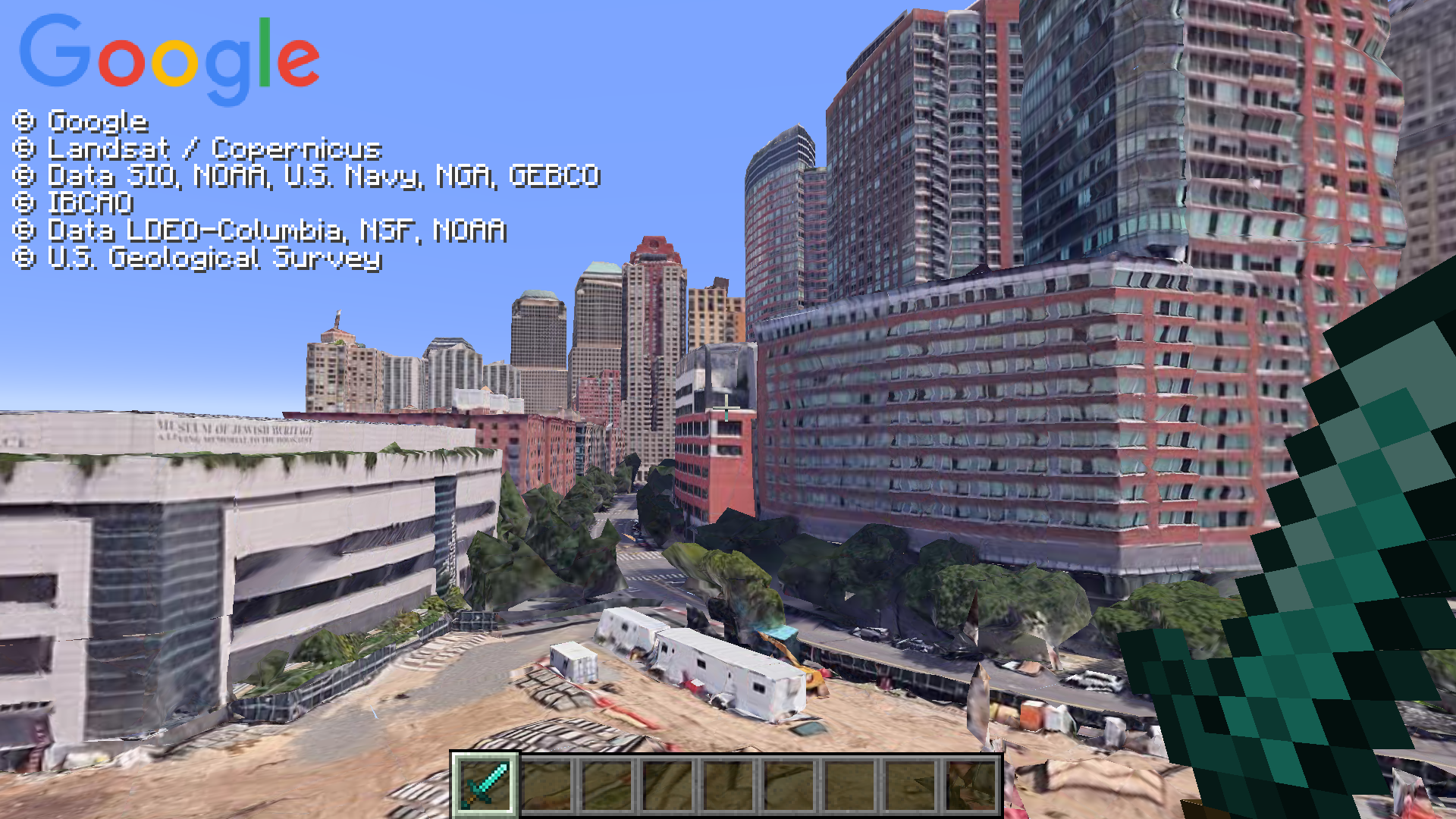
Visit this [wiki page](https://github.com/tf2mandeokyi/BTETerraRenderer/wiki/How-to-Add-Google-Earth) for more information on how to add Google Earth as a map source.