Описание
# BoxHud
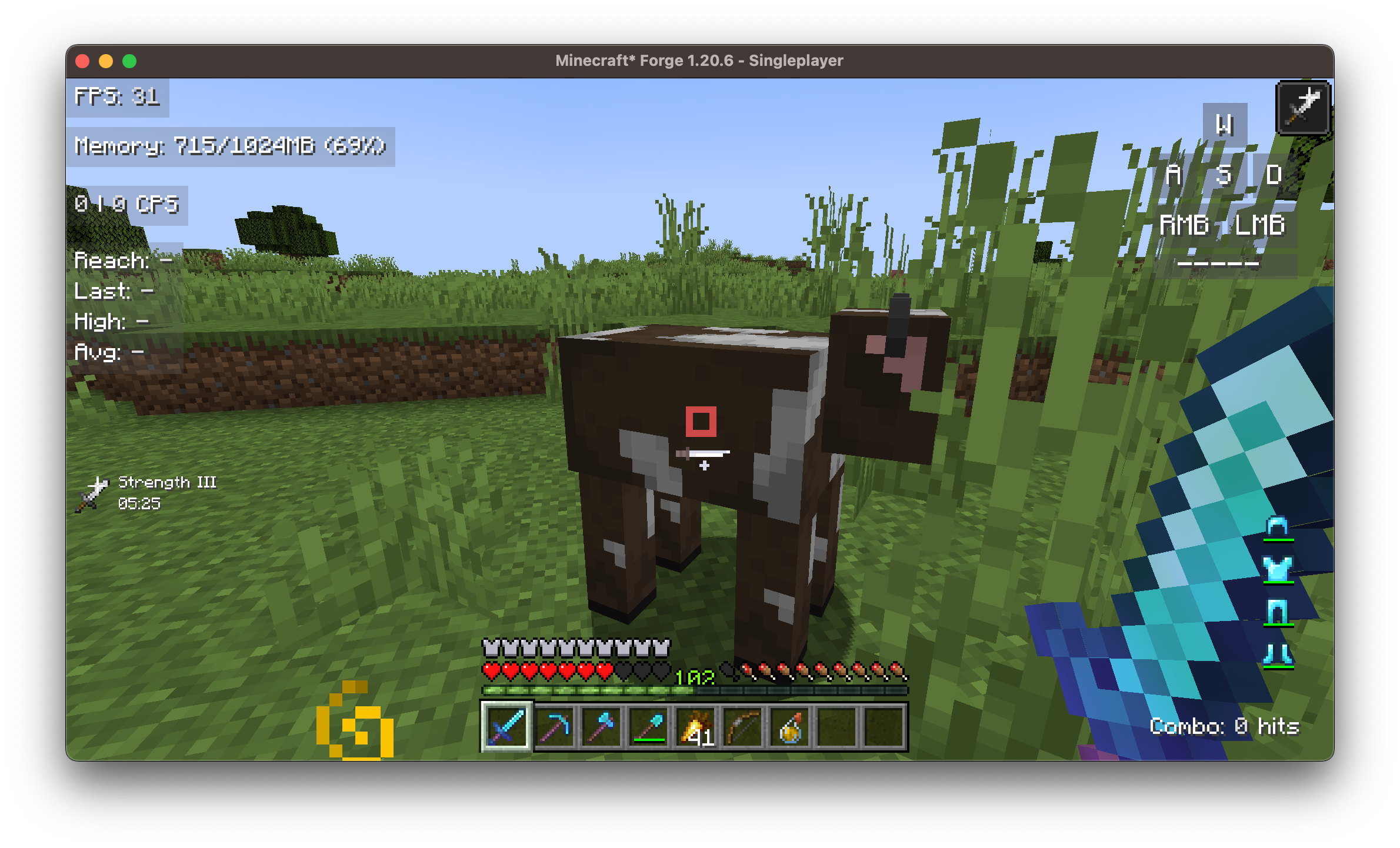
**BoxHud** is a Minecraft mod that adds a suite of powerful and customizable PvP-style HUD widgets. With support for **Fabric**, **Forge**, and **NeoForge**, BoxHud gives you complete control over your interface—whether you're optimizing for combat or aesthetics.
---
## ✨ Features
### 🔁 Cross-Modloader Support
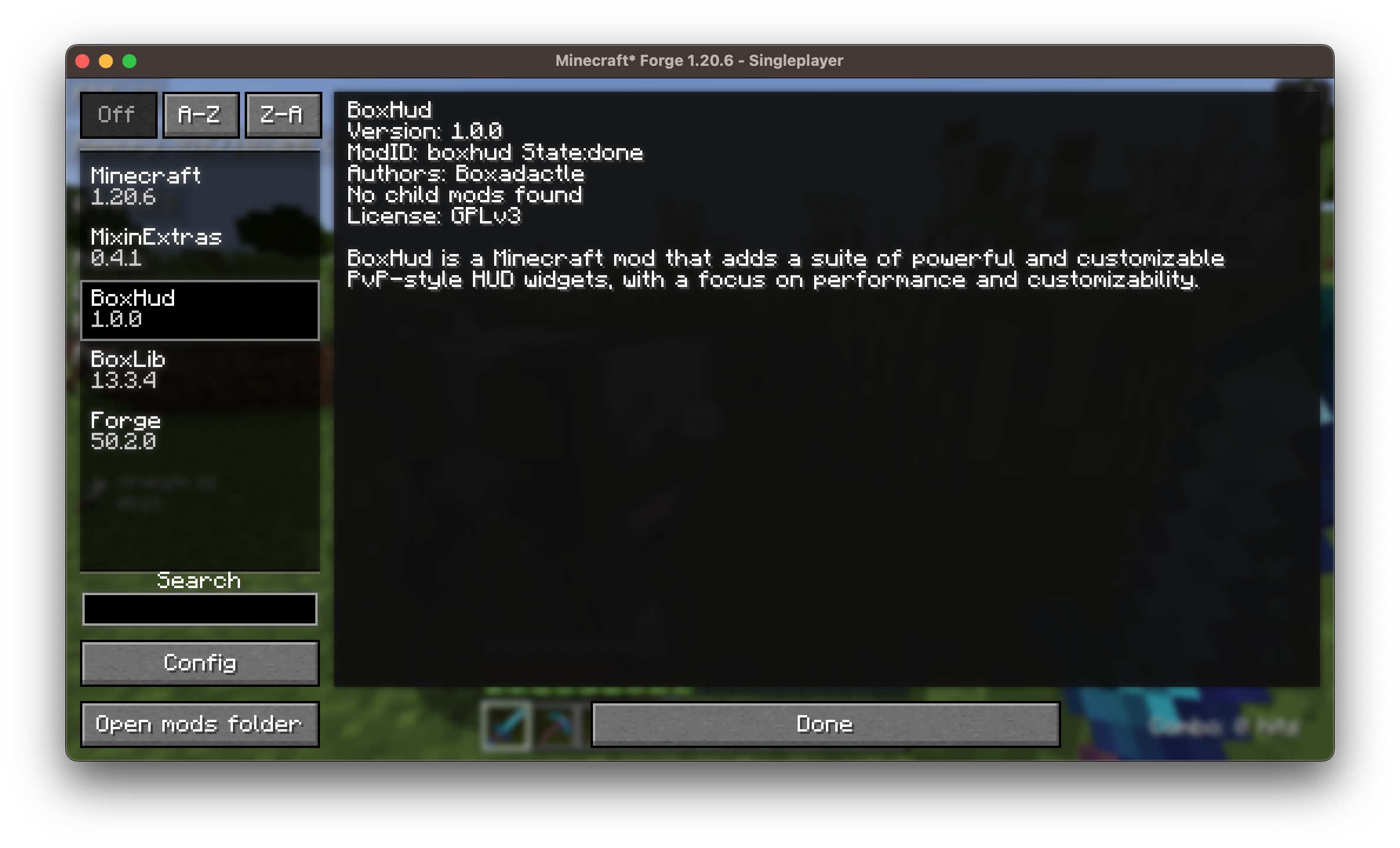
BoxHud works out of the box with **Fabric**, **Forge**, and **NeoForge**, allowing you to use it in nearly any modern Minecraft setup without compatibility issues.
### 🎛️ Vanilla HUD Customization
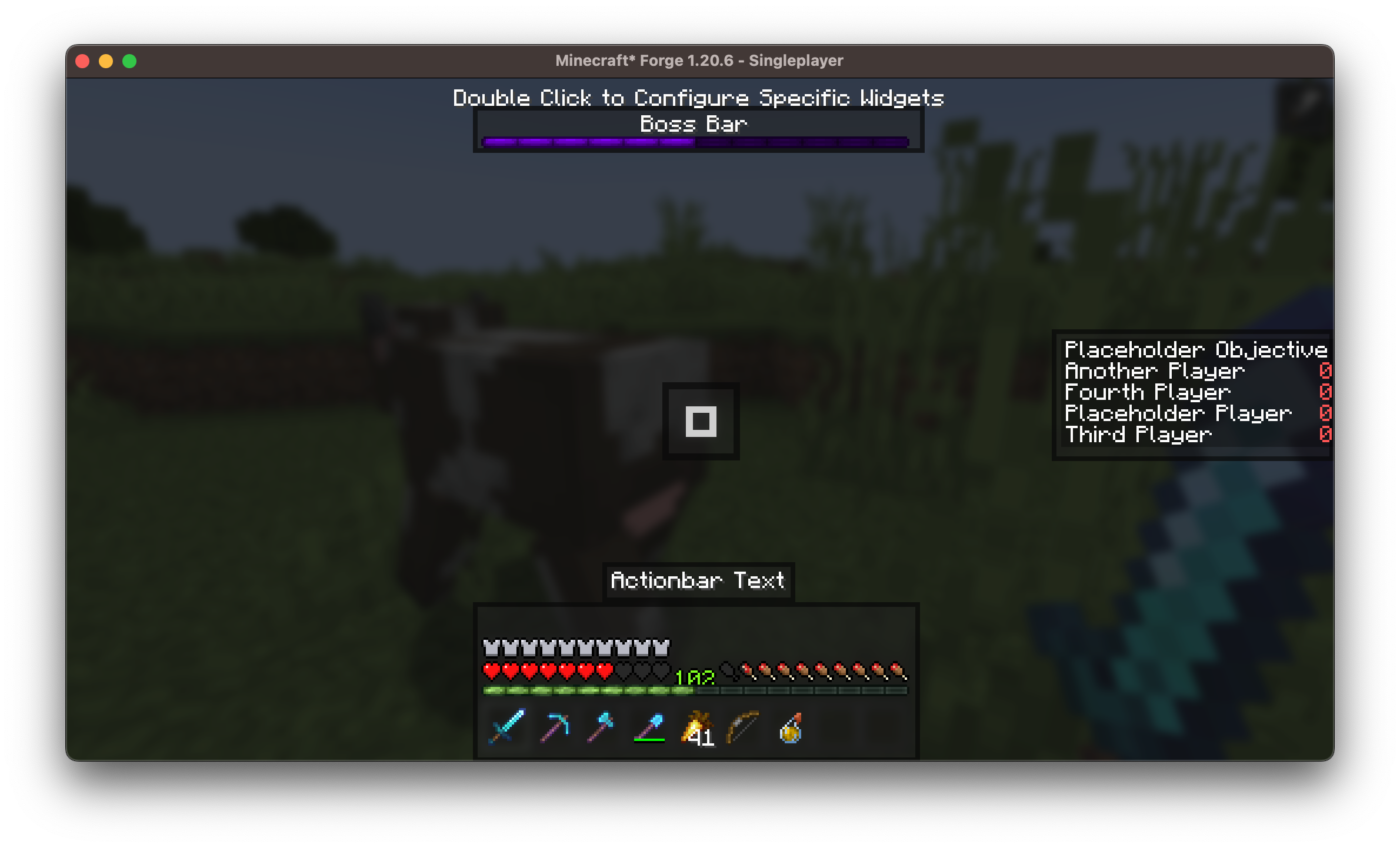
Move or hide default Minecraft HUD components such as:
- The **hotbar**: reposition it anywhere on screen
- The **bossbar**: move it out of the way or disable it
- The **scoreboard**: customize alignment
### 🧩 25 Fully Customizable Widgets
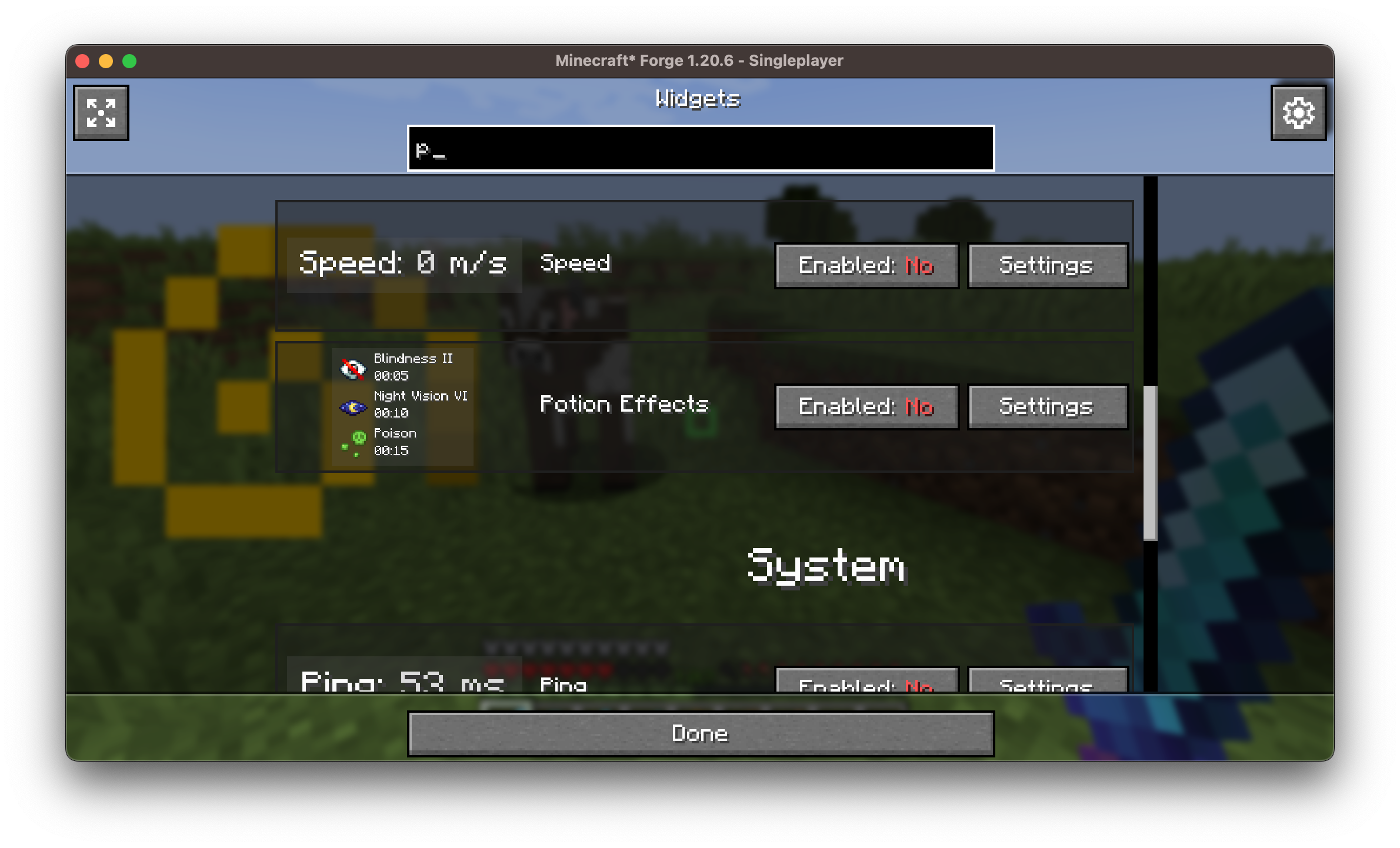
Each widget is individually configurable. You can:
- Drag and drop to reposition them
- Adjust scale, color, outline, background, and alignment
- Enable or disable any widget with a click
### 🗺️ [Coordinates Display](https://modrinth.com/mod/coordinates-display) Compatibility
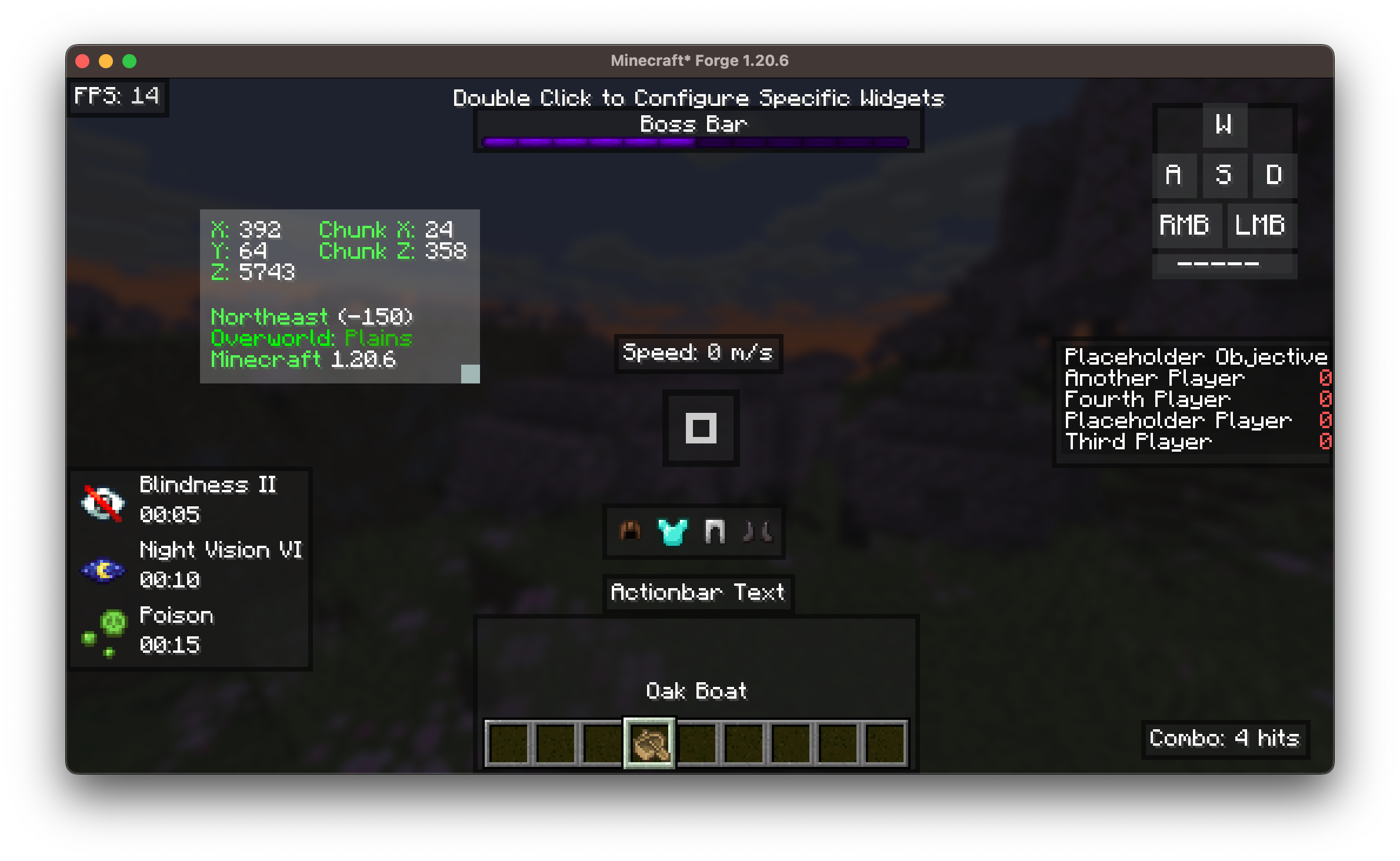
BoxHud includes its own coordinates widget to show your X, Y, Z position on screen. But if you enjoy the features in the [**Coordinates Display**](https://modrinth.com/mod/coordinates-display) mod, BoxHud upgrades the widget automatically:
- The widget will look and behave just like it does in Coordinates Display.
- When you try to customize it in BoxHud, you’ll be taken to Coordinates Display’s settings screen instead.
- You’ll also get bonus features like dimension scaling and better formatting.
Both mods use Boxlib, so they work together seemlessly.
Just drop [**Coordinates Display**](https://modrinth.com/mod/coordinates-display) into your `mods` folder and BoxHud will handle the rest.
### 🎯 Advanced Crosshair Customization
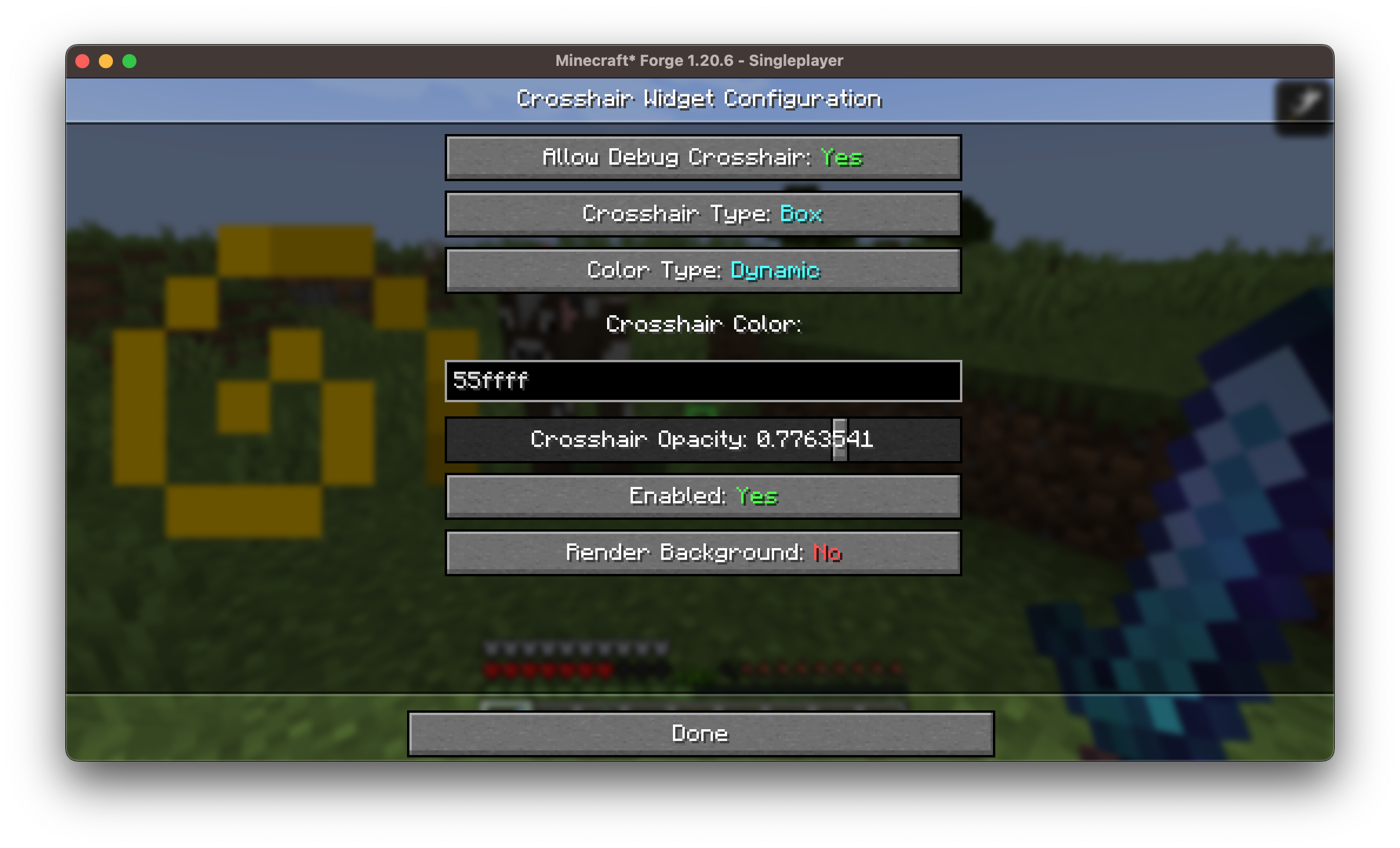
Choose from **10 crosshair styles** with full color control.
Includes a **Dynamic Crosshair Mode** that changes color based on:
- Whether an entity is in range (red)
- If you're about to land a critical hit (dark red)
- Whether a block is within range for interaction (green)
### 🖱️ User-Friendly Widget GUIs

A clean and intuitive in-game interface lets you:
- Double click any widget in the positioning screen to customize it
- Access all customization options without editing config files
- Preview widgets live while configuring
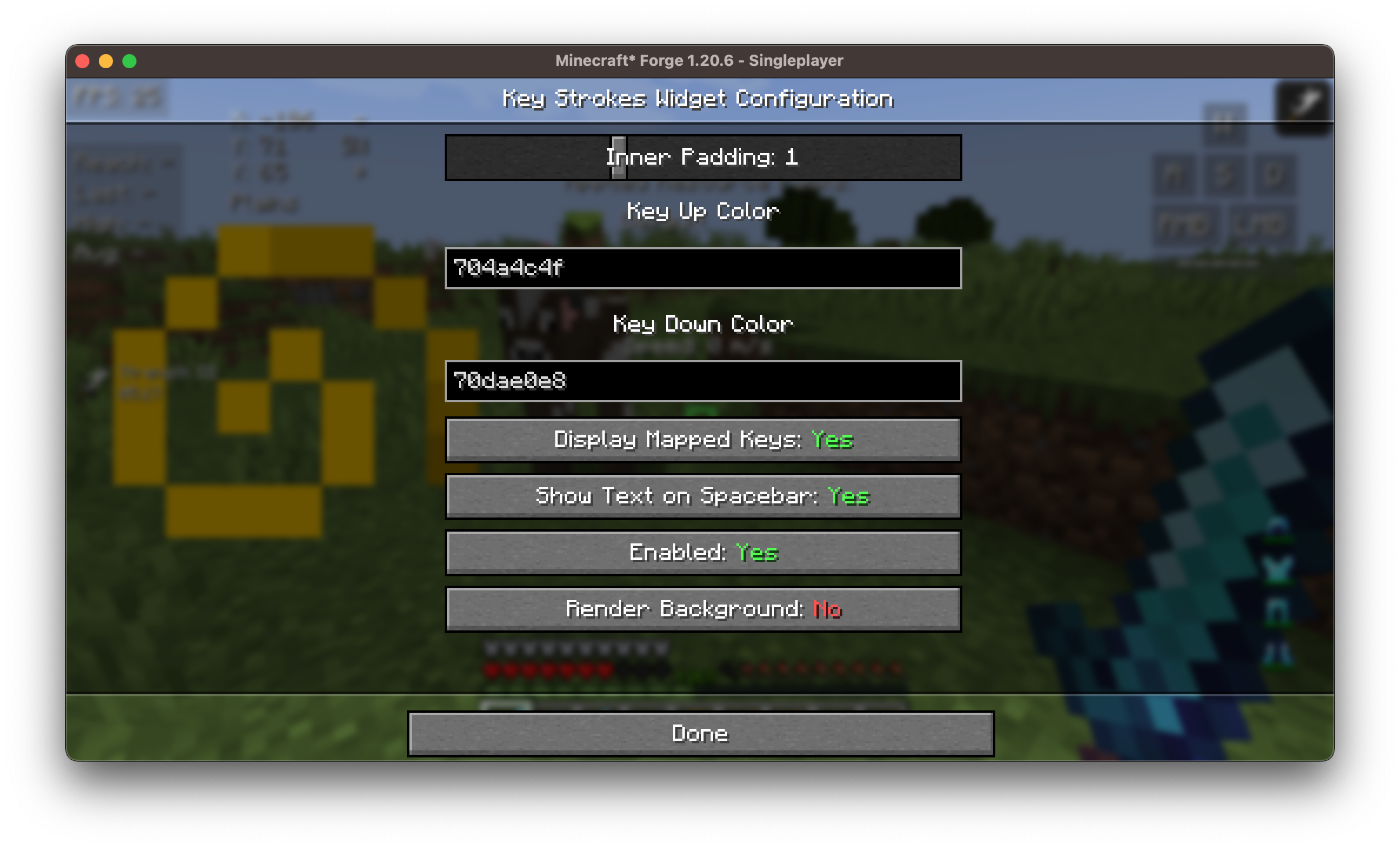
An example of the 25+ widget customization screens is shown below:
### 🎮 Built-In Keybinds
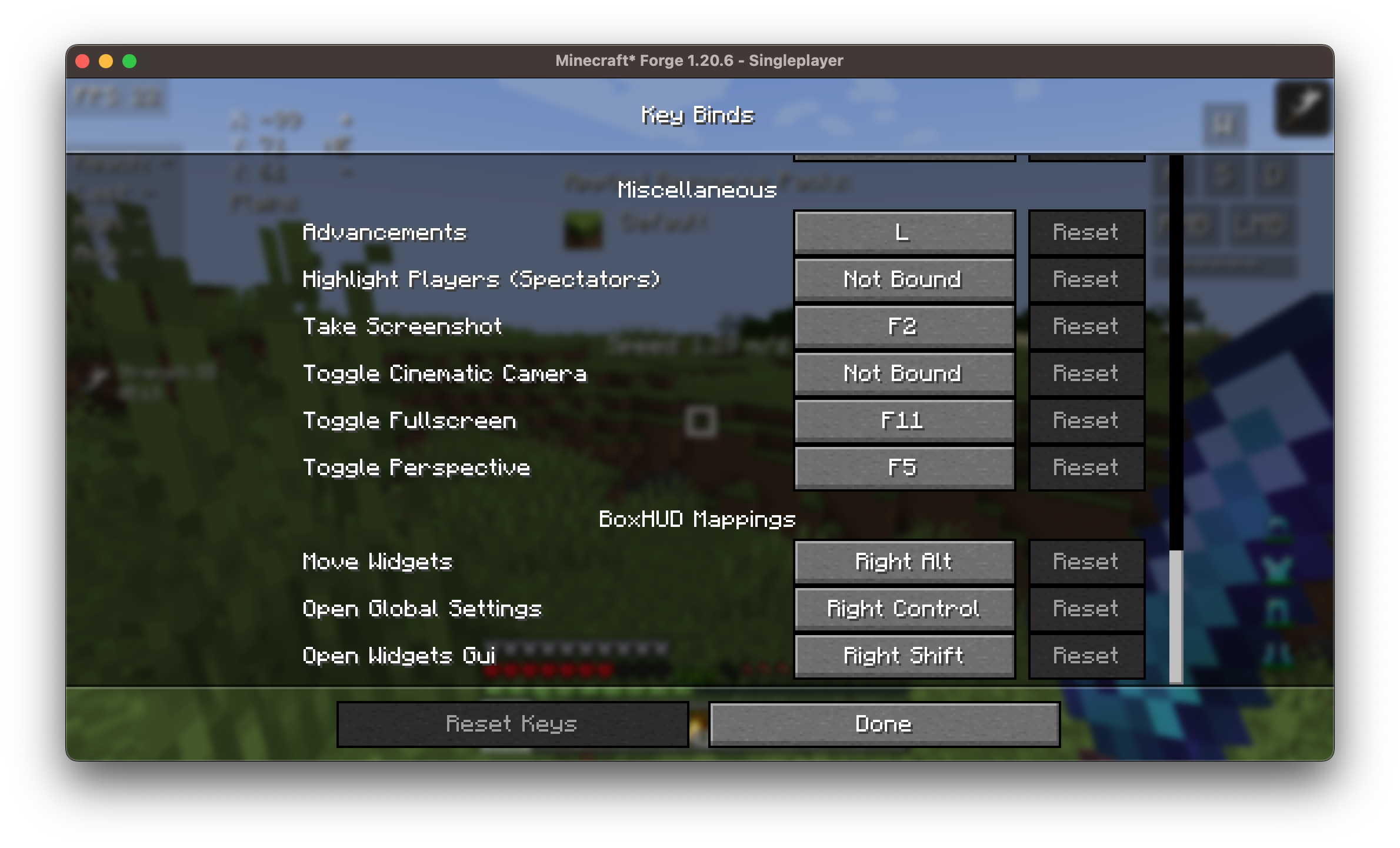
BoxHud adds several useful keybinds to make customization fast and easy in-game. You can set or change these in the Minecraft controls menu.
---
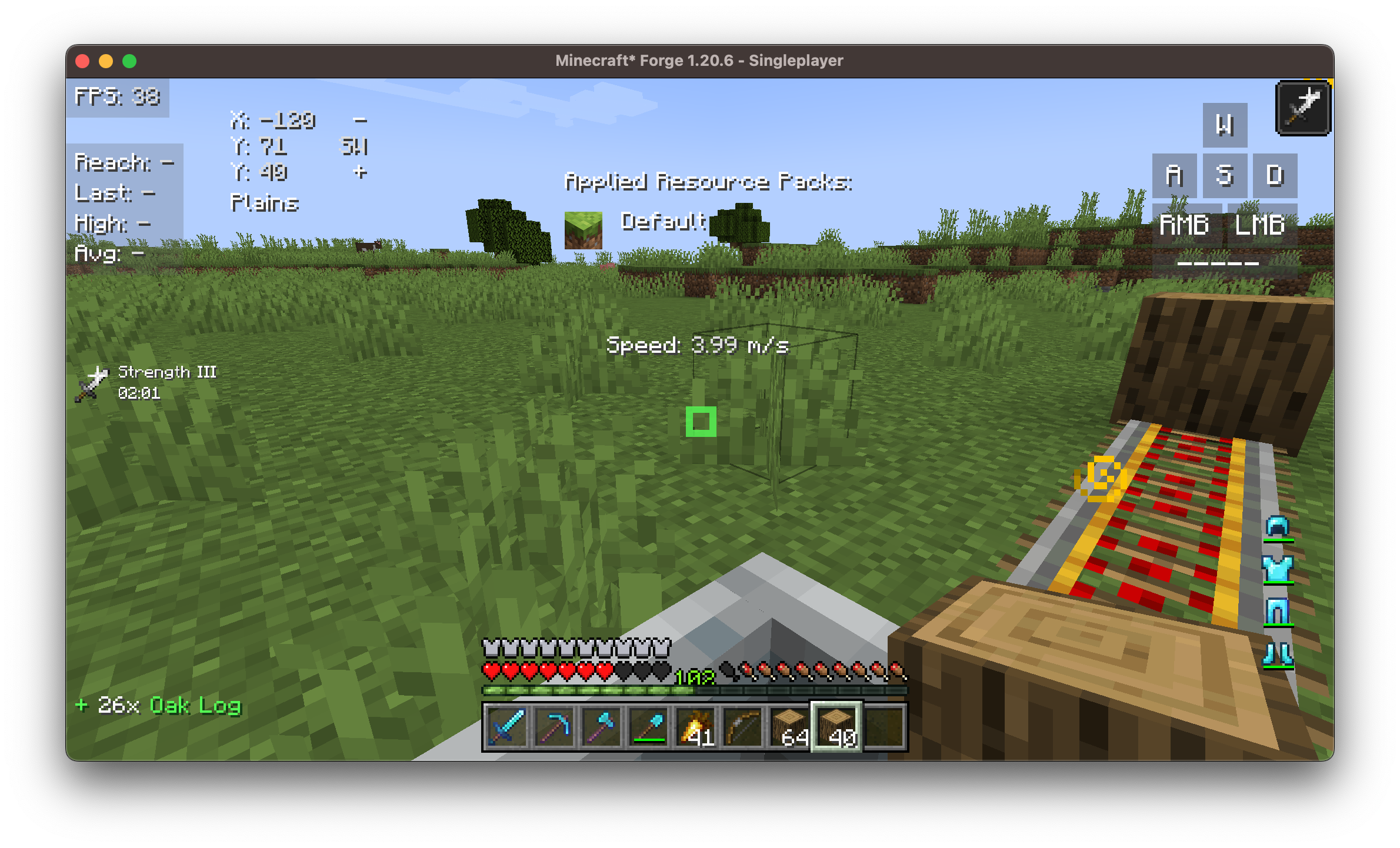
## 🧱 Available Widgets
Here’s a list of all available widgets included with BoxHud:
| Widget | Description |
|----------------|----------------------------------------|
| **Ping** | Shows your connection latency |
| **FPS** | Frames per second counter |
| **CPS** | Clicks per second tracker |
| **Armor** | Visualizes current armor durability |
| **Potions** | Lists active potion effects |
| **Keystrokes** | Shows pressed movement keys (WASD, etc.)|
| **Server IP** | Displays current server's address |
| **Speed** | Movement speed in blocks/sec |
| **Scoreboard** | Replaces or customizes vanilla board |
| **Crosshair** | Dynamic crosshair with 10 presets |
| **Coordinates**| Real-time player XYZ position |
| **ActionBar** | Customize or hide the action bar |
| **BossBar** | Move/resize the bossbar |
| **Arrow** | Tracks arrow count in inventory |
| **Item Update**| Shows item update information |
| **Pack Display**| Active resource/texture pack info |
| **Real Time** | Local system time |
| **Reach** | Displays attack reach distance |
| **Hotbar** | Custom positioning of the hotbar |
| **Memory** | JVM memory usage |
| **PlayerCount**| Online player count on server |
| **Compass** | Cardinal direction display |
| **TPS** | Ticks per second (server performance) |
| **Combo** | PvP combo counter |
| **Game Clock** | In-game time (tick/daylight clock) |
---
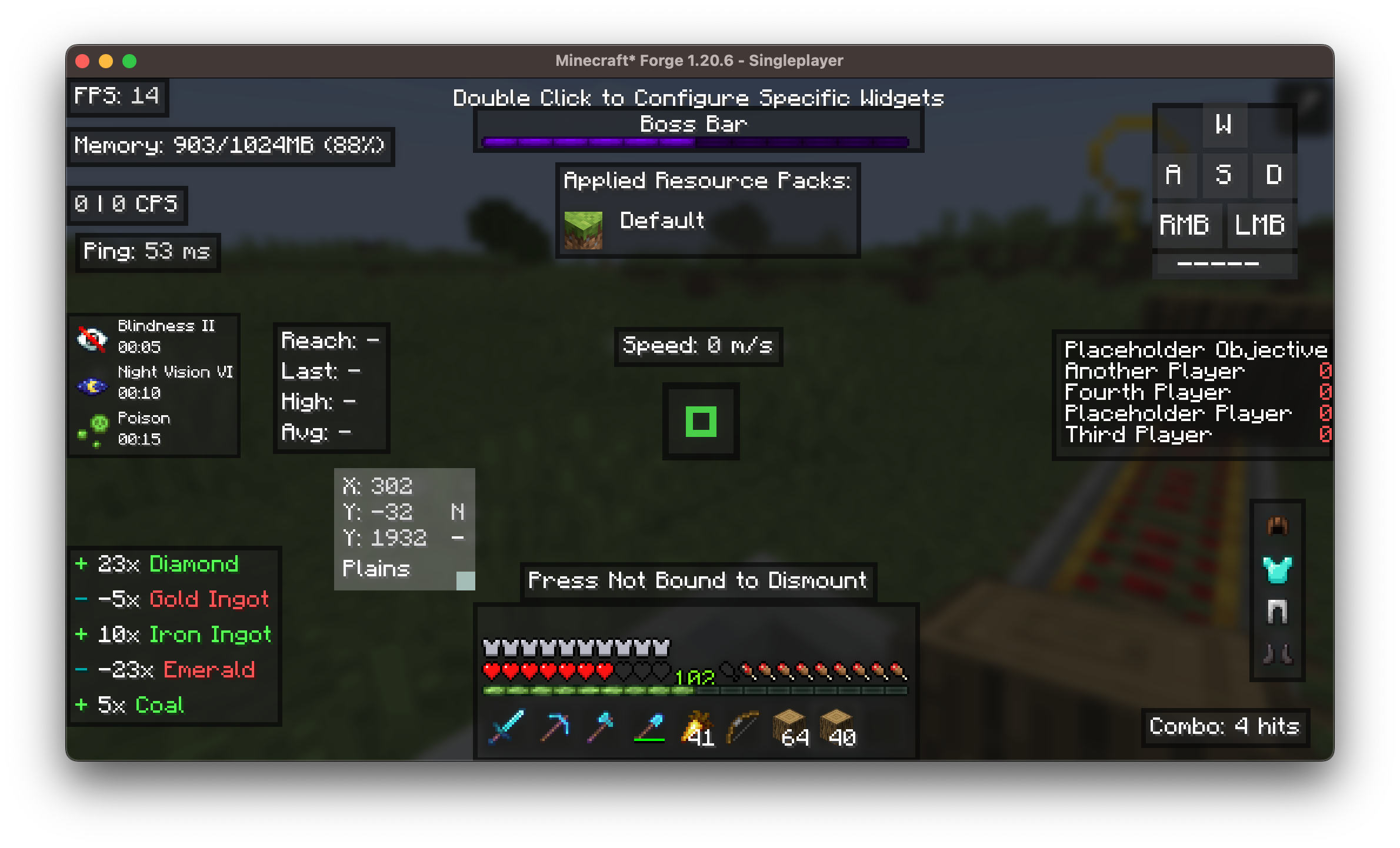
## ⚙️ Customization
Each widget supports:
- ✅ Dragging and scaling
- 🎨 Adjustable color, scale
- 📏 Padding, and alignment
- 🗂️ Optional background
---
## Installation/Dependencies
#### This mod requires [BoxLib](https://modrinth.com/mod/boxlib) a Client-side library mod developed by me.
1. **Install Minecraft Forge/Fabric/Neoforge:** Download and install the appropriate modloader for your Minecraft version.
2. **Download the mod:** Download the latest release of Coordinates Display for your specific modloader and Minecraft version
3. **Download BoxLib:** Download the latest release of [BoxLib](https://modrinth.com/mod/boxlib) for your specific modloader and Minecaft version
4. **Place the mod jars:** Drop the downloaded jar files into your Minecraft mods folder. The location of this folder varies depending on your operating system.
### Fabric Dependencies
[](https://www.curseforge.com/minecraft/mc-mods/fabric-api)
[Mod Menu](https://modrinth.com/mod/modmenu) is recommended for configuration purposes.
### Forge/NeoForge Dependencies
This mod requires [BoxLib](https://modrinth.com/mod/boxlib) a Client-side library mod developed by me.
## Contributing
We encourage contributions! Don't hesitate to open issues or pull requests through our [GitHub Repository](https://github.com/Boxadactle/BoxHud). Your input helps us improve and evolve.
### Translations
We welcome translations! If you're interested in translating this mod, please locate the [localization files](https://github.com/Boxadactle/BoxHud/tree/latest/common/src/main/resources/assets/coordinatesdisplay/lang) and submit a pull request. Your contributions help make the mod accessible to more users worldwide.
### Support
If you encounter any issues, please [open an issue](https://github.com/Boxadactle/BoxHud/issues/new/choose) on the GitHub repository.
## Building
If you'd like to build this mod on your own machine, follow these steps.
* Download the source code from [GitHub](https://github.com/Boxadactle/BoxHud/tree/main) (Code -> Download zip)
* Make sure Java is installed
* Extract the zip file onto your local machine, and open the folder.
* Open a terminal prompt in said folder
* Run the command "gradlew build"
* The fabric build will be in "fabric/build/libs"
* The forge build will be in "forge/build/libs"
* The neoforge build will be in "neoforge/build/libs"