
Описание
Border
## 🤝 Our Partner
Need a game server ? We're partnered with Voltra, one plan, every game, from $1.99/mo, with a 2 day free trial and no card charged today.
Use code GAB10 at checkout, or just click the banner above, either way you get 10% off.
Clicking the banner above supports the development of this plugin at no extra cost to you ♥️
## 🌍 What is Border?
**Border** is a powerful yet easy-to-use Minecraft plugin that lets you **fully control your world's borders** through a clean, intuitive GUI and a complete set of commands.
> No complicated setup, no config files to edit.
> Just type `/border` in-game to open a clear menu with everything you need, or use the commands for automation and command blocks.
Perfect for survival servers, UHC, events, and custom maps, **Border** gives you full control in one world or across all of them at once.
## 🎛️ GUI & Features
Type `/border` to open the main menu, a single hub for every border control. Here's what you'll find inside:
- **Main Menu**: a live overview of the current border settings
- **Size Menu**: change the border size with presets, +/- steps, or an exact value
- **Center**: center the border on your position, or type exact X Z coordinates
- **Shrink / Expand**: resize the border over time, with a **Stop** button to freeze it
- **Damage Menu**: set both the damage amount and the safe buffer outside the border
- **Warning Menu**: adjust both the warning distance and the warning time
- **Scope Selector**: apply changes to the current world, one specific world, or **all worlds at once** (the Nether is automatically scaled by 1/8)
Every menu updates the border in **real time**, with no reload or restart needed. The GUI and the commands always stay in sync, so any open menu refreshes the moment a value changes from either side.
## ⌨️ Commands
Everything in the GUI is also available as a command, which is great for command blocks and scripts. All commands support tab-completion.
- `/border` (opens the menu)
- `/border size `
- `/border center [ ]`
- `/border damage ` · `/border buffer `
- `/border warning ` · `/border warningtime `
- `/border shrink ` · `/border stop`
- `/border scope `
- `/border reset`
- `/border help`
## 🔑 Permissions
Permissions are granular. Grant **`border.admin`** for full access, or delegate individual nodes:
- `border.use`: open the GUI and run `/border`
- `border.size` · `border.center` · `border.damage` · `border.warning` · `border.shrink` · `border.reset`
## 📦 Installation
1. Download the latest `.jar` file
2. Drop it into your server's `/plugins` folder
3. Restart your server
4. Type `/border`
> **Requirements:** Paper **26.1+** (or a compatible fork such as Purpur) running on **Java 25**.
## 💬 Community & Support
Need help, found a bug, or just want to chat? Join our **[Discord community](https://discord.gg/zcFRqtynu2)**. We're always happy to hear your feedback and suggestions!
If you enjoy this plugin and want to support its development, consider buying me a coffee on **[Ko-fi](https://ko-fi.com/gab)** ❤️
## 📊 Metrics
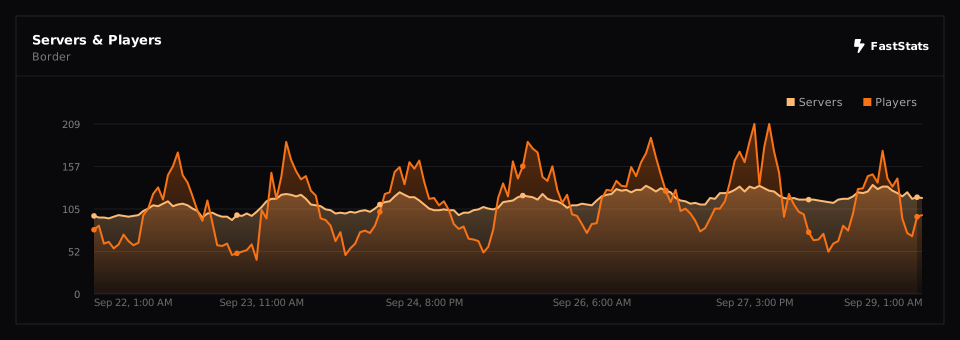
This plugin uses **[FastStats](https://faststats.dev)** to collect anonymous usage statistics. No IP addresses, player data, or personal information is ever collected.
To opt out, open `plugins/faststats/config.properties` and set `enabled=false`, then restart your server.
[](https://faststats.dev/project/border/minecraft-plugin)