Описание
## About
Ever wondered why bookshelves in Minecraft cannot be used to store books? Well, now you can!
With this plugin, you will be able to **open bookshelves like chests** and **store books inside them**.
## Screenshots
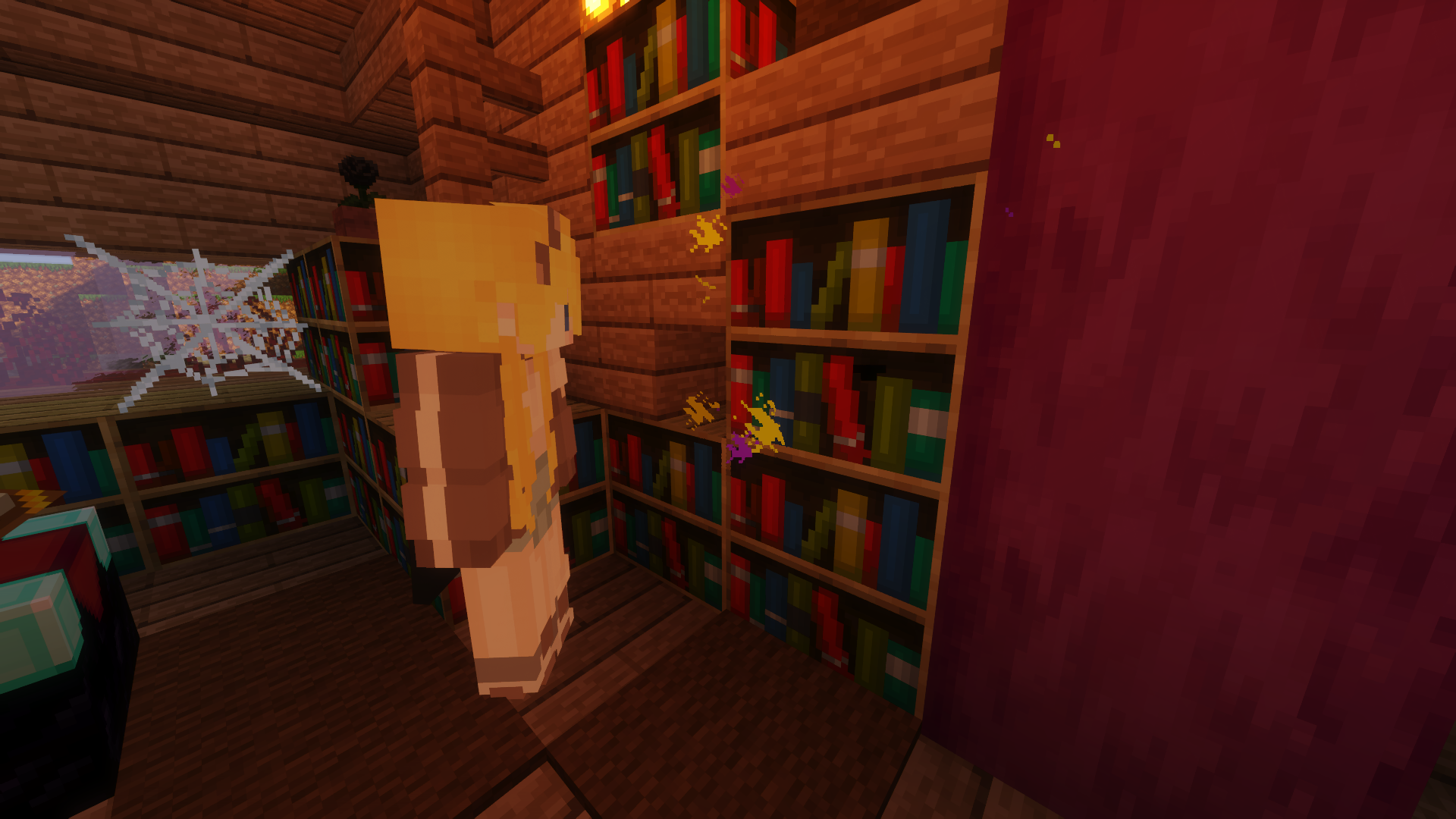
*^The particle effect indicating that a bookshelf is being opened*
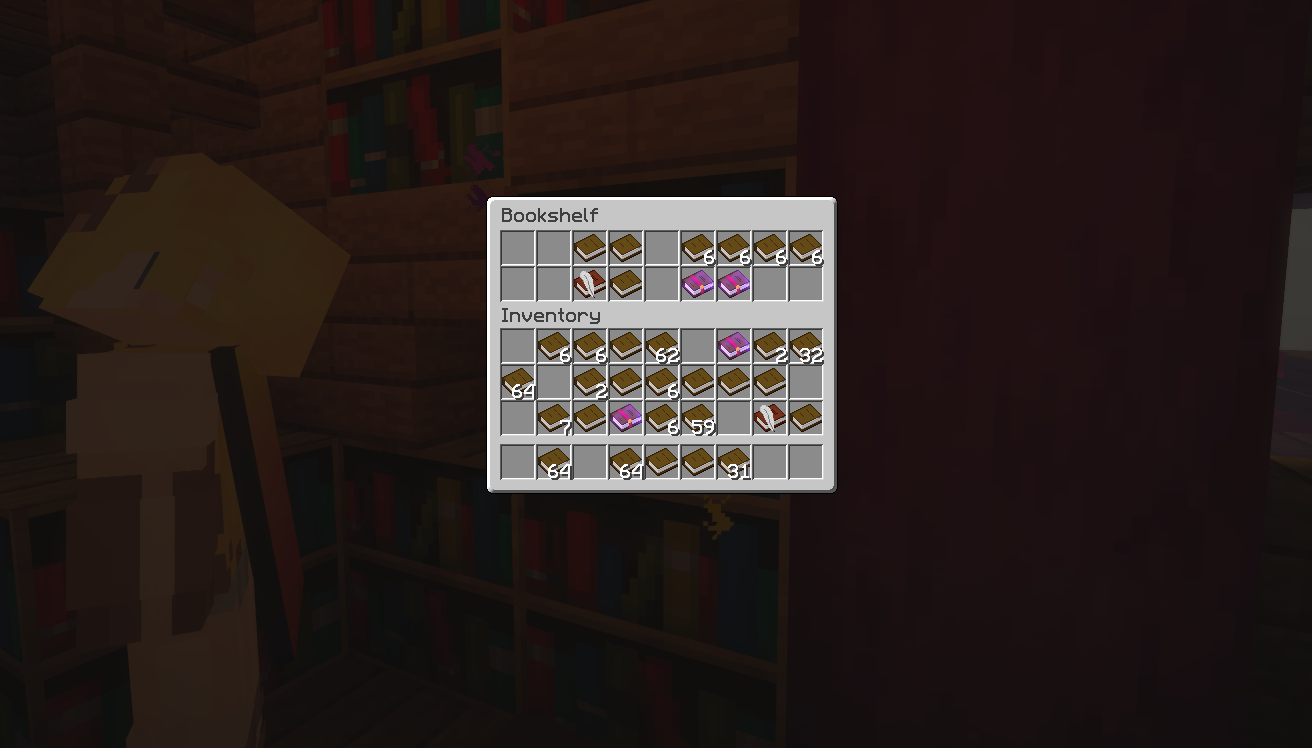
*^The bookshelf contents, the number of rows can be customized*
## Features
### 1. The bookshelves!
- Right-click bookshelves to open a chest-like inventory
- Bookshelves emit particles when a player is opening it (togglable in config) *[1.13 or above]*
- Customize the number of rows each bookshelf has (default to 2 rows in config)
- Plays a book placing sound when a player place or remove an item in a bookshelf
- Limit the type of item that can be placed into bookshelves (Default to only books-like items in config)
- Supports moving bookshelves with pistons and sticky pistons
- Supports named bookshelves! *(Similar to when you name a chest and place it down, the inventory retains the chest's item name)*
- Support Droppers ***(Need to be enabled in config)***
- _Experimental_ support Hoppers and Hoppers Minecarts ***(Need to be enabled in config)*** *(Note that it is quite resource intensive if you have too many bookshelves)*
- Supports creative shift-middle-click block to copy bookshelf with items inside
### 2. Enchantment Table Boosting! *[1.11 or above]*
- Boost Enchantment Tables with surrounding it with bookshelves containing enchantment books with the enchantment of your choice!
- More books, higher chance!
- For example, if every slot of all bookshelf is Sharpness 5 books you will be guaranteed a sharpness enchantment!
- The feature can be toggled in the config as always
## Supported Plugins
- Supports [Bolt](https://modrinth.com/plugin/bolt) Protections
- Supports [LWCX](https://www.spigotmc.org/resources/69551/) Protections (Requires the latest version)
- Supports [BlockLocker](https://www.spigotmc.org/resources/3268/) Container Locking
- Supports [WorldGuard](https://enginehub.org/worldguard/) regions (Requires at least version 7.0.0)
- Supports [GriefPrevention](https://www.spigotmc.org/resources/1884/) land claim protections
- Supports [RedProtect](https://www.spigotmc.org/resources/15841/) land claim protections
- Supports [Residence](https://www.spigotmc.org/resources/11480/) land claim protections
- Supports [Towny](https://townyadvanced.github.io/) land claim protections
- Supports [Lands](https://www.spigotmc.org/resources/lands-land-claim-plugin-grief-prevention-protection-gui-management-nations-wars-1-17-support.53313/') land claim protections (Requires the latest version)
- Supports [ASkyBlock](https://www.spigotmc.org/resources/1220/) island protections
- Supports [BentoBox](https://www.spigotmc.org/resources/73261/) island protections
- Supports [SuperiorSkyblock2](https://www.spigotmc.org/resources/63905/) island protections
- Supports [GriefDefender](https://www.spigotmc.org/resources/1-12-2-1-17-1-griefdefender-claim-plugin-grief-prevention-protection.68900/) land protections
- Supports [PlotSquared](https://www.spigotmc.org/resources/plotsquared-v4-v5-out-now.1177/) plot protections (Requires v4, v5, or v6)
- Supports [OpenInv](https://dev.bukkit.org/projects/openinv) silent chest
- Supports [Essentials](https://www.spigotmc.org/resources/essentialsx.9089/) player vanish
- Supports [CMI](https://www.spigotmc.org/resources/cmi-270-commands-insane-kits-portals-essentials-economy-mysql-sqlite-much-more.3742/) player vanish
- Supports [SuperVanish](https://www.spigotmc.org/resources/supervanish-be-invisible.1331/) player vanish
- Supports [PremiumVanish](https://www.spigotmc.org/resources/premiumvanish-stay-hidden-bungee-support.14404/) player vanish
- Supports [InteractionVisualizer](https://www.spigotmc.org/resources/77050) bookshelf interact animations (Requires the latest dev build)
*(Bookshelves are seen just like chests in most of these plugins)*
## Dependencies
- None!
## Installation
1. Put Bookshelf.jar into the plugins folder along with the required dependencies
2. Start the server
3. *Edit the config (if you need to)*
4. *Restart the server (if you changed something in the config in step 3)*
## Development Builds

[**Jenkins**](https://ci.loohpjames.com/job/Bookshelf/)
## Showcase Server
Want to give the plugin a try?
```
IP: mc.loohpjames.com
```

## Commands
/bookshelf reload - Reloads the plugin
/bookshelf update - Check for updates
## Q&A
### Hoppers and Droppers do not work! What do I do?
You have to enable "EnableHopperSupport" and/or "EnableDropperSupport" in the config!
*(Note that it is quite resource intensive if you have too many bookshelves)*
### Enchantment Table Boosting does not work, and there are no errors, and I've already enabled it in the config, why is that?
If you are running Minecraft version 1.8 - 1.10.2, unfortunately, enchantment table boosting feature is unsupported on these versions.
If you are running Minecraft version 1.11 or above, double check your settings and permissions or contact me!
### The shift + pick block with NBT function does not work, I already gave myself permission, what's wrong?
Currently, the feature is only tested in Minecraft 1.15+. If it doesn't work in another version, it is normal and is being worked on. Thank you for being patient!
### How is the Enchantment Table Boosting calculated?
Check out the wiki page: https://github.com/LOOHP/Bookshelf/wiki/Enchantment-Table-Boosting
## API
**Bookshelf does provide an API for developers to customize or use its functions**
- When hoppers or hopper minecarts exchange items with bookshelves **InventoryMoveItemEvent**will fire, just listen to it just like any other bukkit events
- When a player opens or closes a bookshelf, **PlayerOpenBookshelfEvent** or **PlayerCloseBookshelfEvent** will fire. If a player does not have permission to access that bookshelf (includes protection from other plugins, it will fire as _cancelled_ (After priority LOWEST)
**https://github.com/LOOHP/Bookshelf/tree/master/src/main/java/com/loohp/bookshelf/API**
More info through the link above
## Permissions
bookshelf.use - Allow players to use a bookshelf [default: false]
bookshelf.reload - Reload the plugin [default: op]
bookshelf.copynbt - Allows you to shift-middle-click to copy bookshelf with items inside in creative [default: op]
bookshelf.update - Allow you to receive update messages [default: op]
## Default Config
**[Latest Config with Descriptions](https://github.com/LOOHP/Bookshelf/blob/master/common/src/main/resources/config.yml)**
## Limitations
- Bookshelves do not output a redstone signal via a redstone comparator, I will attempt to add that *once I find a method that works :/*
- Bookshelves transactions are not picked up by block loggers such as coreprotect, I will try to add that or create my own logging system in the future.
## Data usage
Usage statistics at https://bstats.org/plugin/bukkit/InteractiveChat will be visible to the public with your server included in the statistics. No private information of your server is sent.
Update checking is also done via https://api.loohpjames.com to notify you whenever a new version is released. No private information of your server is sent.