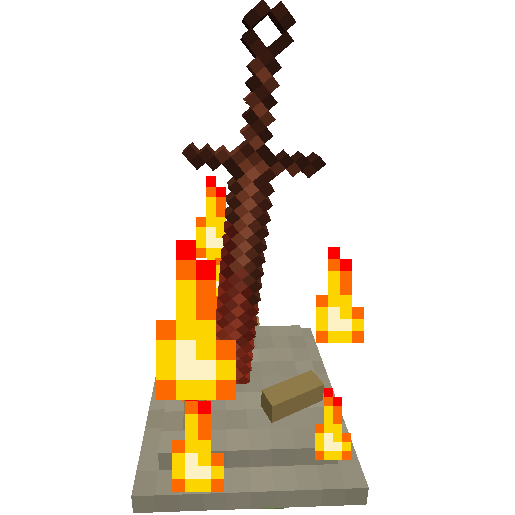
Описание
**Just a heads up v1.2.18 will be the last 1.18.2, 1.19.2 and 1.19.4 version**
**Bonfires has now been ported to Fabric for 1.20.1 and 1.20.4, I will continue to support NeoForge. This was my first time using and developing for Fabric I hope it's alright >_
It takes the dimension ID then the item name and as of v1.2.1 the metadata is supported
For example:
S:"Bonfire dimension tab icons" < 0=minecraft:grass -1=minecraft:netherrack 1=minecraft:end_stone 2=bonfires:coiled_sword 3=minecraft:stone,2 >
This will set the icon for the dimension with ID 2 to have the Coiled Sword from this mod as the icon for the tab, if the icon is not set or the item given doesn't exist the icon will be a map.
The icon for dimension 3 will be set to Stone with metadata 2 which is Polished Granite.
If the metadata isn't specified it will use 0.
**New in 1.2.11:**
All the config options below are related to the new screenshot system where in the travel menu Bonfire screenshots are displayed, when creating a Bonfire a screenshot will be taken and saved in the *bonfires* folder located in your Minecraft instance folder these screenshots are not sent to other players in multiplayer. Screenshots can be taken for Bonfires without a screenshot in the travel menu. When a Bonfire is destroyed the screenshot is deleted.
### ***Render Screenshots in GUI (Default: true)***
Disable this to hide the Bonfire screenshots in the Bonfire GUI
### ***Enable Automatic Screenshot on Creation (Default: true)***
Disable this to stop taking screenshots when creating a Bonfire, screenshots can still be taken by clicking the screenshot button in the Bonfire GUI
### ***Screenshot Wait Ticks (Default: 5, Range 1-100)***
This will change how long it waits while taking a Bonfire screenshot, increase this value if the GUI is not hidden in the screenshot this should only be a problem if you have low performance.
### ***Delete Screenshots on Destroyed (Default: true)***
Whenever a Bonfire is destroyed the associated screenshot (if it exists) is deleted, disable this to stop that.
**New in 1.2.15:**
### ***Hidden Dimensions in GUI (Default: empty)***
Use this to hide dimensions from the Bonfire GUI, this does not disable using Bonfires in said dimension it just simply hides the tab in the GUI. This might be useful if you can't or won't create a Bonfire in that dimension.
Example: "Hidden Dimensions in GUI" = ["minecraft:the_end"]
## Common config
### ***Enable titanite shard drops from obsidian when adjacent to lava (Default: true)***
*In 1.2.3+ this option has been removed.*
This config option should speak for itself, if true titanite shards will drop when obsidian is mined next to lava. If false titanite shards will be unobtainable this is useful for modpacks which may want to have their own method of obtaining them
### ***Enable undead bone shard drops from blowing up a bonfire (Default: true)***
This config option should speak for itself, if true undead bone shards will drop when a bonfire is destroyed by an explosion. If false undead bone shards will be unobtainable this is useful for modpacks which may want to have their own method of obtaining them
### ***Enable weapon/tool reinforcing (Default: true)***
Use this config option to completely disable weapon/tool reinforcing if you just want to have the bonfires only have teleportation capabilities
### ***Reinforce item blacklist***
This is used to disable certain items showing up in the reinforce menu.
By default the blacklist is empty
The list simply takes the item name like so
For example:
**In 1.2.2 and below**
S:"Reinforce item blacklist" < minecraft:wooden_sword minecraft:stone_sword >
**In 1.2.3+** "Reinforce item blacklist" = ["minecraft:wooden_sword", "minecraft:stone_sword"]
This will stop wooden swords and stone swords from being reinforced.
## Server config
For those unfamiliar, server configs are located in the serverconfig folder for each save/world they can be placed in the defaultconfigs folder to copy automatically to new worlds.
**New in 1.2.9:**
### Set how much the Estus Flask heals by default (Default: 6)
Set this value to change how many hearts the Estus Flask heals at its base level, 1 is equal to half a heart
### Set the amount to increase Estus Flask healing per level (Default: 1)
Set this value to change how much each reinforcement level increases the amount of hearts healed with the Estus Flask
### Set the amount to increase damage for reinforced tools per level (Default: 0.5)
Set this value to change how much each reinforcement level increases the damage tools deal
# Known issues
Only when on a server in creative mode there is a forge/minecraft bug that causes the reinforce data to be lost when opening the creative inventory. This does not apply for 1.2.7+
All the known issues are located [here](https://github.com/Wehavecookies56/Bonfires/issues), if you do come accross one please report it [here](https://github.com/Wehavecookies56/Bonfires/issues/new/choose)
Please make sure before reporting an issue that you are using the latest version and that it has not already been reported.
# Can I use this in a modpack?
Of course! I would prefer if you credited me, however, it is not required.
# Translate this mod
Speak another language? Want to contribute something to the mod? You can add translation files [here](https://github.com/Wehavecookies56/Bonfires/tree/master/src/main/resources/assets/bonfires/lang). Use the en_us.json file as a base as that will always be the most up to date language file.
# Planned Features
- A system to share private bonfires through the UUID of the bonfire.
- Add souls to which will work similarly to Dark Souls however souls will be spent on using the bonfire as a balancing feature.
- Add primal bonfires, one way cheaper bonfires which are assigned a bonfire to travel to when right clicked.
- Potentially more things from the Souls games, combat features are unlikely to be added as this is more of a utility focused mod.
# Big thanks to
- Prophecy_Wrecker for creating new, better and amazing textures for everything in the mod!
- FromSoftware and Bandai Namco for Dark Souls