
Описание
A client side mod I created to project reference images and schematics into the minecraft world.
- Images can be positioned, scaled, rotated and made transparent.
You need to be holding an ItemFrame in either your hand or your offhand to see the images.
# Main Config Screen
The default key "O" will launch the config which will create folders for you to upload images in your filesystem:
```
{Minecraft}/config/blueprints/{world name}/{dimension name}
```
![Main config screen]
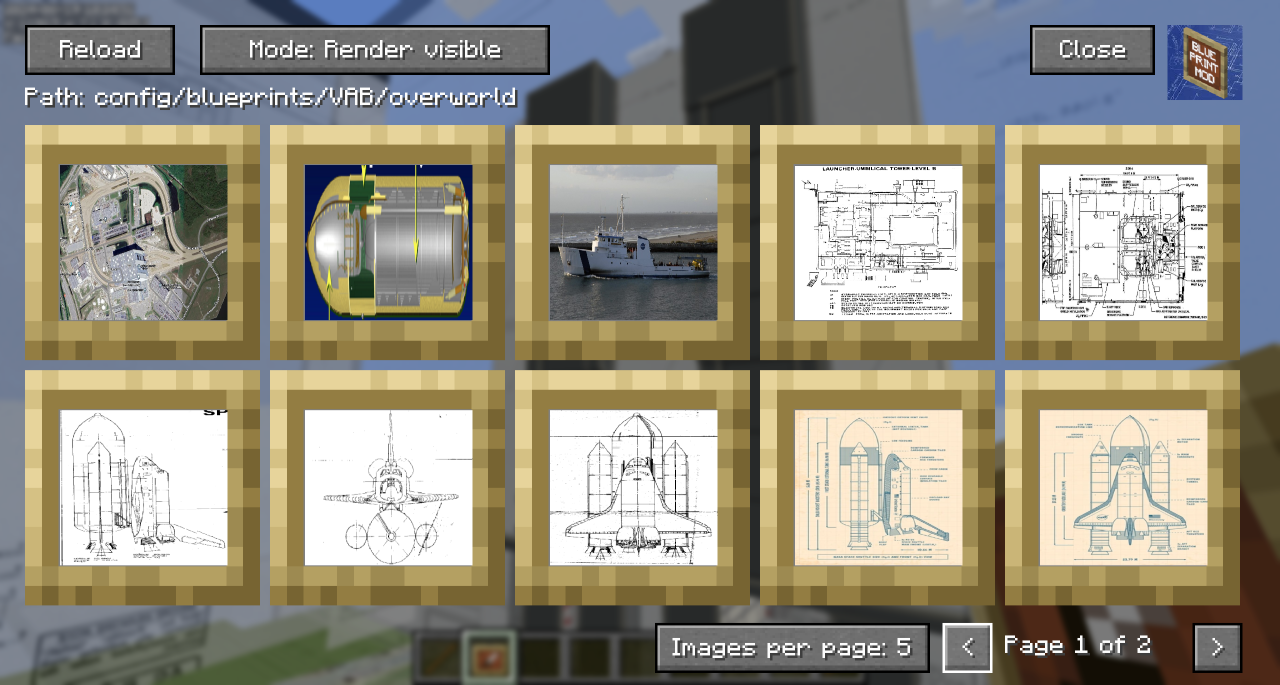
- The Reload button will rescan the filesystem for any files you have uploaded.
- The 'Path' shows the relative position of the filesystem you'll need to work with outside of Minecraft
- You can toggle the Render mode to hide behind blocks or always show through them.
- Blueprints that are hidden show with a dark overlay.
- You can use Control-Click as a shortcut to show/hide the blueprint in the world.
- You can click on a blueprint to get to the moving and positioning screen.
- In the bottom right, you can change the number of images per page to zoom in/out on the selection screen and navigate pages with the left and right chevrons.
# Blueprint Moving and Positioning
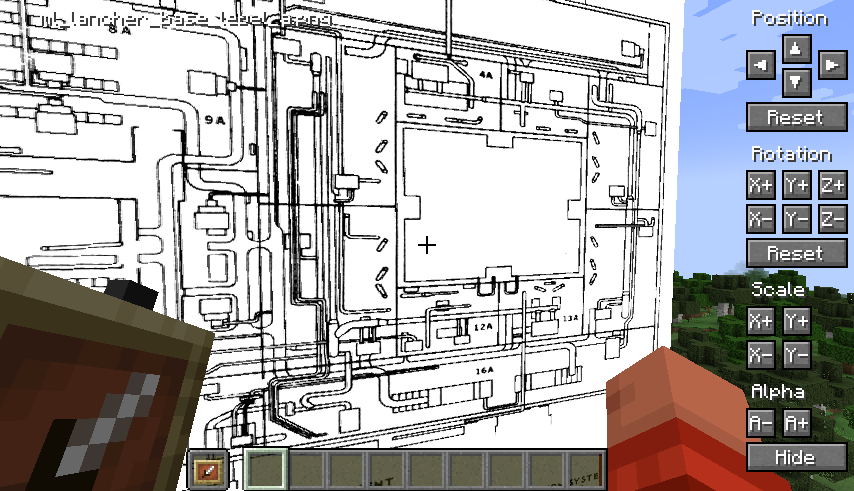
- Position tweaking is player-facing aware: e.g. left is always left
- You can hold down Shift to increase the amount of change each button applies for bigger tweaks.
- You can hold down Ctrl to reduce the amount of change each button applies for small tweaks.
- You can hold down both Shift and Ctrl to make big changes to settings on each click.
# Demo
A quick overview can be seen in this video which was the reason I created the mod:
[[https://youtu.be/8ToyyT0e1bc](https://youtu.be/8ToyyT0e1bc)](https://youtu.be/8ToyyT0e1bc?t=220)