Описание
*Tired of holding down your arrow keys to get to the middle of a long command, only to overshoot and spend another half an eternity backtracking? Wishing you could just see the whole thing in a more structured format without needing to copy it into external software and back again?*
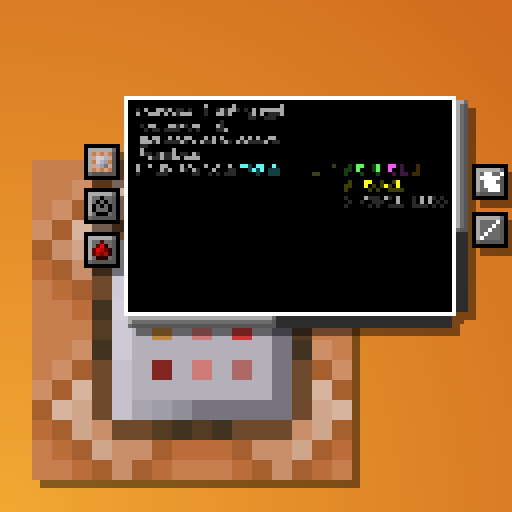
This **_clientside_** mod intends to address these issues and more by completely overhauling the Command Block UI.
Current features:
- Multi-line command text field
- Automatic indentation based on parentheses
- Colorcoding of nested NBT data
- Line wraparound
- Horizontal and vertical scrolling
- Improved selection & erasing
- Click-and-drag selection
- Double click word selection
- Ctrl-erasing only erases actual words instead of all NBT
- Adapts to UI scale and window dimensions
- Reorganization of existing buttons
- Command block state buttons (Type, conditionality, power mode, output tracking) reduced to simple icons with tooltips
- New button to switch between viewing the command and output
- Command block chain navigation
- Buttons to move backwards and forwards through the chain without leaving the UI
- If multiple blocks point into current one, all of them are listed with the direction they're in as a tooltip. The one "in line" with the current block will be listed first
- UI Button and CTRL + S to save without leaving the UI
- Tools window
- Rotation selector, outputs radians
- Color selector, outputs integer and hex code
- Area selector keybind
- Press ; to select two opposite corners of a volume (akin to WorldEdit), and the mod will put the corresponding area selector (x=..,y=..,z=..,dx=..,dy=..,dz=..) in your clipboard
- Config options
- Fully configurable indentation behaviour
- Optional auto-saving when closing the screen or moving along chain
- ModMenu support
- Compatible with [NBT Autocomplete](https://www.curseforge.com/minecraft/mc-mods/nbt-autocomplete), [Component Utils](https://github.com/Apollounknowndev/component-utils/), [Better Suggestions](https://modrinth.com/mod/better-suggestions), and [Better Highlighting](https://modrinth.com/mod/better-highlighting)

As mentioned, the mod is entirely **clientside**. It takes in the command as received from the server and just displays it across multiple lines and with indentation, but doesn't actually add any line breaks to it.