
Описание
# Better Health Indicator
### [**Github link**](https://github.com/WJZ-P/Better-Health-Indicator)
Say goodbye to boring health bars! **Better Health Indicator** is a **client-side** Fabric mod that replaces plain mob health display with a beautiful, dynamic, and smoothly animated indicator — both above entities and in a rich on-screen panel.
> Client-side only. It does **not** need to be installed on the server, and works on most servers for normal mobs and players.
## ✨ Features
### Over-head health bars
- **Vanilla-style heart icons** rendered as crisp billboards above entities.
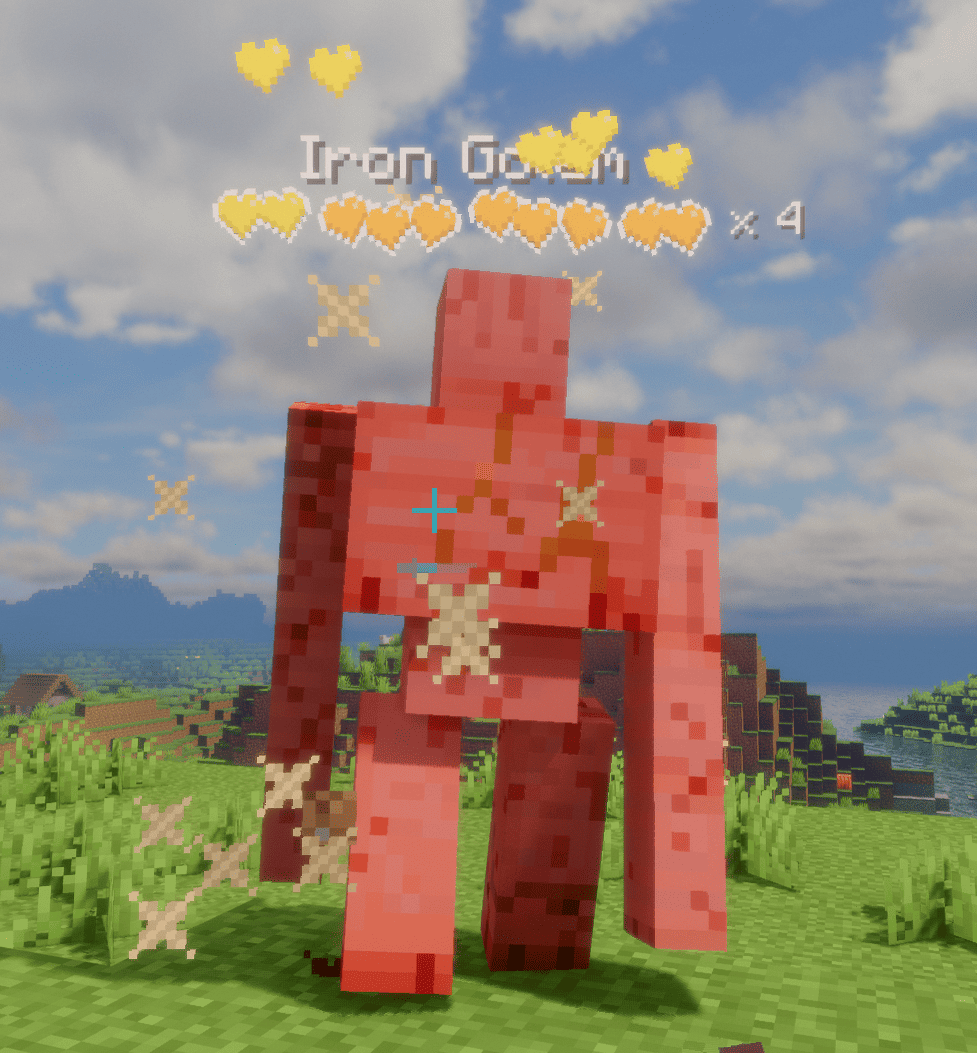
- **Tiered multi-row hearts** for high-HP mobs: the bottom row stays vanilla red (or **hardcore** hearts for powerful mobs on their last bar), while upper rows are runtime-tinted from a grayscale template with **fully configurable per-tier colors**.
- **Dynamic "× N" multiplier** for mobs with many health bars, color-coded by amount; updates live as health changes.
- **Damage feedback**: dropping heart particles on hit (intensity scales with damage), heart scatter + tilt, and a white "blink" highlight — all toggleable.
- **Low-health tremor**: hearts shake when health drops below a configurable threshold, each heart staggered like vanilla.
- **Death shatter**: hearts chain-burst when an entity dies.
- **Name & detail**: optional name display with custom scale/bold; health value or multiplier can sit beside the bar or after the name. Optionally **hides the vanilla name tag** to avoid overlap.
### On-screen target panel
- A configurable corner panel for the entity you're **looking at / recently attacked**.
- Shows a **live 3D model** in a square or round frame, name, health (bar or hearts), and **potion-effect icons**.
- **Light / dark themes**, adjustable transparency, and auto-resizing width.
### Display & control
- Display modes: **On Screen** or **Looking At**, with attack-tracking (keep showing a mob you just hit).
- Distance limit, show-self, show-full-health, and occlude-behind-walls options.
- Hide vanilla damage heart particles to avoid visual clutter.
## ⚙️ Configuration
Fully configurable in-game via **Mod Menu + Cloth Config** (both optional). Without them, settings still load from `config/better_health_indicator.json`.