Описание
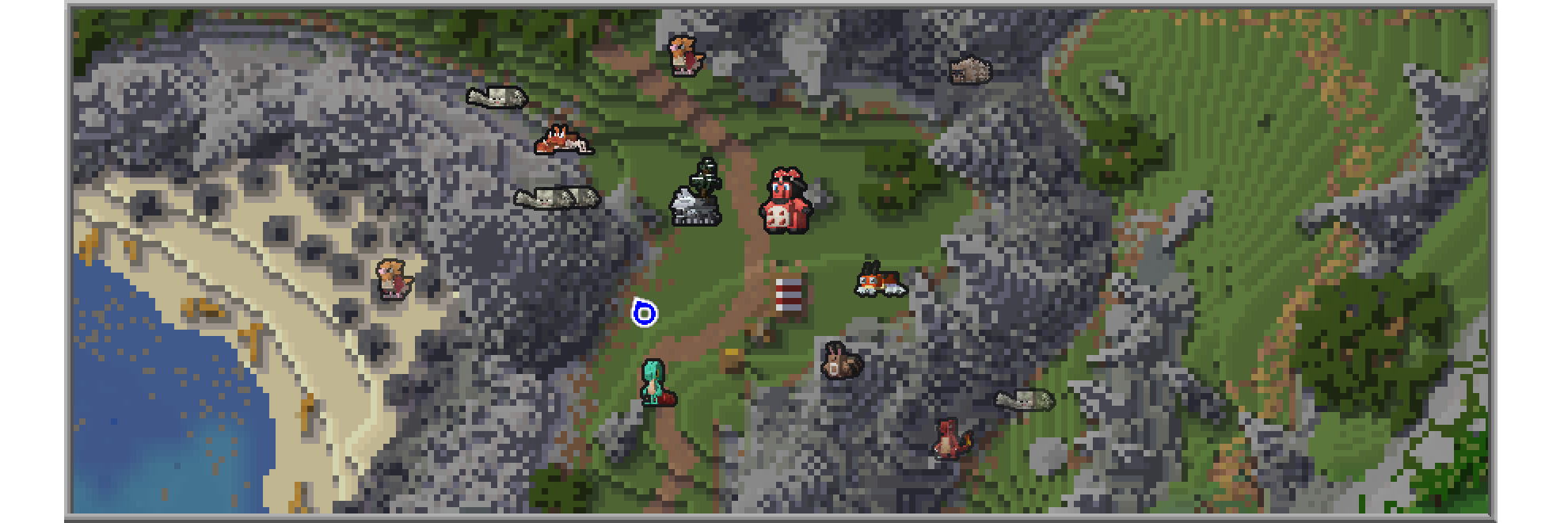
See Cobblemon as they were meant to be seen!
This Resource Pack adds Cobblemon-style icons for modeled Pokémon in either JourneyMap or Xaero's Minimap.
## Journeymap Guide
### Enable Pokémon Icons
1. Open the in-game menu and go to **Journeymap Settings** (`J` key by default).
2. Click **Options** from the button list on the lower part of your screen.
3. Select **Minimap Preset** or **Full Map Preset** depending on your preferences.
4. Set **Mob Display** → **Outlined Icons**.
5. Adjust **Entity Icon Size** as desired.
## Xaero’s Minimap Guide
### Enable Pokémon Icons
1. Open the in-game menu and go to **Xaero's Minimap Settings** (`Y` key by default).
2. Select **Entity Radar Settings**.
3. Change **Display Icons** to **Always**.
4. Adjust **Entity Icon Scale** as desired.
Disclaimer:
Project AZOTH is a community-driven Cobblemon project.
Minecraft is a trademark of Mojang Synergies AB | Pokémon is a trademark of Nintendo, Creatures Inc. and GAME FREAK inc.
Project AZOTH is not affiliated with Cobblemon, Mojang, Nintendo, or Game Freak.