
Описание
# Auto Pillar Generator
When constructing buildings or bridges in Minecraft, adding pillars often enhances structural authenticity. This mod implements one-click auto-generation of pillars.
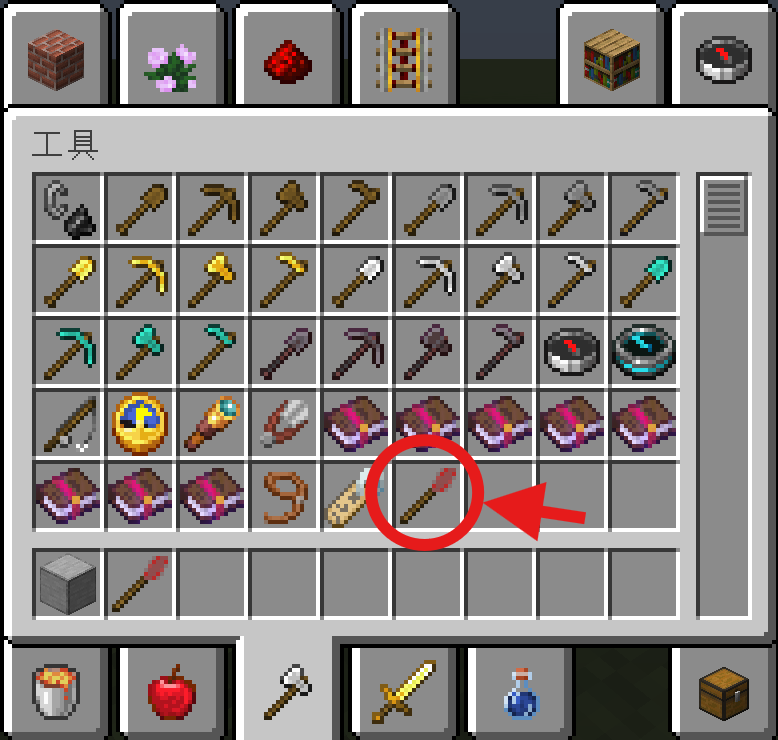
## Usage:
The mod item is located in the Creative Mode "Tools" category.
_**Shape Selection**_: Hold the mod item, then press **Sneak (SHIFT) + Bound Key (default: ALT)** simultaneously to cycle through pillar shapes.
**_Material Setting_**: **Sneak (SHIFT)** while targeting a block to set the pillar's material.
## FAQ:
**1.Will this mod supported other versions (1.20.x/1.18.x/Forge)?**
Planned. Stay tuned for updates.
**2.Why can't I switch shapes?**
Check keybind conflicts. If none exist, try pressing Sneak first before ALT (default).
**3.Can I use it on my server?**
Of course.Note that both client and server must install the mod.
## Problems?:
You can use TecnetQQ ask me. My QQ:1140514085
# 一键柱子生成
在mc建设建筑/桥梁时,添加柱子往往能使你的建筑更加真实,而本模组实现了柱子的一键自动生成。
## 用法:
模组物品位于创造模式“工具“分类中。
使用前先手持模组物品,同时按下**潜行(SHIFT)+绑定按键(默认为ALT)**即可**_切换生成柱子的形状_**。
同时,**对着方块潜行(SHIFT)**即可**_设置柱子的材质_**。
## 常见问题:
1.会移植到其它版本吗(1.20.x/1.18.x/forge)?
在计划之中,请耐心等待。
2.为什么没法切换形状?
检查按键绑定,如果没有冲突,可以试试先潜行,再按ALT(默认按键)。
3.我可以在服务器上用吗?
当然可以。需要注意的是服务端和客户端都需要安装本模组。
## 联系作者
如需反馈BUG或提建议可以加作者QQ,QQ号:1140514085