
Описание
# Atlas Client
**A modern, deeply customizable utility client for Fabric.**
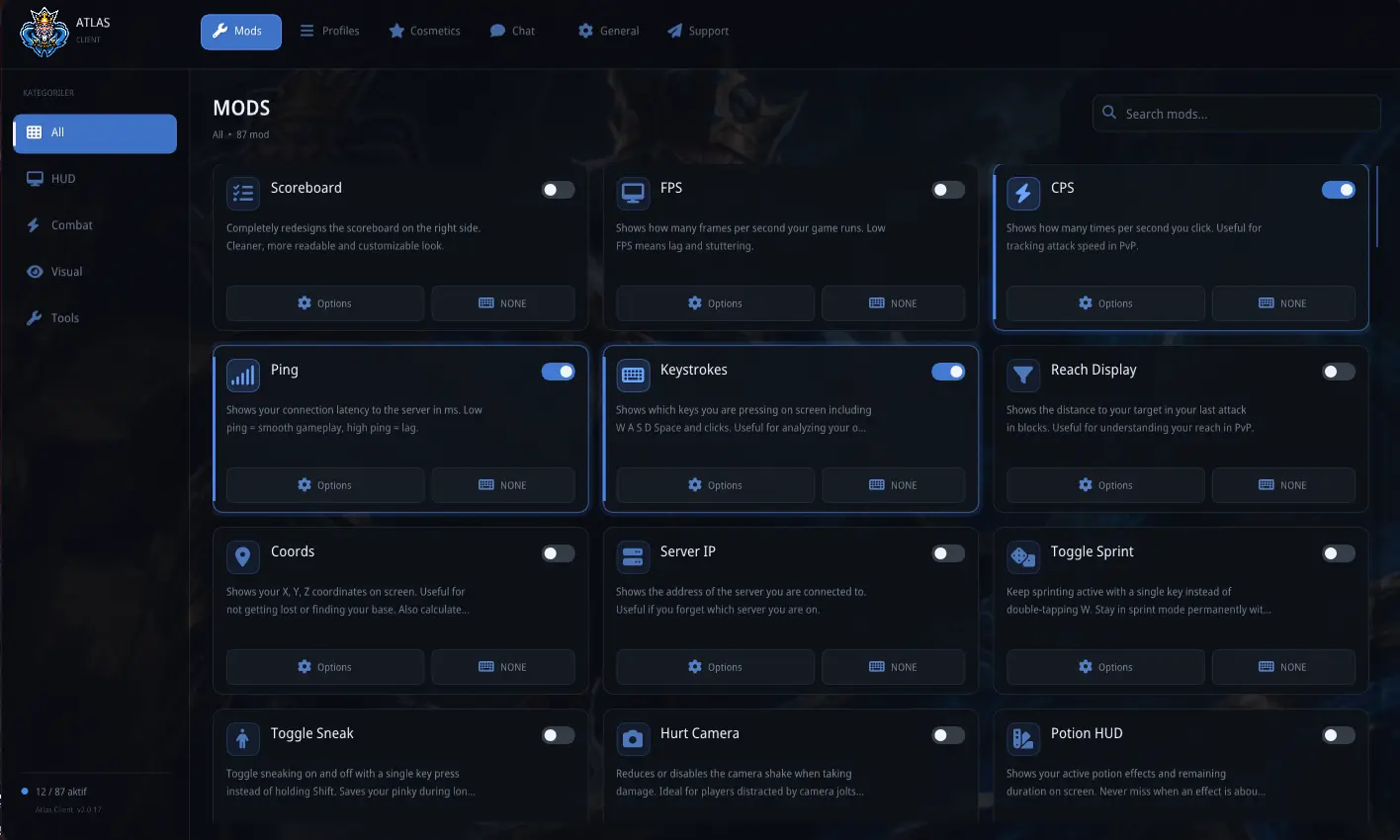
Atlas Client brings **80+ configurable modules**, a fully customizable HUD, cosmetics, emotes, social features, custom skins, and a polished in-game interface together in a single client-side mod.
Inspired by clients such as Lunar Client and LabyMod, Atlas Client was built for players who want extensive customization without replacing the flexibility of the Fabric ecosystem.
> **Atlas Client is not a performance optimization mod.**
> It does not provide FPS boosts or rendering optimizations. It is designed to work alongside performance mods such as **Sodium** and **Lithium**.
---
## Features
### HUD & Information
Build your own HUD and display exactly the information you want.
* Coordinates, FPS, CPS, TPS, and ping
* Session, biome, compass, and server information
* Potion, armor, and cooldown displays
* Stopwatch, timer, and TNT timer
* Death information and notifications
* Custom scoreboard
* Vanilla HUD positioning
* Drag-and-drop HUD editor
* Grid alignment and magnetic snapping
Every HUD element can be individually positioned and customized.
---
### Combat Information
Useful visual information without automated combat.
* Damage Indicator
* Combo Counter
* Hitbox Viewer
* Reach Display
* Keystrokes
* Health Bar Color
* Cooldown Indicator
* Entity Inspector
* Enhanced Nametags
> These modules provide **visual information only** and are not designed to automate combat.
---
### Quality of Life
Atlas Client includes a large collection of utilities designed to make everyday gameplay more convenient.
* Auto Tool Switch
* Auto Replenish
* Auto Respawn
* Auto Reconnect
* Anti-AFK
* Better Chat
* Advanced Tab
* Inventory utilities
* Drop Prevention
* Custom F3 screen
* Account switcher
* Multiplayer server search
* Additional accessibility tools
---
### Visual Customization
Change how Minecraft looks and feels without replacing the game itself.
* Fullbright
* Freelook
* Zoom and Reverse Zoom
* No View Bob
* Menu Blur
* Custom Crosshair
* Block Overlay and Indicator
* Viewmodel customization
* Custom HUD colors
* Custom fonts
* Adjustable opacity
* Borders and backgrounds
---
### World Utilities
* Waypoints
* WorldEditCUI support
* Block Counter
* Weather Changer
* Loot Beams
* Compass and navigation tools
With more than **80 modules**, the easiest way to discover everything is simply to open the Atlas Client menu and explore.
---
## Custom Skins & HD Skins
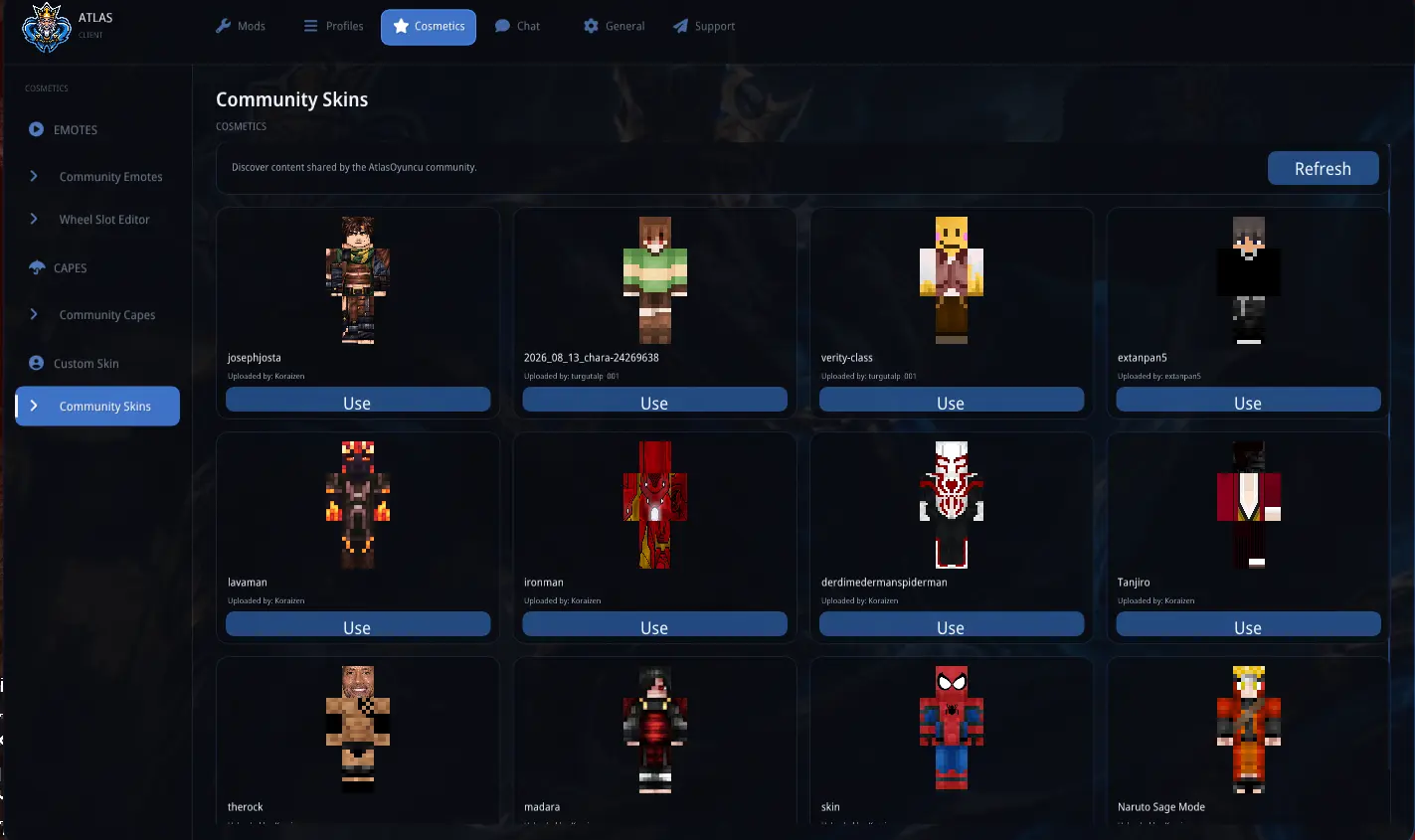
Atlas Client includes its own custom skin system.
* Custom skin support
* **HD skins up to 2048×2048**
* High-resolution skin rendering
* Easy skin customization
* Client-side skin integration
Use significantly higher-resolution skins while keeping them integrated directly into Atlas Client.
---
## Cosmetics & Emotes
Customize your character beyond vanilla Minecraft.
* Custom capes
* Animated cape support
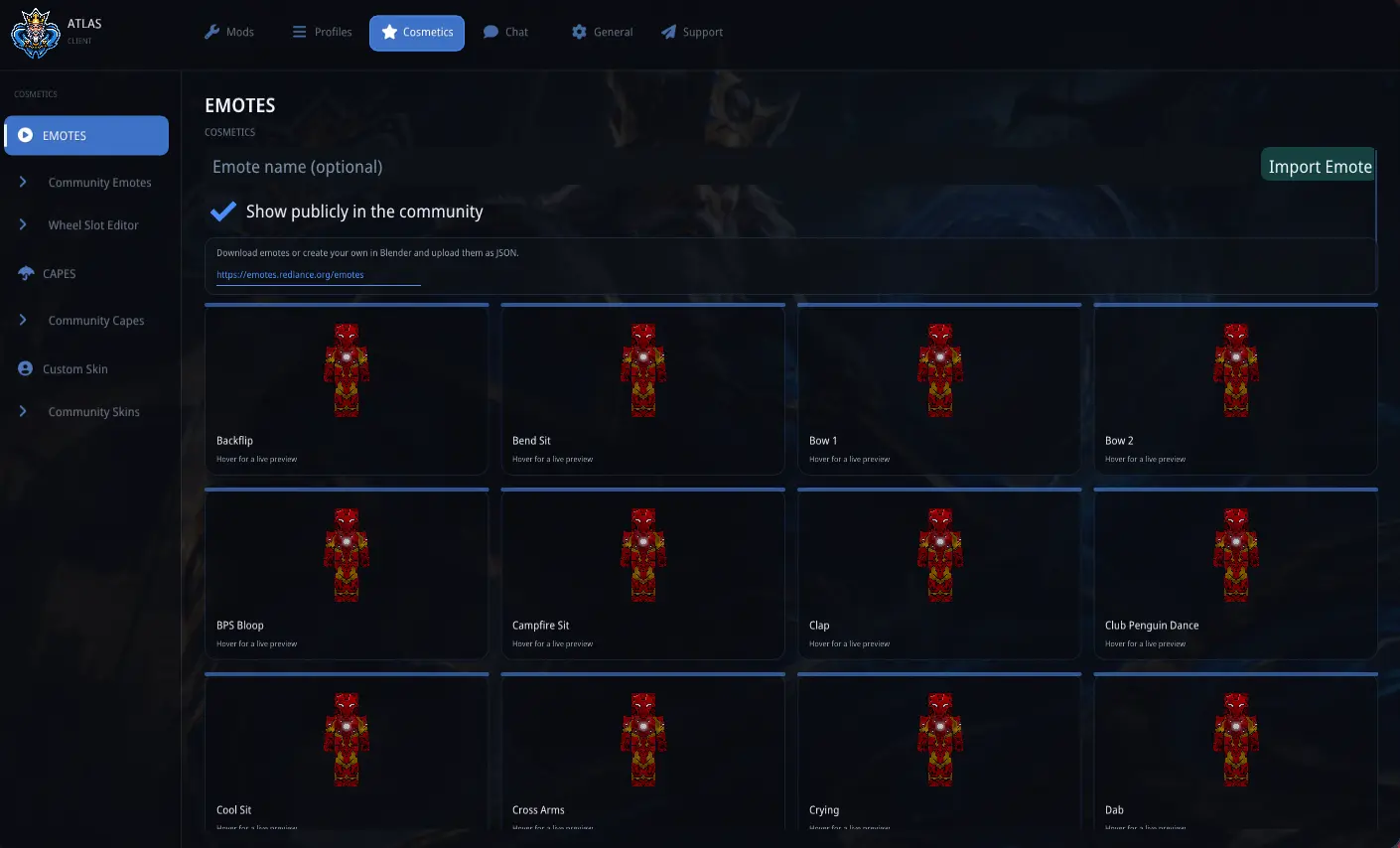
* **55+ built-in emotes**
* Community capes and emotes
* Custom emote importing
* Emote audio support
* Cosmetic previews
* Customizable Atlas-style emote wheel
* Controls for hiding other players' cosmetics
All cosmetic features are optional.
---
## AtlasChat & Social Features
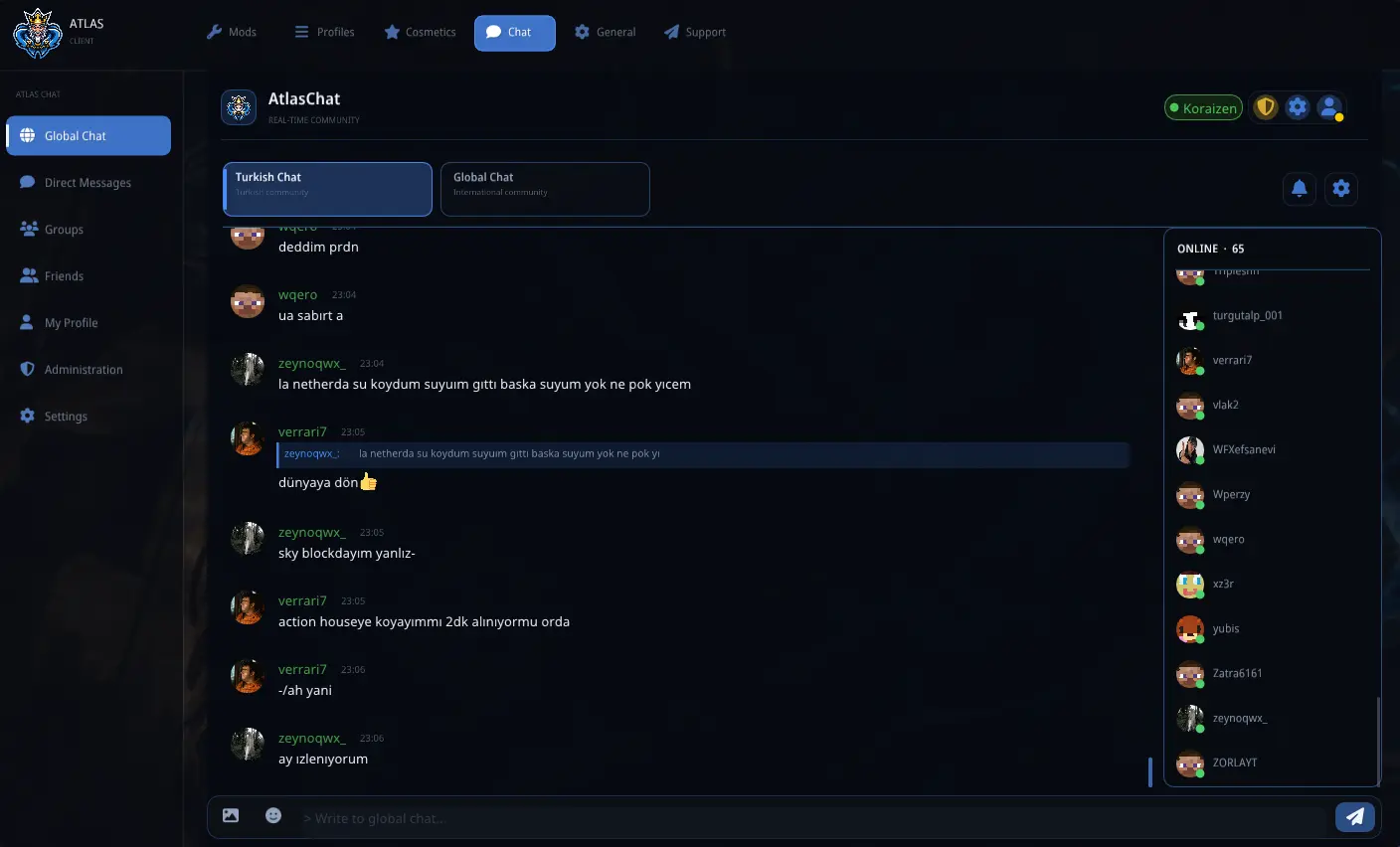
Atlas Client includes its own real-time social platform, separate from Minecraft server chat.
* Global and regional chat channels
* Direct messages
* Friends and friend requests
* Groups
* Online presence
* User profiles and avatars
* Images, GIFs, and emojis
* Message replies and notifications
* Privacy and moderation controls
* Compact in-game chat
* Integrated AtlasOyuncu support tickets
AtlasChat communicates with the Atlas Client backend.
The HUD, modules, and most cosmetic features remain usable without AtlasChat.
---
## Fully Customizable Interface
Atlas Client uses a unified design system across its menus and HUD.
Customize:
* Accent and interface colors
* Menu, background, and card opacity
* Blur strength
* Corner rounding
* Card glow
* Animations
* Fonts
* Theme presets
* Custom menu backgrounds
* HUD positioning and scale
HUD elements can be freely positioned, aligned to a grid, or magnetically snapped together for cleaner layouts.
---
## Languages
Atlas Client includes complete translations for:
* English
* Turkish
* German
* Spanish
* Brazilian Portuguese
* French
* Russian
* Polish
Minecraft terminology, including enchantment names, uses the game's official translations where available.
---
## Automation Modules
Atlas Client includes an **Auto Clicker** and **Keyboard Macro** module.
Both are disabled by default and are intended for accessibility, repetitive tasks, and permitted farming activities.
> Using automation on multiplayer servers may violate server rules or trigger anti-cheat systems. Always check the rules of the server before enabling these modules.
Atlas Client is entirely **client-side**. Nothing needs to be installed on the Minecraft server.
---
## Requirements
| Dependency | Version |
| ----------------- | -------- |
| **Minecraft** | 1.21.11 |
| **Fabric Loader** | 0.17.2+ |
| **Fabric API** | Required |
| **Java** | 21+ |
---
## Compatibility
Atlas Client is designed to work alongside popular Fabric performance mods such as **Sodium** and **Lithium**.
Compatibility with every possible mod combination cannot be guaranteed. If you encounter a conflict, please report it so it can be investigated.
---
## License
Atlas Client is distributed under the **MIT License**.
---
## Community, Feedback & Bug Reports
Have a suggestion, found a bug, or want to follow Atlas Client development?
**Join the AtlasOyuncu Discord community:**
[Join the Discord Server](https://discord.gg/atlasoyuncu)