
Описание
Armored Legacy Resource Pack
**Armored Legacy** is a resource pack that revamps vanilla armor, giving it a powerful new look with custom models and textures using [EMF](https://modrinth.com/mod/entity-model-features) and [ETF](https://modrinth.com/mod/entitytexturefeatures). It features vanilla-like armor trims that glow and interchangeable helmets for Copper, Diamond, and Netherite!
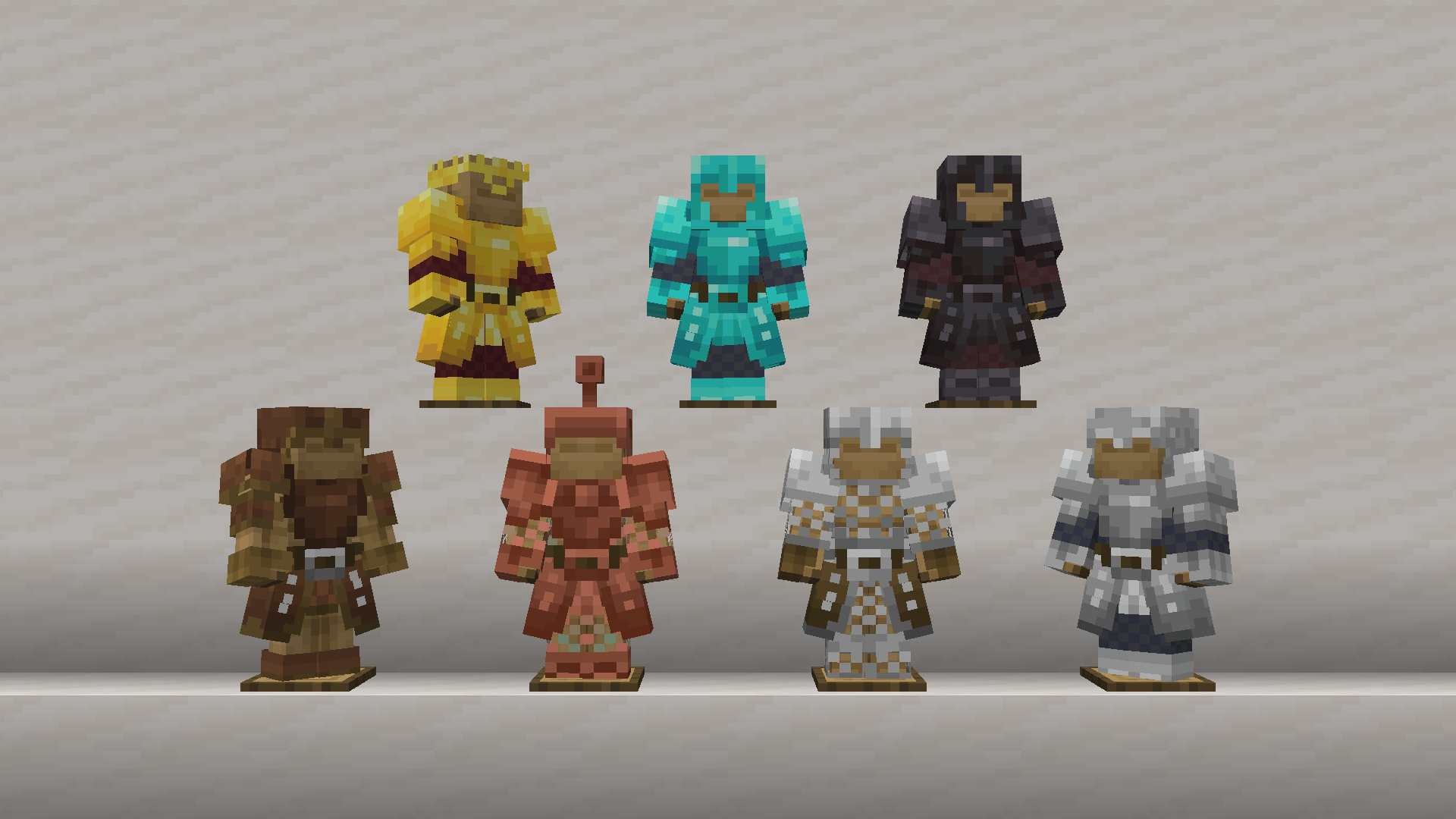
## 🎨 Features
### Visible Trims
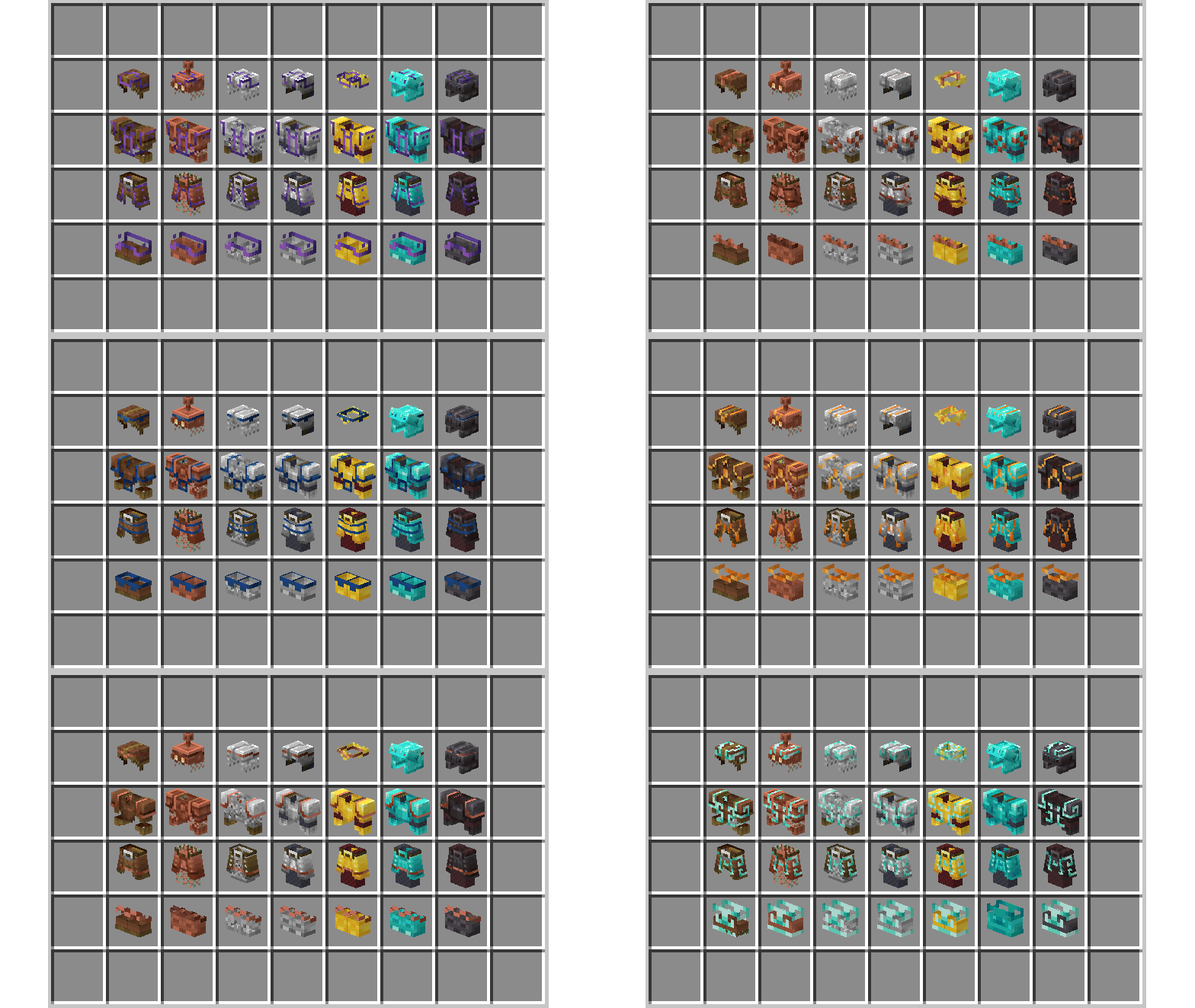
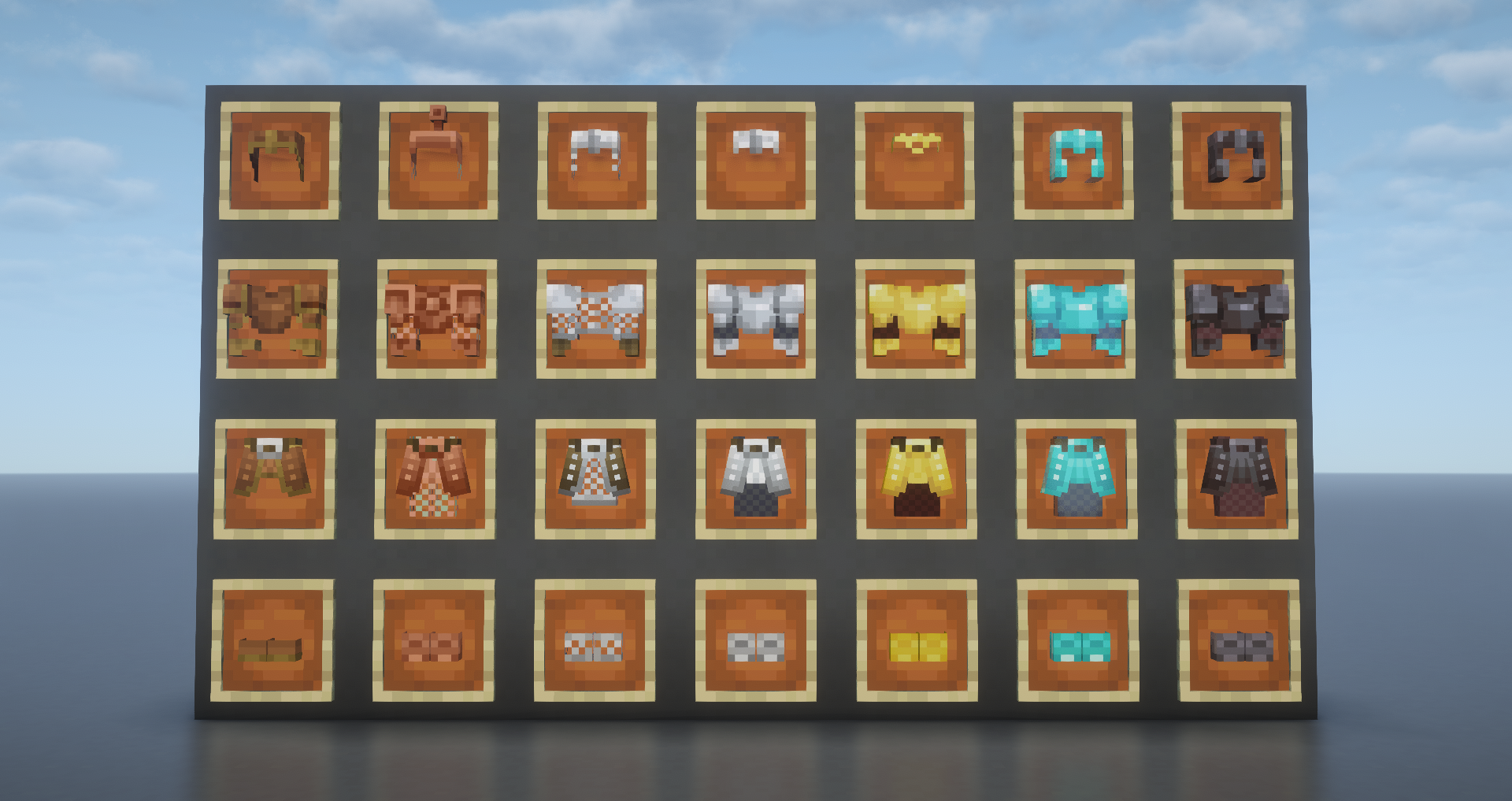
This latest feature displays the actual armor as items! Supports all unique armor trim styles and materials! Works as held item, inside item frames, in GUI, and items on the floor. Helmet variants are also supported.
### Armor Trims
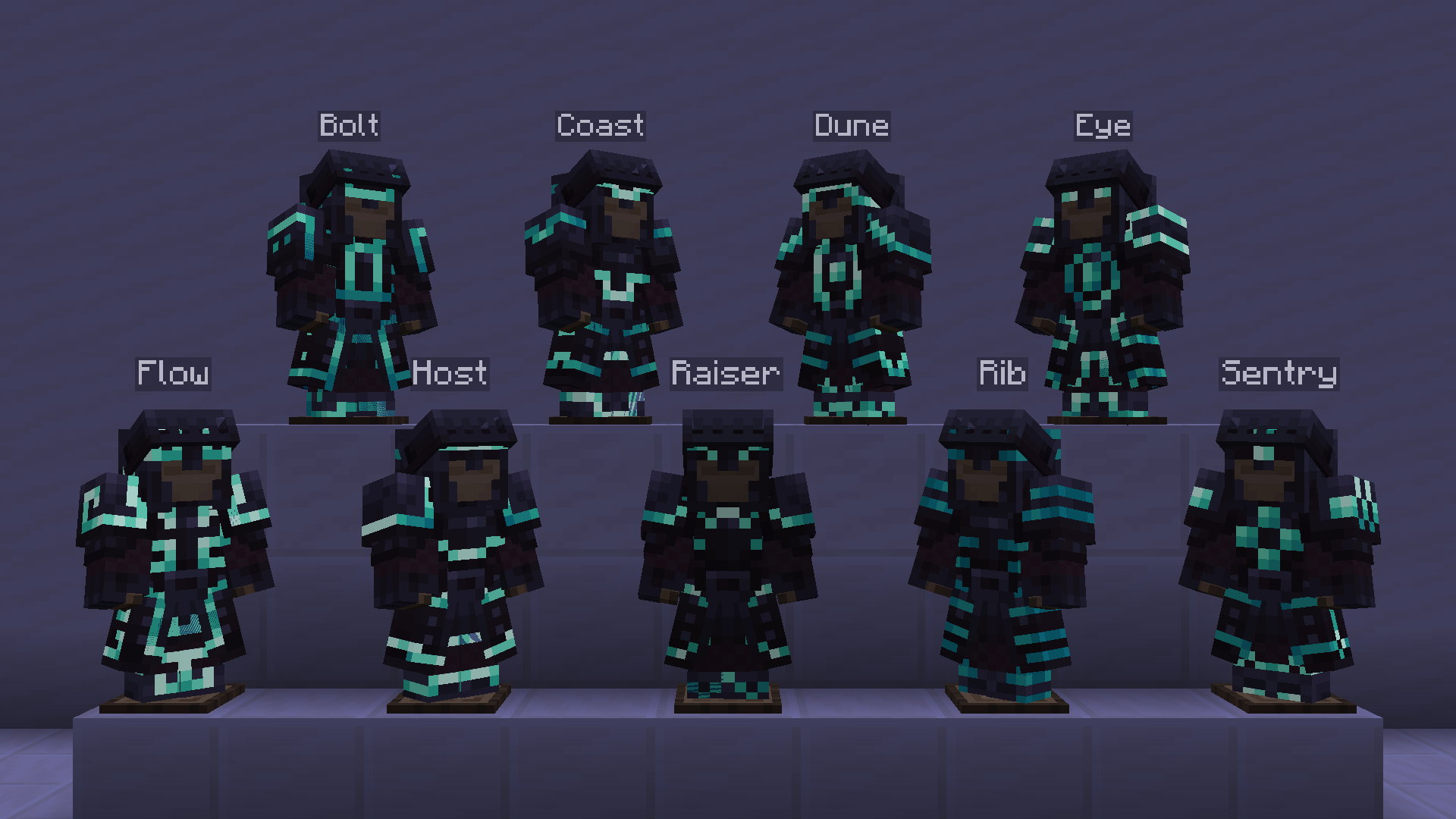
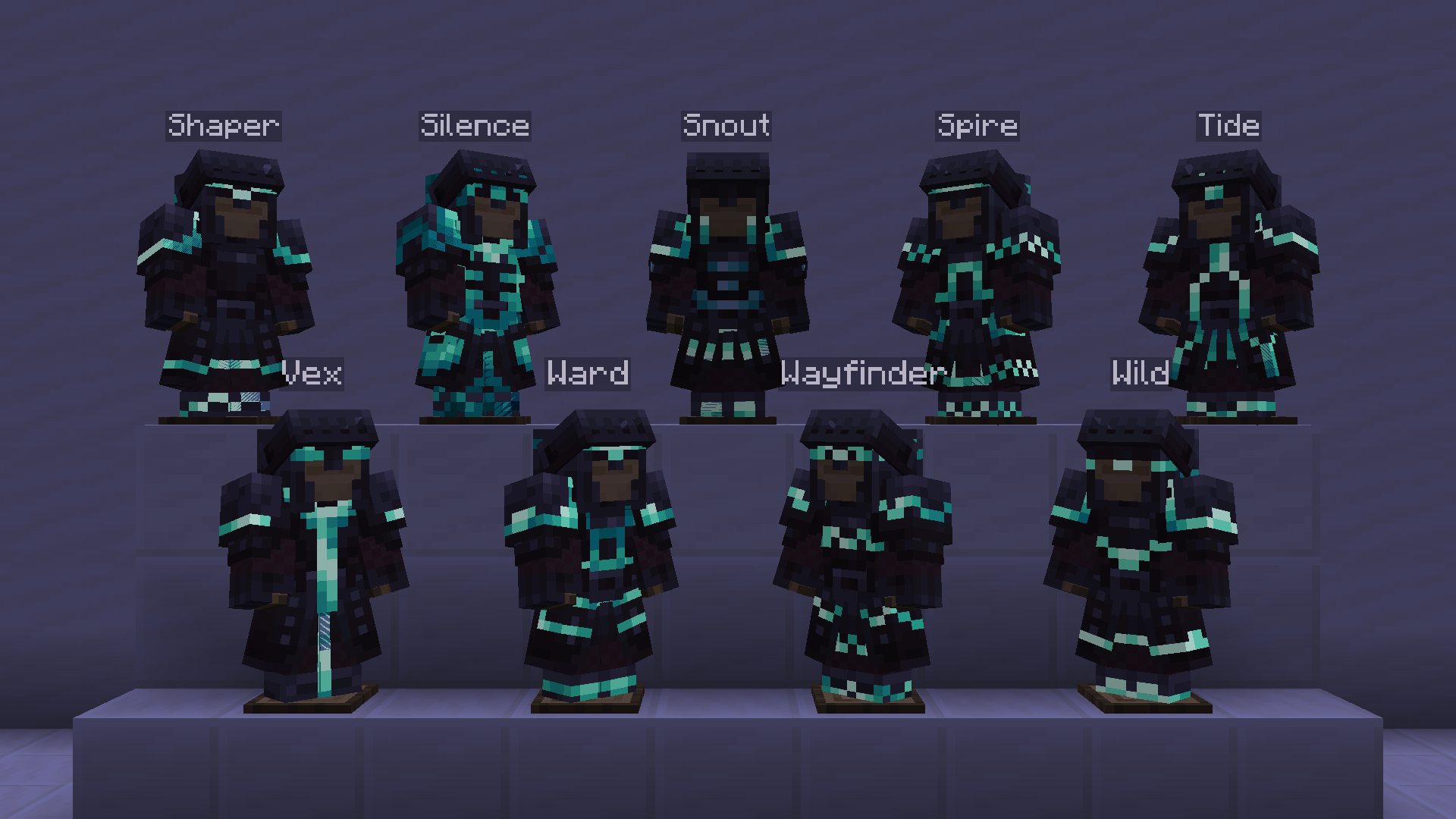
Armored Legacy has fully integrated vanilla armor trims to support the custom models.
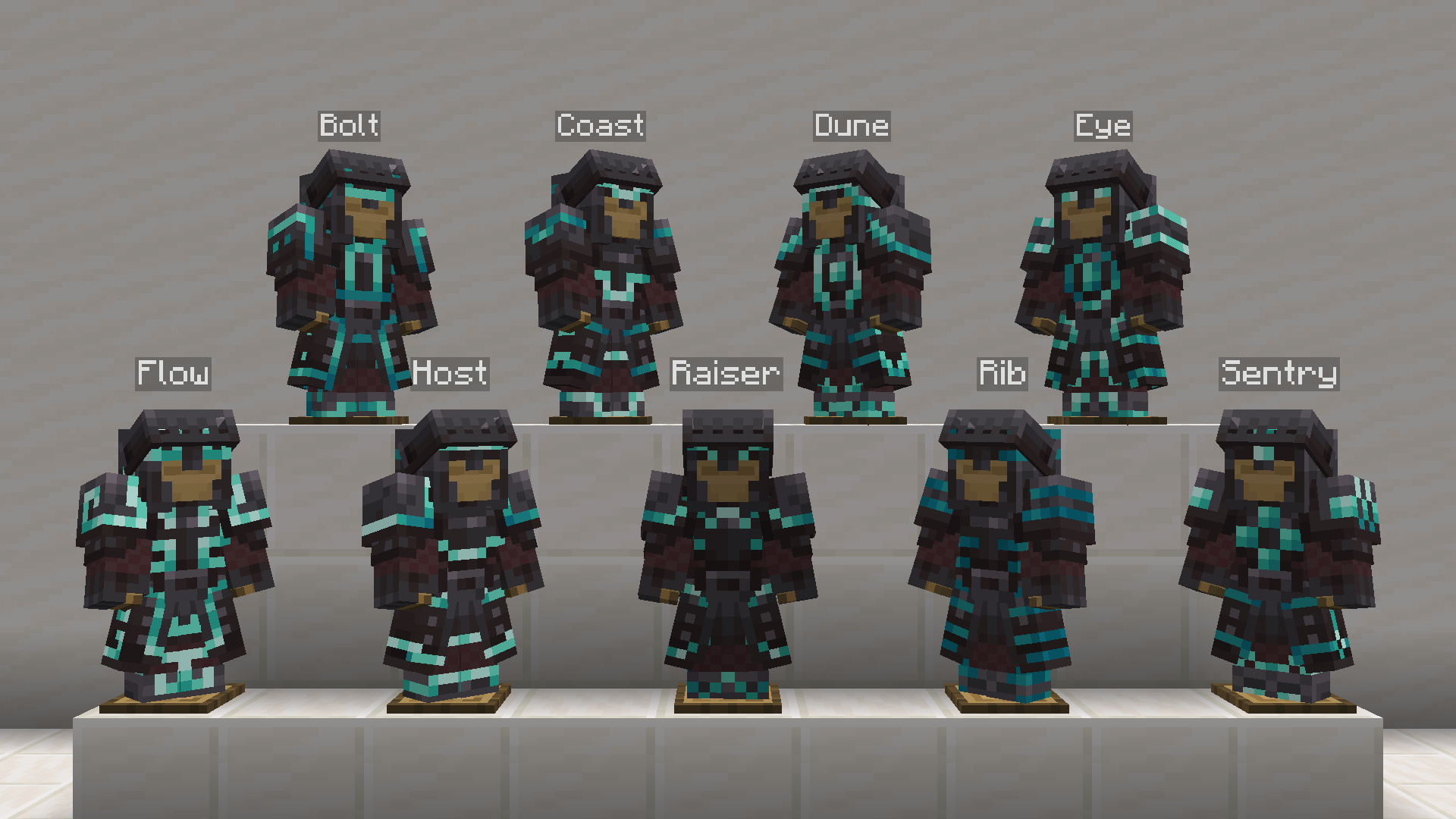
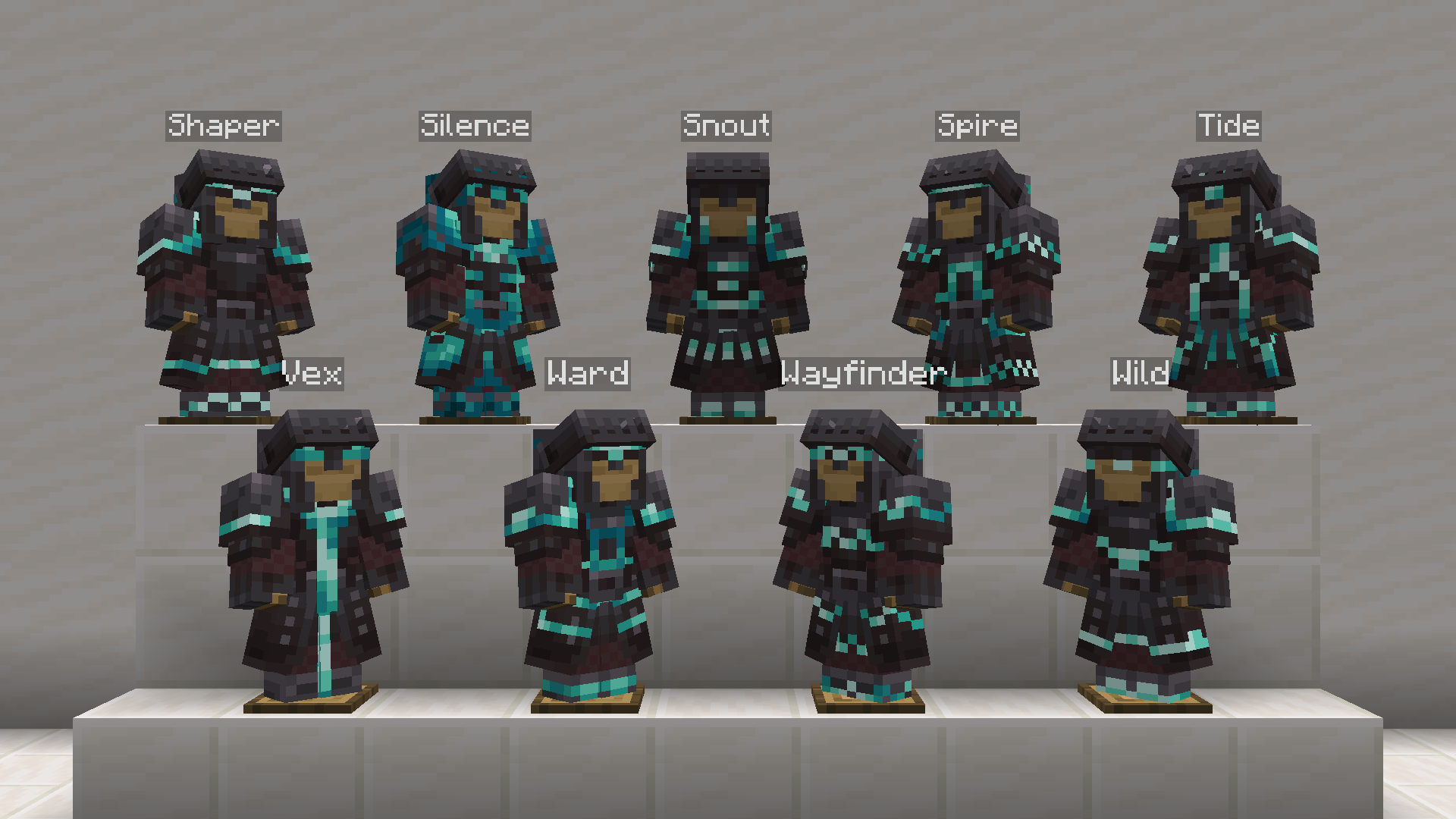
Glowing trims require versions `1.21.2` until `1.21.8` to work as intended. As of `1.21.9` and above, glowing trims are not working.
### Interchangeable Helmets
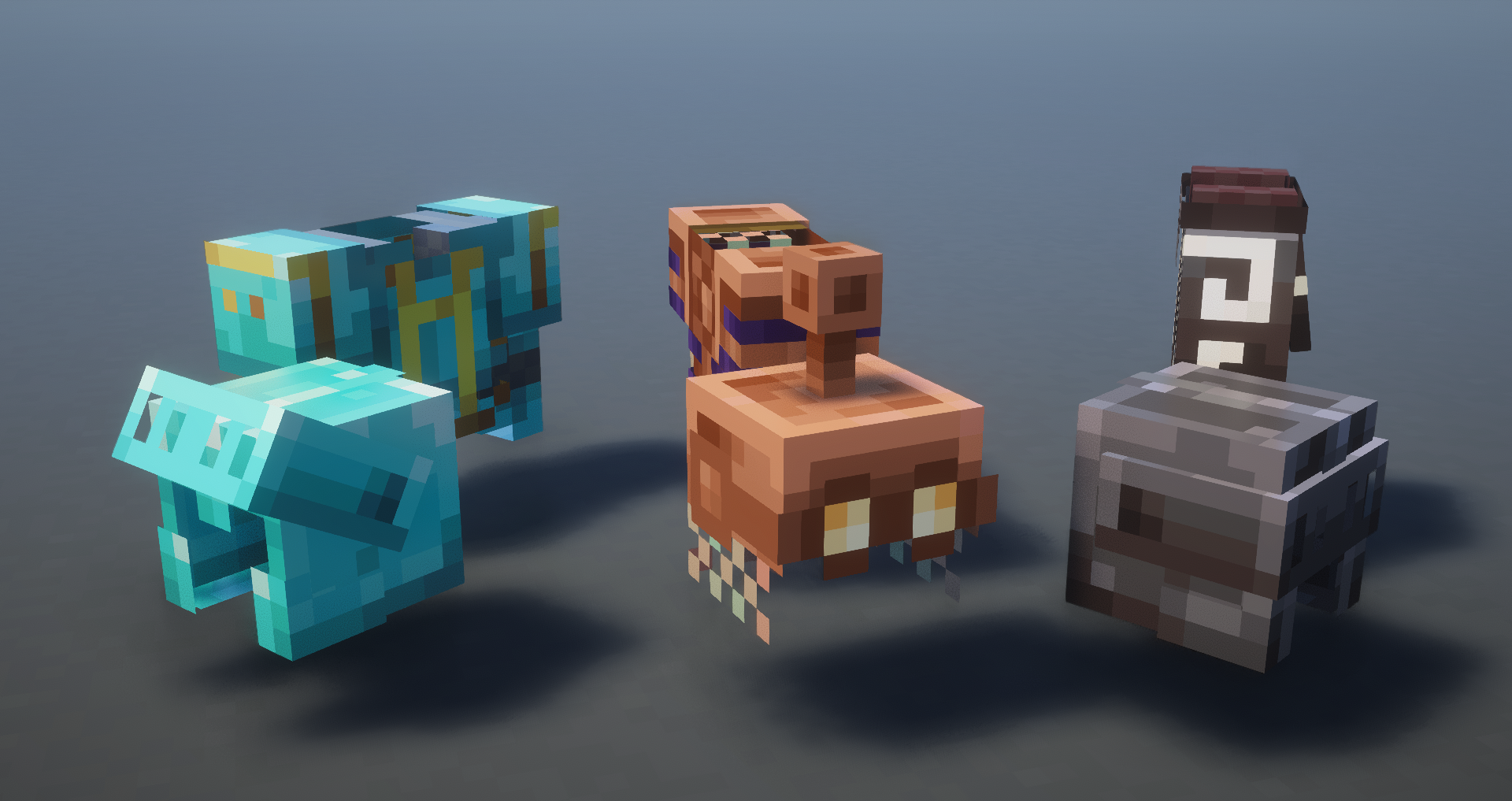
Players can now change the helmet style in multiple ways.
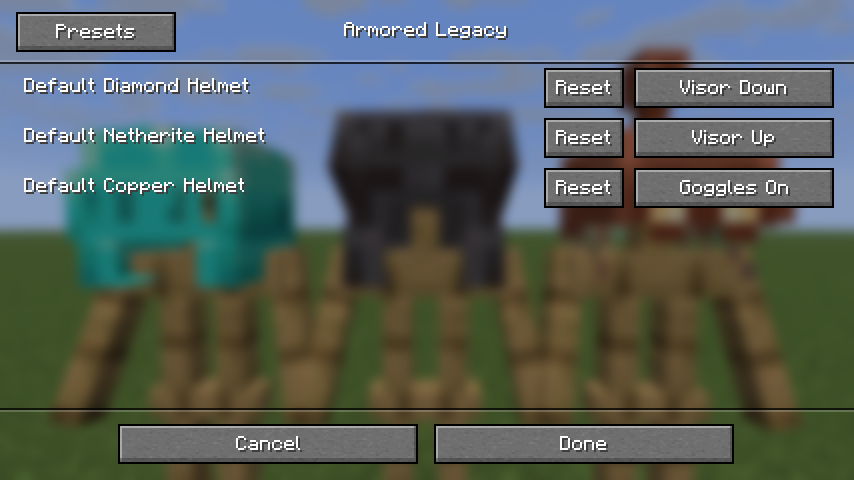
**Respackopts**. You can now change the default helmet style with [Respackopts](https://modrinth.com/mod/respackopts). Just install the mod and change it in the resource pack settings.
---
**⚠️ Important: The feature below requires [Variants CIT](https://modrinth.com/mod/variants-cit) or [CIT Resewn](https://modrinth.com/mod/cit-resewn) installed to work properly.**
Using an **Anvil**, you can change Copper, Diamond, and Netherite Helmets to change their looks.
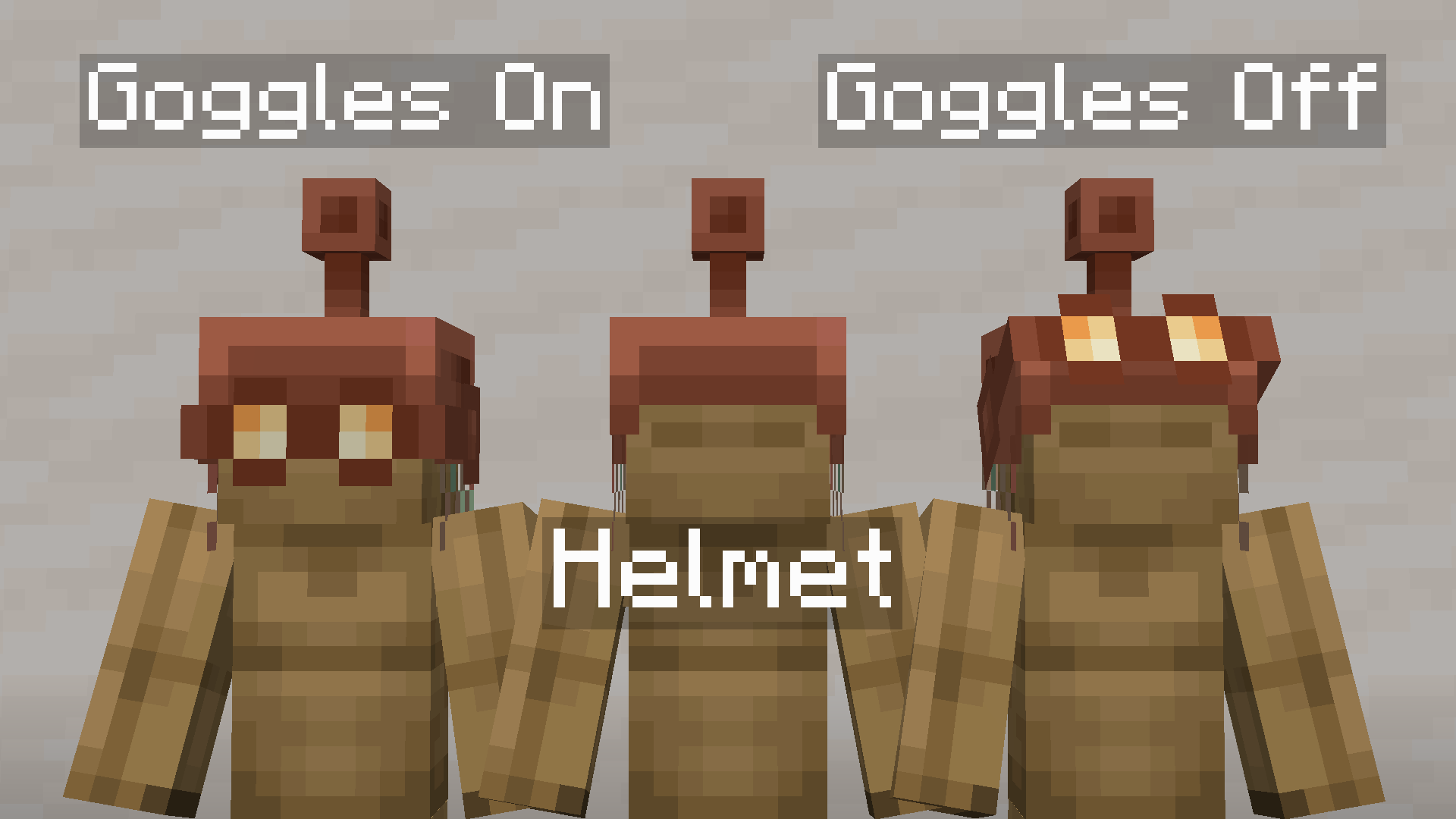
Rename **Copper Helmet** to `Copper Goggles On` or `Copper Goggles Off`
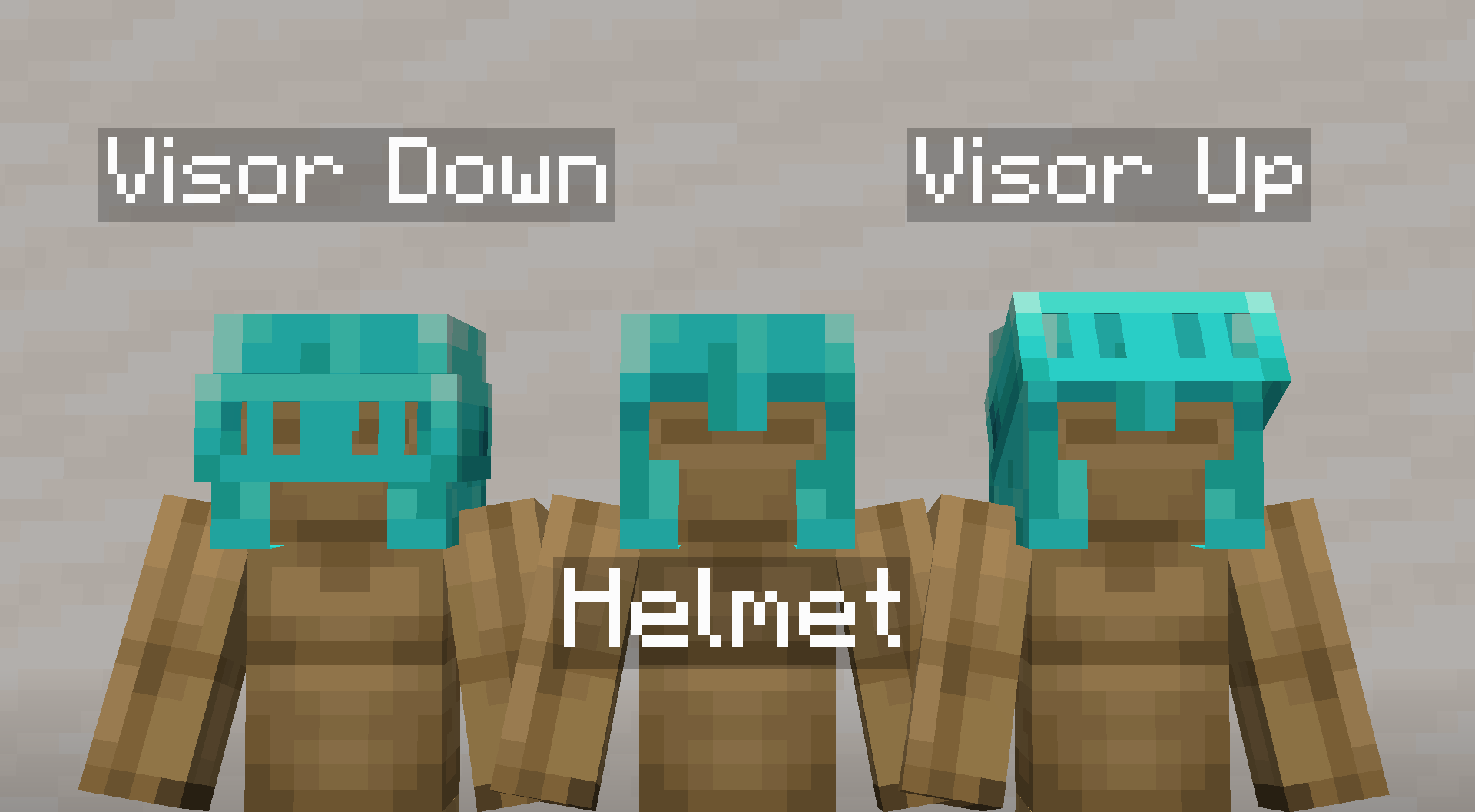
Rename **Diamond Helmet** to `Diamond Visor Down` or `Diamond Visor Up`
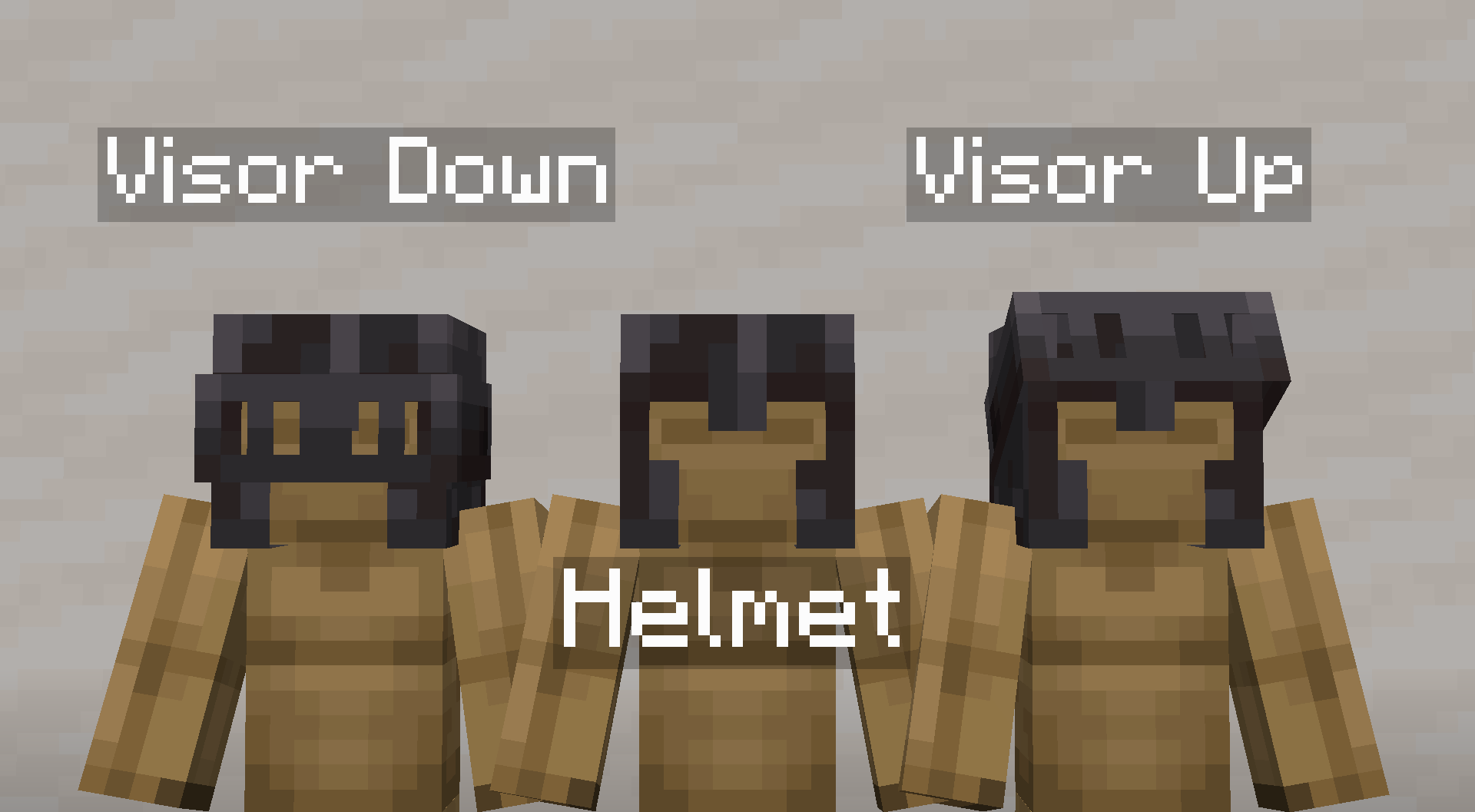
Rename **Netherite Helmet** to `Netherite Visor Down` or `Netherite Visor Up`
## ⚙️ Compatibility & Usage
This pack works with versions `1.20` until the latest version.
Make sure this pack is placed **above** any other resource packs to avoid conflicts.
**As of `1.4.0`, resource packs that change vanilla armor or add custom armor are now compatible!**
But certain mods like Advanced Netherite may need extra compatibility due to how the textures are changed. If you'd like to create one for your favorite mod, please open a thread in the [GitHub Issues page](https://github.com/mult1v4c/Armored-Legacy/issues).
---
### Please also check out my other pack [Hardware Reforged](https://modrinth.com/resourcepack/hardware-reforged)! Fully compatible with Armored Legacy and is designed to be used together.
## ✅ Roadmap
- **Armor Icons**. I've been wanting to do this for quite some time now so this is now the top priority
- **Compatibility pack creation guide**. I'll be making a guide for people who want to have a try on pixel art! This should allow people to share their own packs in the style of Armored Legacy.
- **Epic Fight Compatibility**. I'm currently working on making Armored Legacy compatible with Epic Fight! [Join the Discord Server](https://discord.com/invite/7vhvYmvDZn) to stay updated.
-
## 📝 Attribution
Armor Stand model used in previews is [Fancy Armor Stand Resource Pack](https://modrinth.com/resourcepack/fancy-armor-stand-texture-pack).
## 🖊️ Terms of Use
This resource pack is licensed under the **Creative Commons Attribution-NonCommercial-NoDerivatives 4.0 International License (CC BY-NC-ND 4.0)**. See `LICENSE` for more information.
By downloading this resource pack, you agree to the terms below.
**With this resource pack, you may**:
- Share and redistribute the pack in any medium or format in its original, unmodified form.
- Use the pack for personal, private purposes, including making modifications for your own use.
- Use the pack in content such as videos, livestreams, or blog posts, provided that you give appropriate credit and link back to this page.
**With this resource pack, you may NOT**:
- Distribute a modified version of the pack.
- Use this pack or any part of it for commercial purposes (e.g., include in paid content, put behind download paywalls, upload in Bedrock Marketplace, etc.).
- Claim the work as your own.
- Apply legal terms or technological measures that restrict others from doing anything the license permits.
## 👋 Feedback
If you have any feedback or find any errors or corrections, please report them on the [GitHub Issues page](https://github.com/mult1v4c/Armored-Legacy/issues).
## ❤️ Support
If you appreciate the effort put into this pack, please consider supporting me on [Ko-fi](https://ko-fi.com/mult1v4c). Your support is greatly appreciated!