
Описание
## 📌 **First Things First**
This pack is a **fork** of [original pack](https://modrinth.com/resourcepack/argemia-plush) by [MissKatsune](https://modrinth.com/user/MissKatsune)!
The original project has been discontinued _(i guess)_, and it only contains the red Argemia. Since I love this pack so much, I decided to expand it and add more plushies!
⚠️ **Requirements:** This pack requires [**CIT Resewn**](https://modrinth.com/mod/cit-resewn-continuation) or **OptiFine** to function properly.
## 🦐 About the Pack
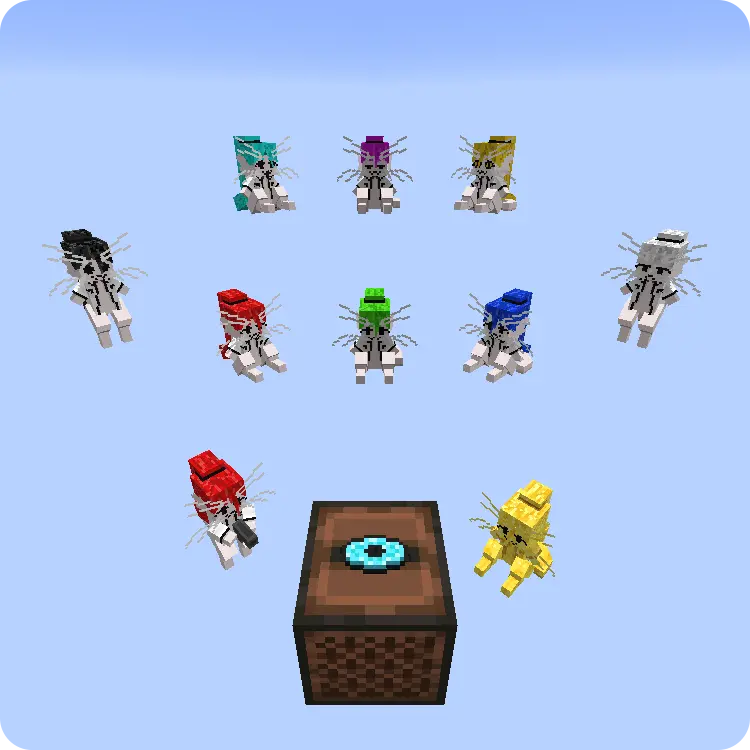
There are **10 different types** of these alien cats available: Red, Green, Blue, Cyan, Magenta, Yellow, Black, White, Gold, plus one extra ULTRA-GIGA-OMEGA-DANGEROUS plushy.
To get these little dudes, just rename specific items using an anvil. Get your very own shrimp-eaters collection!
"Craft"
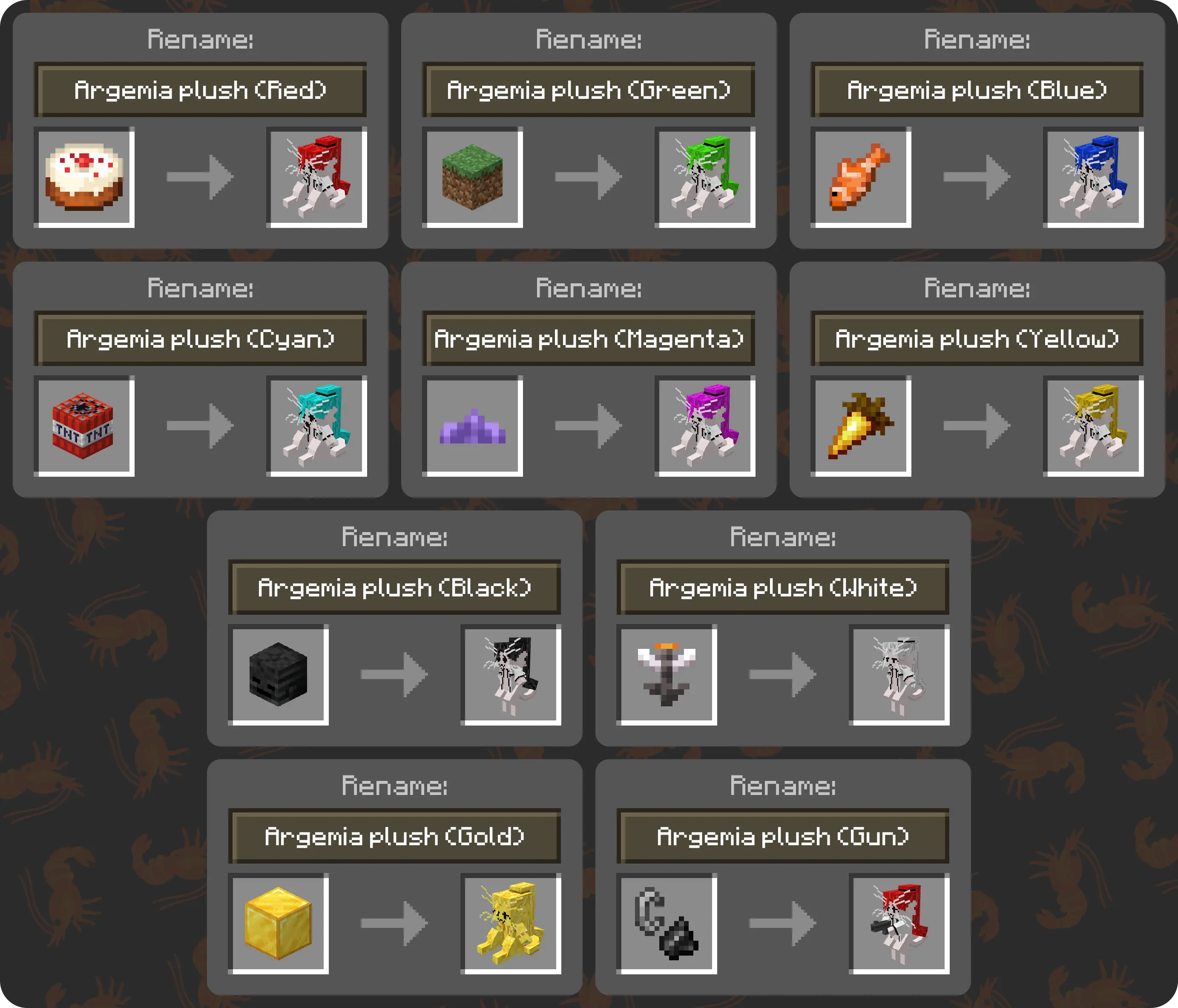
### 🛠️ "Crafting" Recipes (Anvil Renaming):
* **Argemia plush (Red)** ➔ Rename a **Cake**
* **Argemia plush (Green)** ➔ Rename a **Grass Block**
* **Argemia plush (Blue)** ➔ Rename a **Tropical Fish**
* **Argemia plush (Cyan)** ➔ Rename **TNT**
* **Argemia plush (Magenta)** ➔ Rename a **Small Amethyst Bud**
* **Argemia plush (Yellow)** ➔ Rename a **Golden Carrot**
* **Argemia plush (Black)** ➔ Rename a **Wither Skeleton Skull**
* **Argemia plush (White)** ➔ Rename an **Open Eyeblossom**
* **Argemia plush (Gold)** ➔ Rename a **Gold Block**
* **Argemia plush (Gun)** ➔ Rename **Flint and Steel**
## 💿 ArirPLS
I've also replaced **Music Disc 5** btw!
_(Only texture and audio changes. The crafting and obtaining methods remain vanilla)._
⚙️ Customization
## ⚙️ Customization (How to change items)
If you'd prefer to use different base items, you can easily customize them via the `.properties` files.
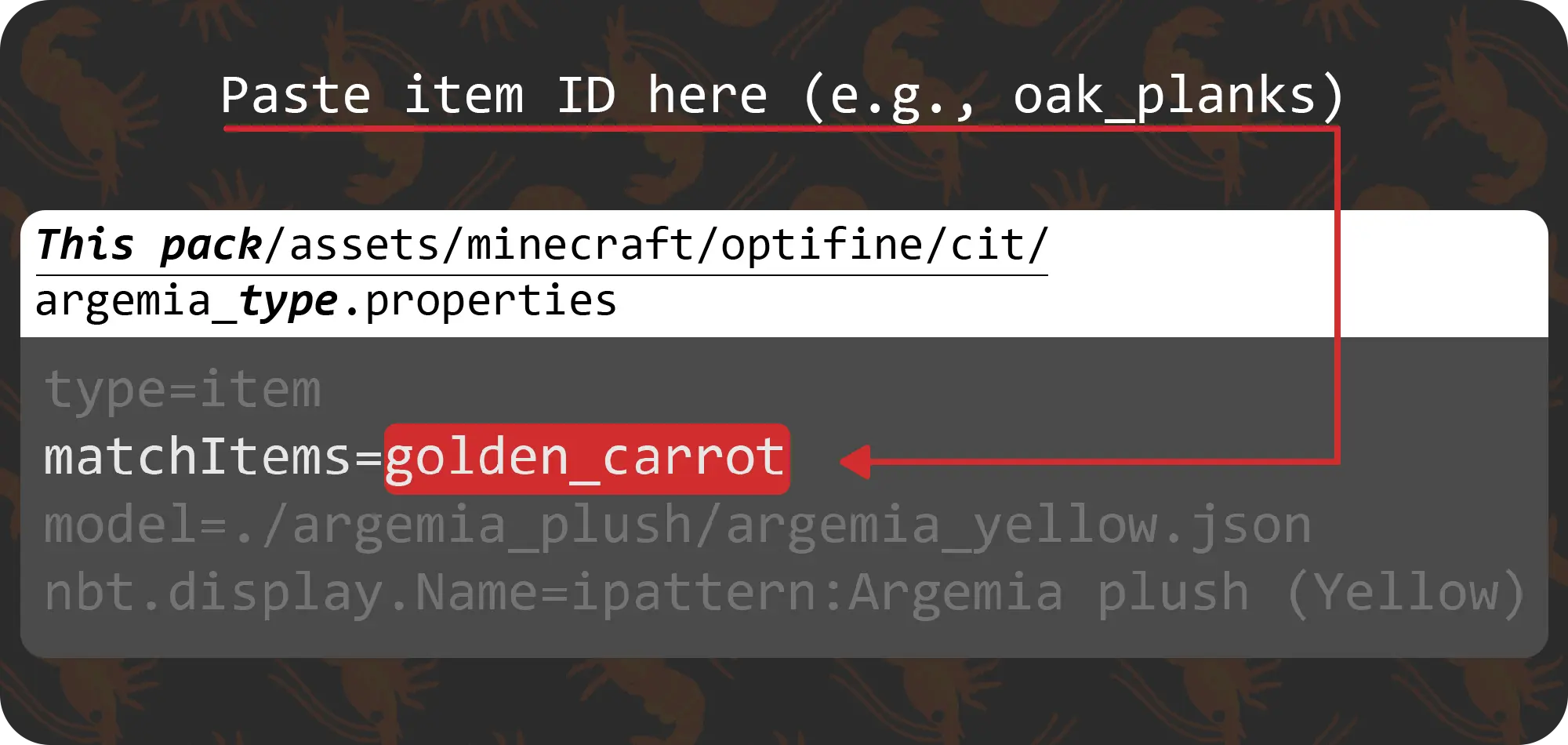
1. Open the resource pack folder.
2. Navigate to: `assets/minecraft/optifine/cit`
3. Open the corresponding `.properties` file with any text editor _(e.g., Notepad)_.
4. Modify the `matchItems=` parameter.
⚠️ **Note:** Make sure you use Minecraft Item IDs (not the in-game display names). For example, use `oak_planks` or `dirt` or whatever it is, instead of "Oak Planks" or "Dirt".
???
Maybe I'll add more VotV plushies later. But who knows...👀