Описание
# **Animate Crosshair**
Animated design of the minecraft crosshairs
## Opcional: Frames configuration:
Spoiler
- Open the .zip file of the texture pack

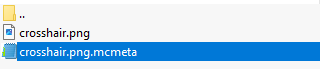
- Go to path "/assets/minecraft/textures/gui/sprites/hud" and open the crosshair.png.mcmeta file.
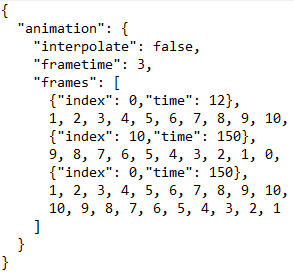
- We're interested in what's inside the frame brackets [].
- 0 is the first frame and 10 the last one, you can see this in crosshair.png
- {"index": 0,"time": 12} refers to a pause at frame 0 with the time you want.
- 1, 2, 3, 4, 5, 6, 7, 8, 9, 10, is the frame order that the animation will be in.
- You can add or remove frames depending on the animation and pauses you want.
- Don't forget that everything must be followed by a comma “,” as seen in the image