
Описание
## Customizable Pearl Cooldown
Make the Ender Pearl's cooldown longer.
## How to use
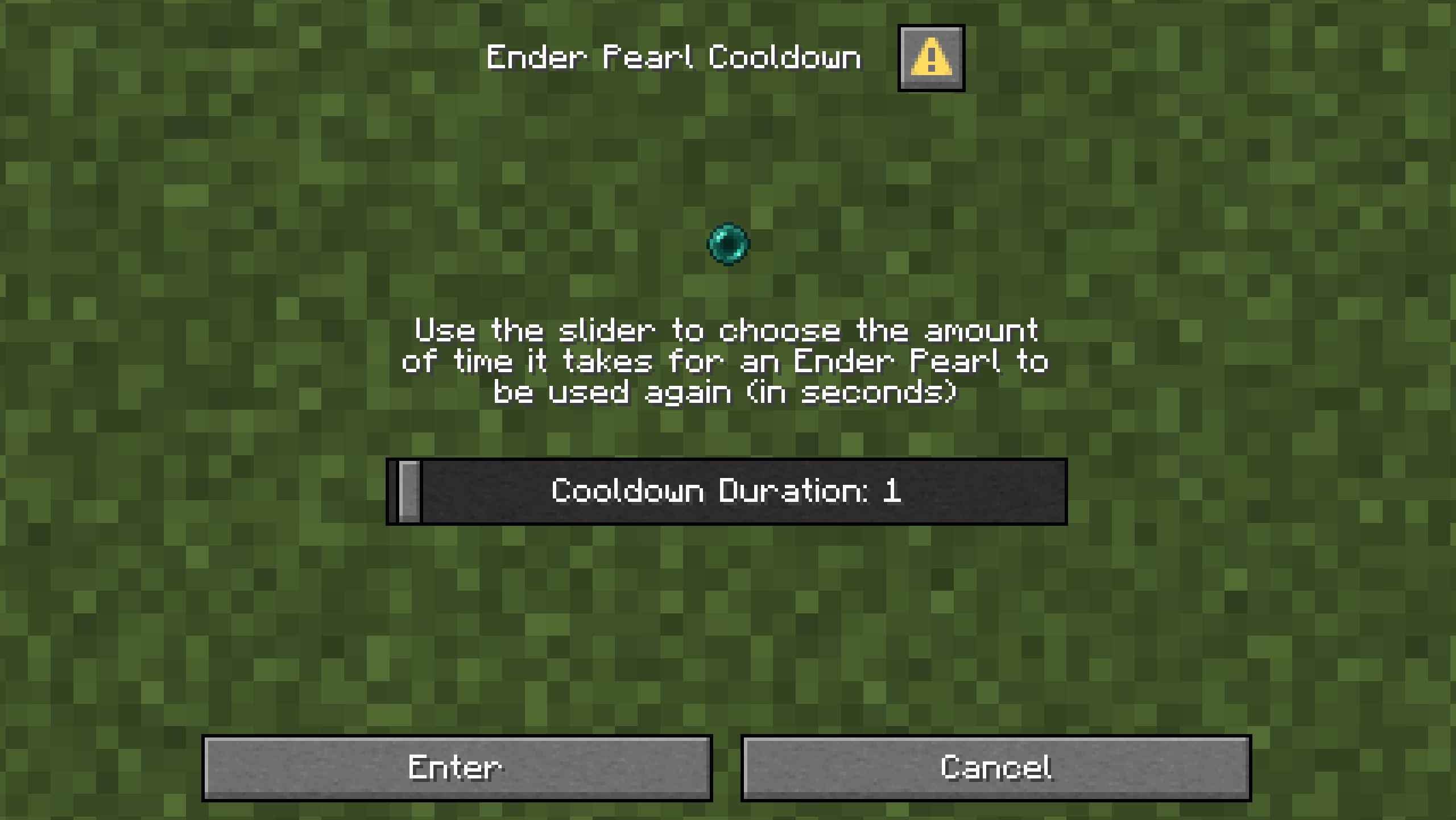
Enter **/function pearl_cooldown:config**
You can now use the slider to enter the amount of time (in seconds) that you want the pearl cooldown to be.
Notes
_The cooldown can only be from 1 to 60 seconds._
_You might have issues with the pearls not stacking when entering your inventory when dropped from an Enderman or when trading with a cleric villager, but they will stack correctly when they are moved around in your inventory._
Installation
### Server Installation (Datapack)
1. Go in the main server file
2. Open _world_ -> _datapacks_
3. Upload the datapack in the _datapacks_ folder
### World Installation (Datapack)
1. Press Win + R and enter %appdata%
2. Open _.minecraft_ -> _saves_ -> __ -> datapacks
3. Upload the datapack in the _datapacks_ folder
(Note that if you are using a launcher like Modrinth App or Prism Launcher, you'll need to go on your instance on the launcher and click on _Open Folder_.)
### Server Installation (Mod)
1. Go in the main server file
2. Open _mods_
3. Upload the mod in the _mods_ folder