
Описание

**Replaces the normally flat second layer of player skins with a fully 3D-modeled version.**
The mod automatically switches back to vanilla-style 2D rendering when players are more than 12 blocks away, helping maintain high framerates. It also supports transparent elements - perfect for glasses, visors, or other cosmetic details!
Since this mod is purely visual and entirely client-side, **it doesn't need to be installed on servers** and works seamlessly in any environment.


Give your player skin the depth it deserves—with style and performance in mind.
### 3D Extruded Skin Layer
- Replaces the flat second skin layer with a full 3D model
- Adds visual depth to cosmetic details like jackets, sleeves, or hats
- Fully supports transparency for glasses, visors, etc.
- Also applies to player head items
### Performance-Aware Rendering
- Automatically switches to vanilla 2D rendering beyond 12 blocks
- Maintains FPS even in multiplayer or crowded areas
- Fully client-side and requires no server installation
[](https://essential.gg/x/tr7zw)


| Minecraft | Loader | Status | Version | Note |
| ------------ | ---------------------- | --------------- | -------- | ---------------------------------------------------- |
| 1.16.5+ | Fabric/Forge*/NeoForge | ✅ Supported | Latest | |
| *1.16.5 | Forge | ⚠️ Unsupported | Outdated | Unsupported, until it gets support for JarInJar mods |
| 1.12.2/1.8.9 | Forge | ❌ Not supported | Outdated | Might get new updates at some point |
| Mod | Status | Note |
| ------------------------- | ----------------- | ----------------------------------------------------------------------------------------- |
| Essential | ✅ Supported | |
| Shoulder Surfing Reloaded | ✅ Supported | |
| Player Animator | ✅ Supported | This means mods that use it like Better Combat and Emotecraft |
| CustomSkinLoader | ⚠️ Partial support | Requires [this](https://modrinth.com/mod/skinlayers3d-customskinloader-bridge) helper mod |
| Lunar Client | ❌ Not supported | Will never get support! |


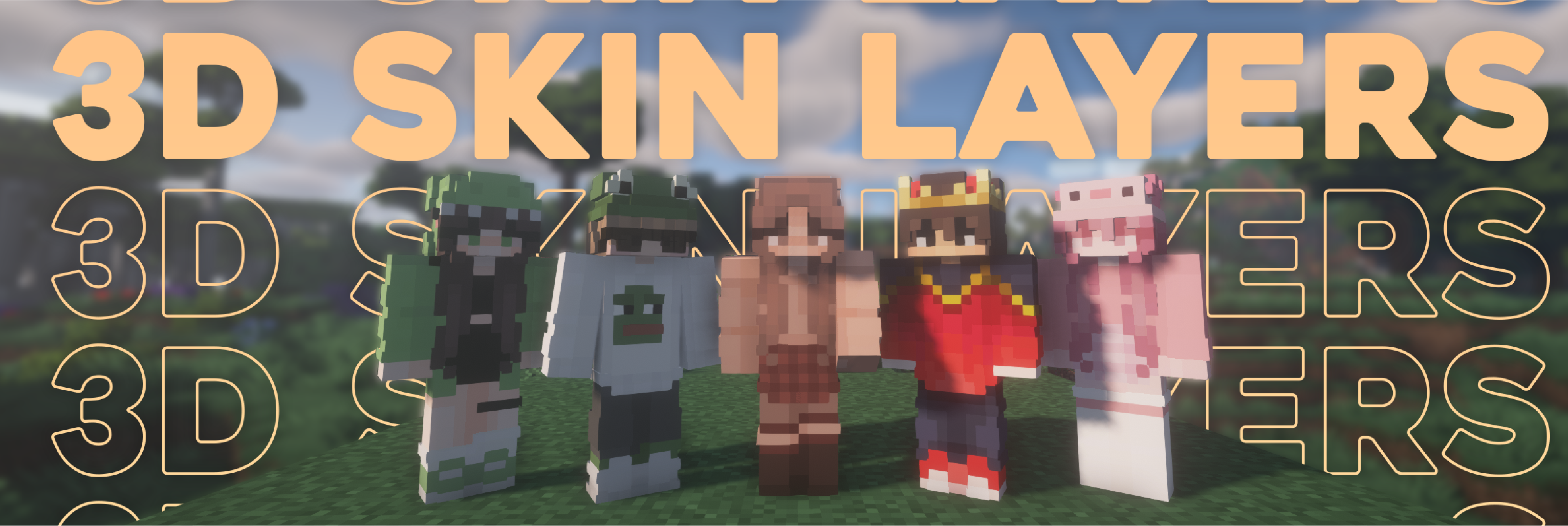


- Because the outer layer is slightly larger than the player model, some skins may not align perfectly in 3D.
- ZigZag patterns around corners will join up. This down to the math of making it 3d, but it can be somewhat prevented by placing slightly transparent pixels into the holes.
- With shaders, some body part layer sides have weird shadows. I am trying to get this resolved.


### Does this need to be installed on the server?
No. This is a fully client-side mod and does **not** need to be installed on the server.
### Does this work with HD Skins?
No. Since the pixels wouldn't have the correct shape, this is not possible.
### The layers stick through the modded armor
Some modded armor is closer to the body than vanilla. Turn down the 3d size in the mod settings till it fits.
### The layers are flying offset to the body
You are probably using a ETF/EMF resourcepack. Make sure you update it, fitting to the Minecraft version.
### Help the layers are gone! / The mod doesn't work!
A few things to check before asking for help:
- Check under Options > Skin Customization that you didn't accidentally disable your skin layers.
- Check in the mod settings, that the features are turned on.
- Does the mod show up in the modlist at all?
- The skin should be loaded via Mojang, other skin loaders might not be supported.
- Make sure your skin actually has things on the second layer. The mod can't magically invent layers.
### I'm having issues with my cracked version of Minecraft
Please buy the game, illegal copies of the game are not supported.


👤 Thanks to the awesome translators and contributors on Github!
📄 License: tr7zw Protective License
Feel free to use this mod in your Modrinth/Curseforge hosted modpacks without asking for permission. Do not redistribute the jar files anywhere else!